1. ഉൽപ്പന്നം കഴിഞ്ഞുview
The Samsung BN94-10961N is a replacement main board designed for specific Samsung UN55KS8000FXZA television models. This board integrates various critical functions including HDMI input, A/V processing, signal management, USB input, digital audio output, and Ethernet connectivity.
- ഭാഗം നമ്പർ: BN94-10961N
- Compatible TV Model: UN55KS8000FXZA (Version AA02)
- Function: Main Unit / Main Board / HDMI Input / A/V Board / Signal Board / USB Input / Digital Audio Output / Ethernet Input
- Board Number: BN97-10623W / BN41-02504A

ഒരു ഓവർഹെഡ് view of the Samsung BN94-10961N Main Board, showcasing its various ports and integrated circuits.
2 അനുയോജ്യത
This main board is specifically designed for Samsung UN55KS8000FXZA televisions with Version AA02. It is crucial to verify your TV's version number, which is typically printed on a sticker located on the back of your television. Using this board with an incompatible TV version may result in malfunction or damage.

A close-up image of a white barcode sticker on the main board. The sticker clearly displays 'UN55KS8000FXZA PC16' and the part number 'BN94-10961N', along with a serial number 'MX10BN9410961NA641H851359'. This sticker helps confirm the board's model and version compatibility.
3. Identifying Your Main Board
To ensure you have the correct replacement part, locate the part number on your existing main board. The primary part number (BN94-10961N) can be found on a larger, white barcode sticker. An additional board number (BN97-10623W) may also be present on a separate sticker.

എ വിശദമായി view of a white sticker on the main board, displaying the board number 'BN97-10623W' and a manufacturing date. A serial number '0102060705373' is also visible, aiding in precise identification.
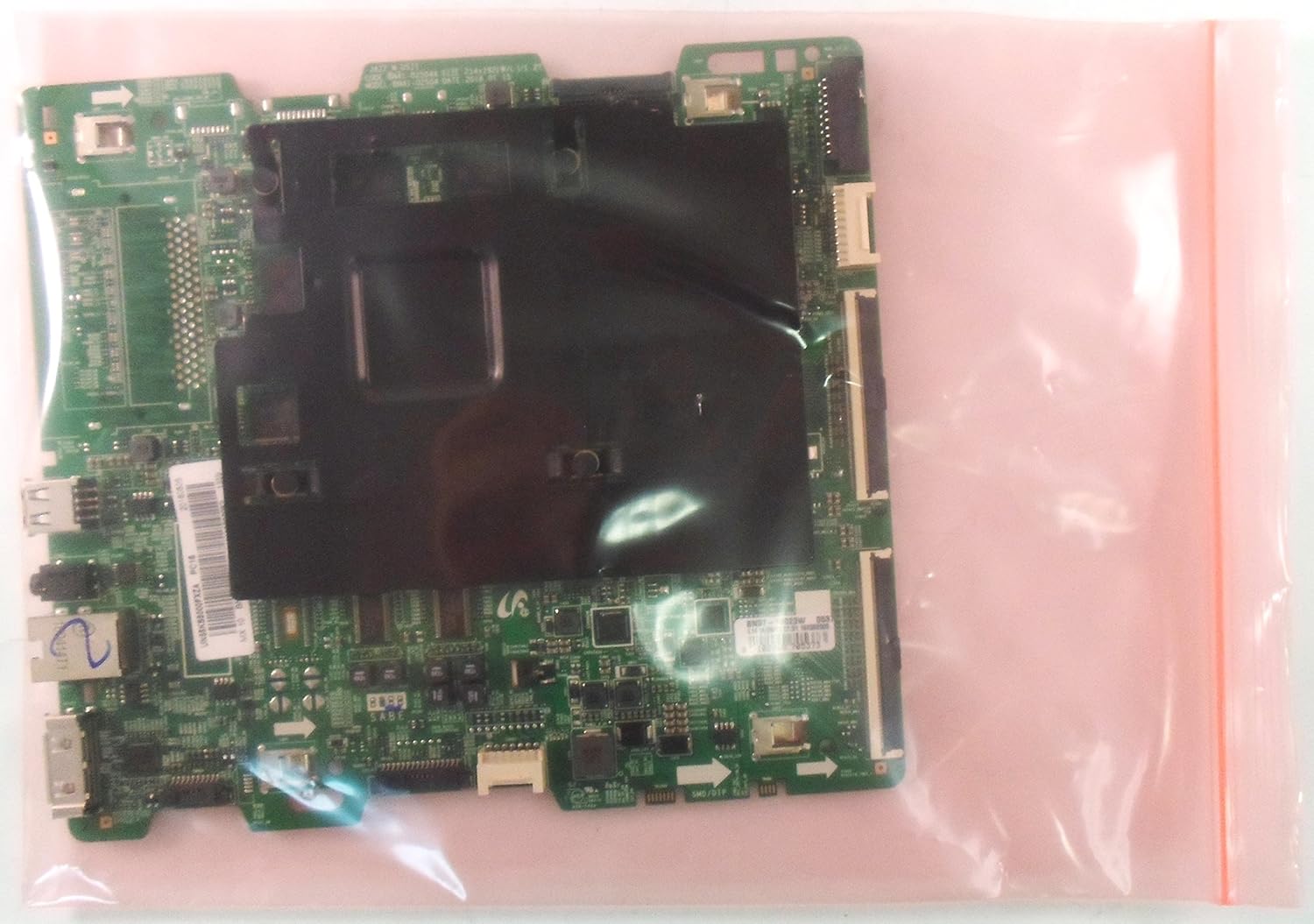
The Samsung main board is shown inside a clear, anti-static plastic bag, indicating proper handling and protection for electronic components.
4. സജ്ജീകരണവും ഇൻസ്റ്റാളേഷനും
മുന്നറിയിപ്പ്: Disconnect the television from the power supply before attempting any installation or repair. Static electricity can damage electronic components. Use appropriate anti-static precautions. Installation should only be performed by qualified personnel.
സുരക്ഷിതവും ശരിയായതുമായ ഇൻസ്റ്റാളേഷനായി ഈ ഘട്ടങ്ങൾ പാലിക്കുക:
- തയ്യാറാക്കൽ: Lay the television face down on a soft, clean surface to prevent screen damage. Remove the back cover of the TV.
- Locate the Main Board: Identify the existing main board within the television chassis.
- കേബിളുകൾ വിച്ഛേദിക്കുക: Carefully disconnect all cables and ribbon connectors attached to the old main board. Note their positions for reassembly.
- പഴയ ബോർഡ് നീക്കം ചെയ്യുക: Unscrew and remove the old main board from the TV chassis.
- പുതിയ ബോർഡ് ഇൻസ്റ്റാൾ ചെയ്യുക: Position the new BN94-10961N main board in place and secure it with the screws.
- കേബിളുകൾ വീണ്ടും ബന്ധിപ്പിക്കുക: Reconnect all cables and ribbon connectors to their corresponding ports on the new main board. Ensure all connections are firm and correctly seated.
- അന്തിമ പരിശോധനകൾ: Double-check all connections before replacing the back cover.
- പവർ ഓൺ: Reconnect the TV to the power supply and power it on to test functionality.
5. പ്രവർത്തന നിർദ്ദേശങ്ങൾ
Once the BN94-10961N Main Board is correctly installed, the television should function as intended. No specific operating instructions are required for the main board itself, as its operation is integrated into the television's overall system.
If the television does not power on or displays errors after installation, refer to the Troubleshooting section of this manual or your television's original user manual.
6. പരിപാലനം
The Samsung BN94-10961N Main Board requires no routine maintenance. To ensure its longevity:
- Keep the television in a clean, dust-free environment.
- Avoid exposing the television to extreme temperatures or humidity.
- Ensure proper ventilation around the television to prevent overheating.
7. പ്രശ്നപരിഹാരം
If you encounter issues after installing the main board, consider the following:
- ശക്തിയില്ല: Verify all power connections are secure. Ensure the power outlet is functional.
- ചിത്രം/ശബ്ദം ഇല്ല: Check all ribbon cables and input connections (HDMI, AV) to ensure they are properly seated.
- തെറ്റായ പ്രദർശനം: Confirm that the main board is compatible with your specific TV model and version (AA02).
- ഇടയ്ക്കിടെ ഉണ്ടാകുന്ന പ്രശ്നങ്ങൾ: Re-check all internal connections for looseness or damage.
For persistent issues, it is recommended to consult a professional television repair technician.
8 സ്പെസിഫിക്കേഷനുകൾ
| ഫീച്ചർ | വിശദാംശങ്ങൾ |
|---|---|
| ബ്രാൻഡ് | സാംസങ് |
| മോഡൽ നമ്പർ | BN94-10961N |
| അനുയോജ്യമായ ടിവി മോഡൽ | UN55KS8000FXZA (Version AA02) |
| ഭാഗം തരം | Main Unit / Main Board |
| ഇനത്തിൻ്റെ ഭാരം | 1 പൗണ്ട് |
| അനുയോജ്യമായ ഉപകരണങ്ങൾ | ടെലിവിഷൻ |
| ആദ്യ തീയതി ലഭ്യമാണ് | ഏപ്രിൽ 18, 2017 |
9. വാറൻ്റിയും പിന്തുണയും
This product is covered by the manufacturer's standard warranty. For specific warranty terms and conditions, please refer to the documentation provided with your purchase or contact the seller directly.
For technical support or assistance with installation, please contact your authorized Samsung service provider or the retailer from whom you purchased this main board.


