1. ഉൽപ്പന്നം കഴിഞ്ഞുview
The JLab JBuddies Studio Wireless On-Ear Kids Headphones are designed for young listeners, offering a safe and comfortable audio experience. These headphones feature wireless Bluetooth connectivity, a built-in volume limiter to protect sensitive ears, and a durable, adjustable design suitable for children aged 6 and up.
പ്രധാന സവിശേഷതകൾ
- ശിശുസൗഹൃദ ഡിസൈൻ: Specifically sized for children, with comfortable Eco Leather Cushions and a padded headband.
- വോളിയം ലിമിറ്റർ: Built-in regulators ensure audio never exceeds 85dB to protect hearing.
- 13-Hour Bluetooth Playtime: Extended wireless listening on a single charge.
- ക്രമീകരിക്കാവുന്ന ഫിറ്റ്: Smooth-sliding metal adjustments and pinch-free hinges accommodate growing children.
- സംയോജിത നിയന്ത്രണങ്ങൾ: Easy-to-use buttons for play, pause, volume, track control, and call management.
- ബിൽറ്റ്-ഇൻ മൈക്രോഫോൺ: Enables clear communication for calls or online learning.
- നോയ്സ് ഐസൊലേഷൻ: Over-ear design helps reduce external distractions.

Image: JLab JBuddies Studio Wireless On-Ear Kids Headphones, showcasing their graphite and blue design.
2. ബോക്സിൽ എന്താണുള്ളത്?
Your JLab JBuddies Studio Wireless Headphones package includes the following items:
- JLab JBuddies Studio Wireless Headphones
- 3.5 എംഎം ഓക്സ് കേബിൾ
- മൈക്രോ-യുഎസ്ബി ചാർജിംഗ് കേബിൾ

Image: The JLab JBuddies Studio Wireless Headphones along with their included 3.5mm AUX cable and Micro-USB charging cable.
3. സജ്ജീകരണം
നിങ്ങളുടെ ഹെഡ്ഫോണുകൾ ചാർജ് ചെയ്യുന്നു
Before first use, fully charge your JBuddies Studio Wireless Headphones. A full charge provides up to 13 hours of Bluetooth playtime.
- Locate the Micro-USB charging port on the left earcup.
- Connect the provided Micro-USB charging cable to the port on the headphones.
- Plug the other end of the USB cable into a USB power source (e.g., computer, wall adapter).
- The LED indicator will show charging status (typically red while charging, turning off or blue when fully charged).

ചിത്രം: വിശദമായ ഒരു ചിത്രം view of the headphone earcup, highlighting the charging port and integrated controls.
ബ്ലൂടൂത്ത് ജോടിയാക്കൽ
Follow these steps to connect your headphones wirelessly via Bluetooth:
- ഹെഡ്ഫോണുകൾ ഓഫാണെന്ന് ഉറപ്പാക്കുക.
- Press and hold the Power On/Off button for approximately 10 seconds until the LED indicator flashes blue and red, indicating pairing mode.
- നിങ്ങളുടെ ഉപകരണത്തിൽ (സ്മാർട്ട്ഫോൺ, ടാബ്ലെറ്റ്, കമ്പ്യൂട്ടർ), ബ്ലൂടൂത്ത് പ്രവർത്തനക്ഷമമാക്കി ലഭ്യമായ ഉപകരണങ്ങൾക്കായി തിരയുക.
- Select "JLab JBuddies Studio" from the list of devices to connect.
- കണക്ട് ചെയ്തുകഴിഞ്ഞാൽ, LED ഇൻഡിക്കേറ്റർ സാവധാനം കടും നീലയോ ഫ്ലാഷ് നീലയോ ആയി മാറും.
Video: An official JLab video demonstrating the features and Bluetooth pairing process of the JBuddies Studio Wireless Kids Headphones.
വയർഡ് കണക്ഷൻ
For a wired connection, use the included 3.5mm AUX cable:
- Plug one end of the 3.5mm AUX cable into the AUX input/output port on the headphones.
- Plug the other end of the AUX cable into the audio jack of your device.
- The headphones will now function in wired mode, conserving battery life.

Image: A child using the JLab JBuddies Studio Wireless Headphones with a wired connection to a tablet.
4. ഓപ്പറേഷൻ
ഹെഡ്ഫോൺ നിയന്ത്രണങ്ങൾ
All controls are conveniently located on the bottom left earcup for easy access:
- പവർ ഓൺ/ഓഫ്: പവർ ബട്ടൺ 3 സെക്കൻഡ് അമർത്തിപ്പിടിക്കുക.
- പ്ലേ/താൽക്കാലികമായി നിർത്തുക: മൾട്ടി-ഫംഗ്ഷൻ ബട്ടണിൽ ഒറ്റ ക്ലിക്ക് ചെയ്യുക.
- വോളിയം കൂട്ടുക/താഴ്ത്തുക: Single click the '+' or '-' buttons.
- മുന്നോട്ട്/പിന്നോട്ട് ട്രാക്ക് ചെയ്യുക: Press and hold the '+' or '-' buttons for 2 seconds.
- ഉത്തരം/അവസാന കോൾ: മൾട്ടി-ഫംഗ്ഷൻ ബട്ടണിൽ ഒറ്റ ക്ലിക്ക് ചെയ്യുക.
- വോയ്സ് അസിസ്റ്റന്റിനെ സജീവമാക്കുക: മൾട്ടി-ഫംഗ്ഷൻ ബട്ടണിൽ ഇരട്ട-ക്ലിക്കുചെയ്യുക.

ചിത്രം: വിശദമായത് view of the control panel on the headphone earcup, illustrating the various buttons and their functions.
Volume Safe Listening
The JBuddies Studio headphones are engineered with a built-in volume regulator to ensure sound output never exceeds 85dB. This feature is crucial for protecting young, sensitive ears from potential damage due to prolonged exposure to high volume levels.

Image: A child enjoying content with the headphones, emphasizing the volume-safe listening feature.
പങ്കിടൽ മോഡ്
The headphones support a Share Mode feature, allowing two headphones to listen to the same audio source simultaneously. This is ideal for shared viewഅനുഭവങ്ങൾ.
- Connect the included 3.5mm AUX cable to the AUX input/output port of the first headphone.
- Connect the other end of the AUX cable to the AUX input/output port of a second compatible headphone.
- The audio from your device will now play through both connected headphones.
5. സുഖവും രൂപകൽപ്പനയും
The JLab JBuddies Studio headphones are built with comfort and durability in mind for active children:
- ഓവർ-ഇയർ ഡിസൈൻ: Plush circular earcups with Eco Leather Cushions provide all-day comfort.
- പാഡഡ് ഹെഡ്ബാൻഡ്: The headband is padded with faux leather for additional comfort on the head.
- ക്രമീകരിക്കാവുന്ന ഫിറ്റ്: Smooth-sliding metal adjustments allow for a perfect fit for various head sizes, suitable for ages 6-16.
- Pinch-Free Hinges: Designed to protect little fingers from getting caught.
- ഫെതർ-ലൈറ്റ് ബിൽഡ്: Lightweight construction ensures comfortable wear for extended periods.
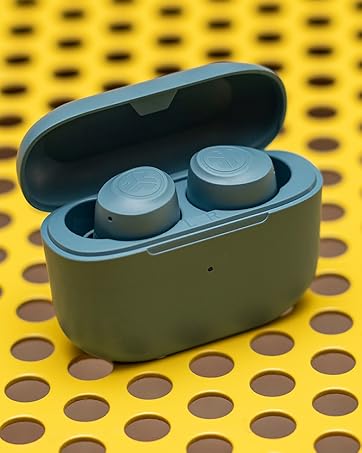
Image: The headphones demonstrating their foldable design for easy portability and storage.
6 സ്പെസിഫിക്കേഷനുകൾ
| ഫീച്ചർ | വിശദാംശങ്ങൾ |
|---|---|
| മോഡലിൻ്റെ പേര് | JBuddies Studio Wireless |
| കണക്റ്റിവിറ്റി ടെക്നോളജി | വയർലെസ് (ബ്ലൂടൂത്ത്) |
| വയർലെസ് കമ്മ്യൂണിക്കേഷൻ ടെക്നോളജി | ബ്ലൂടൂത്ത് |
| ഉൾപ്പെടുത്തിയ ഘടകങ്ങൾ | 3.5mm AUX Cable, Micro-USB Charging Cable |
| പ്രായപരിധി (വിവരണം) | കുട്ടി (6-16 വയസ്സ്) |
| മെറ്റീരിയൽ | വ്യാജമായത് |
| ഉൽപ്പന്നത്തിൻ്റെ പ്രത്യേക ഉപയോഗങ്ങൾ | Home, Travel |
| ചാർജിംഗ് സമയം | 13 Hours (for full battery life) |
| ഉൽപ്പന്നത്തിനുള്ള ശുപാർശിത ഉപയോഗങ്ങൾ | 13 hours Bluetooth playtime |
| അനുയോജ്യമായ ഉപകരണങ്ങൾ | Any device with Bluetooth or a 3.5mm audio input jack |
| നിയന്ത്രണ തരം | Volume Control, Track Control, Play/Pause, Call Answer/End |
| കേബിൾ സവിശേഷത | Without Cable (Wireless), With Cable (Wired) |
| ഇനത്തിൻ്റെ ഭാരം | 6.8 ഔൺസ് |
| ശൈലി | ബ്ലൂടൂത്ത് |
| നിയന്ത്രണ രീതി | ബട്ടൺ |
| ബാറ്ററി ലൈഫ് | 13 മണിക്കൂർ |
| ഓഡിയോ ഡ്രൈവർ തരം | ഡൈനാമിക് ഡ്രൈവർ |
| ബ്ലൂടൂത്ത് ശ്രേണി | 30 അടി |
| ബ്ലൂടൂത്ത് പതിപ്പ് | 4.2 |
| ഇയർപീസ് ആകൃതി | ചെവിക്ക് ചുറ്റും |
| ഹാർഡ്വെയർ ഇന്റർഫേസ് | ബ്ലൂടൂത്ത് 5 |
| യു.പി.സി | 812887016025 |
| ശബ്ദ നിയന്ത്രണ സവിശേഷതകൾ | നിഷ്ക്രിയ നോയ്സ് ഐസൊലേഷൻ |
| പ്രത്യേക ഫീച്ചർ | Adjustable Headband, Microphone Included, Noise Isolation, Volume Control, Wireless |
| നിർമ്മാതാവ് | ജെ ലാബ് |
| ഉൽപ്പന്ന അളവുകൾ | 5.91 x 1.06 x 3.54 ഇഞ്ച് |
| നിറം | Graphite / Blue |
| ചെവി പ്ലേസ്മെൻ്റ് | ചെവിക്ക് മുകളിൽ |
| ഫോം ഫാക്ടർ | ചെവിക്ക് മുകളിൽ |
| ഹെഡ്ഫോണുകൾ ജാക്ക് | 3.5 mm Jack, Bluetooth |
7. പരിപാലനം
Proper care and maintenance will extend the life of your JLab JBuddies Studio Wireless Headphones:
- വൃത്തിയാക്കൽ: Use a soft, dry cloth to wipe the earcups and headband. Avoid using harsh chemicals or abrasive materials.
- സംഭരണം: When not in use, fold the headphones for compact storage and keep them in a cool, dry place away from direct sunlight and extreme temperatures.
- കേബിൾ കെയർ: Handle the charging and AUX cables gently to prevent damage. Avoid sharp bends or excessive pulling.
8. പ്രശ്നപരിഹാരം
നിങ്ങളുടെ ഹെഡ്ഫോണുകളിൽ പ്രശ്നങ്ങൾ നേരിടുകയാണെങ്കിൽ, ഇനിപ്പറയുന്ന പരിഹാരങ്ങൾ പരീക്ഷിക്കുക:
- ശക്തിയില്ല: Ensure the headphones are fully charged. Connect them to a power source using the Micro-USB cable.
- ശബ്ദമില്ല (വയർലെസ്): Check if the headphones are properly paired with your device. Ensure the device's volume is turned up and the headphones are not muted. Try re-pairing the headphones.
- No Sound (Wired): Ensure the 3.5mm AUX cable is securely connected to both the headphones and your device. Test with a different AUX cable if available.
- ജോടിയാക്കൽ പ്രശ്നങ്ങൾ: Turn off Bluetooth on your device and then turn it back on. Forget the headphones from your device's Bluetooth list and attempt to pair again. Ensure no other Bluetooth devices are interfering.
- കുറഞ്ഞ വോളിയം: Remember that the headphones have a built-in 85dB volume limiter. Ensure your device's volume is at its maximum.
9. വാറൻ്റിയും പിന്തുണയും
JLab stands behind the quality of its products. Your JLab JBuddies Studio Wireless On-Ear Kids Headphones come with the following:
- 2-വർഷ പരിമിത വാറൻ്റി: Covers manufacturing defects for up to two years from the date of purchase.
- 30-ദിവസത്തെ പണം-ബാക്ക് ഗ്യാരണ്ടി: Ensures customer satisfaction. If you are not happy with your purchase, you can return it within 30 days for a full refund.
For further assistance, please visit the official JLab support webസൈറ്റ് അല്ലെങ്കിൽ അവരുടെ ഉപഭോക്തൃ സേവനവുമായി ബന്ധപ്പെടുക.


