1. ആമുഖം
Thank you for choosing the SOMIC G310 USB Gaming Headset. This headset is designed to provide an immersive audio experience for gaming across multiple platforms, including PC, PlayStation 4, PlayStation 5, and laptops. Featuring a comfortable design, a flexible microphone, and intuitive controls, the G310 enhances your communication and audio during gameplay.

Figure 1: SOMIC G310 USB Gaming Headset Overview
2. സജ്ജീകരണം
2.1 ഹെഡ്സെറ്റ് ബന്ധിപ്പിക്കുന്നു
The SOMIC G310 headset connects via a standard USB 2.0 interface. Simply plug the USB connector into an available USB port on your PC, PlayStation console, or laptop. The device should be automatically recognized by your system.

Figure 2: Headset with USB Cable
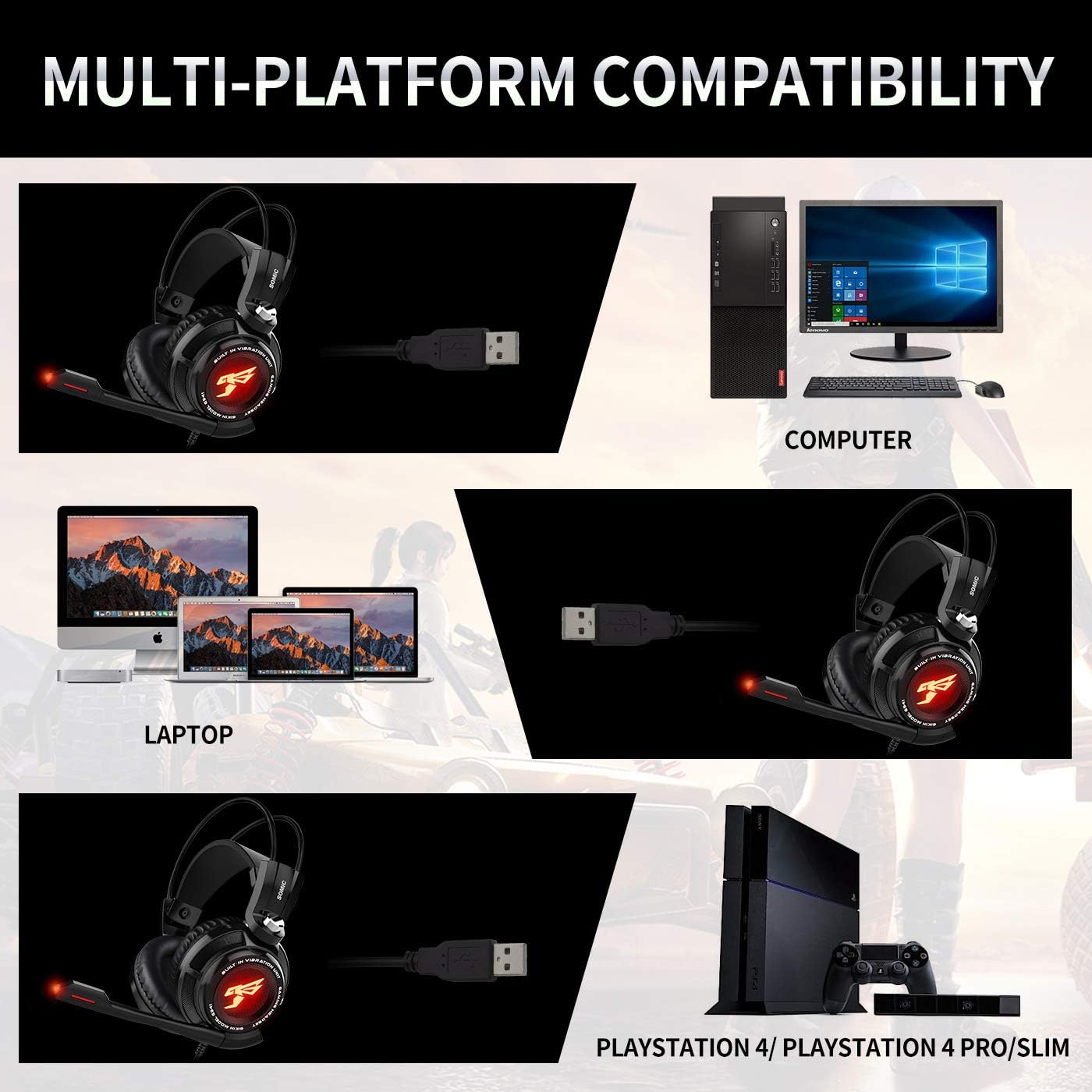
ചിത്രം 3: മൾട്ടി-പ്ലാറ്റ്ഫോം അനുയോജ്യത
2.2 Microphone Adjustment
The headset features an adjustable microphone. Position the microphone approximately 1-2 inches from your mouth for optimal voice clarity. The microphone arm is flexible to allow for precise positioning.

Figure 4: Adjustable Microphone Positioning
3. പ്രവർത്തന നിർദ്ദേശങ്ങൾ
3.1 ഇൻ-ലൈൻ കൺട്രോൾ യൂണിറ്റ്
The SOMIC G310 includes an in-line control unit on the cable for convenient access to audio settings:
- വോളിയം നിയന്ത്രണം: Use the scroll wheel to adjust the headset's audio volume.
- മൈക്രോഫോൺ നിശബ്ദമാക്കുക: Press the 'MIC' button to mute or unmute the microphone. An indicator light on the microphone tip will show its status.
- വൈബ്രേഷൻ പ്രവർത്തനം: Press the 'VIB' button to activate or deactivate the vibration effect for enhanced bass feedback.

Figure 5: Headset Features and In-line Control
3.2 വെർച്വൽ സറൗണ്ട് സൗണ്ട്
The headset features a built-in special 40mm driver unit with 7.1 Virtual Surround Sound, providing detailed and immersive audio for gaming. This technology helps to pinpoint in-game sounds and enhance the overall experience.

Figure 6: 7.1 Virtual Surround Sound Illustration
4. പരിപാലനം
4.1 വൃത്തിയാക്കൽ
To maintain the headset's condition, regularly wipe the earcups and headband with a soft, dry cloth. For deeper cleaning, a slightly damp cloth can be used, ensuring no moisture enters the speaker grilles or microphone. Avoid using harsh chemicals or abrasive materials.
4.2 സംഭരണം
Store the headset in a cool, dry place away from direct sunlight and extreme temperatures. Avoid wrapping the cable too tightly to prevent damage.
5. പ്രശ്നപരിഹാരം
5.1 ശബ്ദമില്ല അല്ലെങ്കിൽ കുറഞ്ഞ ശബ്ദം
- Ensure the USB connector is fully inserted into the device's port.
- Check the volume control wheel on the in-line unit and adjust it to an audible level.
- Verify the audio output settings on your PC or console to ensure the SOMIC G310 is selected as the default output device.
- Increase the system volume on your connected device.
5.2 മൈക്രോഫോൺ പ്രവർത്തിക്കുന്നില്ല
- Press the 'MIC' button on the in-line control unit to ensure the microphone is not muted. The microphone tip's indicator light should be active when unmuted.
- Check the microphone input settings on your PC or console to confirm the SOMIC G310 is selected as the default input device.
- Ensure the microphone arm is properly extended and positioned.
- If issues persist, try connecting the headset to a different USB port or another compatible device to rule out port-specific problems.
5.3 Vibration Function Not Active
- Press the 'VIB' button on the in-line control unit to activate the vibration feature.
- Ensure the audio volume is sufficiently high, as the vibration effect is often more noticeable at mid to high volume levels.
6 സ്പെസിഫിക്കേഷനുകൾ
| ഫീച്ചർ | വിശദാംശങ്ങൾ |
|---|---|
| മോഡലിൻ്റെ പേര് | G310 |
| കണക്റ്റിവിറ്റി ടെക്നോളജി | വയർഡ് (യുഎസ്ബി) |
| ഹെഡ്ഫോണുകൾ ജാക്ക് | USB |
| അനുയോജ്യമായ ഉപകരണങ്ങൾ | Laptops, Desktops, Gaming Consoles (PS4, PS5) |
| നിയന്ത്രണ തരം | Volume Control, Microphone Mute, Vibration |
| ശബ്ദ നിയന്ത്രണം | നിഷ്ക്രിയ ശബ്ദം റദ്ദാക്കൽ |
| പ്രത്യേക ഫീച്ചർ | ഭാരം കുറഞ്ഞ |
| ഇനത്തിൻ്റെ ഭാരം | 8 ഔൺസ് |
| ഉൽപ്പന്ന അളവുകൾ | 8 x 7 x 3.5 ഇഞ്ച് |
| വാല്യംtage | 5 വോൾട്ട് |
7. വാറൻ്റിയും പിന്തുണയും
For specific warranty information, technical support, or service inquiries regarding your SOMIC G310 USB Gaming Headset, please refer to the documentation included with your product or visit the official SOMIC webസൈറ്റ്. വാറൻ്റി ക്ലെയിമുകൾക്കായി നിങ്ങളുടെ വാങ്ങൽ രസീത് സൂക്ഷിക്കുക.


