ആമുഖം
This manual provides comprehensive instructions for the installation, operation, maintenance, and troubleshooting of your Comtrend WAP-EN300C Wireless Access Point.
The WAP-EN300C is a business-grade solution designed to deliver robust wireless coverage, combining a 400mW high power radio with -95dBm high sensitivity.
പ്രധാന സവിശേഷതകൾ
- Low-cost business-grade solution with 400mW high power radio and -95dBm high sensitivity for robust wireless coverage.
- Easy setup of Guest Networks to isolate the local network from wireless clients via an IP filter.
- Manages the handoff of client devices from one access point to another with negligible interruption.
- Supports guest network feature, cluster configuration, and smart handover.
- 802.11n speeds up to 300Mbps, includes a Gigabit Ethernet Port, and is PoE (Power over Ethernet) Powered (802.3af Compatible).
Physical Description and Components
The Comtrend WAP-EN300C is a ceiling-mount wireless access point, designed for discreet integration into various environments.

ഫ്രണ്ട് view of the Comtrend WAP-EN300C Wireless Access Point, showing the white circular casing with the 'COMTREND' logo and a blue LED indicator light.

കോണാകൃതിയിലുള്ളത് view of the Comtrend WAP-EN300C Wireless Access Point, highlighting the ventilation slots around the circumference and the 'COMTREND' logo on the top surface.

ഉൽപ്പന്നം കഴിഞ്ഞുview graphic for the Comtrend WAP-EN300C, illustrating its key features such as N300 WiFi, 400mW high power, -95dBm high sensitivity, and TR-069 support. It also highlights benefits like guest network setup, cluster configuration, and smart handover.
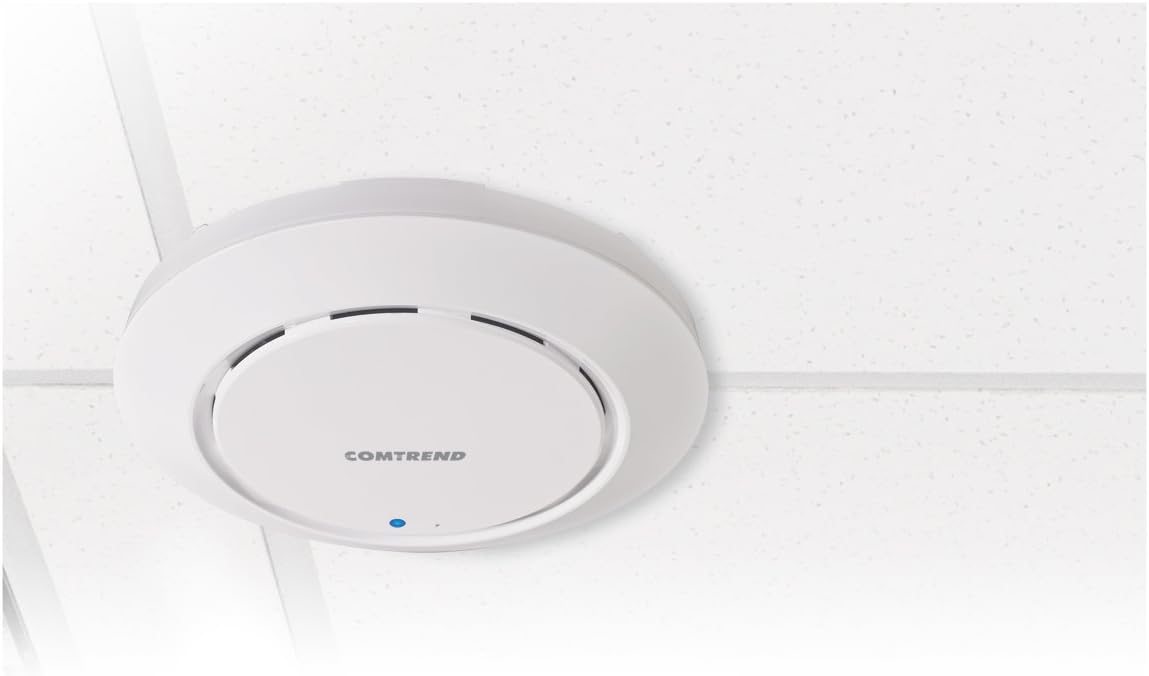
The Comtrend WAP-EN300C Wireless Access Point mounted on a ceiling, demonstrating its discreet and integrated design.
സജ്ജീകരണവും ഇൻസ്റ്റാളേഷനും
ഉപകരണം പവർ ചെയ്യുന്നു
The WAP-EN300C supports Power over Ethernet (PoE) (802.3af Compatible). Connect a compatible PoE injector or PoE-enabled switch to the Gigabit Ethernet port on the device.
നെറ്റ്വർക്ക് കണക്ഷൻ
Connect the device to your network using a standard Ethernet cable via its Gigabit Ethernet port.
മൗണ്ടിംഗ്
The device is designed for ceiling mounting. Ensure proper ventilation and secure attachment. Refer to the included mounting kit instructions for detailed steps.
പ്രവർത്തന നിർദ്ദേശങ്ങൾ
പ്രാരംഭ കോൺഫിഗറേഷൻ
ഉപകരണത്തിലേക്ക് പ്രവേശിക്കുക web-based management interface by connecting a computer to the same network segment as the WAP-EN300C. Refer to the default IP address and login credentials provided in the quick start guide or on the device label.
വയർലെസ് നെറ്റ്വർക്ക് സജ്ജീകരണം
Within the management interface, navigate to the wireless settings to configure your Wi-Fi network (SSID), security type (WPA2-PSK recommended), and password.
Guest Network Configuration
Utilize the guest network feature to create isolated networks for visitors, preventing access to your main local network. This can be configured via an IP filter within the management interface.
Smart Handover and Cluster Configuration
For deployments with multiple access points, configure smart handover to ensure seamless roaming for client devices. Cluster configuration allows for centralized management of multiple WAP-EN300C units.
മെയിൻ്റനൻസ്
ഫേംവെയർ അപ്ഡേറ്റുകൾ
Regularly check for and apply firmware updates to ensure optimal performance, security, and access to new features. Firmware can be remotely managed via TR-069 or through the web ഇൻ്റർഫേസ്.
ബാക്കപ്പ് കോൺഫിഗറേഷൻ
It is recommended to regularly back up your device's configuration settings. This allows for quick restoration in case of a reset or replacement.
വൃത്തിയാക്കൽ
മൃദുവായതും ഉണങ്ങിയതുമായ തുണി ഉപയോഗിച്ച് ഉപകരണത്തിന്റെ പുറംഭാഗം വൃത്തിയാക്കുക. ലിക്വിഡ് ക്ലീനറുകളോ എയറോസോളുകളോ ഉപയോഗിക്കരുത്.
ട്രബിൾഷൂട്ടിംഗ്
പവർ ഇൻഡിക്കേറ്റർ ലൈറ്റ് ഇല്ല
Ensure the PoE connection is secure and the PoE injector/switch is powered on and functioning correctly.
Cannot Access Management Interface
Verify your computer is on the same network segment as the access point. Check the device's IP address and ensure there are no IP conflicts. Try resetting the device to factory defaults if necessary (refer to the reset procedure in the quick start guide).
Poor Wireless Coverage
Check the placement of the access point. Ensure there are no major obstructions. Consider adding more access points for larger areas.
Slow Wireless Speeds
Verify that your client devices support 802.11n. Check for channel interference and try changing the wireless channel in the management interface. Ensure the device is connected to a Gigabit Ethernet port.
സാങ്കേതിക സവിശേഷതകൾ
| ഫീച്ചർ | വിശദാംശങ്ങൾ |
|---|---|
| വയർലെസ് തരം | 802.11n |
| ഫ്രീക്വൻസി ബാൻഡ് ക്ലാസ് | സിംഗിൾ-ബാൻഡ് |
| ഡാറ്റ കൈമാറ്റ നിരക്ക് | സെക്കൻഡിൽ 300 മെഗാബൈറ്റുകൾ |
| കണക്റ്റിവിറ്റി ടെക്നോളജി | വയർഡ്, വയർലെസ് |
| ഇഥർനെറ്റ് പോർട്ട് | ഗിഗാബിറ്റ് ഇഥർനെറ്റ് |
| ശക്തി | PoE (802.3af Compatible) |
| ഇനം മോഡൽ നമ്പർ | WAP-EN300C |
| ഇനത്തിൻ്റെ ഭാരം | 9.6 ഔൺസ് (0.6 പൗണ്ട്) |
| ഉൽപ്പന്ന അളവുകൾ | 6.93 x 6.93 x 1.26 ഇഞ്ച് |
| നിർമ്മാതാവ് | Comtrend |
| യു.പി.സി | 897384000456 |
വാറൻ്റിയും പിന്തുണയും
For warranty information and technical support, please refer to the official Comtrend webസൈറ്റ് അല്ലെങ്കിൽ അവരുടെ ഉപഭോക്തൃ സേവനവുമായി ബന്ധപ്പെടുക.
Online resources may include FAQs, driver downloads, and additional documentation.
Manufacturer: Comtrend
Webസൈറ്റ്: www.comtrend.com


