ഉൽപ്പന്നം കഴിഞ്ഞുview
The Logitech M170 Wireless Mouse offers a reliable and hassle-free wireless connection for various computing devices. Designed for comfort and portability, this ambidextrous mouse provides smooth and accurate cursor control, making it suitable for everyday use and professional tasks.
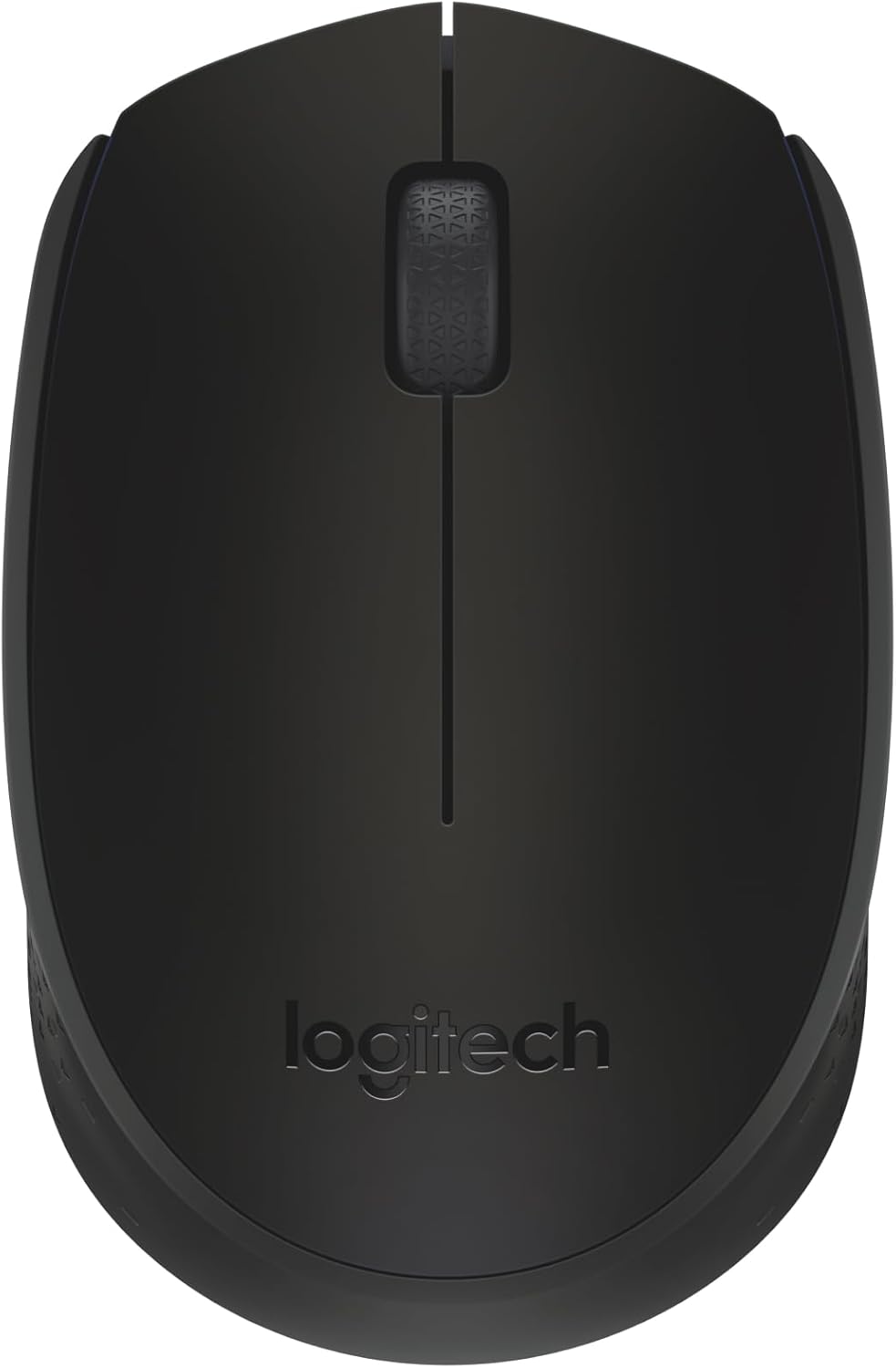
ചിത്രം 1: മുകളിൽ view of the Logitech M170 Wireless Mouse.
പ്രധാന സവിശേഷതകൾ:
- Plug-and-Play Connection: Connects quickly via a strong, reliable USB receiver.
- Comfortable and Mobile: Ambidextrous design fits comfortably in either hand and is compact for portability.
- പവർ സേവിംഗ് ഫീച്ചറുകൾ: Features a 12-month battery life and auto-sleep function to conserve power.
- Reliable Wireless: Operates up to 10 meters (33 ft) away from your computer.
- എളുപ്പമുള്ള നാവിഗേഷൻ: Provides smooth and accurate cursor control with optical tracking.
- വിശാലമായ അനുയോജ്യത: Compatible with Windows, macOS, Linux, Chrome OS, iPadOS, and Android operating systems.
സജ്ജീകരണ ഗൈഡ്
നിങ്ങളുടെ ലോജിടെക് M170 വയർലെസ് മൗസ് സജ്ജീകരിക്കാൻ ഈ ഘട്ടങ്ങൾ പാലിക്കുക:
- ബാറ്ററി ചേർക്കുക: The mouse comes with one AA battery included. Open the battery compartment cover on the underside of the mouse and insert the AA battery, ensuring correct polarity. Close the cover securely.
- USB റിസീവർ കണ്ടെത്തുക: The USB mini receiver is typically stored inside the battery compartment of the mouse for safe keeping during transport. Carefully remove it.
- റിസീവറെ ബന്ധിപ്പിക്കുക: Plug the USB mini receiver into an available USB port on your computer (PC, Mac, Laptop, etc.).
- പവർ ഓൺ: Turn on the mouse using the On/Off switch located on the underside of the mouse.
- യാന്ത്രിക കണക്ഷൻ: The mouse should automatically connect to your computer within a few seconds. No additional software or drivers are typically required for basic functionality.

Figure 2: Plug-and-play wireless connection setup.
For optimal performance, ensure the mouse is within 10 meters (33 feet) of the USB receiver.
പ്രവർത്തന നിർദ്ദേശങ്ങൾ
The Logitech M170 Wireless Mouse is designed for intuitive use. Here are the basic operating functions:
- ഇടത് ക്ലിക്ക്: Press the left mouse button to select items, open files, അല്ലെങ്കിൽ ഫംഗ്ഷനുകൾ സജീവമാക്കുക.
- വലത് ക്ലിക്കിൽ: സന്ദർഭ മെനുകൾ തുറക്കുന്നതിനോ അധിക ഓപ്ഷനുകൾ ആക്സസ് ചെയ്യുന്നതിനോ വലത് മൗസ് ബട്ടൺ അമർത്തുക.
- സ്ക്രോൾ വീൽ: Roll the scroll wheel up or down to navigate through documents, web pages, or applications. The scroll wheel also functions as a middle button when pressed.
- ഒപ്റ്റിക്കൽ ട്രാക്കിംഗ്: The mouse uses optical tracking for precise cursor movement on most surfaces. For best results, use on a mouse pad or a non-reflective, uniform surface.
- അംബിഡെക്സ്ട്രസ് ഡിസൈൻ: The symmetrical shape of the M170 mouse allows for comfortable use by both left-handed and right-handed users.

Figure 3: The ambidextrous design ensures comfortable use for all users.

Figure 4: The compact and portable design of the mouse.
മെയിൻ്റനൻസ്
Proper maintenance ensures the longevity and optimal performance of your Logitech M170 Wireless Mouse.
ബാറ്ററി മാറ്റിസ്ഥാപിക്കൽ:
The Logitech M170 mouse uses one AA battery. When the mouse performance degrades or the indicator light (if present) signals low battery, it's time to replace it.
- Turn off the mouse using the On/Off switch on the underside.
- ബാറ്ററി കമ്പാർട്ട്മെൻ്റ് കവർ തുറക്കുക.
- പഴയ AA ബാറ്ററി നീക്കം ചെയ്യുക.
- Insert a new AA battery, observing the correct polarity (+/-).
- ബാറ്ററി കമ്പാർട്ട്മെൻ്റ് കവർ സുരക്ഷിതമായി അടയ്ക്കുക.
- മൗസ് വീണ്ടും ഓൺ ചെയ്യുക.
Note: Battery life may vary based on user and computing conditions.
വൃത്തിയാക്കൽ:
നിങ്ങളുടെ മൗസ് വൃത്തിയാക്കാൻ, മൃദുവായ, ലിന്റ് രഹിത തുണി ഉപയോഗിച്ച് ചെറുതായി തുടയ്ക്കുക d.ampened with water or a mild cleaning solution. Avoid using harsh chemicals or abrasive materials. Do not immerse the mouse in water.
ട്രബിൾഷൂട്ടിംഗ്
If you encounter issues with your Logitech M170 Wireless Mouse, try the following solutions:
| പ്രശ്നം | പരിഹാരം |
|---|---|
| Mouse not responding / No cursor movement |
|
| Erratic or jumpy cursor |
|
| ചെറിയ വയർലെസ് ശ്രേണി |
|
സ്പെസിഫിക്കേഷനുകൾ
| ഫീച്ചർ | വിശദാംശങ്ങൾ |
|---|---|
| ബ്രാൻഡ് | ലോജിടെക് |
| മോഡൽ | M170 |
| കണക്റ്റിവിറ്റി ടെക്നോളജി | Radio Frequency, USB |
| വയർലെസ് തരം | 2.4 GHz (802.11a) |
| ചലനം കണ്ടെത്തൽ | ഒപ്റ്റിക്കൽ |
| ബട്ടണുകളുടെ എണ്ണം | 2 (Left, Right) + Scroll Wheel (clickable) |
| Scroller Type | സ്ക്രോൾ വീൽ |
| എർഗണോമിക് ഫിറ്റ് | Symmetrical / Ambidextrous |
| വയർലെസ് ശ്രേണി | 10 മീറ്റർ വരെ (33 അടി) |
| ബാറ്ററി തരം | 1 x AA ബാറ്ററി (ഉൾപ്പെട്ടിരിക്കുന്നു) |
| ബാറ്ററി ലൈഫ് | Up to 12 months (may vary) |
| അളവുകൾ (LxWxH) | 97.7 mm (3.8 ഇഞ്ച്) x 61.5 mm (2.4 in) x 35.2 mm (1.4 in) |
| ഭാരം (ബാറ്ററി ഉപയോഗിച്ച്) | 79.5 ഗ്രാം (2.49 ഔൺസ്) |
| പിന്തുണയ്ക്കുന്ന ഓപ്പറേറ്റിംഗ് സിസ്റ്റങ്ങൾ | Windows, macOS, Linux, Chrome OS, iPadOS, Android |
| മെറ്റീരിയൽ | Plastic parts include certified post-consumer recycled plastic (minimum 59% for Black) |
| കാർബൺ കാൽപ്പാട് | 4.05 കിലോ CO2e |

Figure 5: Physical dimensions of the Logitech M170 Wireless Mouse.
വാറൻ്റിയും പിന്തുണയും
For warranty information and further support, please refer to the official Logitech website or the documentation provided with your product. You can also find additional resources and FAQs on the Logitech support page.
ഉപയോക്തൃ മാനുവലിന്റെ ഡിജിറ്റൽ പതിപ്പ് ഡൗൺലോഡ് ചെയ്യാൻ ലഭ്യമാണ്:


