1. ആമുഖം
Thank you for choosing the Solight LED Desk Lamp WO46. This versatile lamp combines modern design with practical features, including a dimmable LED light, an integrated display showing time, date, alarm, and temperature. This manual provides essential information for the safe and efficient use of your new desk lamp.
2. സുരക്ഷാ നിർദ്ദേശങ്ങൾ
- ഉപയോഗിക്കുന്നതിന് മുമ്പ് എല്ലാ നിർദ്ദേശങ്ങളും ശ്രദ്ധാപൂർവ്വം വായിച്ച് ഭാവി റഫറൻസിനായി സൂക്ഷിക്കുക.
- വൈദ്യുതി വിതരണം വോളിയം ഉറപ്പാക്കുകtage matches the requirements specified on the product.
- എൽ വെളിപ്പെടുത്തരുത്amp വെള്ളം അല്ലെങ്കിൽ അമിതമായ ഈർപ്പം.
- Avoid disassembling or modifying the lampഎല്ലാ സേവനങ്ങളും യോഗ്യതയുള്ള ഉദ്യോഗസ്ഥർക്ക് റഫർ ചെയ്യുക.
- എൽ സൂക്ഷിക്കുകamp താപ സ്രോതസ്സുകളിൽ നിന്നും നേരിട്ടുള്ള സൂര്യപ്രകാശത്തിൽ നിന്നും അകലെ.
- എൽ വൃത്തിയാക്കുകamp only with a soft, dry cloth. Do not use abrasive cleaners or solvents.
- ഈ ഉൽപ്പന്നം ഇൻഡോർ ഉപയോഗത്തിനായി മാത്രം രൂപകൽപ്പന ചെയ്തിട്ടുള്ളതാണ്.
3. പാക്കേജ് ഉള്ളടക്കം
പാക്കേജിൽ ഇനിപ്പറയുന്ന ഇനങ്ങൾ ഉണ്ടോ എന്ന് പരിശോധിക്കുക:
- സോളൈറ്റ് എൽഇഡി ഡെസ്ക് എൽamp വോക്സ്നക്സ്
- പവർ കേബിൾ
- ഉപയോക്തൃ മാനുവൽ (ഈ പ്രമാണം)
4. ഉൽപ്പന്നം കഴിഞ്ഞുview
The Solight LED Desk Lamp WO46 features a flexible arm, an integrated LED light panel, and a multi-functional display on its base. The base also houses the touch-sensitive controls.

Figure 1: Solight LED Desk Lamp WO46 in folded position, displaying time, date, and temperature on its integrated screen.

Figure 2: Solight LED Desk Lamp WO46 with its arm extended, highlighting the LED light panel and the functional display.
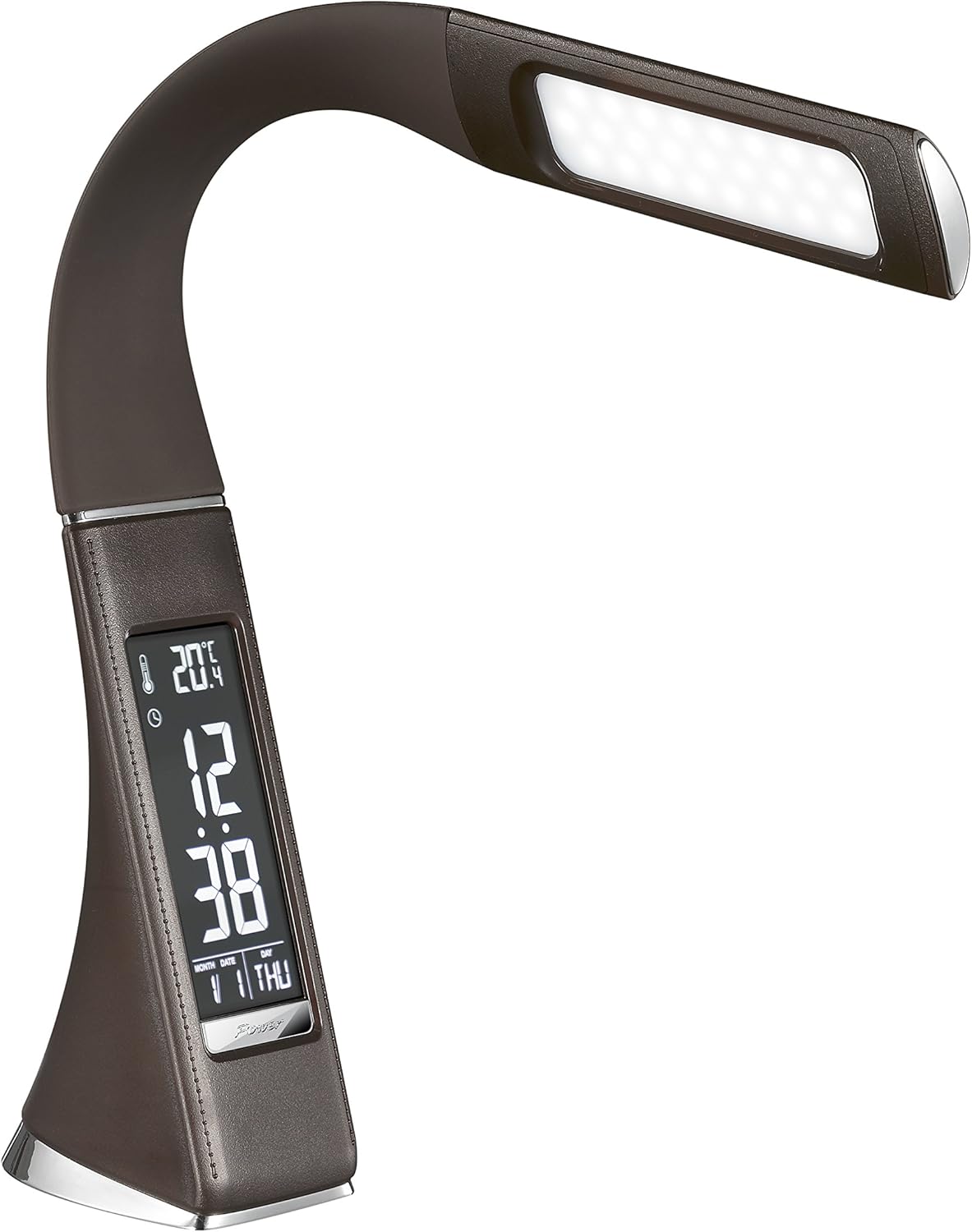
ചിത്രം 3: കോണാകൃതിയിലുള്ളത് view of the Solight LED Desk Lamp WO46, extended, emphasizing its sleek design and the display panel.
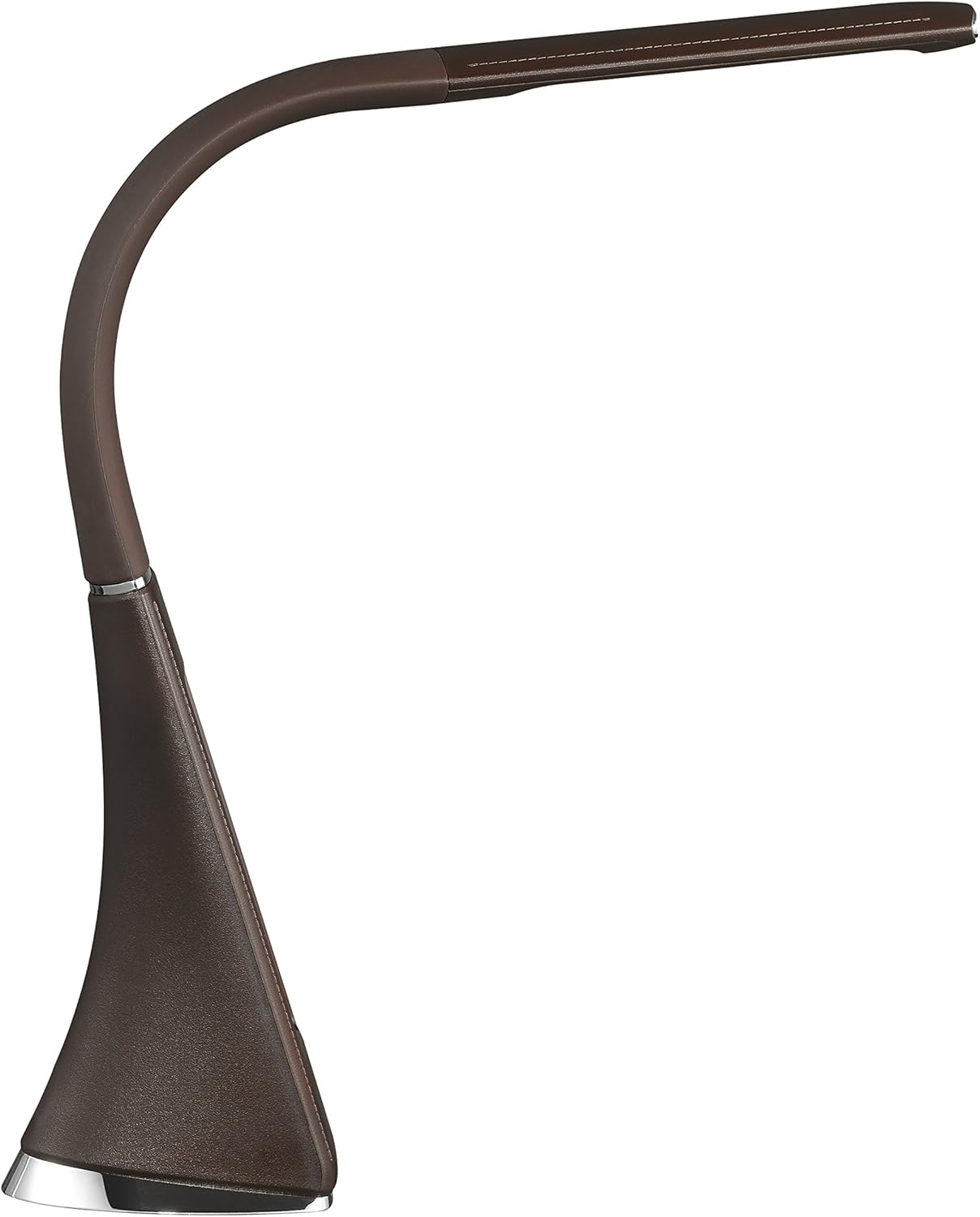
ചിത്രം 4: സൈഡ് പ്രോfile of the Solight LED Desk Lamp WO46, extended, illustrating the flexibility of its arm and the slim design of the light panel.

ചിത്രം 5: പിൻഭാഗം view of the Solight LED Desk Lamp WO46, extended, indicating the power input port located at the back of the lampന്റെ അടിസ്ഥാനം.
5. സജ്ജീകരണം
- അൺപാക്ക്: പാക്കേജിംഗിൽ നിന്ന് എല്ലാ ഘടകങ്ങളും ശ്രദ്ധാപൂർവ്വം നീക്കം ചെയ്യുക.
- പ്ലേസ്മെൻ്റ്: എൽ സ്ഥാപിക്കുകamp on a stable, flat surface. The non-slip base ensures stability.
- പവർ ബന്ധിപ്പിക്കുക: Insert the power cable into the DC input port at the back of the lamp's base, then plug the adapter into a standard electrical outlet.
- സ്ഥാനം ക്രമീകരിക്കുക: Gently adjust the flexible arm to your desired lighting angle.
6. പ്രവർത്തന നിർദ്ദേശങ്ങൾ
6.1 ലൈറ്റ് കൺട്രോൾ
- പവർ ഓൺ/ഓഫ്: Press the touch-sensitive power button on the base to turn the lamp ഓൺ അല്ലെങ്കിൽ ഓഫ്.
- തെളിച്ച ക്രമീകരണം: കൂടെ എൽamp on, press and hold the power button to cycle through the three available brightness levels. Release the button at your desired brightness.
6.2 ഡിസ്പ്ലേ ഫംഗ്ഷനുകൾ
The integrated display shows time, date, day of the week, temperature, and alarm status. Specific buttons on the base (e.g., 'Mode', 'Set', 'Up', 'Down' - refer to physical markings on your lamp if available) are used to navigate and set these functions.
- സമയവും തീയതിയും ക്രമീകരിക്കുന്നു:
- Press the 'Mode' button until the time display flashes.
- Use the 'Up' and 'Down' buttons to adjust the hour, then press 'Set' to confirm and move to minutes.
- മിനിറ്റ്, വർഷം, മാസം, ദിവസം എന്നിവയ്ക്കായി ആവർത്തിക്കുക.
- Press 'Mode' to exit setting mode.
- അലാറം സജ്ജീകരിക്കുന്നു:
- Press the 'Mode' button repeatedly until the alarm icon appears and the alarm time flashes.
- Use 'Up' and 'Down' to set the alarm hour, then 'Set' to confirm and move to minutes.
- Press 'Mode' to activate/deactivate the alarm. An alarm icon will indicate if it's active.
- താപനില പ്രദർശനം: എൽamp automatically displays the ambient temperature. No user adjustment is typically required for this function.
7. പരിപാലനം
- വൃത്തിയാക്കൽ: എൽ വിച്ഛേദിക്കുകamp വൃത്തിയാക്കുന്നതിന് മുമ്പ് വൈദ്യുതി വിതരണത്തിൽ നിന്ന് എൽ തുടയ്ക്കുക.amp's surface with a soft, dry, lint-free cloth. Do not use liquid cleaners or sprays.
- സംഭരണം: എൽ സൂക്ഷിക്കുകയാണെങ്കിൽamp for an extended period, ensure it is clean and dry. Store it in a cool, dry place away from direct sunlight.
8. പ്രശ്നപരിഹാരം
| പ്രശ്നം | സാധ്യമായ കാരണം | പരിഹാരം |
|---|---|---|
| Lamp ഓണാക്കുന്നില്ല. | വൈദ്യുതി വിതരണം ഇല്ല. | Check if the power cable is securely connected to the lamp and the electrical outlet. Ensure the outlet is functional. |
| Display is blank or incorrect. | Power interruption or incorrect settings. | Ensure continuous power. Reset time and date settings as per Section 6.2. |
| ലൈറ്റ് മിന്നുന്നു. | അസ്ഥിരമായ വൈദ്യുതി വിതരണം. | എൽ പ്ലഗ് ചെയ്യാൻ ശ്രമിക്കുകamp into a different electrical outlet. |
| അലാറം മുഴങ്ങുന്നില്ല. | അലാറം സജീവമാക്കിയിട്ടില്ല അല്ലെങ്കിൽ തെറ്റായി സജ്ജീകരിച്ചിട്ടില്ല. | Verify that the alarm is set and activated (alarm icon visible) as per Section 6.2. |
9 സ്പെസിഫിക്കേഷനുകൾ
| ഫീച്ചർ | വിശദാംശങ്ങൾ |
|---|---|
| മോഡൽ നമ്പർ | WO46-H |
| അളവുകൾ (L x W x H) | 5.5 x 9 x 50 സെ.മീ |
| ഭാരം | 599 ഗ്രാം (1.32 പൗണ്ട്) |
| മെറ്റീരിയൽ | PS (പോളിസ്റ്റൈറൈൻ) |
| ഫിനിഷ് തരം | Leather look |
| പ്രകാശ സ്രോതസ്സ് തരം | എൽഇഡി |
| ബൾബുകളുടെ എണ്ണം | 3 |
| തിളങ്ങുന്ന ഫ്ലക്സ് | 300 lm |
| ശക്തി | 1.5 വാട്ട്സ് |
| വാല്യംtage | 230 വോൾട്ട് |
| ശരാശരി ആയുസ്സ് | 30,000 മണിക്കൂർ |
| IP റേറ്റിംഗ് | IP20 |
| സ്റ്റൈൽ സ്വിച്ചുചെയ്യുക | പുഷ് ബട്ടൺ |
| എനർജി ലേബൽ | A+ |
10. വാറൻ്റിയും പിന്തുണയും
Solight products are designed and manufactured to the highest quality standards. For information regarding warranty coverage, technical support, or spare parts availability, please refer to the documentation provided with your purchase or visit the official Solight webസൈറ്റ്. ഏതെങ്കിലും വാറന്റി ക്ലെയിമുകൾക്കായി നിങ്ങളുടെ വാങ്ങലിന്റെ തെളിവ് സൂക്ഷിക്കുക.


