ആമുഖം
The Fosmon WaveLink 51018HOM Add-On Door Contact Sensor Unit is designed to expand your existing Fosmon WaveLink Doorbell System. This unit provides an additional layer of security by detecting when a door or window is opened, transmitting a signal to your compatible receiver (not included) to alert you with a customizable ringtone. Its wireless and portable design makes it suitable for various applications, from home security to retail business monitoring.

Image: Four Fosmon WaveLink Door Contact Sensor Units, showcasing the product in a multi-pack.
പാക്കേജ് ഉള്ളടക്കം
- Magnetic Door Sensor Transmitter
- ഇരട്ട വശങ്ങളുള്ള ടേപ്പ്
- ആങ്കറുകളും സ്ക്രൂകളും
- AA Transmitter Battery (Note: The product specifications state 'Batteries Included? No', but the description lists 'AA Transmitter Battery' in package contents. Please verify upon receipt.)
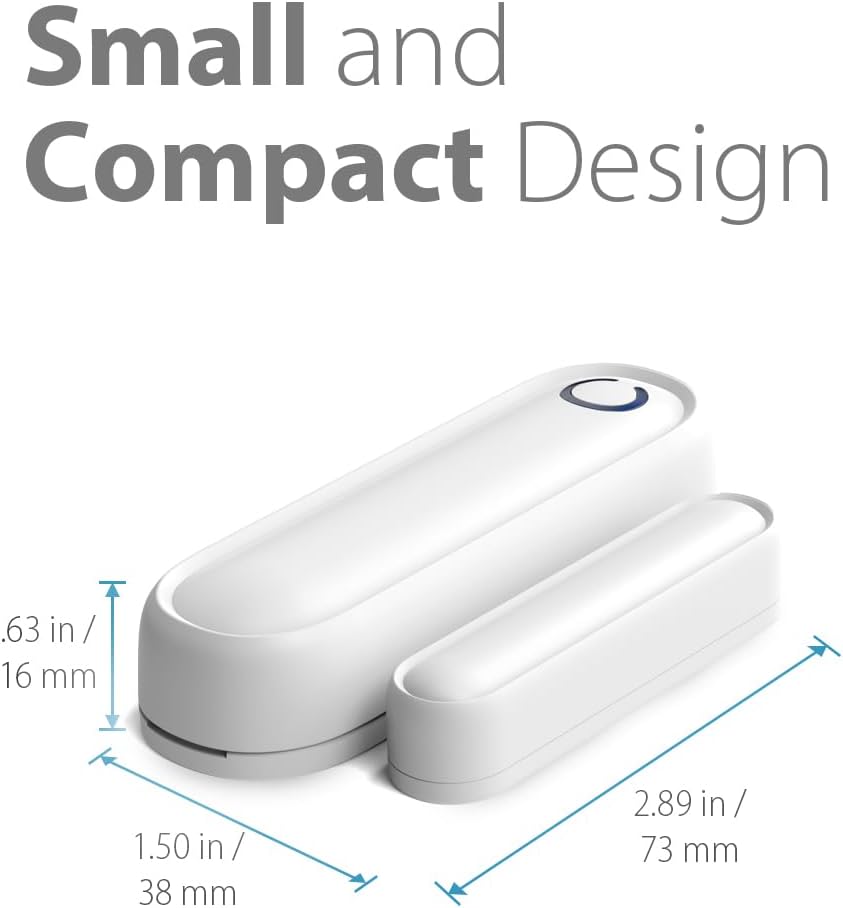
Image: Contents of the package, including the door sensor, user manual, screws, anchors, and double-sided tape.
ഫീച്ചറുകൾ
- വികസിപ്പിക്കാവുന്ന സിസ്റ്റം: Designed to seamlessly integrate with existing Fosmon WaveLink Doorbell Systems.
- ആധുനിക ഡിസൈൻ: Features a sleek, contemporary design suitable for various home and business environments.
- Magnetic Door Sensor: Activates when the magnetic stripe is separated, signaling the receiver.
- Built-in LED Indicator: Provides a visual alert, beneficial for the hearing impaired.
- എളുപ്പമുള്ള ഇൻസ്റ്റാളേഷൻ: Wire-free setup for quick and convenient installation.
അനുയോജ്യത
This add-on door sensor transmitter is compatible with the following Fosmon WaveLink Doorbell Systems:
- 51004HOM - Fosmon WAVELINK Wireless Entry Alert Doorbell
- 51005HOM - Fosmon WAVELINK Wireless Motion Doorbell Alert Sensor
- 51007HOM - Fosmon WAVELINK Wireless Door Open Chime
- 51009HOM - Fosmon WAVELINK Wireless Entry Alert Doorbell (Black)
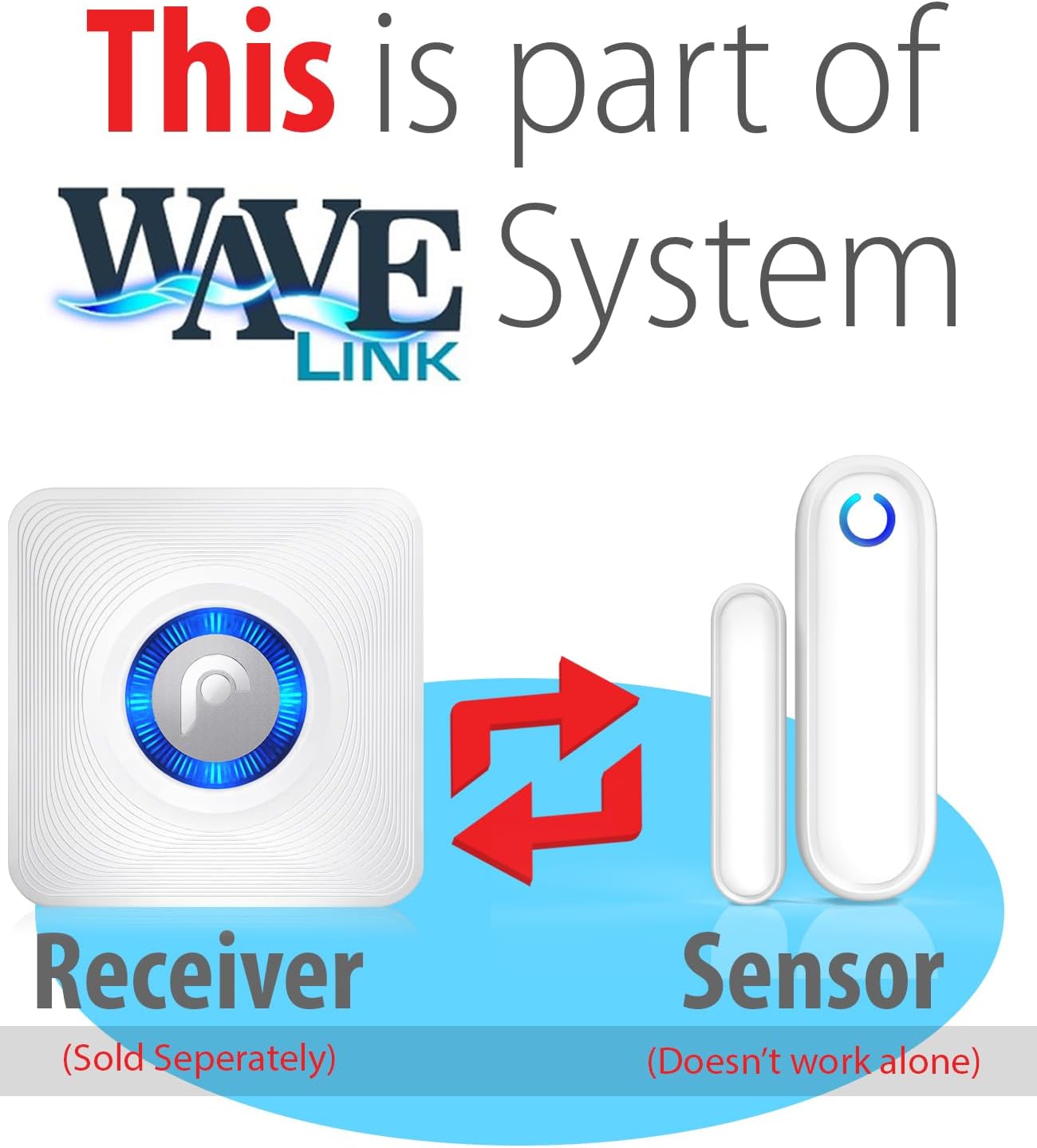
Image: Diagram illustrating the sensor as part of the WaveLink system, showing communication between the sensor and a separately sold receiver.
സജ്ജീകരണവും ഇൻസ്റ്റാളേഷനും
The Fosmon WaveLink door sensor is designed for wire-free and easy installation. Each receiver can be paired with up to 10 transmitters, and each transmitter can be paired with up to 10 receivers.
ഇൻസ്റ്റലേഷൻ ഘട്ടങ്ങൾ:
- സെൻസർ തയ്യാറാക്കുക: Insert the 1.5V AA Alkaline Battery into the transmitter unit.
- മൗണ്ടിംഗ് ലൊക്കേഷൻ തിരഞ്ഞെടുക്കുക: Select a clean, dry surface on your door frame and the corresponding door where the sensor and its magnetic component will be aligned when the door is closed. Ensure the two parts are within close proximity (e.g., less than 1 cm) when the door is shut.
- മൗണ്ടിംഗ് ഓപ്ഷനുകൾ:
- Using Double-Sided Tape: Peel off the protective backing from the double-sided tape and firmly press the main sensor unit onto the door frame and the smaller magnetic component onto the door, ensuring they align.
- Using Screws and Anchors: For a more secure installation, use the provided screws and anchors to mount the sensor unit and its magnetic component. Pre-drill small pilot holes if necessary.
- റിസീവറുമായി ജോടിയാക്കൽ: Refer to your Fosmon WaveLink receiver's instruction manual for specific pairing instructions. Generally, this involves putting the receiver into pairing mode and then activating the door sensor (e.g., by separating the magnetic parts) to establish the connection.
- ടെസ്റ്റ് പ്രവർത്തനം: Once installed and paired, open and close the door to ensure the sensor triggers the receiver and the LED indicator on the transmitter illuminates.
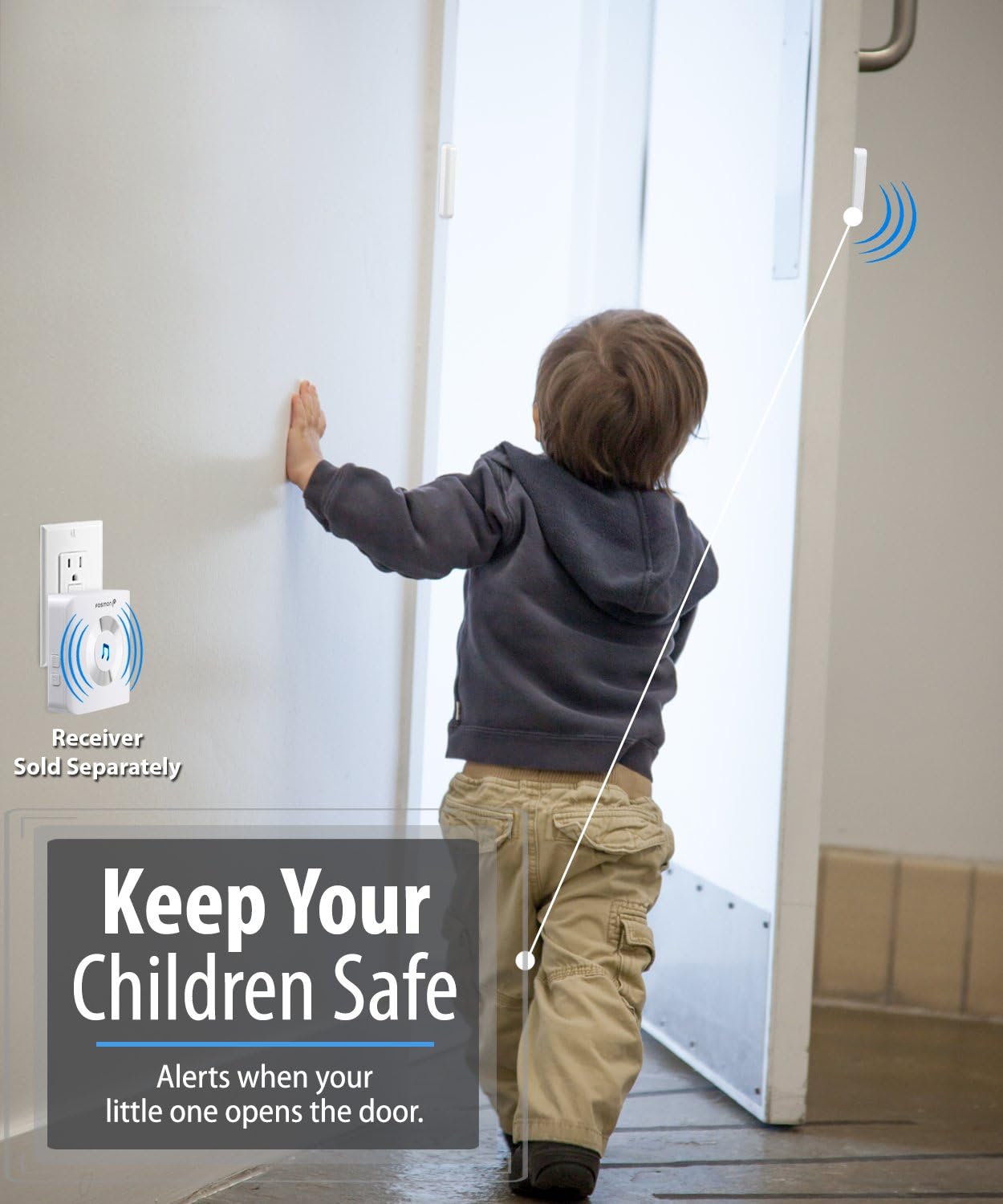
Image: Illustrates the sensor's use for child safety, showing a child opening a door equipped with the sensor, and a receiver in the background.
ഓപ്പറേഷൻ
Once installed and paired with a compatible Fosmon WaveLink receiver, the door contact sensor operates automatically. When the door or window to which the sensor is attached is opened, the magnetic connection between the two sensor parts is broken. This action triggers the transmitter to send a wireless signal to the paired receiver. The receiver will then alert you with its programmed ringtone, indicating that the door or window has been opened.
The built-in LED indicator on the transmitter will flash when activated, providing a visual confirmation of the sensor's operation.

Image: Depicts the sensor's application in a retail business setting, notifying staff when customers enter.

Image: Shows the sensor's role in deterring break-ins, with a sensor mounted on a window being tampകൂടെ ered.

Image: Illustrates how the system can be customized and expanded throughout a home with multiple sensors and receivers.
മെയിൻ്റനൻസ്
To ensure optimal performance of your Fosmon WaveLink Door Contact Sensor Unit, follow these maintenance guidelines:
- ബാറ്ററി മാറ്റിസ്ഥാപിക്കൽ: Replace the 1.5V AA Alkaline Battery when the LED indicator on the transmitter no longer illuminates or if the sensor fails to trigger the receiver reliably.
- വൃത്തിയാക്കൽ: Wipe the sensor units with a soft, dry cloth. Do not use abrasive cleaners or solvents.
- വിന്യാസ പരിശോധന: Periodically check that the main sensor unit and its magnetic component remain properly aligned on the door/window and frame to ensure consistent detection.
- പരിസ്ഥിതി വ്യവസ്ഥകൾ: Ensure the sensor is not exposed to extreme temperatures or direct moisture, as this can affect performance and lifespan.
ട്രബിൾഷൂട്ടിംഗ്
If you experience issues with your Fosmon WaveLink Door Contact Sensor Unit, consider the following:
- Sensor Not Triggering Receiver:
- Check battery: Ensure the battery is correctly inserted and has sufficient charge. Replace if necessary.
- Check alignment: Verify that the main sensor unit and the magnetic component are properly aligned and close enough when the door/window is closed.
- Re-pair sensor: Attempt to re-pair the sensor with your receiver according to your receiver's instructions.
- Range: Ensure the sensor is within the operating range of your receiver (maximum 500 feet or 150 meters in open area). Walls and other obstructions can reduce this range.
- തെറ്റായ അലാറങ്ങൾ:
- Secure mounting: Ensure both parts of the sensor are securely mounted and do not shift or vibrate, which could cause momentary separation.
- Environmental factors: Extreme temperature changes or strong electromagnetic interference might rarely affect performance.
- LED ഇൻഡിക്കേറ്റർ പ്രവർത്തിക്കുന്നില്ല:
- Battery: This typically indicates a low or dead battery. Replace the battery.
If these steps do not resolve the issue, please contact Fosmon customer support for further assistance.
സ്പെസിഫിക്കേഷനുകൾ
| പ്രവർത്തന ശ്രേണി | Maximum 500 feet or 150 meters (in open area) |
| LED സൂചകം | അതെ |
| ട്രാൻസ്മിറ്റർ ബാറ്ററി | 1.5V AA Alkaline Battery |
| Transmitter Power Consumption | <10mW |
| പ്രവർത്തന ആവൃത്തി | 433 MHz ± 2MHz |
| പ്രവർത്തന താപനില | 5°F മുതൽ 140°F വരെ (-15°C മുതൽ 60°C വരെ) |
| ട്രാൻസ്മിറ്റർ അളവ് | 2.95 x 1.97 x 0.63 inches (75 x 50 x 18 millimeters) |
| ഭാരം | 0.92 ഔൺസ് (26 ഗ്രാം) |
| നിയന്ത്രണ രീതി | സ്പർശിക്കുക |
| മൗണ്ടിംഗ് തരം | മതിൽ മൗണ്ട് |
| സെൻസർ ടെക്നോളജി | കോൺടാക്റ്റ് സെൻസർ |

ചിത്രം: വിശദമായത് view of the sensor with its dimensions, highlighting its small and compact design.
വാറൻ്റിയും പിന്തുണയും
For warranty information and customer support, please refer to the official Fosmon webസൈറ്റിൽ ബന്ധപ്പെടുകയോ അവരുടെ ഉപഭോക്തൃ സേവനവുമായി നേരിട്ട് ബന്ധപ്പെടുകയോ ചെയ്യുക. ഏതെങ്കിലും വാറന്റി ക്ലെയിമുകൾക്കായി നിങ്ങളുടെ വാങ്ങൽ രസീത് സൂക്ഷിക്കുക.


