ആമുഖം
The KLIM Pulse Bluetooth 4.1 In-Ear Earphones are designed to provide a high-quality audio experience with wireless convenience. Featuring Bluetooth 4.1 connectivity, noise insulation, and a comfortable fit, these earphones are suitable for various activities including sports, music listening, and making calls. The magnetic tips offer easy storage, and the included memory foam ear tips ensure a secure and comfortable fit for extended use.

Image: The KLIM Pulse Bluetooth 4.1 In-Ear Earphones, showcasing their sleek black design and magnetic earbud feature.
പാക്കേജ് ഉള്ളടക്കം
Upon opening your KLIM Pulse earphone package, you should find the following items:
- KLIM Pulse Bluetooth 4.1 In-Ear Earphones
- യുഎസ്ബി ചാർജിംഗ് കേബിൾ
- ഉപയോക്തൃ മാനുവൽ
- Various sizes and types of ear tips (including memory foam), totaling 12 pieces.
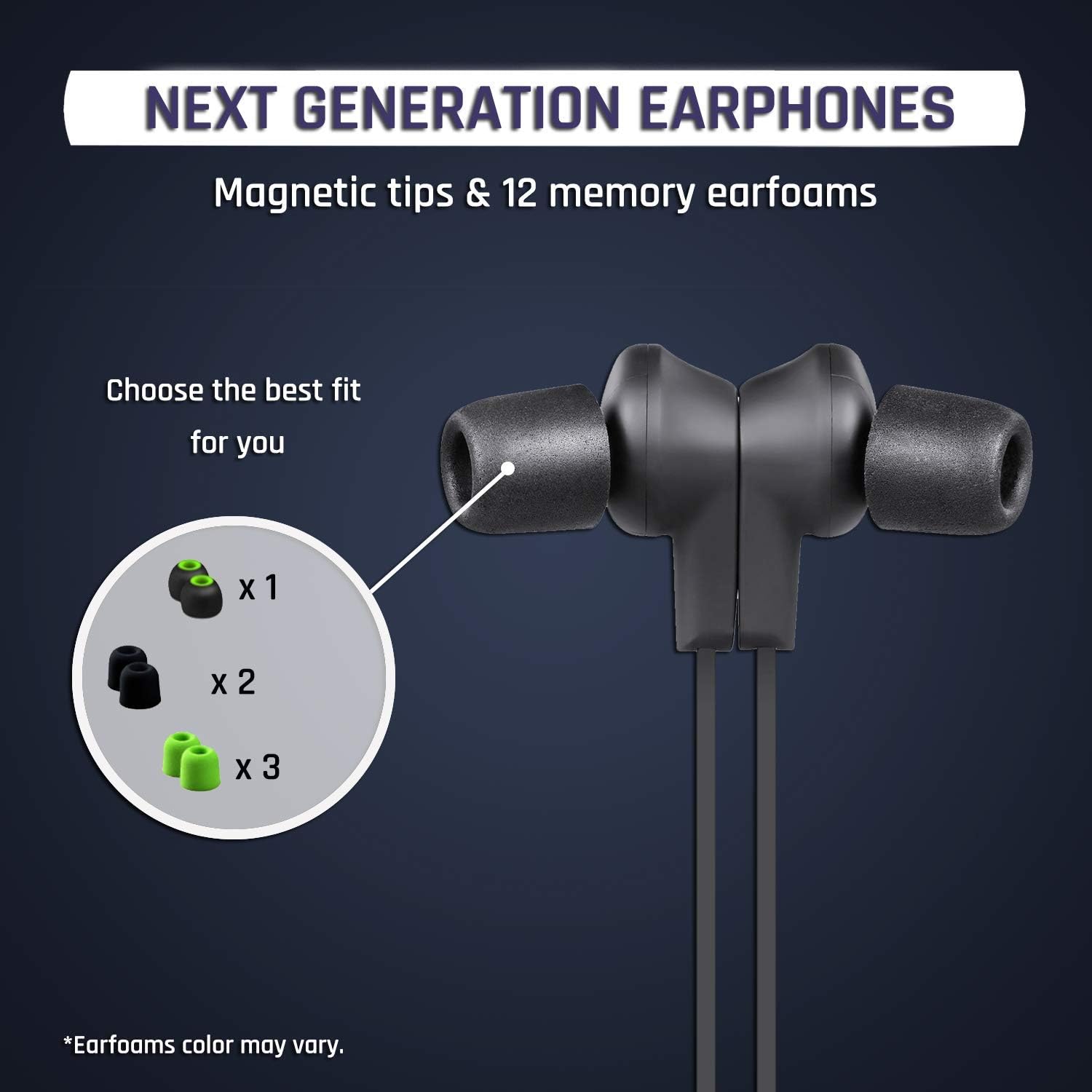
ചിത്രം: ഒരു ക്ലോസ്-അപ്പ് view of the KLIM Pulse earphones with various ear tip options, highlighting the magnetic tips and different earfoam colors.
സജ്ജമാക്കുക
1. ഇയർഫോണുകൾ ചാർജ് ചെയ്യുന്നു
Before initial use, fully charge your KLIM Pulse earphones. A full charge typically takes approximately 2 hours and provides up to 6 hours of uninterrupted listening time.
- Connect the micro-USB end of the charging cable to the charging port on the earphone control unit.
- Connect the USB-A end of the charging cable to a compatible USB power source (e.g., computer USB port, USB wall adapter).
- The LED indicator on the control unit will illuminate during charging and change color or turn off when charging is complete.

Image: The KLIM Pulse earphones with glowing blue circles, illustrating the charging process and battery life.
2. ചെവി നുറുങ്ങുകൾ തിരഞ്ഞെടുക്കൽ
The KLIM Pulse earphones come with 12 different ear tips, including memory foam options, to ensure a comfortable and secure fit. Experiment with different sizes and materials to find the best fit for your ears. A proper fit is crucial for optimal sound quality and noise insulation.
- Gently remove the pre-installed ear tips.
- Select a pair of ear tips that feel comfortable and create a good seal in your ear canal.
- Attach the chosen ear tips firmly to the earphone nozzles.
3. ബ്ലൂടൂത്ത് ജോടിയാക്കൽ
The KLIM Pulse earphones are compatible with all Bluetooth-enabled devices (phones, laptops, tablets, etc.).
- ഇയർഫോണുകൾ ചാർജ് ചെയ്തിട്ടുണ്ടെന്നും ഓഫാണെന്നും ഉറപ്പാക്കുക.
- Press and hold the multi-function button (usually the power button) on the control unit until the LED indicator flashes red and blue, indicating pairing mode.
- നിങ്ങളുടെ ഉപകരണത്തിൽ, ബ്ലൂടൂത്ത് പ്രവർത്തനക്ഷമമാക്കി ലഭ്യമായ ഉപകരണങ്ങൾക്കായി തിരയുക.
- Select "KLIM Pulse" from the list of found devices.
- ജോടിയാക്കിക്കഴിഞ്ഞാൽ, LED ഇൻഡിക്കേറ്റർ സാധാരണയായി നീല നിറത്തിൽ സാവധാനം മിന്നുകയോ കടും നീലയായി മാറുകയോ ചെയ്യും.

Image: The KLIM Pulse earphones alongside icons for a laptop, phone, and tablet, illustrating their broad compatibility with Bluetooth devices.
പ്രവർത്തന നിർദ്ദേശങ്ങൾ
അടിസ്ഥാന നിയന്ത്രണങ്ങൾ
The control unit on your KLIM Pulse earphones allows for easy management of audio playback and calls.
| ബട്ടൺ/ആക്ഷൻ | ഫംഗ്ഷൻ |
|---|---|
| പവർ ബട്ടൺ (മൾട്ടി-ഫംഗ്ഷൻ) |
|
| വോളിയം കൂട്ടുക (+) |
|
| വോളിയം താഴേക്ക് (-) |
|
കോളുകൾ ചെയ്യലും സ്വീകരിക്കലും
- ഒരു കോളിന് മറുപടി നൽകുന്നു: പവർ ബട്ടൺ ഒരിക്കൽ അമർത്തുക.
- ഒരു കോൾ അവസാനിപ്പിക്കുന്നു: Press the Power Button once during a call.
- ഒരു കോൾ നിരസിക്കുന്നു: 2 സെക്കൻഡ് നേരത്തേക്ക് പവർ ബട്ടൺ അമർത്തിപ്പിടിക്കുക.
- വീണ്ടും ഡയൽ ചെയ്യുന്നു: Double-press the Power Button to redial the last number.
കാന്തിക സവിശേഷത
The KLIM Pulse earphones feature magnetic tips. When not in use, you can snap the earbuds together around your neck to prevent them from falling off and for convenient storage.

Image: A woman wearing KLIM Pulse earphones, demonstrating their comfortable fit and suitability for active use.
മെയിൻ്റനൻസ്
To ensure the longevity and optimal performance of your KLIM Pulse earphones, follow these maintenance guidelines:
- വൃത്തിയാക്കൽ: Regularly wipe the earphones and ear tips with a soft, dry, lint-free cloth. For ear tips, you can gently clean them with a damp വീണ്ടും ഘടിപ്പിക്കുന്നതിന് മുമ്പ് അവ പൂർണ്ണമായും ഉണങ്ങിയെന്ന് ഉറപ്പാക്കി, തുണിയും വീര്യം കുറഞ്ഞ സോപ്പും ഉപയോഗിക്കുക.
- സംഭരണം: When not in use, store the earphones in a clean, dry place, away from extreme temperatures and direct sunlight. The magnetic tips help keep them tangle-free.
- ഈർപ്പം ഒഴിവാക്കുക: While the earphones have some water resistance, avoid submerging them in water or exposing them to heavy rain.
- ശ്രദ്ധയോടെ കൈകാര്യം ചെയ്യുക: Do not pull on the cable excessively or apply undue force to the earbuds or control unit.
ട്രബിൾഷൂട്ടിംഗ്
If you encounter issues with your KLIM Pulse earphones, refer to the following common solutions:
| പ്രശ്നം | സാധ്യമായ പരിഹാരം |
|---|---|
| ഇയർഫോണുകൾ ഓണാകുന്നില്ല. | Ensure the earphones are fully charged. Connect them to a power source and check the charging indicator. |
| ഉപകരണവുമായി ജോടിയാക്കാൻ കഴിയില്ല. |
|
| ശബ്ദമില്ല അല്ലെങ്കിൽ ശബ്ദ നിലവാരം മോശമാണ്. |
|
| Earphones keep disconnecting. |
|
സ്പെസിഫിക്കേഷനുകൾ
| ഫീച്ചർ | വിശദാംശങ്ങൾ |
|---|---|
| മോഡലിൻ്റെ പേര് | KLPB |
| ബ്രാൻഡ് | ക്ലിം |
| കണക്റ്റിവിറ്റി ടെക്നോളജി | വയർലെസ്സ് (ബ്ലൂടൂത്ത് 4.1) |
| ഫോം ഫാക്ടർ | ചെവിയിൽ |
| നിറം | കറുപ്പ് |
| മെറ്റീരിയൽ | Memory Foam (ear tips) |
| ഇനത്തിൻ്റെ ഭാരം | 18.1 ഗ്രാം (0.04 പൗണ്ട്) |
| ഉൽപ്പന്ന അളവുകൾ | 60 x 1.9 x 2.3 സെ.മീ |
| ഫ്രീക്വൻസി റേഞ്ച് | 20 ഹെർട്സ് - 20,000 ഹെർട്സ് |
| ബാറ്ററി ലൈഫ് | 6 മണിക്കൂർ വരെ (ഏകദേശം) |
| ചാർജിംഗ് സമയം | ഏകദേശം 2 മണിക്കൂർ |
| അനുയോജ്യമായ ഉപകരണങ്ങൾ | Mobile Phones, Laptops, Tablets, Smart Speakers, TVs, Car Audio Systems, Game Consoles, Music Production Equipment, Motorcycles |

Image: An infographic displaying various features of the KLIM Pulse earphones, including Bluetooth dual connectivity, magnetic design, voice calls, Hi-Fi sound quality, and compatibility with multiple operating systems.
വാറൻ്റി വിവരങ്ങൾ
The KLIM Pulse earphones come with a 2 വർഷത്തെ വാറൻ്റി from the date of purchase. This warranty covers manufacturing defects and ensures reliable performance. Please retain your proof of purchase for warranty claims.
For any warranty-related inquiries or issues, please contact KLIM customer support.
ഉപഭോക്തൃ പിന്തുണ
If you require further assistance or have questions not covered in this manual, please contact KLIM customer support. Our European team aims to provide a response within 24 hours.
- ഇമെയിൽ: contact@klimtechs.com
- Webസൈറ്റ്: www.klimtechs.com


