1. ഉൽപ്പന്നം കഴിഞ്ഞുview
The Signia FUN SP is a Behind-The-Ear (BTE) hearing aid designed to provide amplification for individuals with hearing loss. It combines high power with user comfort, aiming to enhance hearing clarity throughout the day. This device features a rocker switch for easy volume adjustments and allows selection from four distinct sound profiles.

Image 1.1: The Signia FUN SP Behind The Ear Hearing Aid, showcasing അതിന്റെ ഒതുക്കമുള്ള ഡിസൈൻ.

Image 1.2: A hand holding the Signia FUN SP hearing aid, illustrating its small size.
2. ഉൽപ്പന്ന ഘടകങ്ങൾ
The Signia FUN SP hearing aid consists of several key components:
- പ്രധാന യൂണിറ്റ്: Houses the electronics, microphone, and battery compartment.
- ഇയർ ഹുക്ക്: Connects the main unit to the ear mold/dome.
- റോക്കർ സ്വിച്ച്: Used for volume control and program changes.
- ബാറ്ററി കമ്പാർട്ട്മെൻ്റ്: For inserting and replacing the hearing aid battery.
- Ear Mold/Dome: Sits inside the ear canal to deliver sound.

Image 2.1: The Signia FUN SP hearing aid alongside its charging case, illustrating the complete product set.
3. സജ്ജീകരണം
3.1 ബാറ്ററി ഇൻസ്റ്റാളേഷൻ
- Gently open the battery compartment door located on the hearing aid.
- Insert the correct size battery (12V, included) with the positive (+) side facing the correct orientation as indicated inside the compartment.
- Close the battery compartment door firmly until it clicks into place.
ചിത്രം 3.1: ഒരു ക്ലോസപ്പ് view of a hand inserting a battery into the Signia FUN SP hearing aid's battery compartment.
3.2 ആദ്യ ഉപയോഗം
Before first use, ensure the battery is correctly installed. Your hearing aid may require professional programming by a hearing care specialist to match your specific hearing needs. It is recommended to consult with a professional for initial fitting and adjustments.
4. പ്രവർത്തന നിർദ്ദേശങ്ങൾ
4.1 പവർ ഓൺ/ഓഫ്
- ഓണാക്കാൻ: Close the battery compartment door completely. The hearing aid will typically power on automatically after a short delay.
- ഓഫാക്കാൻ: Open the battery compartment door fully. This conserves battery life when the device is not in use.
4.2 വോളിയം ക്രമീകരണം
The rocker switch on the hearing aid allows for easy volume control:
- അമർത്തുക മുകൾ ഭാഗം of the rocker switch to വർധിപ്പിക്കുക വോളിയം.
- അമർത്തുക താഴത്തെ ഭാഗം of the rocker switch to കുറയുന്നു വോളിയം.
4.3 സൗണ്ട് പ്രോfiles
The Signia FUN SP offers 4 sound profiles. These can be adjusted at the touch of a button. A short press on the rocker switch (or a specific sequence, refer to your hearing care professional's guidance) will cycle through the available sound profiles, allowing you to select the optimum setting for your environment.

Image 4.1: A person wearing the Signia FUN SP hearing aid, highlighting its comfortable fit behind the ear.

Image 4.2: A person wearing the Signia FUN SP hearing aid in a work setting, demonstrating its discreet integration into daily life.
5. പരിപാലനവും പരിചരണവും
Proper maintenance ensures the longevity and optimal performance of your hearing aid.
- പ്രതിദിന ശുചീകരണം: Use a soft, dry cloth to wipe the hearing aid daily. Avoid using water or cleaning solutions directly on the device.
- Ear Mold/Dome Care: Regularly check the ear mold or dome for wax buildup. Clean with a specialized cleaning tool or a soft brush. If removable, it can be washed with mild soap and water, then thoroughly dried before reattaching.
- സംഭരണം: When not in use, store the hearing aid in its case, preferably with the battery compartment open to allow air circulation and prevent moisture buildup.
- ഈർപ്പവും ചൂടും ഒഴിവാക്കുക: Protect your hearing aid from water, high humidity, and extreme temperatures. Remove it before showering, swimming, or using hairspray.

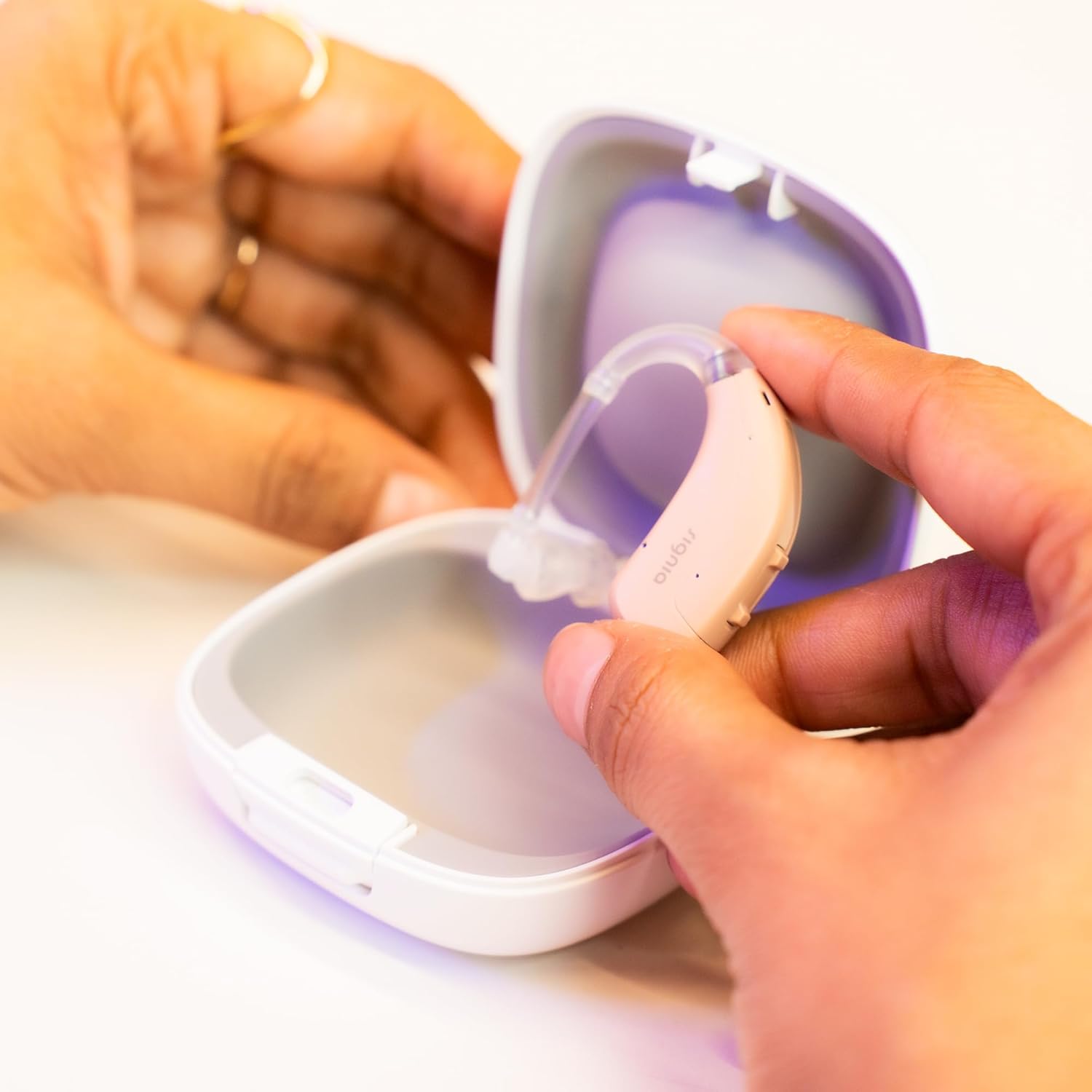
Image 5.1: A person opening the protective case for the Signia FUN SP hearing aid, demonstrating proper storage.
6. പ്രശ്നപരിഹാരം
If you experience issues with your Signia FUN SP hearing aid, try the following common troubleshooting steps:
- ശബ്ദമില്ല:
- Check if the battery is correctly inserted and fully charged. Replace if necessary.
- ബാറ്ററി കമ്പാർട്ട്മെൻ്റ് പൂർണ്ണമായും അടച്ചിട്ടുണ്ടെന്ന് ഉറപ്പാക്കുക.
- Check for wax or debris blocking the ear mold/dome or sound outlet. Clean thoroughly.
- Verify the volume setting is not at its lowest.
- ദുർബലമായ അല്ലെങ്കിൽ വികലമായ ശബ്ദം:
- ബാറ്ററി മാറ്റിസ്ഥാപിക്കുക.
- Clean the ear mold/dome and sound outlet.
- Ensure the hearing aid is properly seated in your ear.
- വിസിലിംഗ്/ഫീഡ്ബാക്ക്:
- Ensure the hearing aid is inserted snugly into your ear.
- Check for cracks or damage to the ear hook or ear mold/dome.
- Reduce the volume if it is too high.
If these steps do not resolve the issue, please contact customer support or a hearing care professional for further assistance.
7 സ്പെസിഫിക്കേഷനുകൾ
| ഫീച്ചർ | വിശദാംശങ്ങൾ |
|---|---|
| ബ്രാൻഡ് | സിഗ്നിയ |
| മോഡലിൻ്റെ പേര് | FUN SP |
| ഭാഗം നമ്പർ | FCS-6C-FP |
| നിർമ്മാതാവ് | Siemens, Signia GmbH |
| ഇനത്തിൻ്റെ ഭാരം | 5 kg (packaging weight) |
| പാക്കേജ് അളവുകൾ | 16 x 10.92 x 4.57 സെ.മീ |
| ബാറ്ററികൾ | 1 x 12V ബാറ്ററി (ഉൾപ്പെടുന്നു) |
| നിയന്ത്രണ തരം | റോക്കർ സ്വിച്ച് |
| സൗണ്ട് പ്രോfiles | 4 adjustable profiles |
8. വാറൻ്റിയും പിന്തുണയും
8.1 വാറൻ്റി വിവരങ്ങൾ
The Signia FUN SP hearing aid comes with a 2 വർഷത്തെ വാറൻ്റി from the date of purchase. Please retain your proof of purchase for warranty claims. For specific terms and conditions, refer to the warranty card included with your product or contact customer support.
8.2 Important Note on Prescription
Hearing aids are medical products that are typically prescribed by hearing care professionals. It is assumed that you have a prescription to purchase and use this product. For optimal results and safety, professional fitting and programming are highly recommended.
8.3 പിന്തുണയുമായി ബന്ധപ്പെടുക
For any queries regarding hearing aid programming, accessories, battery usage, or other details, please contact us:

Image 8.1: Contact details for support, including phone number and email address.
ഫോൺ: 9910887323
ഇമെയിൽ: store@hear.com

Image 8.2: Information regarding free programming support via email or WhatsApp.


