1. ആമുഖം
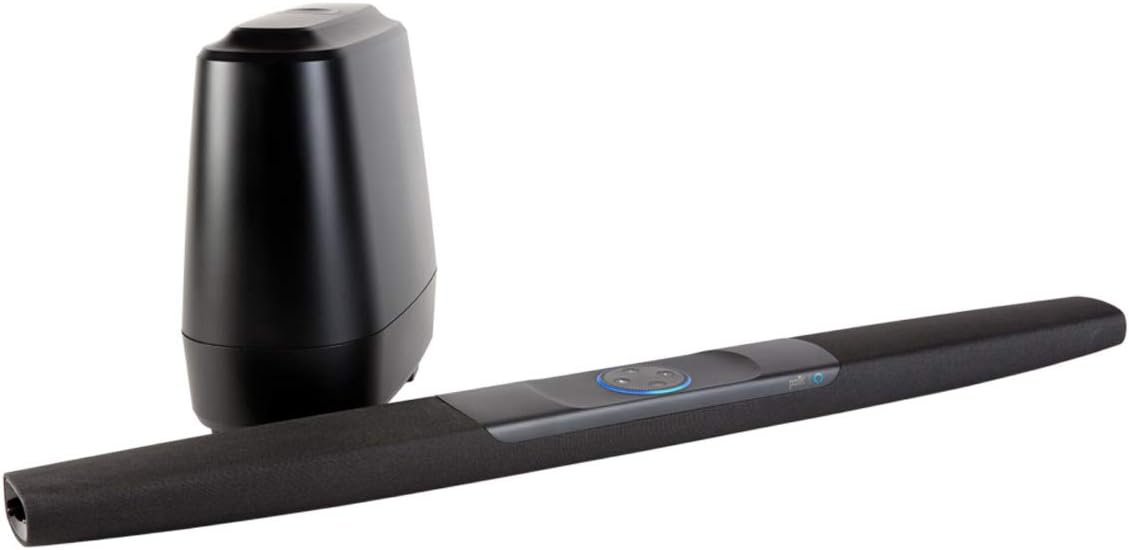
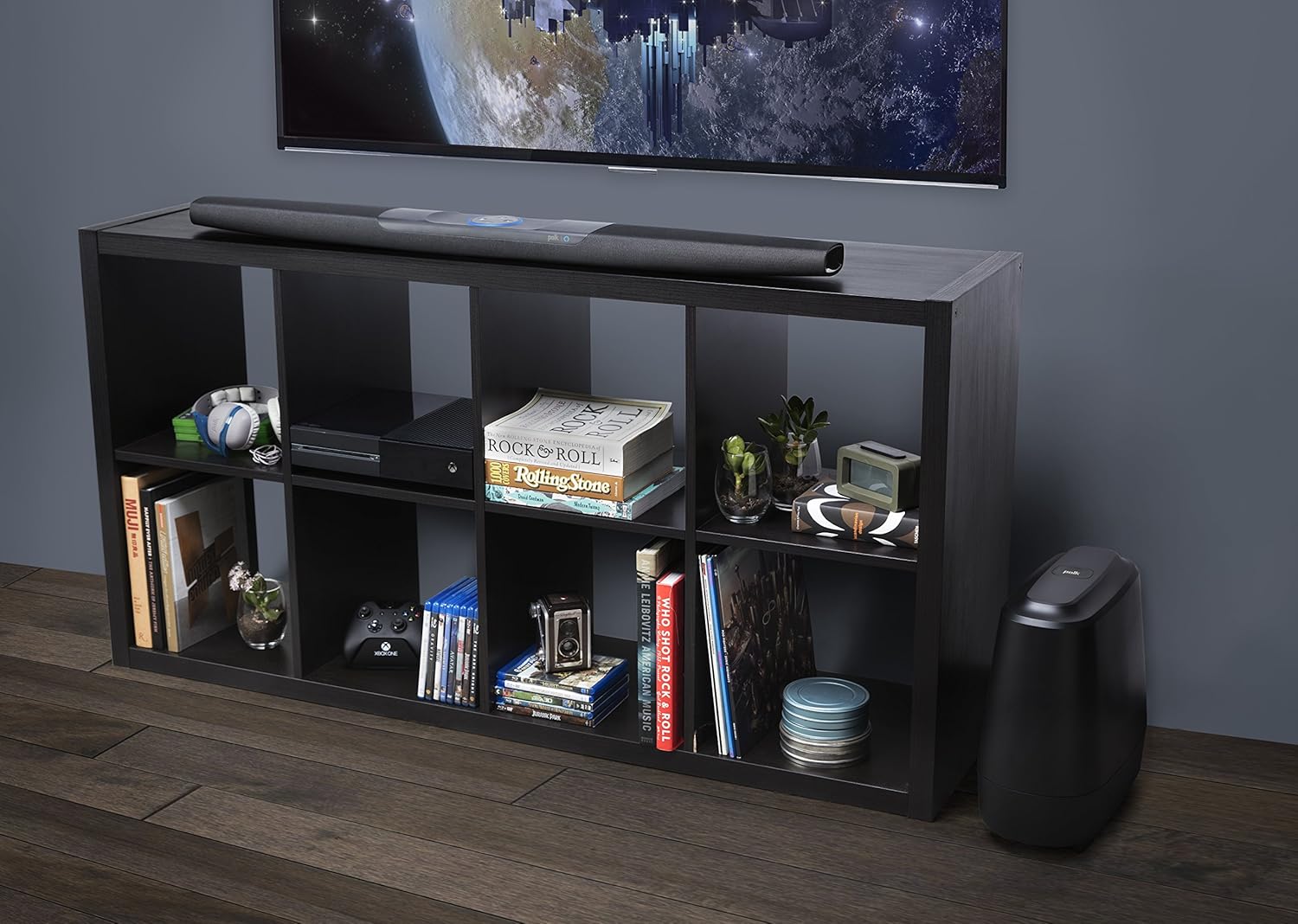
This manual provides detailed instructions for the setup, operation, and maintenance of your Polk Audio Command Sound Bar. This sound bar system integrates Amazon Alexa voice control, offering a hands-free experience for controlling your home theater audio. It features 4K HDMI compatibility, multi-room music capabilities, and Polk's patented Voice Adjust technology for clear dialogue.
2. ബോക്സിൽ എന്താണുള്ളത്?
Upon unboxing your Polk Audio Command Sound Bar, ensure all components are present:
- Command Bar sound bar
- വയർലെസ്സ് സബ് വൂഫർ
- AAA Alkaline batteries (2)
- Sound bar power adapter with 6.5’ (2m) power cord
- സബ് വൂഫർ പവർ കോർഡ്
- 6.5’ (2m) high-speed HDMI cable (4K compatible)
- 6' (1.8മീറ്റർ) ഒപ്റ്റിക്കൽ കേബിൾ
- Sound bar wall-mount template
- ദ്രുത ആരംഭ ഗൈഡ്
3. സജ്ജീകരണം
3.1 അൺബോക്സിംഗ്
To safely unbox your Command Bar, lay the product box on its side. Release the tabs and slide out the contents. All necessary components for setup are included within the packaging.

3.2 നിങ്ങളുടെ ടിവിയിലേക്ക് കണക്റ്റുചെയ്യുന്നു
The Command Bar can be connected to your television using either an HDMI cable (recommended) or an Optical cable.
- HDMI ARC കണക്ഷൻ (ശുപാർശ ചെയ്യുന്നത്): Locate an HDMI input on your TV labeled "ARC" (Audio Return Channel). Connect one end of the provided HDMI cable to this port on your TV and the other end to the "TV (ARC) HDMI OUT" port on the Command Bar. HDMI ARC allows for high-quality multi-channel audio and enables control of the sound bar using your TV's remote via CEC (Consumer Electronics Control).
- ഒപ്റ്റിക്കൽ കണക്ഷൻ: If your TV does not have an HDMI ARC port, connect one end of the provided Optical cable to your TV's optical audio output and the other end to the "TV OPTICAL" input on the Command Bar.

For detailed information on your TV's HDMI ARC or CEC compatibility, consult your television's owner's manual.
3.3 Power Connection and Subwoofer Pairing
- Position the Command Bar and connect its power adapter to an AC outlet.
- Position the wireless subwoofer and connect its power cord to an AC outlet.
- Once both units are plugged in and powered on, the Command Bar and subwoofer should automatically pair within approximately 30 seconds.
- To verify successful pairing, check for a solid green "BAR SYNC" light on the back of the subwoofer. If the light is not solid green, refer to the Troubleshooting section or the Quick Start Guide for pairing instructions.


4. പ്രവർത്തന നിർദ്ദേശങ്ങൾ
4.1 ആമസോൺ അലക്സ വോയ്സ് കൺട്രോൾ
The Polk Command Bar has Amazon Alexa built-in, allowing for hands-free control of various functions. To activate Alexa, simply say "Alexa" followed by your command. The light ring on the sound bar will illuminate to indicate Alexa is listening.
- വോളിയം നിയന്ത്രണം: "Alexa, turn up the volume," or "Alexa, set volume to 5."
- സംഗീത പ്ലേബാക്ക്: "Alexa, play music," "Alexa, play [song/artist] on Amazon Music."
- ഇൻപുട്ട് സ്വിച്ചിംഗ്: "Alexa, switch to HDMI 1," or "Alexa, switch to TV optical."
- സ്മാർട്ട് ഹോം കൺട്രോൾ: Control compatible smart home devices by linking them through the Alexa app.
Ensure your Command Bar is connected to your Wi-Fi network and linked to your Amazon account via the Alexa app for full functionality.
Video 4.1: An official Polk Audio video demonstrating the unboxing and setup process for the Command Sound Bar, including connecting to a TV and pairing the subwoofer.
4.2 Voice Adjust Technology
Polk's patented Voice Adjust technology allows you to customize voice levels to reproduce clear, crisp dialogue. This feature ensures you hear every word, even during action-packed scenes. Use the remote control or Alexa voice commands to adjust the Voice Adjust settings.
4.3 Multi-Room Music
With Amazon Multi-Room Music, you can play and control your music across multiple Amazon devices, including your Polk Command Bar. Group compatible devices in the Alexa app to enjoy synchronized audio throughout your home.
4.4 HDMI CEC Functionality
If connected via HDMI ARC, the Command Bar supports CEC (Consumer Electronics Control). This feature allows your TV remote to control basic functions of the sound bar, such as volume and mute. It also disables your TV's internal speakers and provides an on-screen volume graphic when adjusting the sound bar's volume.
5. പ്രശ്നപരിഹാരം
| ഇഷ്യൂ | സാധ്യമായ കാരണം | പരിഹാരം |
|---|---|---|
| സൗണ്ട് ബാറിൽ നിന്ന് ശബ്ദമില്ല. | Incorrect input selected, volume too low, cables not connected properly. |
|
| Subwoofer not pairing. | Subwoofer not powered on, out of range, pairing issue. |
|
| Alexa not responding or connecting to Wi-Fi. | No internet connection, incorrect Alexa setup, microphone muted. |
|
| മോശം ശബ്ദ നിലവാരം അല്ലെങ്കിൽ വികൃതത. | Incorrect audio settings, speaker placement, source quality. |
|
Video 5.1: An official Polk Audio "How-to" video providing guidance on various functions and troubleshooting tips for the Polk Command Bar.
6 സ്പെസിഫിക്കേഷനുകൾ
| ഫീച്ചർ | വിശദാംശങ്ങൾ |
|---|---|
| മോഡലിൻ്റെ പേര് | AM9640 |
| ബ്രാൻഡ് | പോൾക്ക് ഓഡിയോ |
| സ്പീക്കർ തരം | ചുറ്റുക |
| പ്രത്യേക ഫീച്ചർ | സബ് വൂഫർ |
| ശുപാർശ ചെയ്യുന്ന ഉപയോഗങ്ങൾ | സംഗീതം, ഹോം തിയേറ്റർ |
| അനുയോജ്യമായ ഉപകരണങ്ങൾ | ടെലിവിഷൻ |
| സബ് വൂഫർ വ്യാസം | 6 ഇഞ്ച് |
| സറൗണ്ട് സൗണ്ട് ചാനൽ കോൺഫിഗറേഷൻ | 2.1 |
| നിറം | കറുപ്പ് |
| ഉൽപ്പന്ന അളവുകൾ | 4"D x 43.3"W x 2.1"H |
| ഇനത്തിൻ്റെ ഭാരം | 4.95 പൗണ്ട് |
| നിയന്ത്രണ രീതി | ശബ്ദം |
| വയർലെസ് കമ്മ്യൂണിക്കേഷൻ ടെക്നോളജി | ബ്ലൂടൂത്ത് |
| പവർ ഉറവിടം | കോർഡഡ് ഇലക്ട്രിക് |
| സ്പീക്കർ പരമാവധി ഔട്ട്പുട്ട് പവർ | 260 വാട്ട്സ് |
| ഫ്രീക്വൻസി പ്രതികരണം | 22000 Hz |
| കണക്റ്റിവിറ്റി ടെക്നോളജി | HDMI, ഒപ്റ്റിക്കൽ |
| യു.പി.സി | 747192129606 |

7. വാറൻ്റിയും പിന്തുണയും
The Polk Audio Command Sound Bar comes with a Limited Warranty. For specific warranty terms, conditions, and duration, please refer to the warranty card included in your product packaging or visit the official Polk Audio webസൈറ്റ്.
For technical support, product registration, or further assistance, please visit the Polk Audio Store on Amazon അല്ലെങ്കിൽ അവരുടെ ഉദ്യോഗസ്ഥൻ webസൈറ്റ്.


