1. ആമുഖം
This manual provides detailed instructions for the installation, operation, and maintenance of your Kolink Observatory RGB Midi-Tower Computer Case. Designed for enthusiasts and gamers, this case features a stylish aesthetic with tempered glass panels and vibrant RGB lighting, offering ample space and cooling capabilities for high-performance components.
2 പ്രധാന സവിശേഷതകൾ
- വിശാലമായ ഇൻ്റീരിയർ: Accommodates motherboards up to E-ATX form factor, graphics cards up to 38 centimeters in length, CPU coolers up to 16 centimeters in height, and power supplies up to 20 centimeters in length.
- വൈവിധ്യമാർന്ന സംഭരണ ഓപ്ഷനുകൾ: Features two dedicated 3.5-inch/2.5-inch drive bays, with additional mounting points for up to two 2.5-inch SSDs behind the motherboard tray.
- വിപുലമായ തണുപ്പിക്കൽ സംവിധാനം: Equipped with four pre-installed 120mm fans (three at the front, one at the rear). Supports up to two additional fans and allows for the installation of up to two 240mm radiators for liquid cooling.
- അഭിസംബോധന ചെയ്യാവുന്ന RGB ലൈറ്റിംഗ്: The pre-installed fans feature 16 individually addressable RGB LEDs, offering over 300 dynamic lighting effects. Control is managed via the included RGB controller, fan hub, and infrared remote control.
- പ്രീമിയം ഡിസൈൻ: Features tinted 4mm thick tempered glass panels on both the side and front, providing a clear view of your internal components and RGB lighting.
- സൗകര്യപ്രദമായ ഫ്രണ്ട് I/O: The top-mounted I/O panel includes power and reset buttons, two USB 2.0 ports, one USB 3.0 port, and HD audio connections.
- Effective Dust Filtration: Includes a magnetic dust filter on the top panel and a removable slide-out filter beneath the power supply for easy cleaning.
3. ഇൻസ്റ്റാളേഷൻ ഗൈഡ്
3.1 പൊതുവായ തയ്യാറെടുപ്പ്
Before beginning installation, ensure you have a clean, static-free workspace. Unpack the case carefully and remove all internal packaging materials. It is recommended to wear an anti-static wrist strap to prevent damage to components.
3.2 മദർബോർഡ് ഇൻസ്റ്റാളേഷൻ
- Carefully remove the tempered glass side panel by unscrewing the four thumb screws.
- Install the I/O shield that came with your motherboard into the rear opening of the case.
- Ensure the motherboard standoffs are correctly aligned for your motherboard's form factor (ATX, Micro-ATX, E-ATX). Adjust or install additional standoffs as needed.
- Gently place your motherboard onto the standoffs, aligning the screw holes.
- മദർബോർഡ് ഉചിതമായ സ്ക്രൂകൾ ഉപയോഗിച്ച് ഉറപ്പിക്കുക. അമിതമായി മുറുക്കരുത്.
3.3 സ്റ്റോറേജ് ഡ്രൈവ് ഇൻസ്റ്റലേഷൻ
The case supports both 3.5-inch HDDs and 2.5-inch SSDs.
- 3.5-inch Drives: Locate the drive cage beneath the PSU shroud. Slide the 3.5-inch drives into the trays and secure them with screws if necessary.
- 2.5-inch Drives: Two 2.5-inch drive mounting plates are located on the back of the motherboard tray. Secure your SSDs to these plates and then attach the plates to the case.
3.4 പവർ സപ്ലൈ ഇൻസ്റ്റലേഷൻ
The power supply unit (PSU) is mounted at the bottom rear of the case.
- Slide your PSU into the designated compartment from the rear of the case.
- Align the screw holes and secure the PSU with screws from the outside rear of the case.
3.5 കൂളിംഗ് സിസ്റ്റം ഇൻസ്റ്റലേഷൻ
The case comes with four pre-installed 120mm RGB fans. Additional fans or liquid cooling radiators can be installed.
- അധിക ആരാധകർ: The case supports two additional 120mm fans on the top panel.
- റേഡിയറുകൾ: Up to two 240mm radiators can be installed, typically at the front or top, depending on component clearance.
3.6 ഗ്രാഫിക്സ് കാർഡ് ഇൻസ്റ്റാളേഷൻ
- കേസിന്റെ പിൻഭാഗത്ത് നിന്ന് ആവശ്യമായ PCIe സ്ലോട്ട് കവറുകൾ നീക്കം ചെയ്യുക.
- നിങ്ങളുടെ മദർബോർഡിലെ ഉചിതമായ PCIe സ്ലോട്ടിൽ നിങ്ങളുടെ ഗ്രാഫിക്സ് കാർഡ് ചേർക്കുക.
- സ്ക്രൂകൾ ഉപയോഗിച്ച് ഗ്രാഫിക്സ് കാർഡ് കേസിൽ ഉറപ്പിക്കുക.
3.7 കേബിൾ മാനേജ്മെന്റ്
The Kolink Observatory RGB case offers ample space behind the motherboard tray and within the PSU shroud for effective cable management. Utilize the various cutouts and tie-down points to route and secure cables, ensuring optimal airflow and a clean interior aesthetic.
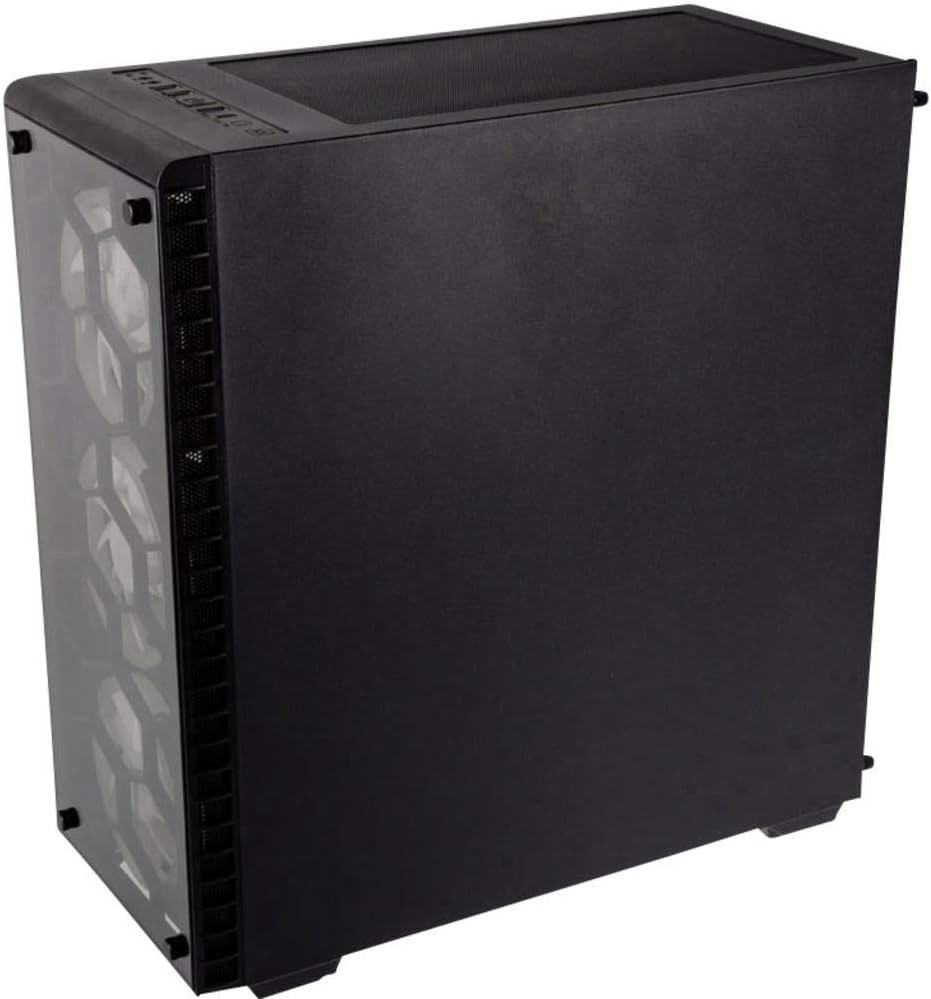
ചിത്രം: പിൻഭാഗം view of the Kolink Observatory RGB case, highlighting the space behind the motherboard tray for cable routing and drive mounting.
4. RGB ലൈറ്റിംഗ് നിയന്ത്രണം
The pre-installed RGB fans are connected to a dedicated fan hub and RGB controller. This system allows for extensive customization of lighting effects.
- ഫാൻ കണക്ഷനുകൾ: The fans use proprietary 6-pin connectors that connect to the included fan hub. Ensure all fans are securely connected to the hub.
- ഹബ്ബിന് പവർ നൽകുന്നു: The fan hub requires power, typically via a 4-pin Molex connector from your power supply.
- RGB നിയന്ത്രണം: The RGB lighting is controlled using the provided infrared (IR) remote control. Point the remote towards the IR receiver connected to the fan hub.
- Front Panel RGB Button: The case's front I/O panel includes a button (often labeled as 'Reset SW' or similar) that can be connected to the fan hub's 'Power LED' cable. This allows you to cycle through RGB effects directly from the front panel without the remote.

ചിത്രം: മുൻവശവും വശവും view of the Kolink Observatory RGB case, showcasing the vibrant illumination of the RGB fans through the tempered glass panels.
5. പരിപാലനം
നിങ്ങളുടെ പിസി ഘടകങ്ങളുടെ ഒപ്റ്റിമൽ പ്രകടനവും ദീർഘായുസ്സും ഉറപ്പാക്കാൻ പതിവ് അറ്റകുറ്റപ്പണികൾ സഹായിക്കുന്നു.
- പൊടി ഫിൽട്ടറുകൾ: Periodically remove and clean the magnetic dust filter on the top panel and the slide-out filter beneath the PSU. Use compressed air or a soft brush to remove accumulated dust.
- ടെമ്പർഡ് ഗ്ലാസ് പാനലുകൾ: Clean the tempered glass panels with a soft, lint-free cloth and a non-abrasive glass cleaner. Avoid harsh chemicals that could damage the glass or tint.
- ഇന്റീരിയർ ക്ലീനിംഗ്: Use compressed air to clear dust from internal components such as fans, heatsinks, and circuit boards. Ensure the system is powered off and unplugged before cleaning.
6. പ്രശ്നപരിഹാരം
6.1 ഫാൻ സ്പീഡ് നിയന്ത്രണം
The pre-installed fans operate at a fixed speed via the included fan hub. They are not directly controllable via motherboard fan headers due to their proprietary 6-pin connectors. If variable fan speed control is desired, an aftermarket fan controller compatible with these fans or replacement fans may be required.
6.2 RGB ലൈറ്റിംഗ് പ്രവർത്തിക്കുന്നില്ല
- Ensure the fan hub is correctly powered via its Molex connector from the PSU.
- Verify that all fan 6-pin connectors are securely plugged into the fan hub.
- Check that the IR receiver is properly connected to the fan hub and is not obstructed.
- Ensure the remote control has working batteries and is pointed directly at the IR receiver.
6.3 Front Panel Ports Not Functioning
- Verify that the USB 2.0, USB 3.0, and HD Audio cables from the front panel are correctly connected to the corresponding headers on your motherboard.
- Ensure the power and reset switch cables are correctly connected to the motherboard's front panel headers.
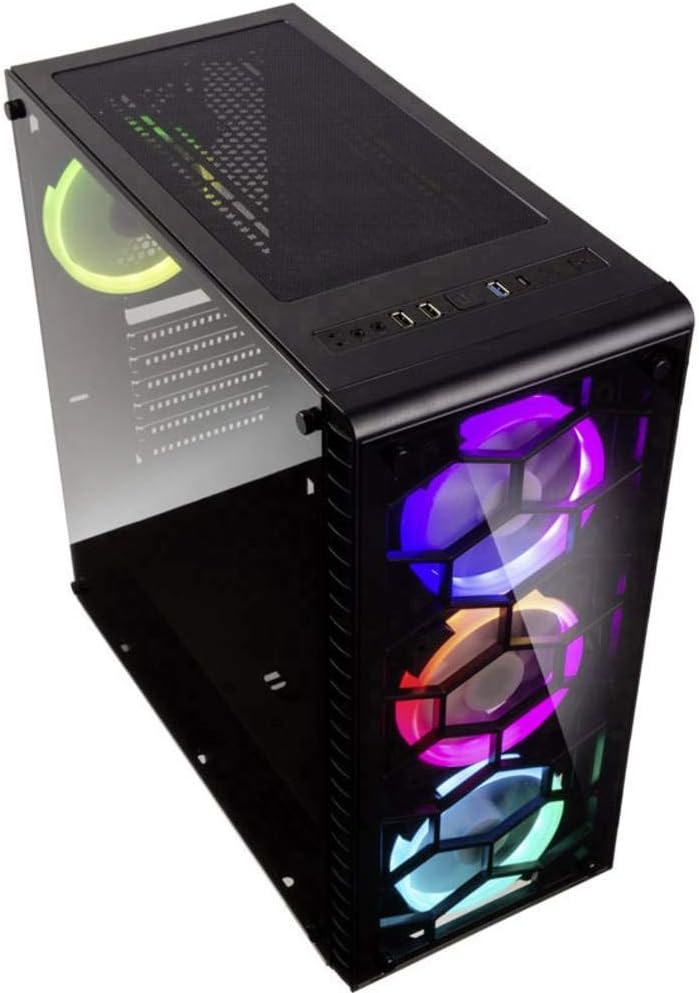
ചിത്രം: മുകളിൽ view of the Kolink Observatory RGB case, detailing the front I/O panel with USB ports, audio jacks, and power/reset buttons.
7 സ്പെസിഫിക്കേഷനുകൾ
| ഫീച്ചർ | സ്പെസിഫിക്കേഷൻ |
|---|---|
| ബ്രാൻഡ് | Kolink |
| മോഡലിൻ്റെ പേര് | OBSERVATORY RGB |
| നിറം | കറുപ്പ് |
| കേസ് തരം | Midi-Tower / Desktop |
| മെറ്റീരിയൽ | പ്ലാസ്റ്റിക്, ടെമ്പർഡ് ഗ്ലാസ് |
| മദർബോർഡ് അനുയോജ്യത | ATX, Micro-ATX, E-ATX |
| പ്രത്യേക സവിശേഷതകൾ | RGB ലൈറ്റിംഗ് |
| മൊത്തം USB പോർട്ടുകൾ | 3 (2x USB 2.0, 1x USB 3.0) |
| അനുയോജ്യമായ ഉപകരണങ്ങൾ | ATX motherboards, bottom-mount power supply units, 3.5" hard drives, 120mm fans, air cooling systems |
| പിഎസ്യു മൗണ്ടിംഗ് തരം | താഴെയുള്ള മൗണ്ട് |
| തണുപ്പിക്കൽ രീതി | വായു |
| ഫാൻ വലിപ്പം | 120 Millimeters (pre-installed) |
| ശുപാർശ ചെയ്യുന്ന ഉപയോഗങ്ങൾ | ഗെയിമിംഗ് |


