1. ആമുഖം
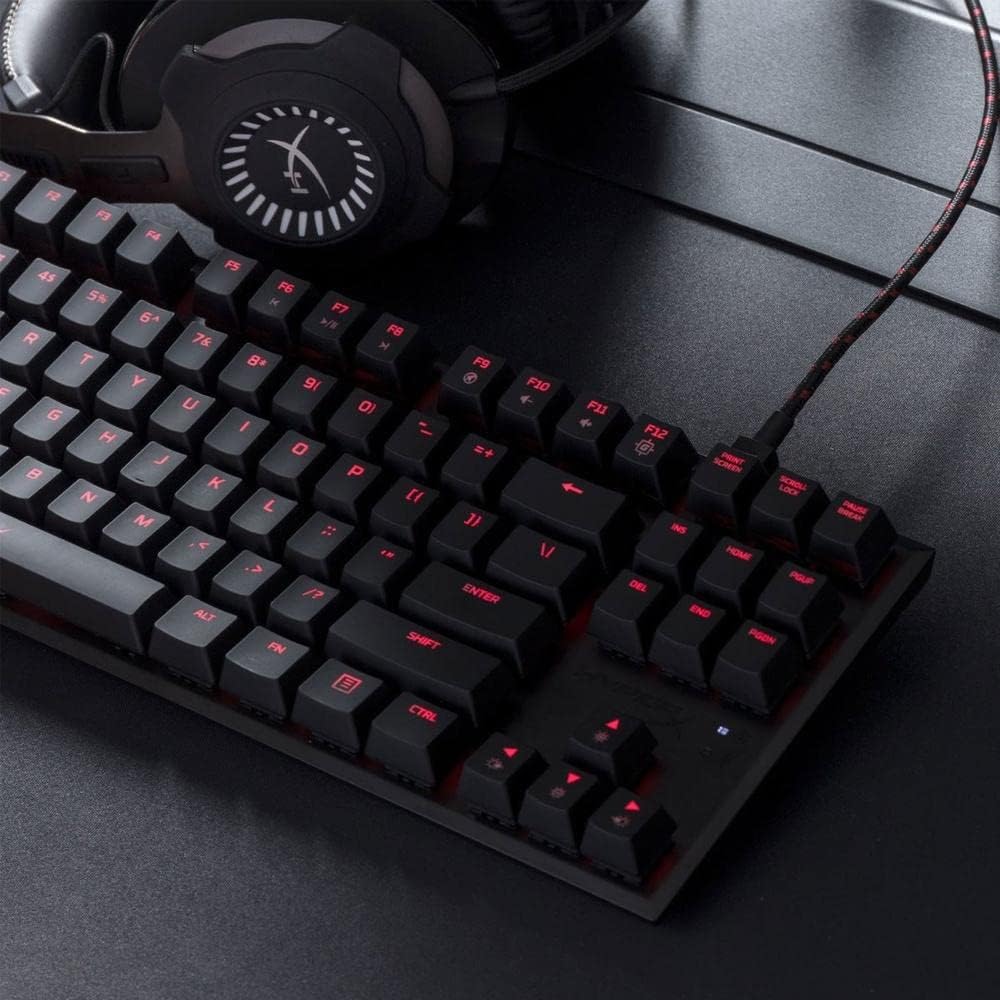
The HyperX Alloy FPS Pro is an ultra-minimalistic, tenkeyless (TKL) mechanical gaming keyboard designed for durability, reliability, and accuracy. Featuring 87 keys with Cherry MX Blue mechanical switches and red LED backlighting, this keyboard is built to withstand intense gaming sessions. Its compact design and detachable braided cable enhance portability, making it ideal for gamers on the go.
2. പാക്കേജ് ഉള്ളടക്കം
- 1 x HyperX Alloy FPS Pro Mechanical Gaming Keyboard
- 1 x Detachable USB 2.0 Cable
- 1 x ദ്രുത ആരംഭ ഗൈഡ്

The package includes the HyperX Alloy FPS Pro mechanical gaming keyboard and its detachable USB 2.0 cable, along with a quick start guide for initial setup.
3. സജ്ജീകരണം
- USB കേബിൾ ബന്ധിപ്പിക്കുക: Plug the detachable USB 2.0 cable into the keyboard's USB port and then into an available USB port on your computer.
- ഡ്രൈവർ ഇൻസ്റ്റാളേഷൻ: The keyboard is plug-and-play. Your operating system (Windows 10, 8.1, 8, 7) will automatically detect and install the necessary drivers.
- കീബോർഡ് ആംഗിൾ ക്രമീകരിക്കുക: Utilize the adjustable feet on the underside of the keyboard to set your preferred typing angle. The keyboard offers 3mm, 7mm, and 11mm adjustment levels.
4. പ്രവർത്തന നിർദ്ദേശങ്ങൾ
4.1. Key Switches
The HyperX Alloy FPS Pro features highly responsive and precise Cherry MX Blue mechanical key switches. These switches provide tactile feedback and an audible click, ideal for gaming and typing that requires quick reflexes and accurate key presses.

4.2. എൽഇഡി ബാക്ക്ലൈറ്റിംഗ്
The keyboard features single-color red LED backlighting with 6 LED modes and 5 brightness levels. You can customize these effects to match your style or gaming environment.
4.3. ഗെയിം മോഡ്
Activate Game Mode to disable the Windows key, preventing accidental interruptions during gameplay. This feature ensures uninterrupted focus on your game.
4.4. ആന്റി-ഗോസ്റ്റിംഗും എൻ-കീ റോൾഓവറും
The keyboard supports 100% anti-ghosting and full N-key rollover, ensuring that every key press is registered accurately, even during rapid, simultaneous inputs.
5. പരിപാലനം
To maintain optimal performance and longevity of your HyperX Alloy FPS Pro keyboard, regular cleaning is recommended. Use a soft, dry cloth to wipe down the keycaps and frame. For deeper cleaning, you may use a can of compressed air to remove dust and debris from between the keys.
6. പ്രശ്നപരിഹാരം
- കീബോർഡ് പ്രതികരിക്കുന്നില്ല: Try moving the keyboard to multiple USB ports to isolate possible host computer connectivity issues.
- കീബോർഡ് പുനഃസജ്ജമാക്കുക: If the keyboard is unresponsive or experiencing issues, you can reset it by pressing and holding the FN ഒപ്പം ഇഎസ്സി keys simultaneously for 3 seconds until the keyboard backlight blinks.
- വോളിയം ക്രമീകരണം: This keyboard is not intended for use on PS4 or other gaming consoles for direct volume adjustment. Volume control is typically managed through your operating system or game settings.
7 സ്പെസിഫിക്കേഷനുകൾ
| ഫീച്ചർ | സ്പെസിഫിക്കേഷൻ |
|---|---|
| ബ്രാൻഡ് | ഹൈപ്പർഎക്സ് |
| മോഡൽ നമ്പർ | HX-KB4BL1-US/WW |
| സ്വിച്ച് തരം | ചെറി എംഎക്സ് ബ്ലൂ മെക്കാനിക്കൽ |
| ബാക്ക്ലൈറ്റ് | Single color, Red LED (6 modes, 5 brightness levels) |
| കണക്ഷൻ തരം | USB 2.0 (detachable, braided cable) |
| പോളിംഗ് നിരക്ക് | 1000Hz |
| ആൻ്റി-ഗോസ്റ്റിംഗ് | 100% പ്രേതബാധ വിരുദ്ധം |
| കീ റോൾഓവർ | N-Key Mode |
| മീഡിയ നിയന്ത്രണങ്ങൾ | അതെ |
| ഗെയിം മോഡ് | അതെ |
| OS അനുയോജ്യത | വിൻഡോസ് 10, 8.1, 8, 7 |
| അളവുകൾ (LxWxH) | 14.1 x 5.1 x 1.4 ഇഞ്ച് (359.00mm x 130.00mm x 35.56mm) |
| ഇനത്തിൻ്റെ ഭാരം | 1.8 പൗണ്ട് (0.82 കി.ഗ്രാം) |
| ഫ്രെയിം | സോളിഡ് സ്റ്റീൽ |
8. വാറൻ്റിയും പിന്തുണയും
For warranty information and technical support, please refer to the official HyperX webസൈറ്റിൽ ബന്ധപ്പെടുക അല്ലെങ്കിൽ അവരുടെ ഉപഭോക്തൃ സേവനവുമായി ബന്ധപ്പെടുക. വാറന്റി ക്ലെയിമുകൾക്കായി നിങ്ങളുടെ വാങ്ങൽ രസീത് സൂക്ഷിക്കുക.


