1. ആമുഖം
The DataLocker Sentry ONE is a secure, encrypted USB 3.1 flash drive designed to protect sensitive data. This manual provides essential information for the proper setup, operation, and maintenance of your device, ensuring optimal security and performance. The Sentry ONE requires management through DataLocker's EMS or SafeConsole platforms, which are sold separately.
2. ഉൽപ്പന്നം കഴിഞ്ഞുview
The DataLocker Sentry ONE is a compact and robust USB flash drive engineered for high-level data security. It features hardware-based encryption to safeguard your information against unauthorized access.
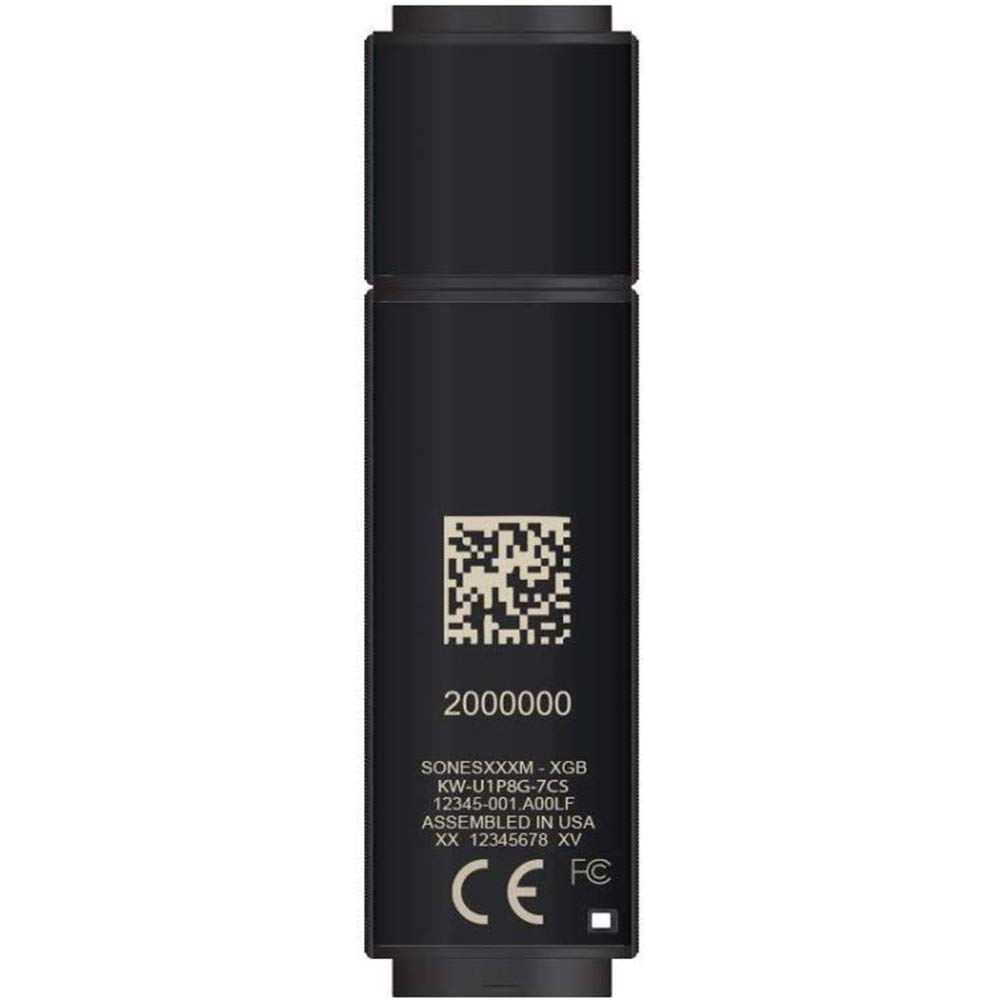
An image showing the DataLocker Sentry ONE Encrypted Flash Drive, a compact black USB device designed for secure data storage.
This device is TAA Compliant and meets stringent security standards, making it suitable for government and enterprise use.
3 പ്രധാന സവിശേഷതകൾ
- സംഭരണ ശേഷി: 4 GB for essential data.
- Advanced Encryption: FIPS 140-2 Level 3 validated 256-bit AES hardware encryption.
- High-Speed Interface: USB 3.1 Gen 1 for fast data transfer.
- കേന്ദ്രീകൃത മാനേജ്മെൻ്റ്: Designed for use with DataLocker's EMS or SafeConsole management platforms (sold separately) for policy enforcement and auditing.
- TAA കംപ്ലയിന്റ്: Meets Trade Agreements Act requirements.
- മോടിയുള്ള ഡിസൈൻ: Compact and robust construction for portability and protection.
4. സജ്ജീകരണ നിർദ്ദേശങ്ങൾ
Initial setup of the DataLocker Sentry ONE requires access to a DataLocker EMS or SafeConsole management system. This process ensures the device is configured according to your organization's security policies.
- ഉപകരണം ബന്ധിപ്പിക്കുക: Insert the Sentry ONE flash drive into an available USB 3.1 (or compatible USB 2.0) port on your computer.
- Access Management Console: Log in to your organization's DataLocker EMS or SafeConsole administration portal.
- ഉപകരണ തിരിച്ചറിയൽ: The management console should detect the newly connected Sentry ONE device. Follow the on-screen prompts within the console to initiate the setup process.
- Policy Application: The management console will apply the necessary security policies, including password requirements, inactivity timeouts, and other security settings.
- User Enrollment: Complete any required user enrollment or authentication steps as directed by your administrator or the management console. This typically involves setting a strong password for device access.
- ഉപയോഗത്തിന് തയ്യാറാണ്: Once configured and authenticated, the Sentry ONE will be ready for secure data storage.
Note: Specific setup steps may vary based on your organization's EMS or SafeConsole configuration. Consult your IT administrator for detailed guidance.
5. പ്രവർത്തന നിർദ്ദേശങ്ങൾ
Follow these steps for daily use of your DataLocker Sentry ONE encrypted flash drive:
- ഡ്രൈവ് ബന്ധിപ്പിക്കുക: Insert the Sentry ONE into a USB port on your computer.
- പ്രാമാണീകരിക്കുക: The device will prompt you for authentication (e.g., password entry). Enter your credentials as established during the setup process.
- ആക്സസ് ഡാറ്റ: Once authenticated, the secure volume of the Sentry ONE will appear as a removable drive in your operating system's file explorer. You can now drag and drop files to and from the drive as you would with any standard USB drive.
- Locking the Drive: To secure your data, you can manually lock the drive through the device's utility (if available) or by safely ejecting it from your operating system. The drive will automatically lock after a period of inactivity as defined by your organization's security policy.
- സുരക്ഷിതമായി പുറത്താക്കുക: Before removing the drive, always safely eject it from your operating system to prevent data corruption. Right-click the drive icon in your file explorer and select "Eject" or "Safely Remove Hardware."
6. പരിപാലനം
Proper maintenance ensures the longevity and continued security of your DataLocker Sentry ONE.
- ശാരീരിക പരിചരണം: Keep the drive clean and free from dust and moisture. Avoid extreme temperatures and physical impacts.
- ഫേംവെയർ അപ്ഡേറ്റുകൾ: Periodically check with your IT administrator or DataLocker support for any available firmware updates. Updates often include security enhancements and performance improvements.
- പാസ്വേഡ് മാനേജ്മെൻ്റ്: Always use a strong, unique password for your device. Change your password regularly as per your organization's policy.
- ഡാറ്റ ബാക്കപ്പ്: While the Sentry ONE provides robust security, it is good practice to maintain backups of critical data on other secure storage solutions.
7. പ്രശ്നപരിഹാരം
If you encounter issues with your DataLocker Sentry ONE, consider the following common solutions:
- ഡ്രൈവ് തിരിച്ചറിയാൻ കഴിഞ്ഞിട്ടില്ല:
- ഡ്രൈവ് പൂർണ്ണമായും USB പോർട്ടിൽ ചേർത്തിട്ടുണ്ടെന്ന് ഉറപ്പാക്കുക.
- നിങ്ങളുടെ കമ്പ്യൂട്ടറിൽ മറ്റൊരു USB പോർട്ട് പരീക്ഷിക്കുക.
- കമ്പ്യൂട്ടർ-നിർദ്ദിഷ്ട പ്രശ്നം ഒഴിവാക്കാൻ മറ്റൊരു കമ്പ്യൂട്ടറിൽ ഡ്രൈവ് പരിശോധിക്കുക.
- Check your computer's Device Manager (Windows) or System Information (macOS) to see if the USB device is detected.
- Authentication Failure:
- Verify that you are entering the correct password. Pay attention to capitalization and special characters.
- If you have forgotten your password, contact your IT administrator for assistance with password reset procedures via EMS or SafeConsole.
- മന്ദഗതിയിലുള്ള ഡാറ്റ കൈമാറ്റം:
- Ensure the drive is connected to a USB 3.1 compatible port for optimal speed. Using a USB 2.0 port will result in slower transfers.
- പശ്ചാത്തലത്തിൽ പ്രവർത്തിക്കുന്ന, സിസ്റ്റം റിസോഴ്സുകൾ ഉപയോഗിക്കുന്ന ഏതെങ്കിലും അനാവശ്യ ആപ്ലിക്കേഷനുകൾ അടയ്ക്കുക.
- Drive Appears Locked:
- The drive may have automatically locked due to inactivity. Re-authenticate to unlock it.
- Ensure no security policies are preventing access. Contact your IT administrator if you suspect a policy issue.
For issues not covered here, please contact your IT department or DataLocker support.
8 സ്പെസിഫിക്കേഷനുകൾ
| ഫീച്ചർ | വിശദാംശങ്ങൾ |
|---|---|
| മോഡൽ നമ്പർ | SONE004M |
| സംഭരണ ശേഷി | 4 ജിബി |
| എൻക്രിപ്ഷൻ സ്റ്റാൻഡേർഡ് | 256-bit AES (FIPS 140-2 Level 3 Validated) |
| ഹോസ്റ്റ് ഇന്റർഫേസ് | USB 3.1 Gen 1 (backward compatible with USB 2.0) |
| അളവുകൾ (LxWxH) | 0.87 x 3.07 x 0.47 ഇഞ്ച് |
| ഭാരം | 1.76 ഔൺസ് |
| നിറം | കറുപ്പ് |
| പാലിക്കൽ | TAA കംപ്ലയിൻ്റ് |
| Management Required | DataLocker EMS or SafeConsole (sold separately) |
| യു.പി.സി | 853770007690 |
9. വാറൻ്റിയും പിന്തുണയും
For information regarding product warranty, technical support, or to access additional resources, please refer to the official DataLocker website or contact your authorized reseller. For general inquiries, you may also visit the DataLocker Store on Amazon.
It is recommended to keep your purchase receipt and product packaging for warranty claims.


