ആമുഖം
This manual provides detailed instructions for the setup, operation, and maintenance of your Singing Machine SML650 Bluetooth Karaoke System. Please read this manual thoroughly before using the product to ensure proper function and to maximize your enjoyment.
പ്രധാനപ്പെട്ട സുരക്ഷാ വിവരങ്ങൾ
- മഴയോ ഈർപ്പമോ യൂണിറ്റ് തുറന്നുകാട്ടരുത്.
- വെൻ്റിലേഷൻ ഓപ്പണിംഗുകളൊന്നും തടയരുത്.
- നിർമ്മാതാവ് വ്യക്തമാക്കിയ അറ്റാച്ച്മെൻ്റുകൾ/ആക്സസറികൾ മാത്രം ഉപയോഗിക്കുക.
- എല്ലാ സേവനങ്ങളും യോഗ്യതയുള്ള സേവന ഉദ്യോഗസ്ഥർക്ക് റഫർ ചെയ്യുക.
- Ensure proper battery installation and disposal if using battery power.
- നേരിട്ടുള്ള സൂര്യപ്രകാശം, താപ സ്രോതസ്സുകൾ, ശക്തമായ കാന്തികക്ഷേത്രങ്ങൾ എന്നിവയിൽ നിന്ന് യൂണിറ്റിനെ അകറ്റി നിർത്തുക.
പാക്കേജ് ഉള്ളടക്കം
താഴെ പട്ടികപ്പെടുത്തിയിരിക്കുന്ന എല്ലാ ഇനങ്ങളും നിങ്ങളുടെ പാക്കേജിൽ ഉൾപ്പെടുത്തിയിട്ടുണ്ടോയെന്ന് ദയവായി പരിശോധിക്കുക:
- Singing Machine SML650 Karaoke System
- 1 വയർഡ് മൈക്രോഫോൺ
- ആർസിഎ കേബിൾ
- എസി പവർ അഡാപ്റ്റർ
- ഉപയോക്തൃ മാനുവൽ (ഈ പ്രമാണം)
ഉൽപ്പന്നം കഴിഞ്ഞുview
Familiarize yourself with the various parts and controls of your karaoke system.

Figure 1: Front Panel and Controls. This image shows the front of the karaoke machine, highlighting the main display, control buttons, volume knobs, and the integrated LED light show. A smartphone is depicted next to the unit, illustrating Bluetooth connectivity.

ചിത്രം 2: പിൻ പാനൽ കണക്ഷനുകൾ. This image displays the back of the karaoke machine, detailing the various input and output ports, including microphone inputs, video out, audio out, AUX in, and the DC power input. The battery compartment is also visible.
നിയന്ത്രണ പാനൽ സവിശേഷതകൾ:
- പവർ ബട്ടൺ: യൂണിറ്റ് ഓണാക്കുകയോ ഓഫാക്കുകയോ ചെയ്യുന്നു.
- മാസ്റ്റർ വോളിയം നോബ്: മൊത്തത്തിലുള്ള ശബ്ദ ഔട്ട്പുട്ട് നില ക്രമീകരിക്കുന്നു.
- മൈക്രോഫോൺ വോളിയം നോബ്: മൈക്രോഫോൺ ഇൻപുട്ട് വോളിയം ക്രമീകരിക്കുന്നു.
- വോയ്സ് ചേഞ്ചർ ബട്ടൺ: Cycles through various voice effects (Echo, Male, Female, Robot, Chipmunk, Radio).
- LED ലൈറ്റ് ബട്ടൺ: Controls the multi-color LED lights.
- ബ്ലൂടൂത്ത് സൂചകം: ബ്ലൂടൂത്ത് കണക്ഷൻ നില കാണിക്കുന്നു.
- ഡിസ്പ്ലേ: Shows track number or other relevant information.
- Play/Pause, Skip Buttons: For media playback control.
സജ്ജമാക്കുക
1. യൂണിറ്റിന് ശക്തി നൽകുന്നു
The SML650 can be powered by either the included AC adapter or 6 x 'C' size batteries (not included).
- എസി പവർ: Connect the AC power adapter to the DC 9V input jack on the rear of the unit and plug the other end into a standard wall outlet.
- ബാറ്ററി പവർ: Open the battery compartment on the bottom of the unit. Insert 6 'C' size batteries, ensuring correct polarity (+/-). Close the compartment securely.
2. മൈക്രോഫോണുകൾ ബന്ധിപ്പിക്കുന്നു
Plug the included wired microphone into the MIC 1 input jack on the rear of the unit. An optional second microphone (not included) can be connected to the MIC 2 input.
3. Connecting to a TV (for Lyrics Display)
To display lyrics on your television, use the included RCA cable.
- Connect the yellow plug of the RCA cable to the VIDEO OUT jack on the SML650.
- Connect the other end of the yellow plug to the VIDEO IN jack on your television.
- Connect the red and white plugs of the RCA cable to the AUDIO OUT (R/L) jacks on the SML650.
- Connect the other end of the red and white plugs to the AUDIO IN (R/L) jacks on your television.
- Select the correct video input source on your TV.

Figure 3: Displaying Lyrics. This image shows the karaoke machine with a tablet placed on top, demonstrating how lyrics can be displayed for singing along. While a tablet is shown, the unit connects to a TV via RCA for lyric display.
4. ബ്ലൂടൂത്ത് ജോടിയാക്കൽ
Connect your Bluetooth-enabled device (smartphone, tablet, etc.) to the SML650 for wireless audio streaming.
- Turn on the SML650. The Bluetooth indicator will flash, indicating it's in pairing mode.
- On your Bluetooth device, enable Bluetooth and search for "SML650".
- Select "SML650" from the list of available devices.
- Once paired, the Bluetooth indicator on the SML650 will glow solid.
- You can now stream audio from your device to the karaoke system.
പ്രവർത്തന നിർദ്ദേശങ്ങൾ
1. അടിസ്ഥാന പ്രവർത്തനം
- പവർ ഓൺ/ഓഫ്: യൂണിറ്റ് ഓണാക്കാനോ ഓഫാക്കാനോ പവർ ബട്ടൺ അമർത്തുക.
- വോളിയം ക്രമീകരിക്കുന്നു: Use the Master Volume knob to control the overall sound. Use the Microphone Volume knob to adjust microphone loudness.
2. Using Voice Changer Effects
The SML650 features six fun voice-changing effects.
- അമർത്തുക വോയ്സ് ചേഞ്ചർ button repeatedly to cycle through the available effects: Echo, Male, Female, Robot, Chipmunk, and Radio.
- To turn off the voice changer, continue pressing the button until no effect is active.
3. എൽഇഡി ലൈറ്റ് ഷോ
The multi-color LED lights synchronize with the music, creating a dynamic light show.
- അമർത്തുക LED ലൈറ്റ് button to turn the lights on or off.
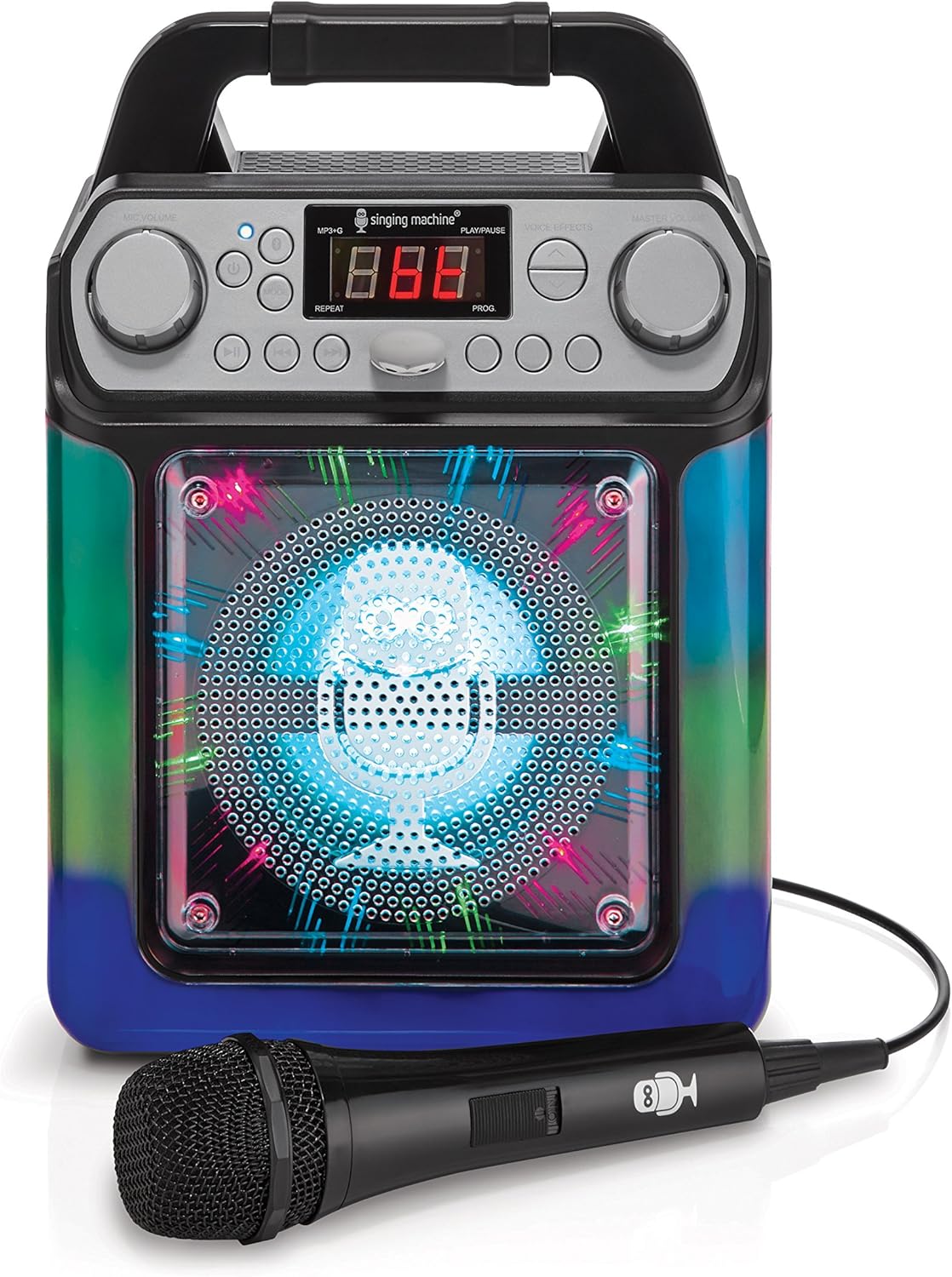
Figure 4: LED Lights (Blue/Green). This image shows the karaoke machine with its front speaker grille illuminated by blue and green LED lights, demonstrating one of the light show patterns.
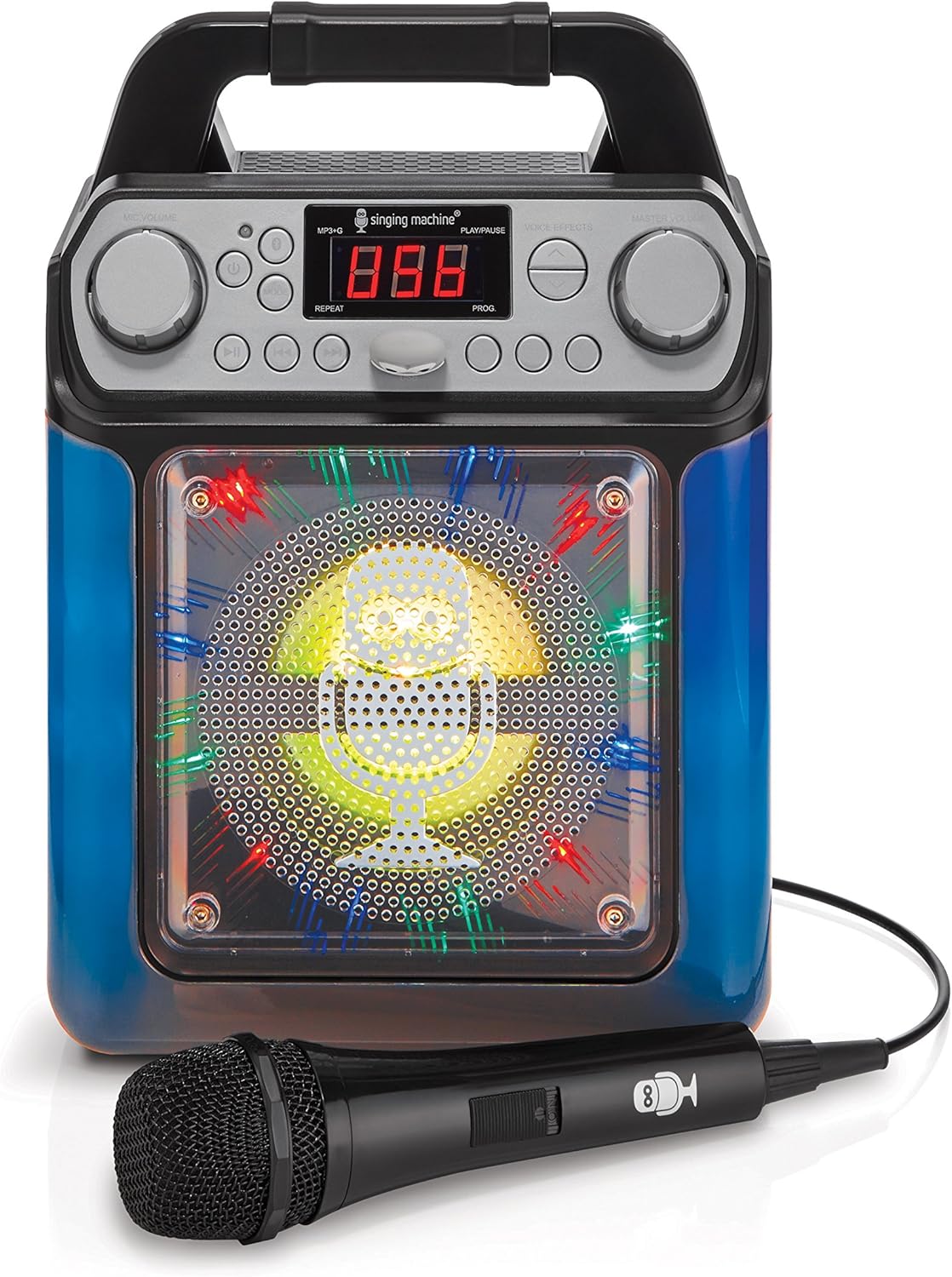
Figure 5: LED Lights (Blue/Yellow). This image shows the karaoke machine with its front speaker grille illuminated by blue and yellow LED lights, demonstrating another light show pattern.

Figure 6: LED Lights (Blue/Green, Angled). ഒരു കോണാകൃതിയിലുള്ള view of the karaoke machine with blue and green LED lights active, providing a different perspective of the light effects.
4. Playing Music via AUX Input
Connect an external audio device using an AUX cable (not included).
- Connect one end of a 3.5mm audio cable to the AUX IN jack on the SML650.
- മറ്റേ അറ്റം നിങ്ങളുടെ ബാഹ്യ ഉപകരണത്തിന്റെ ഹെഡ്ഫോൺ ജാക്കിലേക്കോ ഓഡിയോ ഔട്ട്പുട്ടിലേക്കോ ബന്ധിപ്പിക്കുക.
- Play music from your external device. The audio will play through the SML650 speakers.
മെയിൻ്റനൻസ്
യൂണിറ്റ് വൃത്തിയാക്കൽ
- വൃത്തിയാക്കുന്നതിന് മുമ്പ് എല്ലായ്പ്പോഴും വൈദ്യുതി ഉറവിടത്തിൽ നിന്ന് യൂണിറ്റ് അൺപ്ലഗ് ചെയ്യുക.
- പുറംഭാഗങ്ങൾ തുടയ്ക്കാൻ മൃദുവായതും ഉണങ്ങിയതുമായ തുണി ഉപയോഗിക്കുക.
- അബ്രാസീവ് ക്ലീനറുകൾ, മെഴുക് അല്ലെങ്കിൽ ലായകങ്ങൾ എന്നിവ ഉപയോഗിക്കരുത്, കാരണം അവ ഫിനിഷിന് കേടുവരുത്തും.
സംഭരണം
- If storing the unit for an extended period, remove any batteries to prevent leakage.
- നേരിട്ടുള്ള സൂര്യപ്രകാശത്തിൽ നിന്നും തീവ്രമായ താപനിലയിൽ നിന്നും അകന്ന്, തണുത്തതും വരണ്ടതുമായ സ്ഥലത്ത് യൂണിറ്റ് സൂക്ഷിക്കുക.
ട്രബിൾഷൂട്ടിംഗ്
| പ്രശ്നം | സാധ്യമായ കാരണം | പരിഹാരം |
|---|---|---|
| ശക്തിയില്ല |
|
|
| മൈക്രോഫോണിൽ നിന്ന് ശബ്ദമില്ല |
|
|
| ബ്ലൂടൂത്ത് കണക്റ്റ് ചെയ്യുന്നില്ല |
|
|
| No lyrics on TV |
|
|
സ്പെസിഫിക്കേഷനുകൾ
| ഫീച്ചർ | വിശദാംശങ്ങൾ |
|---|---|
| മോഡൽ നമ്പർ | SML650BK |
| അളവുകൾ (പാക്കേജ്) | 32.4 x 25.5 x 18.6 സെ.മീ |
| ഭാരം (ഇനം) | 1.32 കിലോഗ്രാം |
| പവർ ഉറവിടം | AC Powered, Battery Powered (6 x 'C' batteries) |
| വാല്യംtage | 230 വോൾട്ട് (എസി) |
| സ്പീക്കറുകളുടെ എണ്ണം | 1 |
| കണക്റ്റിവിറ്റി ടെക്നോളജി | RCA, ബ്ലൂടൂത്ത് |
| വോയ്സ് ഇഫക്റ്റുകൾ | Echo, Male, Female, Robot, Chipmunk, Radio |
| LED ലൈറ്റുകൾ | Multi-color, music-synchronized |
വാറൻ്റിയും പിന്തുണയും
വാറന്റി വിവരങ്ങൾക്കോ സാങ്കേതിക പിന്തുണയ്ക്കോ, നിങ്ങളുടെ വാങ്ങലിനൊപ്പം നൽകിയിരിക്കുന്ന കോൺടാക്റ്റ് വിശദാംശങ്ങൾ പരിശോധിക്കുകയോ നിർമ്മാതാവിന്റെ ഉദ്യോഗസ്ഥനെ സന്ദർശിക്കുകയോ ചെയ്യുക. webസൈറ്റ്. ഏതെങ്കിലും വാറന്റി ക്ലെയിമുകൾക്ക് നിങ്ങളുടെ വാങ്ങലിന്റെ തെളിവ് സൂക്ഷിക്കുക.


