ആമുഖം
This manual provides essential information for the safe and efficient operation, maintenance, and troubleshooting of your roborock E25 Robot Vacuum Cleaner. Please read this manual thoroughly before using the product and retain it for future reference.
1. സജ്ജീകരണം
1.1 അൺബോക്സിംഗും പ്രാരംഭ പ്ലേസ്മെന്റും
Carefully remove all components from the packaging. Place the charging dock against a wall on a hard, level surface. Ensure there are no obstacles within 0.5 meters (1.6 feet) to either side and 1.5 meters (4.9 feet) in front of the dock for optimal navigation.

Image: The roborock E25 Robot Vacuum Cleaner and its charging dock.
1.2 ചാർജിംഗ്
Connect the power adapter to the charging dock and plug it into a wall outlet. Place the robot onto the charging dock. The indicator light on the robot will illuminate to show it is charging. Fully charge the robot before first use (approximately 4-6 hours).
1.3 ആപ്പ് ഇൻസ്റ്റാളേഷനും കണക്ഷനും
Download the 'Roborock' app from the App Store or Google Play. Follow the in-app instructions to connect your robot to your home Wi-Fi network. The app allows for remote control, scheduling, and monitoring of cleaning progress.

Image: Screenshot of the Roborock app showing scheduling, spot cleaning, multi-mode, and monitoring options.
2. പ്രവർത്തന നിർദ്ദേശങ്ങൾ
2.1 ആരംഭിക്കലും നിർത്തലും വൃത്തിയാക്കൽ
- ആരംഭിക്കാൻ: Press the power button on the robot or use the 'Clean' button in the Roborock app. The robot will begin cleaning using its logical route planning.
- താൽക്കാലികമായി നിർത്താൻ: Press any button on the robot or the 'Pause' button in the app.
- പുനരാരംഭിക്കാൻ: Press the power button on the robot or the 'Clean' button in the app.
- To Stop/Return to Dock: Press the home button on the robot or the 'Recharge' button in the app.
2.2 ക്ലീനിംഗ് മോഡുകൾ
The roborock E25 features logical route planning using gyroscopes, OpticEye motion tracking, and a bumper for efficient cleaning. It offers 2000 Pa strong suction for effective debris removal and integrated mopping capabilities.
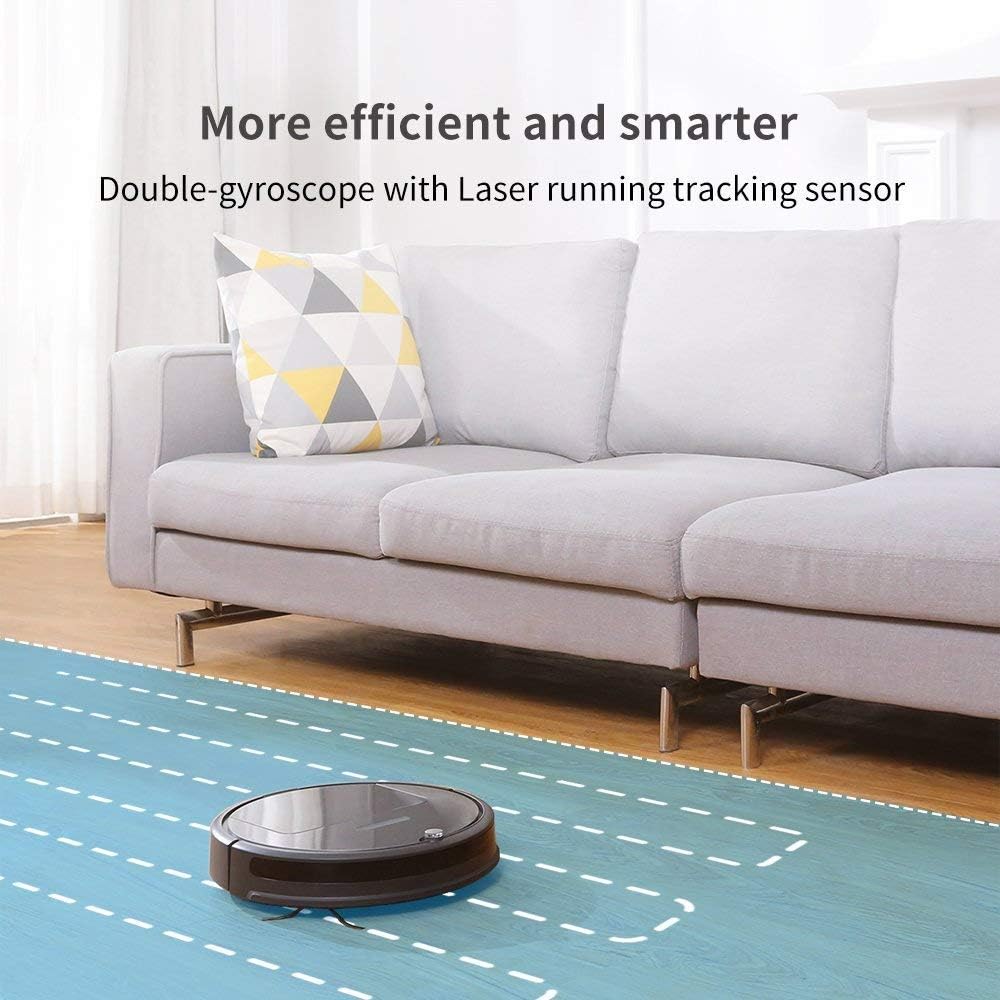
Image: The roborock E25 demonstrating its efficient and smart cleaning with double-gyroscope and laser running tracking sensor.
2.3 മോപ്പിംഗ് ഫംഗ്ഷൻ
The integrated mopping system allows for simultaneous sweeping and mopping. The upgraded system uses innovative hydraulics to adjust water flow. Attach the mopping cloth and fill the water tank before activating mopping mode via the app.

Image: The roborock E25 showcasing its 2-in-1 sweeping and mopping capability.
2.4 ആപ്പും വോയ്സ് നിയന്ത്രണവും
Utilize the Roborock app to start/stop cleaning, set schedules, choose cleanup modes, check cleaning progress in real-time, and more. The robot is also compatible with voice control via Amazon Echo.
3. പരിപാലനം
പതിവ് അറ്റകുറ്റപ്പണികൾ ഒപ്റ്റിമൽ പ്രകടനം ഉറപ്പാക്കുകയും നിങ്ങളുടെ റോബോട്ട് വാക്വമിന്റെ ആയുസ്സ് വർദ്ധിപ്പിക്കുകയും ചെയ്യുന്നു.
3.1 ഡസ്റ്റ്ബിൻ ശൂന്യമാക്കൽ
The E25 features an oversized 0.64-liter dustbin. Empty the dustbin after each cleaning cycle or when the app indicates it is full.
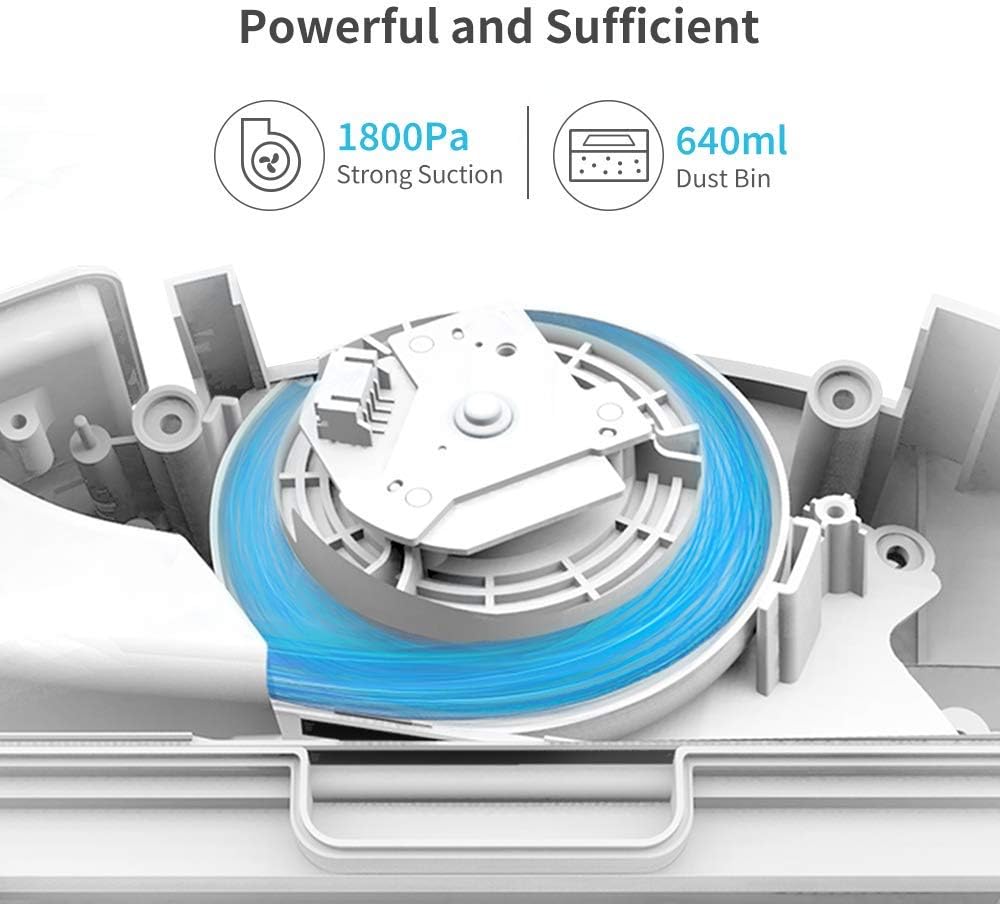
Image: Diagram illustrating the powerful suction and large dustbin capacity of the roborock E25.
3.2 ഫിൽട്ടർ ക്ലീനിംഗ്
The filter should be cleaned weekly and replaced every 3-6 months depending on usage. Tap the filter to remove loose dirt, or rinse with water and allow to air dry completely before reinstallation.
3.3 മെയിൻ ബ്രഷും സൈഡ് ബ്രഷ് ക്ലീനിംഗും
Remove the main brush and side brush regularly to clear any tangled hair or debris. Use the cleaning tool provided to cut and remove hair wrapped around the brushes.
3.4 Mopping Pad and Water Tank Maintenance
Remove and wash the mopping cloth after each use. Empty any remaining water from the water tank and allow it to air dry to prevent mildew.
4. പ്രശ്നപരിഹാരം
If your robot encounters an issue, consult the following common solutions:
- റോബോട്ട് ചാർജ് ചെയ്യുന്നില്ല: Ensure the charging dock is powered on and the robot is correctly aligned with the charging contacts. Clean the charging contacts on both the robot and the dock.
- റോബോട്ട് കുടുങ്ങി: Clear any obstacles around the robot. Check the main brush, side brush, and wheels for tangled hair or debris.
- No suction/poor cleaning: Empty the dustbin and clean the filter. Check the main brush for obstructions.
- ആപ്പ് കണക്റ്റിവിറ്റി പ്രശ്നങ്ങൾ: Ensure your Wi-Fi network is stable and the robot is within range. Restart the robot and your router.
5 സ്പെസിഫിക്കേഷനുകൾ
| ഫീച്ചർ | സ്പെസിഫിക്കേഷൻ |
|---|---|
| ബ്രാൻഡ് | റോബോറോക്ക് |
| മോഡലിൻ്റെ പേര് | E4 മോപ്പ് |
| പ്രത്യേക ഫീച്ചർ | 2000Pa strong suction, 2152sqft/150mins one charge with oversized dustbin, APP and voice control, Ideal for pets, Z-shape route |
| നിറം | വെള്ള |
| ഉൽപ്പന്ന അളവുകൾ | 18"L x 8"W x 14"H |
| ഇനത്തിൻ്റെ ഭാരം | 7.92 പൗണ്ട് |
| ഫിൽട്ടർ തരം | കാട്രിഡ്ജ് |
| ബാറ്ററി ലൈഫ് | 174 മിനിറ്റ് |
| നിയന്ത്രണ രീതി | ശബ്ദം |
| അനുയോജ്യമായ ഉപകരണങ്ങൾ | ആമസോൺ എക്കോ |
| ഉപരിതല ശുപാർശ | Carpet, Floor |
6. വാറണ്ടിയും പിന്തുണയും
For warranty information, technical support, or service inquiries, please refer to the official roborock webസൈറ്റിൽ ബന്ധപ്പെടുകയോ അവരുടെ ഉപഭോക്തൃ സേവനവുമായി നേരിട്ട് ബന്ധപ്പെടുകയോ ചെയ്യുക. വാറന്റി ക്ലെയിമുകൾക്കുള്ള വാങ്ങലിന്റെ തെളിവായി നിങ്ങളുടെ വാങ്ങൽ രസീത് സൂക്ഷിക്കുക.


