1. ആമുഖം
The Zerone K-1028E is a universal remote control designed for use with a wide range of air conditioning units. This remote offers comprehensive functionality, including temperature adjustment, mode selection, fan speed control, and timer settings, providing a convenient replacement for lost or damaged original air conditioner remotes. Its compact design and clear LCD screen ensure ease of use.
2 സുരക്ഷാ വിവരങ്ങൾ
- പഴയതും പുതിയതുമായ ബാറ്ററികൾ മിക്സ് ചെയ്യരുത്.
- ആൽക്കലൈൻ, സ്റ്റാൻഡേർഡ് (കാർബൺ-സിങ്ക്), അല്ലെങ്കിൽ റീചാർജ് ചെയ്യാവുന്ന (നിക്കൽ-കാഡ്മിയം) ബാറ്ററികൾ മിക്സ് ചെയ്യരുത്.
- ചോർച്ച തടയാൻ റിമോട്ട് കൺട്രോൾ ദീർഘനേരം ഉപയോഗിക്കുന്നില്ലെങ്കിൽ ബാറ്ററികൾ നീക്കം ചെയ്യുക.
- Keep the remote control away from direct sunlight, heat sources, and moisture.
- Avoid dropping or subjecting the remote control to strong impacts.
3. ഉൽപ്പന്നം കഴിഞ്ഞുview
The K-1028E remote control features an ergonomic design with clearly labeled buttons and a large LCD display for easy readability. It includes essential functions such as power, mode, temperature control, fan speed, and a dedicated light button.

This image displays the front of the Zerone K-1028E universal air conditioner remote control, highlighting its compact size with approximate dimensions of 13.3 cm in length, 5 cm in width, and 2.3 cm in thickness. The LCD screen and primary control buttons are visible.

A hand is shown holding the remote control, with the LCD screen clearly visible. The display shows a temperature setting of 26°C, along with icons indicating various modes and functions, demonstrating the remote in active use.
4. സജ്ജീകരണം
4.1 ബാറ്ററി ഇൻസ്റ്റാളേഷൻ
- വിദൂര നിയന്ത്രണത്തിന്റെ പിൻഭാഗത്ത് ബാറ്ററി കമ്പാർട്ട്മെന്റ് കവർ തുറക്കുക.
- ശരിയായ പോളാരിറ്റി (+ ഉം - ഉം) ഉറപ്പാക്കിക്കൊണ്ട് രണ്ട് AAA ബാറ്ററികൾ ഇടുക.
- ബാറ്ററി കമ്പാർട്ട്മെൻ്റ് കവർ സുരക്ഷിതമായി അടയ്ക്കുക.
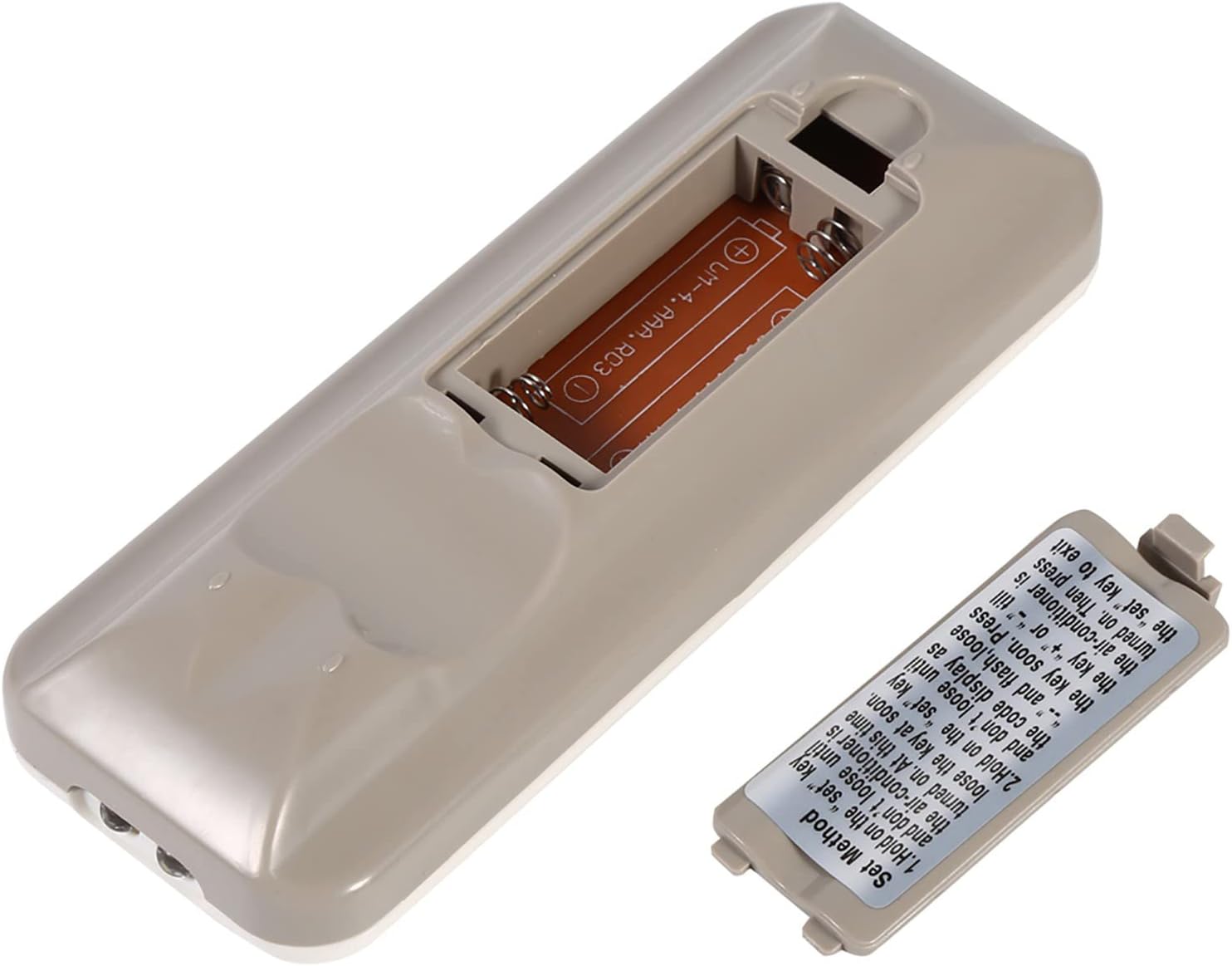
The back of the remote control is shown with the battery compartment cover removed, revealing the slot for two AAA batteries. This illustrates where to insert or replace the power source.
4.2 Programming the Remote (Automatic Search Method)
This method allows the remote to automatically search for the correct code for your air conditioner.
- Ensure your air conditioner unit is powered off.
- അമർത്തിപ്പിടിക്കുക സെറ്റ് button on the remote control. Continue holding until your air conditioner unit turns on. Once the air conditioner turns on, immediately release the സെറ്റ് ബട്ടൺ.
- Alternatively, if the above step does not work, press and hold the സെറ്റ് button until the code display on the remote's LCD screen shows "--" and begins to flash. Release the സെറ്റ് ബട്ടൺ.
- While the code is flashing, press the + or - buttons repeatedly until your air conditioner unit turns on.
- Once the air conditioner turns on, press the സെറ്റ് button again to confirm the code and exit the programming mode.
- Test all functions of the remote control to ensure proper operation. If some functions do not work, repeat the programming process to find a more compatible code.

ഈ ചിത്രം വിശദമായ ഒരു വിവരണം നൽകുന്നു view of the 'Set Method' instructions sticker located on the back of the remote control. It outlines the steps for automatically programming the remote to an air conditioner unit.
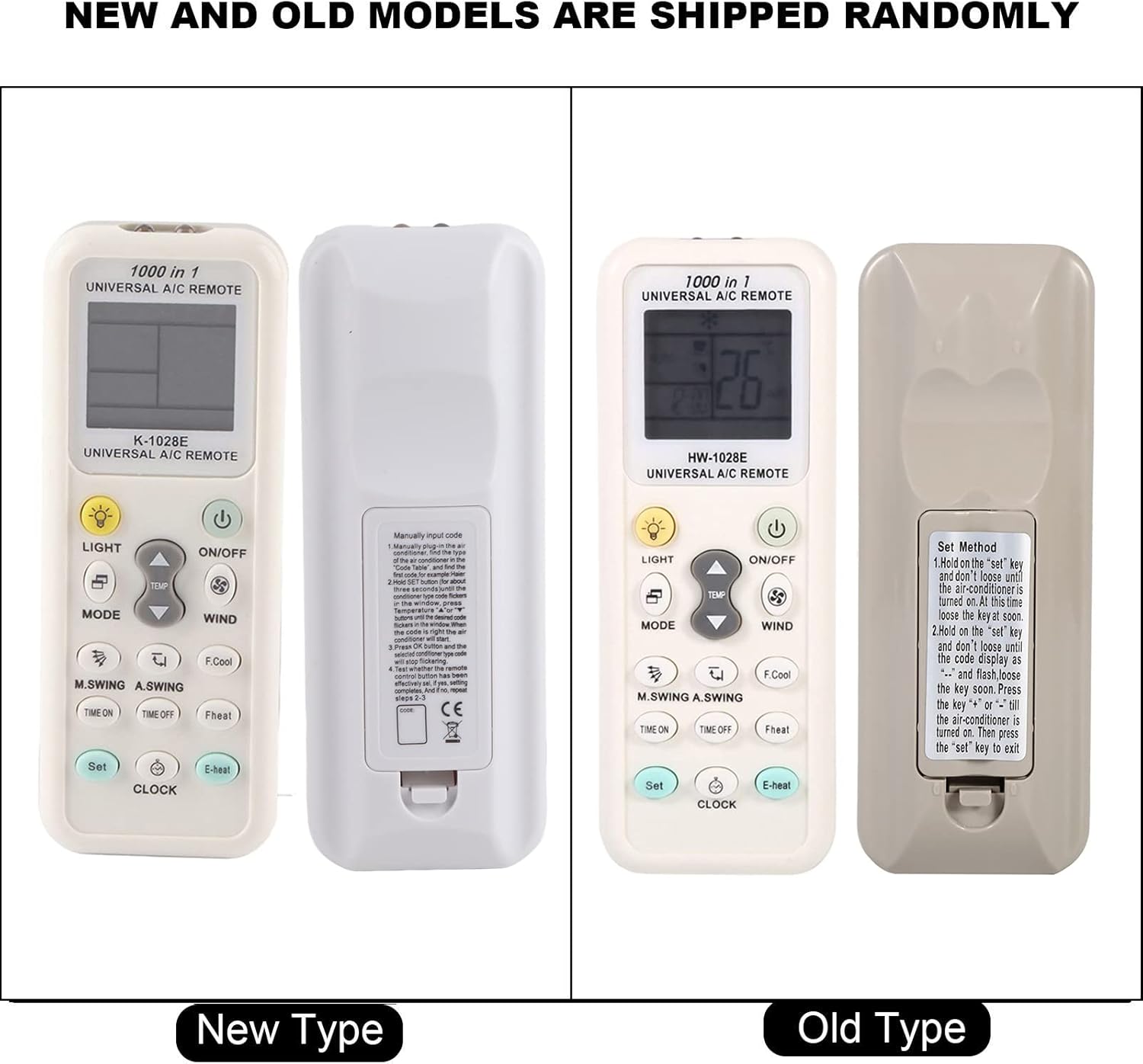
This image compares two versions of the K-1028E remote control, labeled 'New Type' and 'Old Type'. It illustrates slight variations in button arrangement and the instruction sticker on the back panel, indicating potential minor design updates over time. The programming method remains consistent.
5. പ്രവർത്തന നിർദ്ദേശങ്ങൾ
- ഓൺ/ഓഫ് ബട്ടൺ: എയർ കണ്ടീഷണർ യൂണിറ്റ് ഓണാക്കാനോ ഓഫാക്കാനോ അമർത്തുക.
- മോഡ് ബട്ടൺ: Press to cycle through available operating modes: Auto, Cool, Dry, Fan, Heat.
- TEMP ▲/▼ ബട്ടണുകൾ: Press to increase or decrease the desired temperature setting.
- WIND (Fan Speed) Button: Press to adjust the fan speed (e.g., Auto, Low, Medium, High).
- M.SWING/A.SWING Button: എയർ കണ്ടീഷണറിന്റെ ലൂവറുകളുടെ തിരശ്ചീനമായോ ലംബമായോ സ്വിംഗ് നിയന്ത്രിക്കുന്നു.
- TIME ON/TIME OFF Buttons: Used to set a timer for the air conditioner to turn on or off automatically.
- ലൈറ്റ് ബട്ടൺ: Activates or deactivates the backlight on the remote's LCD screen or the air conditioner's display light (if supported).
- SET ബട്ടൺ: Used for programming the remote and confirming settings.
- ക്ലോക്ക് ബട്ടൺ: റിമോട്ടിന്റെ ഡിസ്പ്ലേയിൽ നിലവിലെ സമയം സജ്ജമാക്കാൻ ഉപയോഗിക്കുന്നു.
6. പരിപാലനം
- Clean the remote control regularly with a soft, dry cloth. Do not use liquid cleaners or abrasive materials.
- If the remote control is not responding or the display is dim, replace the batteries.
- ദീർഘനേരം ഉപയോഗിക്കാത്തപ്പോൾ റിമോട്ട് തണുത്തതും വരണ്ടതുമായ സ്ഥലത്ത് സൂക്ഷിക്കുക.
7. പ്രശ്നപരിഹാരം
- വിദൂരമായി പ്രവർത്തിക്കുന്നില്ല: Ensure batteries are inserted correctly and are not depleted. Reprogram the remote using the automatic search method. Ensure there are no obstructions between the remote and the air conditioner's receiver.
- Limited functionality: If some functions do not work after programming, it may indicate that the selected code is not fully compatible. Try repeating the automatic search method to find an alternative, more compatible code.
- പ്രദർശന പ്രശ്നങ്ങൾ: If the LCD display is dim or incomplete, replace the batteries.
8 സ്പെസിഫിക്കേഷനുകൾ
| ബ്രാൻഡ് | സീറോൺ |
| മോഡൽ നമ്പർ | കെ-1028ഇ |
| ഇനത്തിൻ്റെ ഭാരം | 0.704 ഔൺസ് (ഏകദേശം 20 ഗ്രാം) |
| അനുയോജ്യമായ ഉപകരണങ്ങൾ | എയർ കണ്ടീഷണർ |
| പിന്തുണയ്ക്കുന്ന ഉപകരണങ്ങളുടെ പരമാവധി എണ്ണം | 1 (Universal for many AC brands) |
| പ്രത്യേക ഫീച്ചർ | സാർവത്രിക അനുയോജ്യത |
9. വാറൻ്റിയും പിന്തുണയും
For warranty information or technical support, please refer to the documentation provided with your purchase or contact the retailer. Keep your purchase receipt as proof of purchase.


