1. ആമുഖം
The DJI RS 4 Mini is a compact and lightweight gimbal designed for camera stabilization. It incorporates features such as automated axis locks, intelligent tracking capabilities, Teflon™ enhanced balancing, and native vertical shooting functionality. This manual provides instructions for the setup, operation, and maintenance of your DJI RS 4 Mini.
2. ബോക്സിൽ എന്താണുള്ളത്?
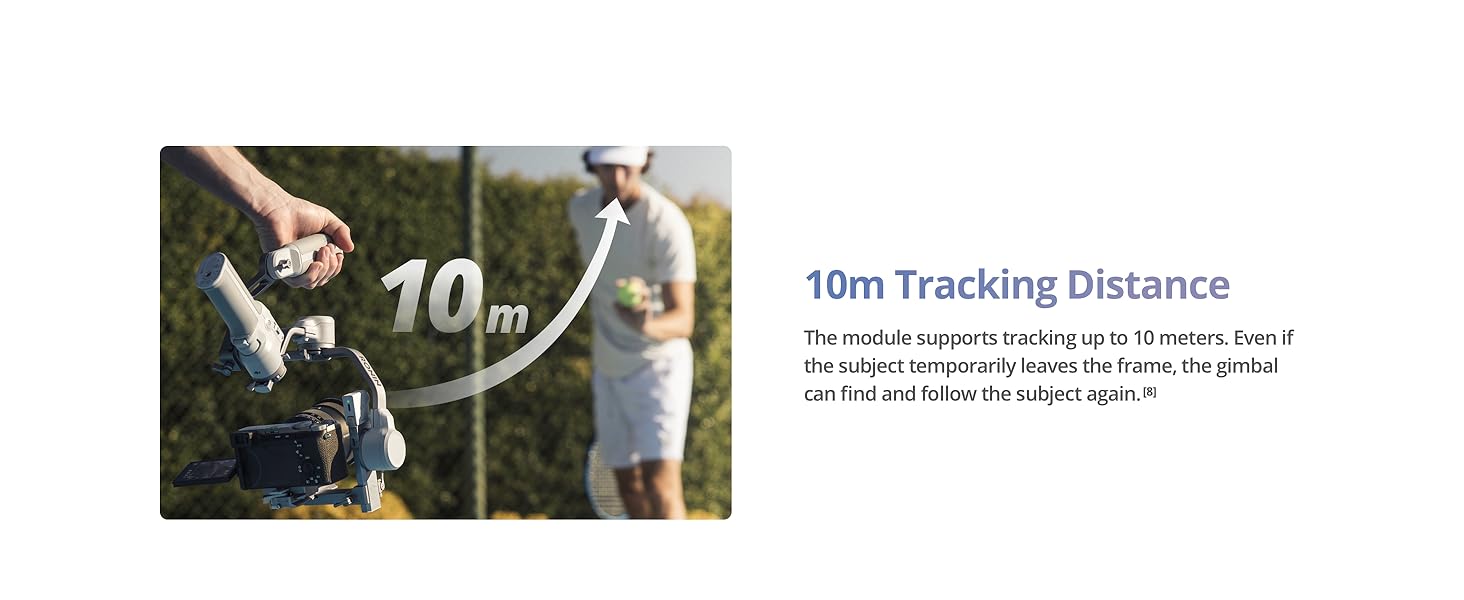
Image: The DJI RS 4 Mini gimbal, quick-release plate, and RS 4 Mini tripod, as typically found in the product packaging.
- ഗിംബൽ x1
- Quick-Release Plate x1
- RS 4 Mini Tripod x1
- L-Shaped Multi-Camera Control Cable (USB-C, 30 cm) x1
- USB-C Charging Cable (40 cm) x1
- സ്ക്രൂ കിറ്റ് x1
3. സജ്ജീകരണം
3.1. പ്രാരംഭ സജീവമാക്കൽ
To activate your DJI RS 4 Mini, follow these steps:
- Press and hold the power button to turn on the DJI RS 4 Mini, then select the language.
- നിങ്ങളുടെ സ്മാർട്ട്ഫോണിൽ ബ്ലൂടൂത്ത് പ്രവർത്തനക്ഷമമാക്കുക.
- Launch the Ronin app on your smartphone and register or log in with your DJI account. Tap Connect and select DJI RS 4 Mini. Enter the default password 12345678 and follow the on-screen instructions to activate DJI RS 4 Mini.
- After successful activation, DJI RS 4 Mini will enter sleep mode. Press the power button once to exit sleep mode before use.
കുറിപ്പ്: During activation, ensure your mobile device is connected to the internet. DJI RS 4 Mini supports up to five trials without activation. After that, activation is required for further use.
3.2. ഗിംബലിനെ സന്തുലിതമാക്കൽ
Proper balancing is crucial for optimal performance. The DJI RS 4 Mini features Teflon™ interlayers to reduce friction and a fine-tuning knob for precise adjustments.
ചിത്രം: ക്ലോസ്-അപ്പ് views illustrating the Teflon™ interlayers for reduced friction, the fine-tuning knob for precise camera balancing, and the three positioning slots for varied camera installations.
The new fine-tuning knob on the tilt axis enables millimeter-level camera balancing. Three positioning slots allow for different installation positions based on your camera, providing more balancing space.
3.3. ക്യാമറ കണക്ഷൻ
DJI RS 4 Mini supports both Bluetooth shutter connection and camera control cable connection.
Method 1: Bluetooth Shutter Connection
- Enable Bluetooth and the remote control function of the camera.
- On the touchscreen, swipe down from the top of the home page to enter the control center. Tap the Bluetooth icon in the upper right corner, and DJI RS 4 Mini will start searching for Bluetooth signals of surrounding devices. Select the corresponding Bluetooth of your camera to connect. Certain camera models require a linking password. After successful linking, the Bluetooth icon turns blue.
കുറിപ്പ്: DJI RS 4 Mini can connect to only one camera at a time. When connecting to another camera, it will automatically disconnect from the previously connected camera. For information on whether your camera supports Bluetooth shutter connection and related setup methods, please check the Ronin Series Compatibility page on the official DJI webസൈറ്റ്.
Method 2: Camera Shutter Control Cable Connection
Please select the corresponding camera control cable according to your camera model. Plug one end of the cable to the shutter control port on the camera and plug the other end into the camera control port on DJI RS 4 Mini.
കുറിപ്പ്: Cables not included in the box require additional purchase.
3.4. Auto Axis Locks
The DJI RS 4 Mini features automated axis locks to streamline setup and storage.
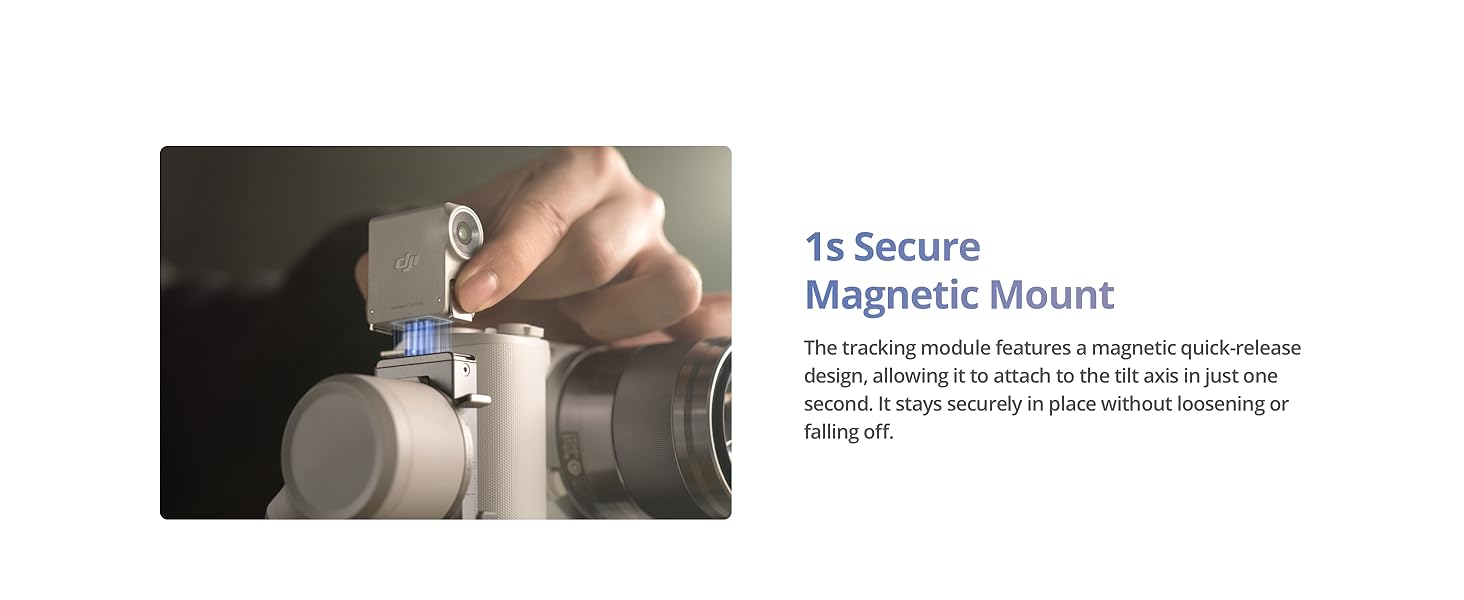
Image: The gimbal's axis arms folding flatter for storage and expanding for immediate use, demonstrating the 1-second unlock feature.
Newly added axis locks accelerate the filming, transitioning, and storage processes. Axis arms fold flatter to save space, making it easy to fit into a bag for convenient carrying.
4. ഗിംബൽ പ്രവർത്തിപ്പിക്കൽ
4.1. Basic Controls and Shortcuts
The DJI RS 4 Mini offers various buttons and controls for efficient operation.

Image: A summary of the gimbal's key shortcuts and their functions.
- 1. പവർ ബട്ടൺ
- അമർത്തിപ്പിടിക്കുക: പവർ ഓൺ/ഓഫ്.
- Press once/twice: Sleep/wake.
- Press once with the gimbal powered off: Check the current battery level of the gimbal.
- 2. ട്രിഗർ
- Press and hold: Enter Lock/FPV mode.
- രണ്ടുതവണ അമർത്തുക: ജിംബൽ റീസെന്റർ ചെയ്യുക.
- Press three times: Enter Selfie mode.
- 3. ഫ്രണ്ട് ഡയൽ
- The default setting is electronic focusing. You can change the function on the touchscreen.
- 4. ക്യാമറ നിയന്ത്രണ ബട്ടൺ
- Press halfway: Autofocus.
- ഒരിക്കൽ അമർത്തുക: റെക്കോർഡിംഗ് ആരംഭിക്കുക/നിർത്തുക.
- Press and hold: Take a photo.
- 5. ജോയ്സ്റ്റിക്ക്
- സൂം നിയന്ത്രണം: Push up or pull down: Control Power Zoom for Sony PZ lenses, or Sony Clear Image Zoom.
- ജിംബൽ നിയന്ത്രണം: Push up or pull down: Control tilt axis movement (default setting). Push left or right: Control pan axis movement (default setting).
- 6. എം ബട്ടൺ
- Press once: Can be customized to Take Photos or C1/Fn1 Button Mapping.
- Press and hold: Enter Sport Mode.
- ട്രിഗർ രണ്ടുതവണ അമർത്തുമ്പോൾ M ബട്ടൺ അമർത്തിപ്പിടിക്കുക: എന്റർ ചെയ്ത് സ്പോർട്സ് മോഡിൽ തുടരുക. പുറത്തുകടക്കാൻ ആവർത്തിക്കുക.
- Press and hold the M button and trigger: Start auto tune.
4.2. Intelligent Tracking
The DJI RS Intelligent Tracking Module assists in keeping subjects framed during filming.

Image: Visual representation of the intelligent tracking capabilities, including subject framing, magnetic mount, gesture control, and tracking range.
The new DJI RS Intelligent Tracking Module keeps the human subject in a consistent position within the frame, useful for orbit shots, backward tracking, and fixed-position tracking.

Image: The gimbal tracking a subject up to 10 meters away.
The module supports tracking up to 10 meters. If the subject temporarily leaves the frame, the gimbal can re-acquire and follow the subject.

Image: Gesture recognition for initiating tracking or recording.
Open your palm towards the tracking module, and it will detect you as the subject within 1 second and start/stop intelligent tracking. This is suitable for selfies. You can also press the trigger once to initiate.

Image: The magnetic quick-release mount for the tracking module.
The tracking module features a magnetic quick-release design, allowing it to attach to the tilt axis in just one second. It remains securely in place.
4.3. Vertical Shooting
The RS 4 Mini allows for quick switching between horizontal and vertical shooting orientations.
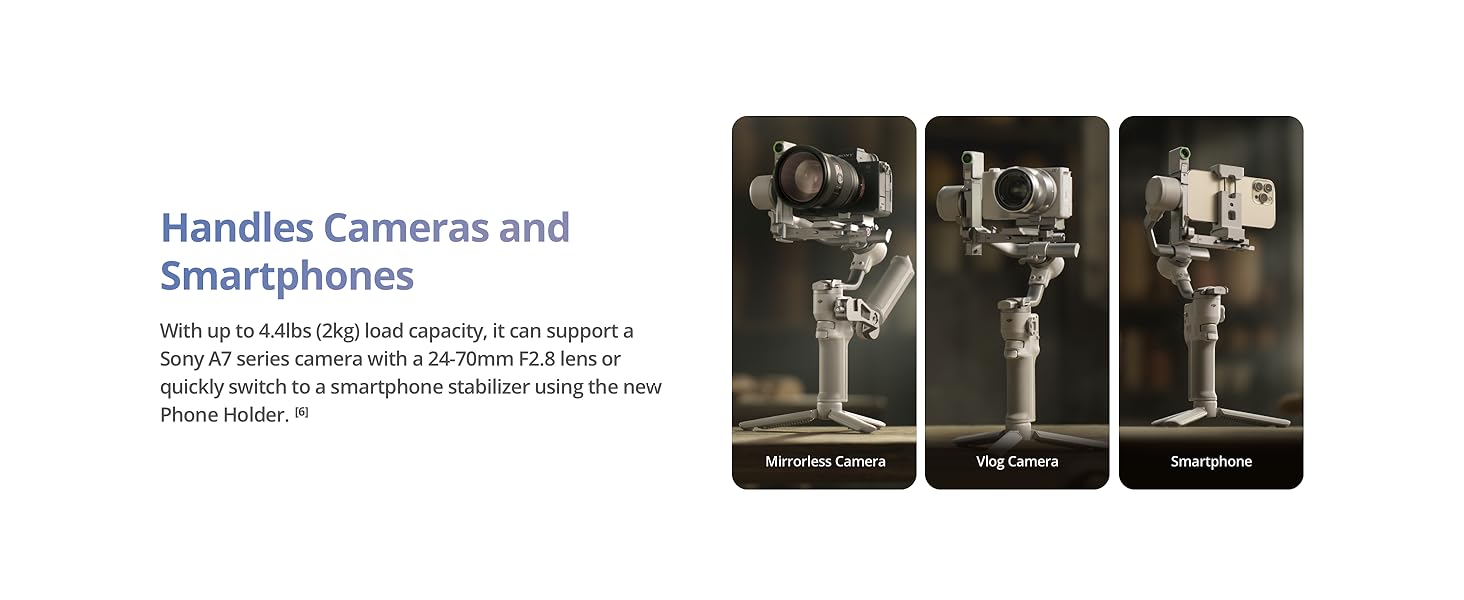
Image: The gimbal configured for both horizontal and vertical shooting.
RS 4 Mini offers a fast switch between horizontal and vertical shooting in the RS series. This can be done in 10 seconds, suitable for mobile phone viewing.
4.4. Follow Modes
The gimbal offers responsive and smooth follow modes.

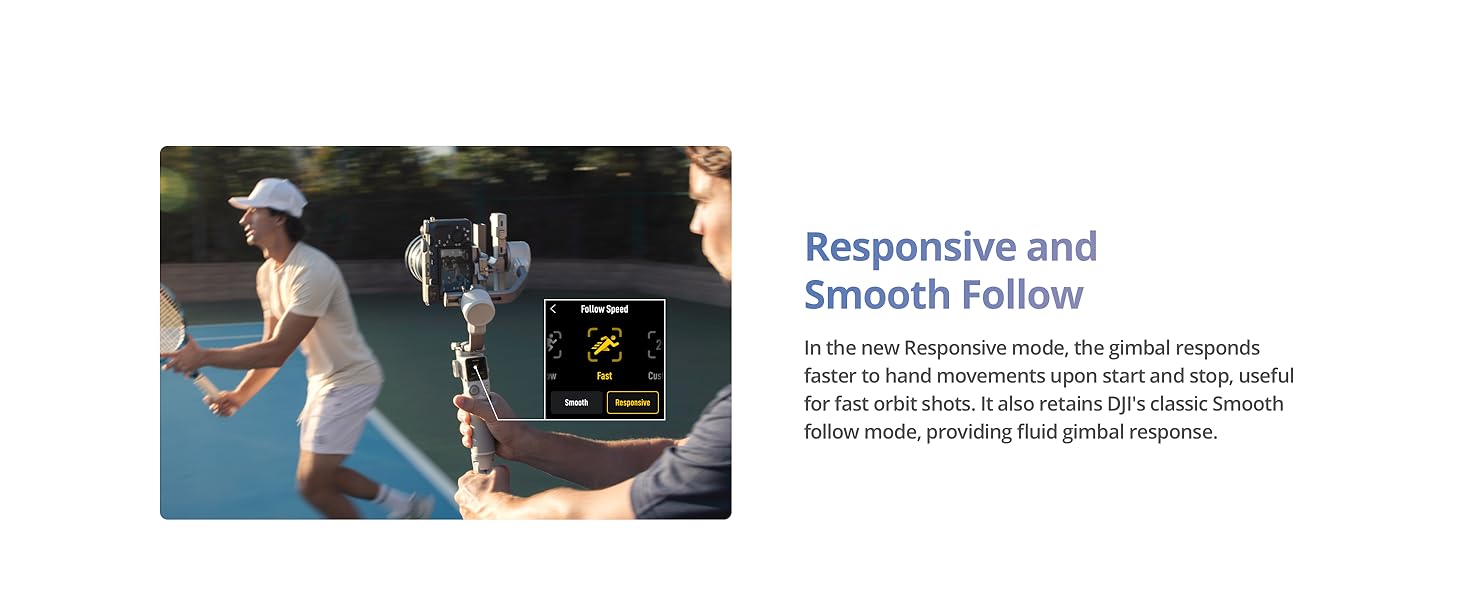
Image: A user filming with the gimbal in a responsive follow mode.
In the new Responsive mode, the gimbal responds faster to hand movements upon start and stop, useful for fast orbit shots. It also retains DJI's classic Smooth follow mode, providing fluid gimbal response.
4.5. Payload and Compatibility
The DJI RS 4 Mini supports a range of cameras and smartphones.

Image: The gimbal configured with a mirrorless camera, a vlog camera, and a smartphone.
With up to 4.4 lbs (2 kg) load capacity, it can support a Sony A7 series camera with a 24-70mm F2.8 lens or quickly switch to a smartphone stabilizer using the new Phone Holder.

Image: The gimbal with a camera mounted, highlighting its payload capacity.
Weighing only 2 lbs (890 g), RS 4 Mini boasts a payload capacity of up to 4.4 lbs (2 kg). It supports a wide range of mainstream mirrorless cameras and lens combinations, delivering powerful performance.
ക്യാമറ അനുയോജ്യതാ ലിസ്റ്റ്

Image: Part 1 of the camera compatibility list for Bluetooth Shutter Control.

Image: Part 2 of the camera compatibility list for Multi-Camera Control Cable or Bluetooth Shutter Control.
For the most up-to-date and detailed compatibility information, please refer to the official DJI webസൈറ്റ്.
4.6. ബാറ്ററി മാനേജ്മെന്റ്
The DJI RS 4 Mini offers extended operating time and fast charging capabilities.

Image: Visuals indicating the battery life and charging speed of the gimbal.
With a 13-hour maximum operating time, it provides ample power for all-day filming. It also supports fast charging, offering a 5-hour use with just a 30-minute charge.
5. പരിപാലനം
To ensure the longevity and optimal performance of your DJI RS 4 Mini, follow these maintenance guidelines:
- വൃത്തിയാക്കൽ: Use a soft, dry cloth to clean the gimbal. Avoid using liquid cleaners or solvents.
- സംഭരണം: Store the gimbal in a cool, dry place away from direct sunlight and extreme temperatures. Ensure the axis locks are engaged during storage to protect the motors.
- ബാറ്ററി കെയർ: For extended storage, charge the battery to approximately 50-60%. Recharge every three months to prevent over-discharge.
- ഫേംവെയർ അപ്ഡേറ്റുകൾ: Regularly check the official DJI website or the Ronin app for firmware updates to ensure the best performance and access to new features.
6. പ്രശ്നപരിഹാരം
6.1. DJI Ronin App Compatibility
Due to platform compatibility issues, the DJI Ronin app has been removed from Google Play. To download the user manual and the latest DJI Ronin app for an optimal experience, visit the official DJI webസൈറ്റ്.
6.2. Intelligent Tracking Limitations

Image: Information regarding supported follow modes for intelligent tracking.
Intelligent tracking and composition function is only supported in the PF (pan and follow) and PTF (pan and tilt follow) modes. It is not supported in the FPV (tilt, roll and pan follow) mode.

Image: Information regarding detectable subjects for intelligent tracking.
The RS Intelligent Tracking Module only supports detecting human subjects and does not support other subjects.

Image: Information regarding the number of subjects that can be tracked simultaneously.
It supports tracking only one subject at a time.
6.3. Vehicle-Mounted Shooting

Image: Information regarding vehicle-mounted shooting compatibility.
DJI RS 4 Mini is not compatible with the expansion base kit and cannot be used for vehicle-mounted shooting.
7 സ്പെസിഫിക്കേഷനുകൾ
| ഫീച്ചർ | വിശദാംശങ്ങൾ |
|---|---|
| ഉൽപ്പന്ന അളവുകൾ | 6.89 x 7.17 x 13.31 ഇഞ്ച് (7.17"D x 6.89"W x 13.3"H) |
| ഇനത്തിൻ്റെ ഭാരം | 2.27 പൗണ്ട് (1030 ഗ്രാം) |
| ASIN | B07FTDB2BJ |
| ഇനം മോഡൽ നമ്പർ | 6941565995230 |
| ബാറ്ററികൾ | 1 CR5 ബാറ്ററി ആവശ്യമാണ് (ഉൾപ്പെടുന്നു) |
| ബ്രാൻഡ് | ഡിജെഐ |
| അനുയോജ്യമായ ഉപകരണങ്ങൾ | ക്യാമറ, സ്മാർട്ട്ഫോൺ |
| മടക്കിയ വലിപ്പം | 9.29 x 2.52 x 12.44 ഇഞ്ച് |
| യു.പി.സി | 190021120334 |
| നിറം | ചാരനിറം |
| നിർമ്മാതാവ് | ഡിജെഐ |
8. വാറൻ്റിയും പിന്തുണയും
For detailed warranty information, technical support, and the latest product updates, please visit the official DJI webസൈറ്റ് ദി website provides comprehensive resources, including FAQs, troubleshooting guides, and contact information for customer service.


