1. ആമുഖം
വാങ്ങിയതിന് നന്ദി.asing the iFi xCAN, a high-performance portable dual mono balanced headphone amplifier. The xCAN is engineered to deliver exceptional audio quality from your digital and analog sources, featuring advanced Bluetooth connectivity with AptX and AAC codecs, and versatile wired input/output options. This manual will guide you through the setup, operation, and maintenance of your xCAN to ensure optimal performance and longevity.
2. ഉൽപ്പന്നം കഴിഞ്ഞുview
2.1 പാക്കേജ് ഉള്ളടക്കം
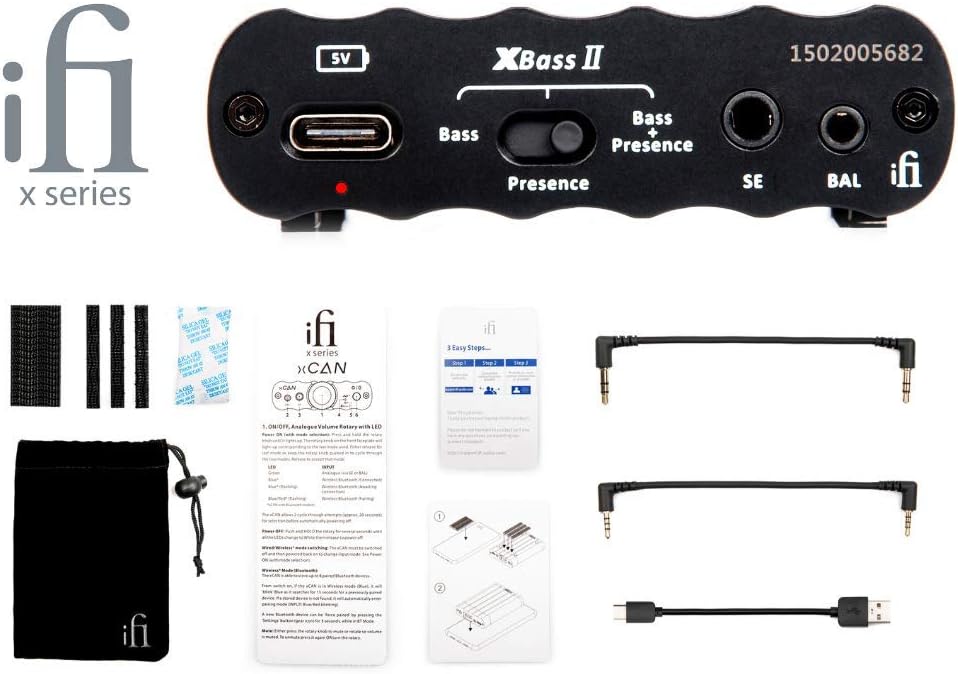
Figure 2.1: The iFi xCAN amplifier shown with its complete set of included accessories, which typically consist of various audio cables, a USB charging cable, and a protective pouch.
നിങ്ങളുടെ പാക്കേജിൽ എല്ലാ ഇനങ്ങളും ഉണ്ടോ എന്ന് ദയവായി പരിശോധിക്കുക:
- iFi xCAN Portable Headphone Ampജീവപര്യന്തം
- USB-C മുതൽ USB-A വരെ ചാർജിംഗ് കേബിൾ
- 3.5 എംഎം മുതൽ 3.5 എംഎം വരെ ഓഡിയോ കേബിൾ
- 2.5mm to 2.5mm balanced audio cable
- സംരക്ഷണ സഞ്ചി
- ഉപയോക്തൃ മാനുവലും ദ്രുത ആരംഭ ഗൈഡും
2.2 ഫ്രണ്ട് പാനൽ നിയന്ത്രണങ്ങളും കണക്ഷനുകളും

Figure 2.2: The front panel of the iFi xCAN, featuring the central volume knob with integrated LED, 2.5mm balanced output, 3.5mm single-ended output, and buttons for XBass II and 3D+ sound enhancements.
- 2.5mm Balanced Output (BAL): Connect balanced headphones with a 2.5mm TRRS connector.
- 3.5mm Single-Ended Output (SE): Connect single-ended headphones with a 3.5mm TRS connector.
- Volume Control / Power Button: Rotate to adjust volume. Press and hold to power on/off. The LED around the knob indicates status and battery level.
- 3D+ Button: Toggles iFi's 3D+ holographic sound system for a wider soundstage.
- XBass II Button: Toggles iFi's XBass II bass enhancement. Press once for Bass, press again for Bass + Presence, press a third time to turn off.
2.3 പിൻ പാനൽ കണക്ഷനുകൾ

Figure 2.3: The rear panel of the iFi xCAN, displaying the USB-C input for charging and data, a 3.5mm single-ended analog input, and a 2.5mm balanced analog input.
- USB-C Input (5V): For charging the xCAN and for digital audio input from a computer or compatible device.
- 3.5mm Single-Ended Input (SE): For analog audio input from devices with a 3.5mm output.
- 2.5mm Balanced Input (BAL): For analog audio input from devices with a 2.5mm balanced output.
3. സജ്ജീകരണം
3.1 Charging the xCAN
Before first use, fully charge the xCAN using the supplied USB-C cable connected to a USB power adapter (not included) or a computer's USB port. The LED around the volume knob will indicate charging status.
- പച്ച: ഫുൾ ചാർജായി
- വെള്ള: Charging (80% - 99%)
- മഞ്ഞ: Charging (20% - 79%)
- ചുവപ്പ്: Charging (below 20%)
3.2 ഓഡിയോ സ്രോതസ്സുകളിലേക്ക് ബന്ധിപ്പിക്കുന്നു

Figure 3.1: A visual guide illustrating how to connect the iFi xCAN to different audio sources, including smartphones, laptops, and digital audio players, using both Bluetooth wireless and wired 3.5mm or 2.5mm analog connections.
The xCAN offers both wired and wireless connectivity options:
- ബ്ലൂടൂത്ത്: For wireless connection to smartphones, tablets, and computers.
- വയർഡ് അനലോഗ്: Use the 3.5mm or 2.5mm balanced input for direct connection to audio players or other devices.
- Wired Digital (USB-C): Connect to a computer or compatible digital source for high-resolution audio playback.
3.3 ഹെഡ്ഫോണുകൾ ബന്ധിപ്പിക്കുന്നു
Connect your headphones to the appropriate output on the front panel:
- For balanced headphones, use the 2.5mm BAL output.
- For single-ended headphones, use the 3.5mm SE output.
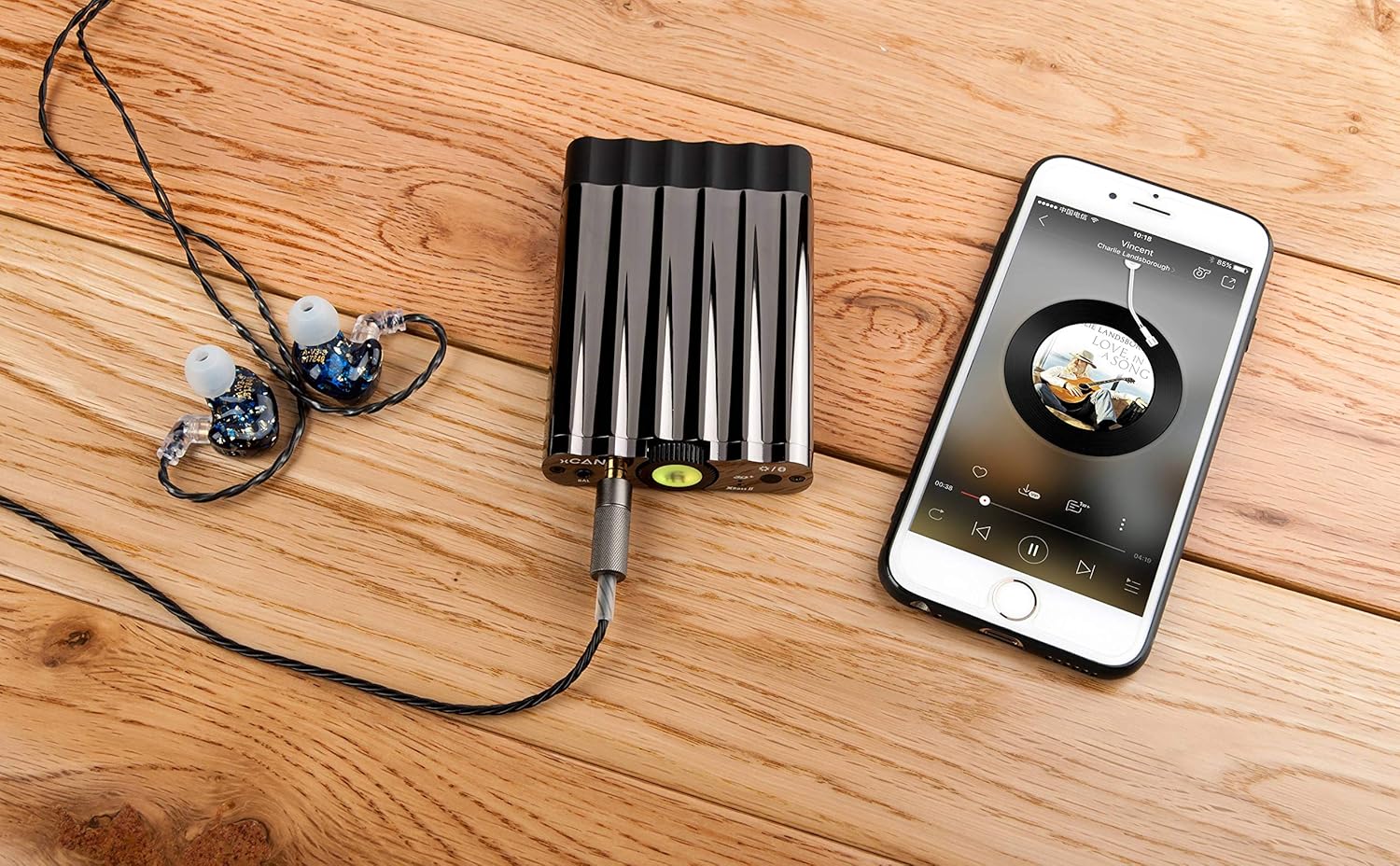
Figure 3.2: The iFi xCAN amplifier connected via cable to a smartphone, with in-ear monitors plugged into the amplifier's output, demonstrating a typical portable audio setup.

Figure 3.3: The iFi xCAN amplifier connected to a digital audio player (DAP) and in-ear monitors, showcasing its use as an external amplifier for high-fidelity portable setups.
4. പ്രവർത്തന നിർദ്ദേശങ്ങൾ
4.1 പവർ ഓൺ/ഓഫ്
To power on the xCAN, press and hold the volume knob for approximately 3 seconds. The LED around the knob will illuminate. To power off, press and hold the volume knob again for 3 seconds.
4.2 വോളിയം നിയന്ത്രണം
Rotate the central knob clockwise to increase volume and counter-clockwise to decrease volume. Start with a low volume level before playing audio to prevent sudden loud sounds.
4.3 ബ്ലൂടൂത്ത് ജോടിയാക്കൽ
To enter Bluetooth pairing mode, short press the volume knob twice. The LED will flash blue. On your device (smartphone, tablet, computer), search for "iFi xCAN" in the Bluetooth settings and select it to pair. Once paired, the LED will show a solid blue light.
4.4 XBass II and 3D+ Functions
These functions enhance your listening experience:
- XBass II: Press the XBass II button to cycle through modes:
- ബാസ്: Enhances low frequencies.
- Bass + Presence: Enhances low frequencies and adds vocal presence.
- ഓഫ്: No enhancement.
- 3D+: Press the 3D+ button to toggle the holographic sound system on or off. This widens the perceived soundstage, making the audio sound more spacious.
4.5 LED സൂചകങ്ങൾ
The LED around the volume knob provides important status information:
| LED നിറം | സ്റ്റാറ്റസ് സൂചന |
|---|---|
| പച്ച | Battery Full / Fully Charged |
| വെള്ള | Battery 80% - 99% |
| മഞ്ഞ | Battery 20% - 79% |
| ചുവപ്പ് | Battery below 20% / Charging (Red) |
| മിന്നുന്ന നീല | ബ്ലൂടൂത്ത് ജോടിയാക്കൽ മോഡ് |
| സോളിഡ് ബ്ലൂ | ബ്ലൂടൂത്ത് ബന്ധിപ്പിച്ചു |
5. പരിപാലനം
To ensure the longevity and optimal performance of your iFi xCAN, follow these maintenance guidelines:
- വൃത്തിയാക്കൽ: Use a soft, dry, lint-free cloth to clean the exterior of the device. Do not use liquid cleaners or aerosols.
- സംഭരണം: Store the xCAN in a cool, dry place away from direct sunlight and extreme temperatures. Use the provided protective pouch when transporting.
- ബാറ്ററി കെയർ: For optimal battery life, avoid fully discharging the battery frequently. If storing for an extended period, charge the battery to about 50% before storage.
- ഈർപ്പം ഒഴിവാക്കുക: വെള്ളം, ഉയർന്ന ആർദ്രത എന്നിവയിൽ നിന്ന് ഉപകരണം അകറ്റി നിർത്തുക.
- ശ്രദ്ധയോടെ കൈകാര്യം ചെയ്യുക: ശക്തമായ ആഘാതങ്ങൾക്ക് ഉപകരണം ഇടുകയോ ഇടുകയോ ചെയ്യുന്നത് ഒഴിവാക്കുക.
6. പ്രശ്നപരിഹാരം
If you encounter any issues with your iFi xCAN, please refer to the following common problems and solutions:
| പ്രശ്നം | സാധ്യമായ കാരണം / പരിഹാരം |
|---|---|
| പവർ ഇല്ല / ഉപകരണം ഓണാകില്ല |
|
| ഹെഡ്ഫോണുകളിൽ നിന്ന് ശബ്ദമില്ല |
|
| ബ്ലൂടൂത്ത് കണക്ഷൻ പ്രശ്നങ്ങൾ |
|
| വികലമായ അല്ലെങ്കിൽ മോശം ശബ്ദ നിലവാരം |
|
7 സ്പെസിഫിക്കേഷനുകൾ
| ഫീച്ചർ | വിശദാംശങ്ങൾ |
|---|---|
| മോഡലിൻ്റെ പേര് | xCAN |
| ബ്രാൻഡ് | iFi |
| കണക്റ്റിവിറ്റി ടെക്നോളജി | Wireless (Bluetooth), Wired (USB-C, 3.5mm, 2.5mm) |
| ബ്ലൂടൂത്ത് കോഡെക്കുകൾ | AptX, AAC (and others supported by iFi) |
| ഹെഡ്ഫോൺ ഔട്ട്പുട്ടുകൾ | 2.5mm Balanced, 3.5mm Single-Ended |
| അനലോഗ് ഇൻപുട്ടുകൾ | 2.5mm Balanced, 3.5mm Single-Ended |
| ഡിജിറ്റൽ ഇൻപുട്ട് | USB-C |
| നിറം | കറുപ്പ് |
| ഉൾപ്പെടുത്തിയ ഘടകങ്ങൾ | Cables, Protective Pouch |
8. വാറൻ്റിയും പിന്തുണയും
The iFi xCAN comes with a standard manufacturer's warranty. Please refer to the warranty card included in your package or visit the official iFi webവിശദമായ വാറന്റി നിബന്ധനകൾക്കും വ്യവസ്ഥകൾക്കും സൈറ്റ്.
For technical support, product registration, or further inquiries, please visit the iFi Audio support page or contact their customer service directly.
iFi Audio Official Webസൈറ്റ്: ifi-audio.com


