1. ആമുഖം
This manual provides detailed instructions for the USARemote Keyless Entry Remote Key Fob, model g-xb-3b. This device is designed to provide convenient remote access to your vehicle's locking system. Please read these instructions carefully before use to ensure proper functionality and programming.

ചിത്രം 1.1: മുൻഭാഗം view of the USARemote 3-button key fob. It features three buttons: "LOCK", "UN LOCK", and a red panic button with a horn icon.
2. സജ്ജീകരണവും പ്രോഗ്രാമിംഗും
The USARemote g-xb-3b key fob is user-programmable. Follow these step-by-step instructions to program your new remote to your vehicle. This process typically requires one existing, working key for your vehicle.
2.1 Programming Instructions
- Gather all key fobs you wish to program (new and existing). All fobs must be programmed at the same time.
- Insert your existing, working key into the vehicle's ignition.
- Turn the ignition to the "ON" position, then immediately turn it to the "OFF" position. Repeat this sequence quickly (ON-OFF-ON-OFF).
- Press and hold the "LOCK" and "UN LOCK" buttons on the new key fob simultaneously for approximately 15 seconds. The vehicle's door locks should cycle (lock and unlock) to confirm successful programming.
- If you have additional fobs (including existing ones), immediately repeat step 4 for each additional fob.
- Once all fobs are programmed, turn the ignition to the "ON" position to exit programming mode.
- Test all programmed key fobs to ensure they function correctly.
കുറിപ്പ്: Specific programming steps may vary slightly depending on your vehicle's make and model year. Refer to your vehicle's owner's manual for precise instructions if these steps do not work.

Image 2.1: An image highlighting key features of the USARemote key fob, including that it is self-programmable with one working key.
3. ഓപ്പറേഷൻ
Once successfully programmed, your USARemote key fob provides convenient remote control over your vehicle's locking system. The fob features three distinct buttons:
- ലോക്ക് ബട്ടൺ: Press this button once to lock all vehicle doors. The vehicle's lights may flash and/or the horn may chirp to confirm locking.
- UN LOCK Button: Press this button once to unlock the driver's door. Press it a second time within a few seconds to unlock all other vehicle doors. The vehicle's lights may flash to confirm unlocking.
- Panic Button (Red Horn Icon): Press and hold this button for a few seconds to activate the vehicle's alarm system (horn and lights). Release the button to deactivate the alarm. Use this feature in emergency situations or to locate your vehicle in a crowded parking lot.
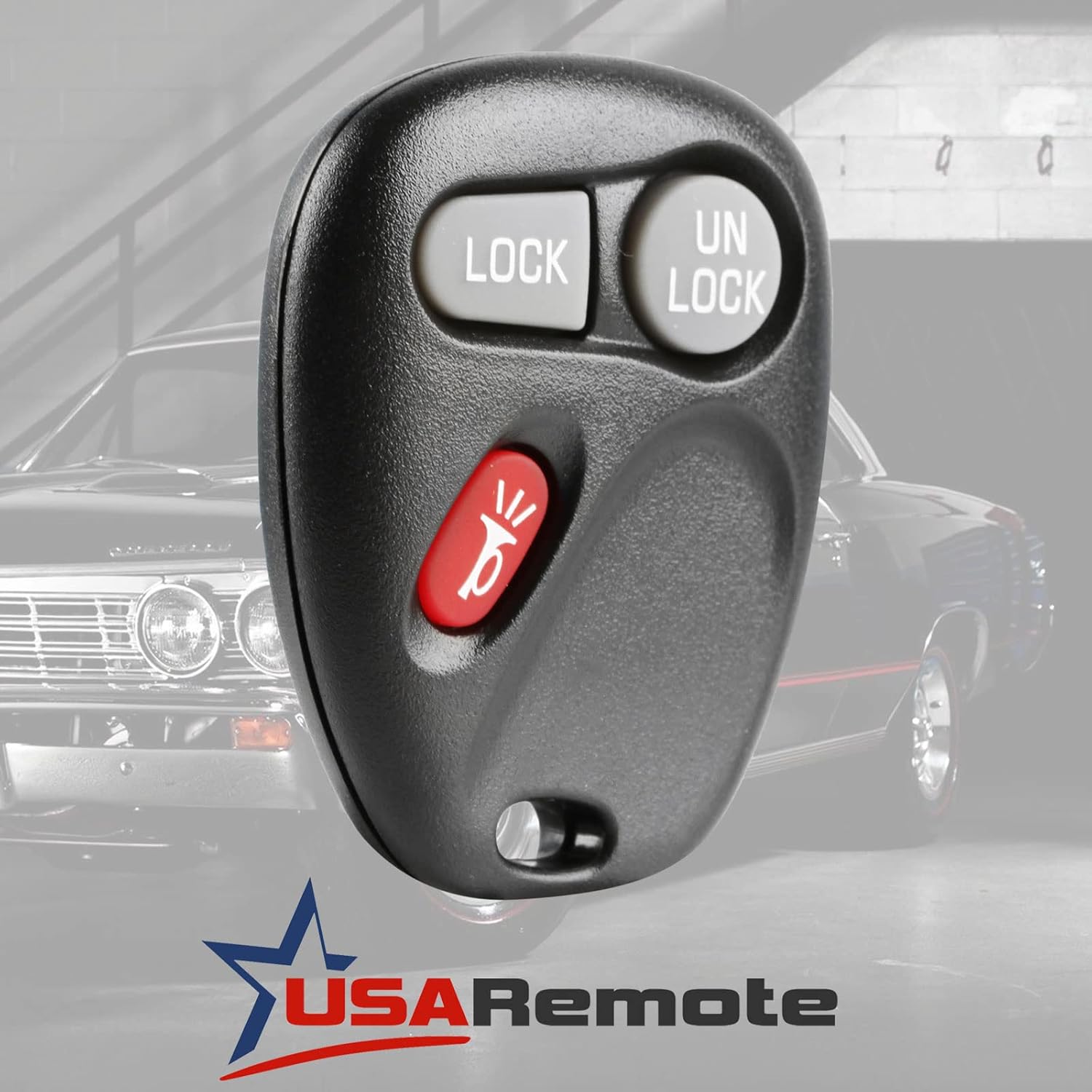
Image 3.1: A hand holding the USARemote key fob, demonstrating the placement of the Lock, Unlock, and Panic buttons.
4. പരിപാലനം
The USARemote key fob is designed for durability and long-lasting performance. Regular maintenance is minimal, primarily involving battery replacement.
4.1 ബാറ്ററി മാറ്റിസ്ഥാപിക്കൽ
If the remote's range decreases significantly or it stops responding, the battery may need replacement. The key fob uses a standard button cell battery.
- Carefully separate the two halves of the key fob casing using a small flat-head screwdriver or a coin in the designated notch.
- Remove the old battery, noting its orientation (positive (+) side up or down).
- Insert a new, identical button cell battery with the correct orientation.
- Align the two halves of the casing and press them firmly together until they snap securely into place.
ജാഗ്രത: Ensure proper battery polarity to avoid damage to the remote. Dispose of old batteries responsibly.
5. പ്രശ്നപരിഹാരം
If you encounter issues with your USARemote key fob, refer to the following common problems and solutions:
- റിമോട്ട് പ്രതികരിക്കുന്നില്ല:
- Check the battery. Replace it if necessary (refer to Section 4.1).
- Ensure the remote is properly programmed to your vehicle (refer to Section 2.1). Reprogramming may be required.
- Verify that the vehicle's battery is not depleted.
- Reduced Operating Range:
- Replace the battery in the key fob.
- Environmental factors (e.g., radio interference, large metal objects, other electronic devices) can affect range. Try operating the remote in a different location.
- Some aftermarket electronic accessories in the vehicle (e.g., certain Bluetooth adapters) can cause interference. Try temporarily disconnecting such devices.
- Vehicle Does Not Enter Programming Mode:
- Ensure you are using a working, original key for the ignition sequence.
- Confirm the ignition ON-OFF sequence is performed quickly and correctly.
- Consult your vehicle's owner's manual for specific programming instructions, as procedures can vary by model.
6 സ്പെസിഫിക്കേഷനുകൾ
| ഫീച്ചർ | വിശദാംശങ്ങൾ |
|---|---|
| മോഡൽ നമ്പർ | g-xb-3b |
| ബ്രാൻഡ് | USAR റിമോട്ട് |
| ബട്ടണുകളുടെ എണ്ണം | 3 (Lock, Unlock, Panic) |
| മെറ്റീരിയൽ | പ്ലാസ്റ്റിക് |
| ഉൽപ്പന്ന അളവുകൾ | 2"ലിറ്റർ x 1"വാട്ട് |
| ഇനത്തിൻ്റെ ഭാരം | 0.634 ഔൺസ് |
| ഓട്ടോമോട്ടീവ് ഫിറ്റ് തരം | Universal Fit (check compatibility for specific vehicles) |
| നിർമ്മാതാവിൻ്റെ ഭാഗം നമ്പർ | g-xb-3b (also KOBLEAR1XT, 15042968) |

Image 6.1: A visual guide listing compatible vehicle models for the USARemote key fob, including various Chevrolet, GMC, and Cadillac models from early 2000s.
7. വാറണ്ടിയും പിന്തുണയും
USARemote is committed to providing quality products and customer satisfaction.
7.1 റിട്ടേൺ പോളിസി
We offer a hassle-free return policy if the product does not meet your expectations or fails to function correctly. Please initiate returns through your order section on the purchase platform.
7.2 സാങ്കേതിക പിന്തുണ
For any technical assistance, programming questions, or troubleshooting beyond this manual, our technical support team is available to assist you. Please refer to the contact information provided with your purchase or on the official USARemote webപിന്തുണാ വിശദാംശങ്ങൾക്കുള്ള സൈറ്റ്.


