1. ആമുഖം
The TP-Link TL-SG116E is a 16-port Gigabit Easy Smart Managed Switch designed for expanding network connectivity in home and small business environments. This device offers a plug-and-play experience for basic functionality while providing intelligent management features for enhanced network control.
പ്രധാന സവിശേഷതകളിൽ ഇവ ഉൾപ്പെടുന്നു:
- 16 10/100/1000Mbps RJ45 Ports for high-speed wired connections.
- Plug and play operation, requiring no complex configuration for basic use.
- ഈടുനിൽക്കുന്ന ലോഹം സിasing for enhanced product longevity and professional appearance.
- Intelligent management capabilities accessible via a web user interface and a downloadable utility.
- Green technology designed to reduce power consumption.
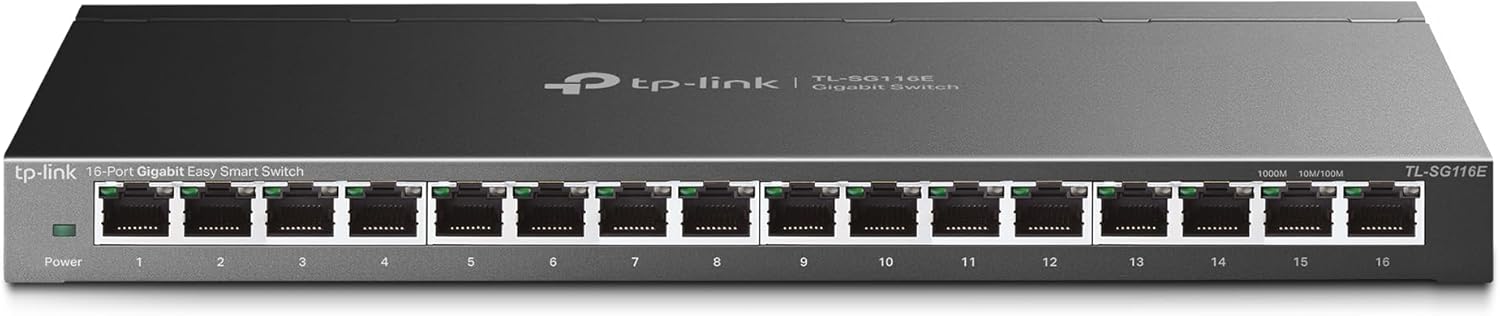
ചിത്രം 1.1: മുൻഭാഗം view of the TP-Link TL-SG116E 16-Port Gigabit Easy Smart Managed Switch, showcasing its 16 Ethernet ports and power indicator.
2. പാക്കേജ് ഉള്ളടക്കം
നിങ്ങളുടെ പാക്കേജിൽ ഇനിപ്പറയുന്ന ഇനങ്ങൾ അടങ്ങിയിട്ടുണ്ടെന്ന് പരിശോധിക്കുക:
- TL-SG116E 16-Port Gigabit Easy Smart Managed Switch
- പവർ കോർഡ്
- ഇൻസ്റ്റലേഷൻ ഗൈഡ്
- റബ്ബർ അടി
3. ഭൗതിക സവിശേഷതകൾ
3.1 ഫ്രണ്ട് പാനൽ
The front panel of the TL-SG116E features the following components:
- പവർ എൽഇഡി: സ്വിച്ചിന്റെ പവർ സ്റ്റാറ്റസ് സൂചിപ്പിക്കുന്നു.
- 16 Gigabit RJ45 Ports (1-16): These ports support 10/100/1000Mbps Ethernet connections. Each port has an associated LED indicator.
- ലിങ്ക്/ആക്റ്റ് LED-കൾ: For each RJ45 port, a green LED indicates a Gigabit connection and activity, while an amber LED indicates a 10/100Mbps connection and activity.
3.2 പിൻ പാനൽ
The rear panel typically contains the power input connector.
4. സജ്ജീകരണം
4.1 അടിസ്ഥാന ഹാർഡ്വെയർ കണക്ഷൻ
- പ്ലേസ്മെൻ്റ്: Place the switch on a stable, flat surface or mount it to a wall using appropriate hardware (not included). Ensure adequate ventilation around the device.
- പവർ ബന്ധിപ്പിക്കുക: Connect the provided power cord to the switch's power input and then to a power outlet. The Power LED on the front panel should illuminate.
- ഉപകരണങ്ങൾ ബന്ധിപ്പിക്കുക: Connect your network devices (e.g., computers, printers, IP cameras, routers) to the RJ45 ports (1-16) on the switch using Ethernet cables. The corresponding Link/Act LEDs will light up, indicating a successful connection.
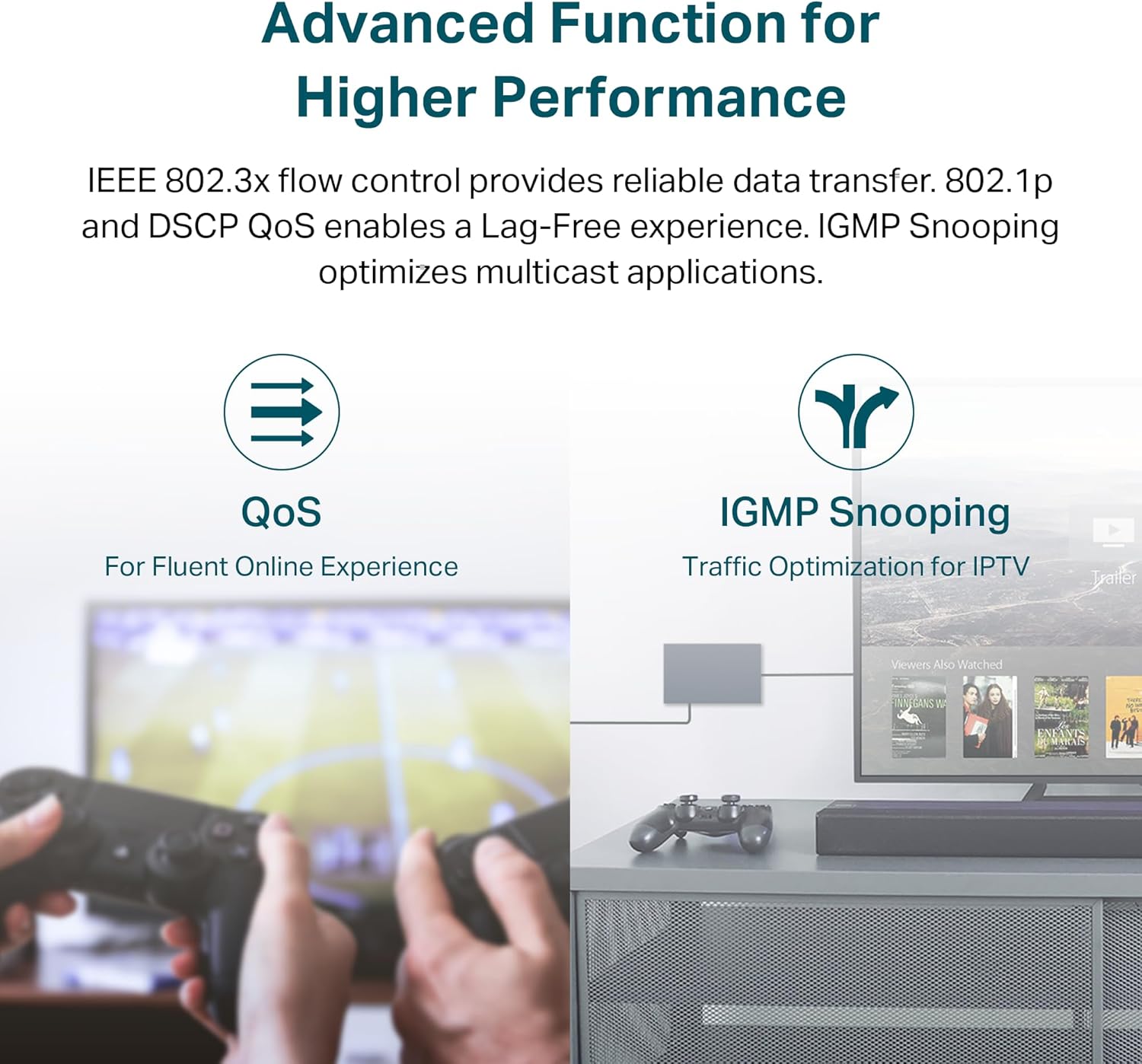
Image 4.1: Diagram illustrating the simple plug-and-play setup of the TL-SG116E, showing connections from a router to the switch, and from the switch to various network devices like IPTV, printers, and computers.
4.2 Expanding Your Network
The TL-SG116E allows for easy expansion of your wired network, providing 16 Gigabit Ethernet ports for multiple devices.

Image 4.2: Visual representation of how the TL-SG116E switch expands network capacity, connecting various devices such as computers, gaming consoles, and 4K displays to a central network.
5. Operating the Easy Smart Managed Features
The TL-SG116E is an Easy Smart Managed Switch, offering advanced features beyond basic plug-and-play. These features can be configured via a web-based user interface or a downloadable utility.
5.1 Accessing the Management Interface
To access the management interface, connect a computer to the switch and ensure it is on the same network segment. Refer to the detailed Installation Guide for specific instructions on IP address configuration and accessing the web UI or utility.

Image 5.1: Screenshot depicting the graphical user interface of the management utility, allowing users to configure and monitor the switch's advanced features.
5.2 VLAN കോൺഫിഗറേഷൻ
Virtual Local Area Networks (VLANs) allow you to segment your network into smaller, isolated broadcast domains. This can enhance security and improve network performance by separating different types of traffic (e.g., surveillance, office, guest networks).

Image 5.2: Diagram illustrating the concept of VLANs on the TL-SG116E, showing how ports can be grouped into separate virtual networks (VLAN 1 for surveillance, VLAN 2 for office, VLAN 3 for guests) to isolate traffic.
5.3 സേവനത്തിന്റെ ഗുണനിലവാരം (QoS)
QoS allows you to prioritize certain types of network traffic, ensuring that critical applications (like video streaming or online gaming) receive sufficient bandwidth even during periods of high network congestion. The TL-SG116E supports IEEE 802.1p and DSCP QoS.
5.4 IGMP സ്നൂപ്പിംഗ്
IGMP Snooping optimizes multicast traffic delivery, preventing it from flooding all ports. This is particularly beneficial for applications like IPTV, where multicast streams are common, improving efficiency and reducing unnecessary network load.

Image 5.3: Illustration of advanced features: QoS for fluent online experiences like gaming, and IGMP Snooping for traffic optimization in IPTV environments.
6. പരിപാലനം
6.1 പൊതു പരിചരണം
- Keep the switch in a cool, dry place away from direct sunlight, heat sources, and moisture.
- അമിതമായി ചൂടാക്കുന്നത് തടയാൻ ശരിയായ വായുസഞ്ചാരം ഉറപ്പാക്കുക. വെൻ്റിലേഷൻ ഓപ്പണിംഗുകൾ തടയരുത്.
- Clean the device regularly with a soft, dry cloth. Avoid using liquid or aerosol cleaners.
6.2 ഫേംവെയർ അപ്ഡേറ്റുകൾ
ഇടയ്ക്കിടെ ടിപി-ലിങ്ക് ഉദ്യോഗസ്ഥനെ പരിശോധിക്കുക website for firmware updates. Updating the firmware can improve performance, add new features, and fix potential bugs. Follow the instructions provided with the firmware update package carefully.
7. പ്രശ്നപരിഹാരം
7.1 Power LED is Off
Ensure the power cord is securely connected to the switch and a working power outlet. Verify the power outlet is functional by plugging in another device.
7.2 No Link/Activity on a Port
- Check if the Ethernet cable is properly connected at both ends (switch and connected device).
- ബന്ധിപ്പിച്ചിരിക്കുന്ന ഉപകരണം ഓണാണെന്നും ശരിയായി പ്രവർത്തിക്കുന്നുണ്ടെന്നും ഉറപ്പാക്കുക.
- മറ്റൊരു ഇതർനെറ്റ് കേബിൾ പരീക്ഷിക്കുക.
- Test with a different port on the switch.
7.3 ആക്സസ് ചെയ്യാൻ കഴിയില്ല Web മാനേജ്മെന്റ് ഇന്റർഫേസ്
- Verify your computer is connected to the switch and has an IP address within the same subnet as the switch.
- Ensure you are using the correct IP address for the switch. The default IP address is usually 192.168.0.1 or 192.168.1.1, but it may vary or be assigned by DHCP. Refer to the Installation Guide.
- Disable any firewall or antivirus software on your computer temporarily to rule out interference.
- മറ്റൊന്ന് പരീക്ഷിക്കുക web ബ്രൗസർ.
8 സ്പെസിഫിക്കേഷനുകൾ
| ഫീച്ചർ | വിശദാംശങ്ങൾ |
|---|---|
| മോഡൽ നമ്പർ | TL-SG116E |
| തുറമുഖങ്ങളുടെ എണ്ണം | 16 |
| ഇൻ്റർഫേസ് തരം | RJ45 |
| ഡാറ്റ കൈമാറ്റ നിരക്ക് | സെക്കൻഡിൽ 1000 മെഗാബൈറ്റ് (ഗിഗാബൈറ്റ്) |
| ഉൽപ്പന്ന അളവുകൾ | 11.26"L x 4.4"W x 1"H |
| ഇനത്തിൻ്റെ ഭാരം | 2.07 പൗണ്ട് |
| കേസ് മെറ്റീരിയൽ | ലോഹം |
| വാല്യംtage | 12 വോൾട്ട് (DC) |
| നിലവിലെ റേറ്റിംഗ് | 1 Amps |
| ഉയർന്ന താപനില റേറ്റിംഗ് | 40 ഡിഗ്രി സെൽഷ്യസ് |
| അനുയോജ്യമായ ഉപകരണങ്ങൾ | ഡെസ്ക്ടോപ്പ്, ലാപ്ടോപ്പ്, പ്രിന്റർ |
9. വാറൻ്റിയും പിന്തുണയും
9.1 ഉൽപ്പന്ന വാറന്റി
The TP-Link TL-SG116E switch is covered by a 3-year warranty. Please retain your proof of purchase for warranty claims. For detailed warranty terms and conditions, refer to the official TP-Link webസൈറ്റ് അല്ലെങ്കിൽ നിങ്ങളുടെ ഉൽപ്പന്നത്തിൽ ഉൾപ്പെടുത്തിയിരിക്കുന്ന വാറന്റി കാർഡ്.
9.2 സാങ്കേതിക പിന്തുണ
For technical assistance, product information, or to download the latest firmware and utilities, please visit the official TP-Link support webസൈറ്റ്:
- Webസൈറ്റ്: https://www.tp-link.com/us/support/
- ഇമെയിൽ പിന്തുണ: support.USA@tp-link.com
- ഫോൺ പിന്തുണ: (866) 225-8139
You can also register your product and find more resources at myproducts.tp-link.com/us (www.myproducts.tp-link.com) എന്ന വിലാസത്തിൽ നിന്നും നിങ്ങൾക്ക് ഏറ്റവും പുതിയ വിവരങ്ങൾ ലഭിക്കും..


