ഉൽപ്പന്നം കഴിഞ്ഞുview
The FLEXISPOT Electric Standing Desk EF1 is a versatile, height-adjustable desk frame designed to enhance your workspace ergonomics. This robust frame allows users to easily switch between sitting and standing positions, promoting a healthier work routine. It is constructed from heavy-duty steel, ensuring stability and durability, and features an intuitive control panel for seamless operation.
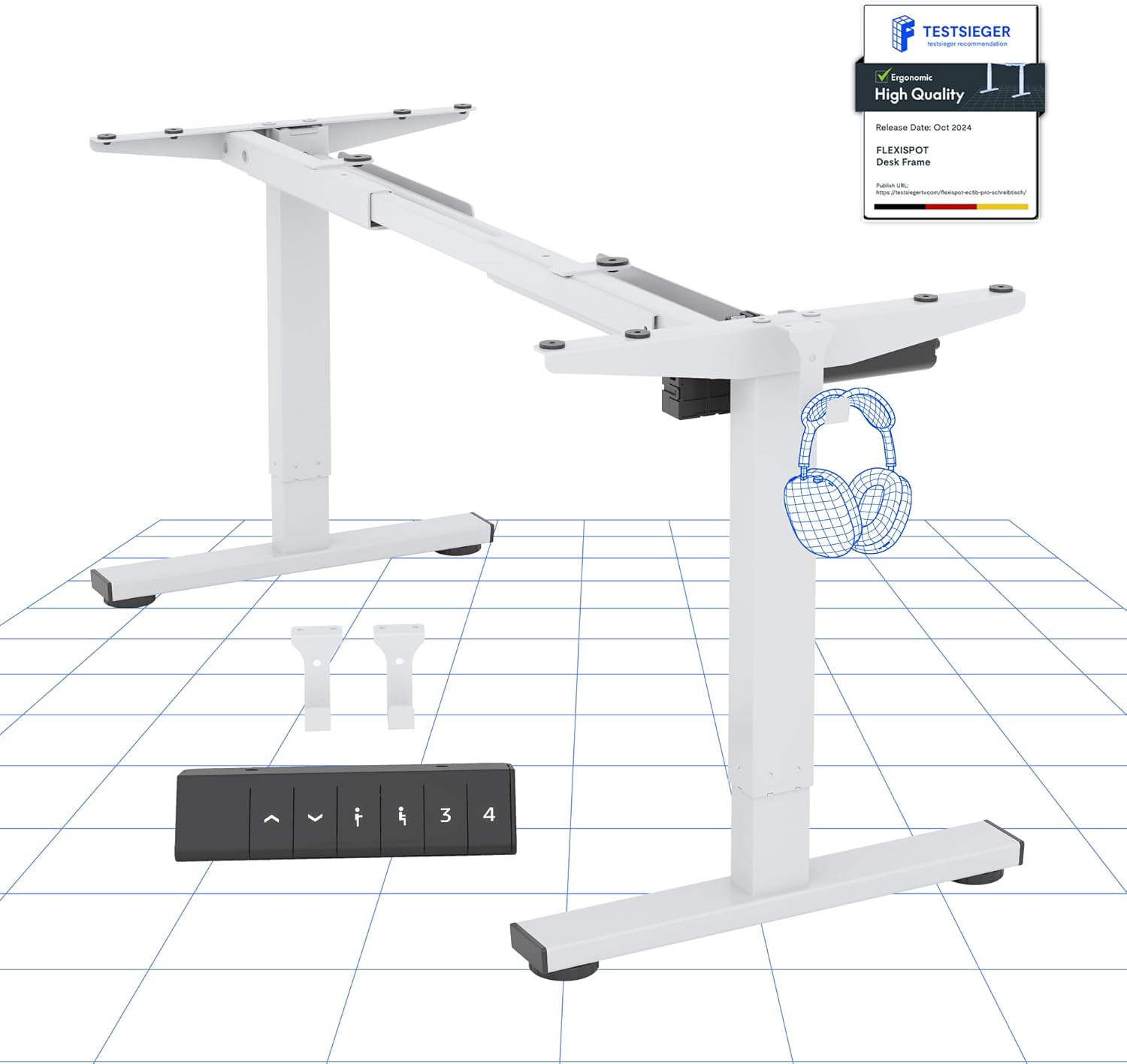
Figure 1: FLEXISPOT Electric Standing Desk EF1 Frame (White)
This image displays the main components of the FLEXISPOT EF1 electric standing desk frame in white, including the adjustable legs, crossbar, and the control panel. It provides a clear view of the frame's structure before a desktop is attached.
സജ്ജീകരണവും അസംബ്ലിയും
Careful assembly is crucial for the proper function and stability of your FLEXISPOT Electric Standing Desk EF1. While the frame comes with necessary tools and screws, a drill is recommended for securely attaching your chosen desktop.
ആവശ്യമായ ഉപകരണങ്ങൾ (ഉൾപ്പെടുത്തിയിട്ടില്ല):
- Electric Drill (for desktop attachment)
- Measuring Tape (for precise desktop positioning)
അസംബ്ലി ഘട്ടങ്ങൾ:
- ഘടകങ്ങൾ അൺപാക്ക് ചെയ്യുക: പാക്കേജിംഗിൽ നിന്ന് എല്ലാ ഭാഗങ്ങളും ശ്രദ്ധാപൂർവ്വം നീക്കം ചെയ്ത് ഉൾപ്പെടുത്തിയ ഭാഗങ്ങളുടെ പട്ടികയുമായി താരതമ്യം ചെയ്യുക.
- ഫ്രെയിം ബേസ് കൂട്ടിച്ചേർക്കുക: Connect the leg columns to the feet and the crossbar, ensuring all connections are secure. Pay attention to the orientation of parts as indicated in the detailed assembly diagrams provided with your product.
- ഡെസ്ക്ടോപ്പ് അറ്റാച്ചുചെയ്യുക: Position your desktop (not included) onto the assembled frame. Use a measuring tape to ensure the desktop is centered and aligned. Secure the desktop to the frame using the provided screws and an electric drill. Ensure screws do not penetrate through the desktop surface.
- ഇലക്ട്രോണിക്സ് ബന്ധിപ്പിക്കുക: Connect the motor cables and control panel cable to the main control box. Route cables neatly to prevent interference with the desk's movement.
- പ്രാരംഭ പവർ-അപ്പ്: ഡെസ്ക് ഒരു പവർ ഔട്ട്ലെറ്റിലേക്ക് പ്ലഗ് ചെയ്യുക. ഡെസ്ക് ഒരു പ്രാരംഭ കാലിബ്രേഷൻ സൈക്കിൾ നടത്തിയേക്കാം.
- ലെവലിംഗ്: Adjust the leveling feet at the bottom of each leg to ensure the desk is stable and does not wobble on uneven surfaces.
Warning: Do not exceed the weight limit of 70kg. Be cautious when assembling and using the electric height adjustment feature. Ensure the desk is properly anchored for stability. Take precautions when children are present.
പ്രവർത്തന നിർദ്ദേശങ്ങൾ
The FLEXISPOT EF1 desk features a user-friendly control panel for effortless height adjustments and memory presets.
നിയന്ത്രണ പാനൽ പ്രവർത്തനങ്ങൾ:
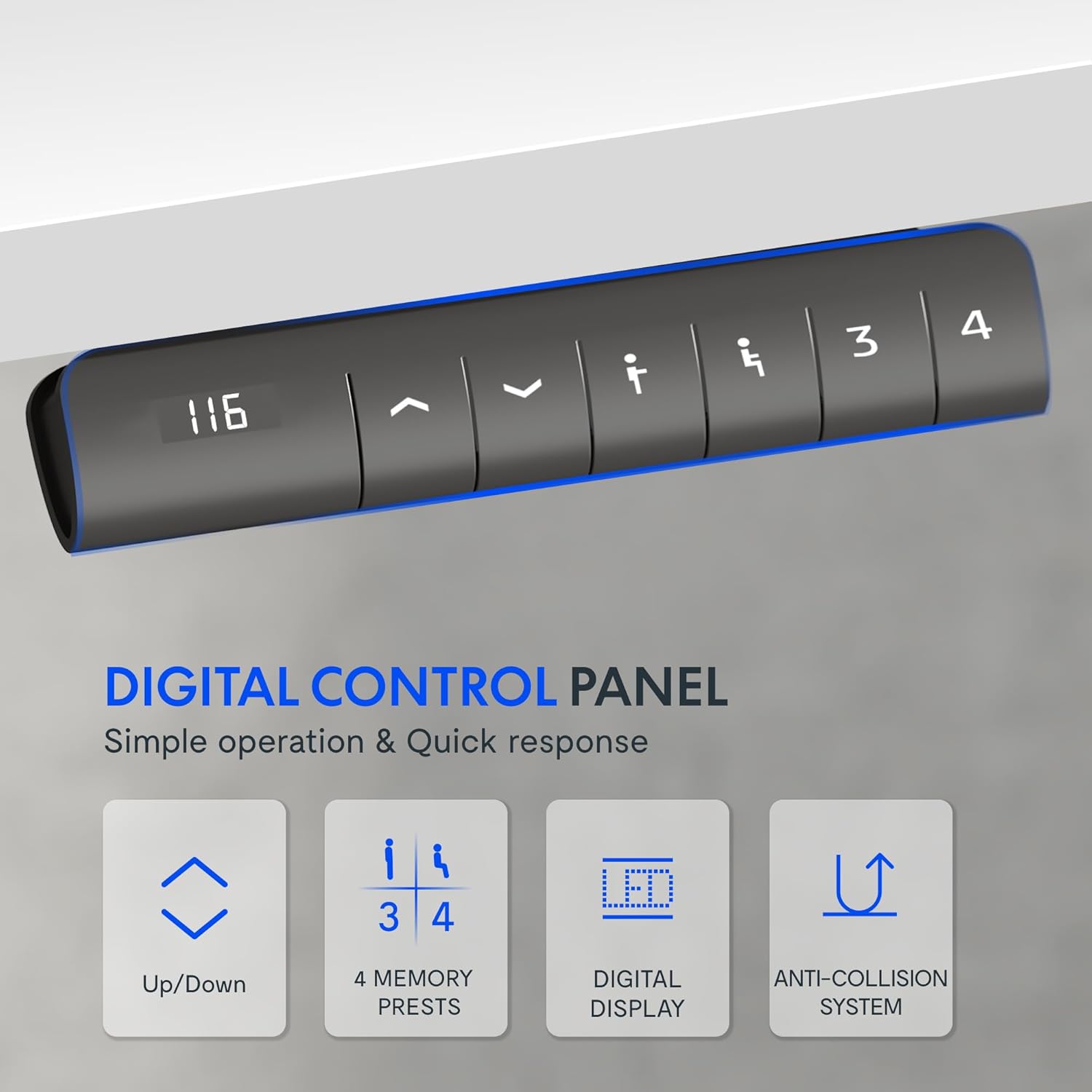
ചിത്രം 2: ഡിജിറ്റൽ നിയന്ത്രണ പാനൽ
This image shows a close-up of the digital control panel with an LED display and buttons for up/down adjustment, memory presets (1, 2, 3, 4), and a memory set button.
- മുകളിലേക്ക്/താഴ്ന്ന ബട്ടണുകൾ (^ / v): Press and hold to manually adjust the desk height. Release to stop at the desired height.
- LED ഡിസ്പ്ലേ: Shows the current height of the desk in centimeters.
- മെമ്മറി പ്രീസെറ്റുകൾ (1, 2, 3, 4): Store and recall up to four preferred height settings.
- ലേക്ക് സംരക്ഷിക്കുക a height: Adjust the desk to your desired height, then press the 'M' or 'Set' button (often indicated by an 'i' or 'S' icon) followed by the desired number button (1, 2, 3, or 4). The display may flash to confirm.
- ലേക്ക് തിരിച്ചുവിളിക്കുക a height: Simply press the corresponding number button (1, 2, 3, or 4). The desk will automatically move to the saved position.
ഉയരം ക്രമീകരിക്കൽ ശ്രേണി:
The desk offers a wide adjustment range from 71.5 cm (minimum) to 116 cm (maximum), accommodating various user heights and preferences.

Figure 3: Wide Adjustment Range
This diagram illustrates the minimum (71.5 cm) and maximum (116 cm) height capabilities of the FLEXISPOT EF1 desk frame, showing its suitability for various user heights.
ആൻറി കൊളിഷൻ ടെക്നോളജി:
For enhanced safety, the desk is equipped with an anti-collision system. If the lifting column encounters an obstacle during movement (up or down), it will automatically reverse slightly and stop to prevent damage or injury.

Figure 4: Anti-Collision System in action
This image demonstrates the anti-collision feature, showing the desk reversing its movement upon detecting an obstacle, such as a filing cabinet, ensuring safety and preventing damage.
Motor Performance:
The desk's motor operates quietly (under 50 dB) and provides smooth, stable adjustments at a speed of 25 mm/s. It supports a significant load capacity, ensuring reliable performance even with heavy equipment.

Figure 5: Powerful and Quiet Motor
This diagram highlights the internal motor mechanism of the FLEXISPOT desk, emphasizing its powerful yet quiet operation, energy efficiency, and speed.
മെയിൻ്റനൻസ്
To ensure the longevity and optimal performance of your FLEXISPOT Electric Standing Desk EF1, follow these simple maintenance guidelines:
- പതിവ് വൃത്തിയാക്കൽ: Wipe down the desk frame with a soft, damp തുണി. ഫിനിഷിന് കേടുവരുത്തുന്ന ഉരച്ചിലുകളുള്ള ക്ലീനറുകളോ ലായകങ്ങളോ ഒഴിവാക്കുക.
- കണക്ഷനുകൾ പരിശോധിക്കുക: Periodically inspect all screws and bolts to ensure they remain tight. Re-tighten if necessary. Check power cables and motor connections for any signs of wear or damage.
- തടസ്സങ്ങൾ മായ്ക്കുക: Ensure the area around the desk legs is clear of any obstructions that could impede movement or activate the anti-collision system unnecessarily.
- ഭാരം വിതരണം: Distribute weight evenly across the desktop to prevent undue stress on the motor and frame.
ട്രബിൾഷൂട്ടിംഗ്
If you encounter issues with your FLEXISPOT Electric Standing Desk EF1, refer to the following common troubleshooting steps:
| പ്രശ്നം | സാധ്യമായ കാരണം | പരിഹാരം |
|---|---|---|
| ഡെസ്ക് ചലിക്കുന്നില്ല അല്ലെങ്കിൽ നിയന്ത്രണങ്ങളോട് പ്രതികരിക്കുന്നില്ല. |
|
|
| Desk stops moving unexpectedly. |
|
|
| Desk height display shows an error code. | നിർദ്ദിഷ്ട പിശക് അവസ്ഥ. | Refer to the specific error code in the full product manual (if available) or contact customer support. A power cycle (unplugging for 10 minutes) may resolve temporary errors. |
| Desk wobbles at higher settings. | അസമമായ തറ അല്ലെങ്കിൽ അയഞ്ഞ കണക്ഷനുകൾ. |
|
സ്പെസിഫിക്കേഷനുകൾ
| ഫീച്ചർ | വിശദാംശങ്ങൾ |
|---|---|
| ബ്രാൻഡ് | ഫ്ലെക്സിസ്പോട്ട് |
| മോഡൽ നമ്പർ | EF1W-UK |
| നിറം | Desk Frame|white |
| Product Dimensions (Frame) | 60D x 120W x 85H cm (adjustable width 91-146 cm, height 71.5-116 cm) |
| മെറ്റീരിയൽ | അലോയ് സ്റ്റീൽ |
| ഇനത്തിൻ്റെ ഭാരം | 21 കി.ഗ്രാം |
| ലോഡ് കപ്പാസിറ്റി | 80 kg (movable) / 100 kg (fixed) |
| മോട്ടോർ ശബ്ദ നില | 50 dB-യിൽ താഴെ |
| അഡ്ജസ്റ്റ്മെന്റ് സ്പീഡ് | 25 മിമി/സെ |
| പ്രത്യേക സവിശേഷതകൾ | Electric height adjustment, 4 memory presets, LED display, Anti-Collision Technology |
വാറൻ്റിയും പിന്തുണയും
FLEXISPOT products are designed for durability and performance. While specific warranty details are typically provided with your purchase documentation, FLEXISPOT generally offers support for their products.
For any questions, technical assistance, or warranty claims, please contact FLEXISPOT customer support directly. You can usually find contact information on the official FLEXISPOT webസൈറ്റ് അല്ലെങ്കിൽ നിങ്ങളുടെ യഥാർത്ഥ വാങ്ങൽ പോയിന്റ് വഴി.
Visit the official FLEXISPOT Store for more information: FLEXISPOT Store


