1. ആമുഖം
This manual provides comprehensive instructions for the Picun X1 Bluetooth Headphones. Please read this manual thoroughly before using the product to ensure proper operation and to maximize your listening experience.
പാക്കേജ് ഉള്ളടക്കം
- 1 x Picun X1 Bluetooth Sport Headphones
- 1 x Set of Earbuds Covers
- 1 x Set of Winged Earbuds Covers
- 1 x ചാർജിംഗ് കേബിൾ
- 1 x ഉപയോക്തൃ മാനുവൽ (ഈ പ്രമാണം)

Image 1.1: Picun X1 Bluetooth Headphones and included accessories.
2. ഉൽപ്പന്നം കഴിഞ്ഞുview
The Picun X1 headphones feature Bluetooth V4.1 connectivity, a 10-hour battery life, IPX5 water resistance, and a built-in HD microphone for clear communication. The magnetic design allows for convenient storage.

Image 2.1: Key features of the Picun X1 Bluetooth Headphones, highlighting Bluetooth V4.1, advanced chip, 10 hours playback, stable signal, Hi-Fi audio, and 13mm drivers.
3. സജ്ജീകരണം
3.1 ഹെഡ്ഫോണുകൾ ചാർജ് ചെയ്യുന്നു
Before first use, fully charge the headphones. A full charge takes approximately 1.5 to 2 hours.
- Connect the provided charging cable to the micro-USB port on the in-line control unit of the headphones.
- ചാർജിംഗ് കേബിളിന്റെ മറ്റേ അറ്റം ഒരു USB പവർ സ്രോതസ്സുമായി ബന്ധിപ്പിക്കുക (ഉദാ: കമ്പ്യൂട്ടർ USB പോർട്ട്, USB വാൾ അഡാപ്റ്റർ).
- The LED indicator will show charging status (refer to product for specific LED behavior, typically red for charging, blue/off for fully charged).
- പൂർണ്ണമായി ചാർജ് ചെയ്തുകഴിഞ്ഞാൽ, ചാർജിംഗ് കേബിൾ വിച്ഛേദിക്കുക.
കുറിപ്പ്: Ensure the headphones are turned off before charging.
3.2 ബ്ലൂടൂത്ത് ജോടിയാക്കൽ
Follow these steps to pair your Picun X1 headphones with a Bluetooth-enabled device.
- പവർ ഓൺ: Press and hold the multi-function button (usually the center button on the in-line control) until the LED indicator flashes red and blue, indicating pairing mode.
- ബ്ലൂടൂത്ത് സജീവമാക്കുക: നിങ്ങളുടെ ഉപകരണത്തിൽ (സ്മാർട്ട്ഫോൺ, ടാബ്ലെറ്റ് മുതലായവ), ബ്ലൂടൂത്ത് പ്രവർത്തനക്ഷമമാക്കുക.
- ഇതിനായി തിരയുക ഉപകരണങ്ങൾ: നിങ്ങളുടെ ഉപകരണത്തിന്റെ Bluetooth ക്രമീകരണങ്ങളിൽ, ലഭ്യമായ ഉപകരണങ്ങൾക്കായി തിരയുക.
- Select "Picun X1": From the list of found devices, select "Picun X1".
- ജോടിയാക്കൽ സ്ഥിരീകരിക്കുക: Once paired, the LED indicator on the headphones will typically flash blue slowly or turn off, and you will hear an audio confirmation.
പവർ ഓൺ ചെയ്യുമ്പോൾ ഹെഡ്ഫോണുകൾ അവസാനം ജോടിയാക്കിയ ഉപകരണത്തിലേക്ക് വീണ്ടും കണക്റ്റുചെയ്യാൻ ശ്രമിക്കും.

Image 3.1: Demonstrating the compatibility of Picun X1 headphones with Bluetooth-enabled devices.
4. പ്രവർത്തന നിർദ്ദേശങ്ങൾ
4.1 In-Line Control Functions
The in-line control unit provides easy access to various functions:
- മൾട്ടി-ഫംഗ്ഷൻ ബട്ടൺ (സെന്റർ):
- Press once: Play/Pause music, Answer/End calls.
- Press and hold: Power On/Off, Reject incoming call.
- വോളിയം അപ്പ് ബട്ടൺ (+):
- Press once: Increase volume.
- Press and hold: Next song.
- വോളിയം ഡൗൺ ബട്ടൺ (-):
- Press once: Decrease volume.
- Press and hold: Previous song.

ചിത്രം 4.1: വിശദമായത് view of the in-line control unit and its functions.
4.2 ഹെഡ്ഫോണുകൾ ധരിക്കൽ
The Picun X1 headphones are designed for comfort and a secure fit, especially during physical activity.
- Select the appropriate earbud covers and winged earbud covers for your ear size to ensure a snug and comfortable fit.
- Insert the earbuds gently into your ears. The ergonomic design helps them stay in place.
- For added security during workouts, use the included clip to attach the cord to your clothing.

Image 4.2: The lightweight and ergonomic design of the Picun X1 earbuds for comfortable wear.
4.3 കാന്തിക രൂപകൽപ്പന
When not in use, the earbuds feature a magnetic design allowing them to clip together. This prevents them from falling off your neck and simplifies storage.
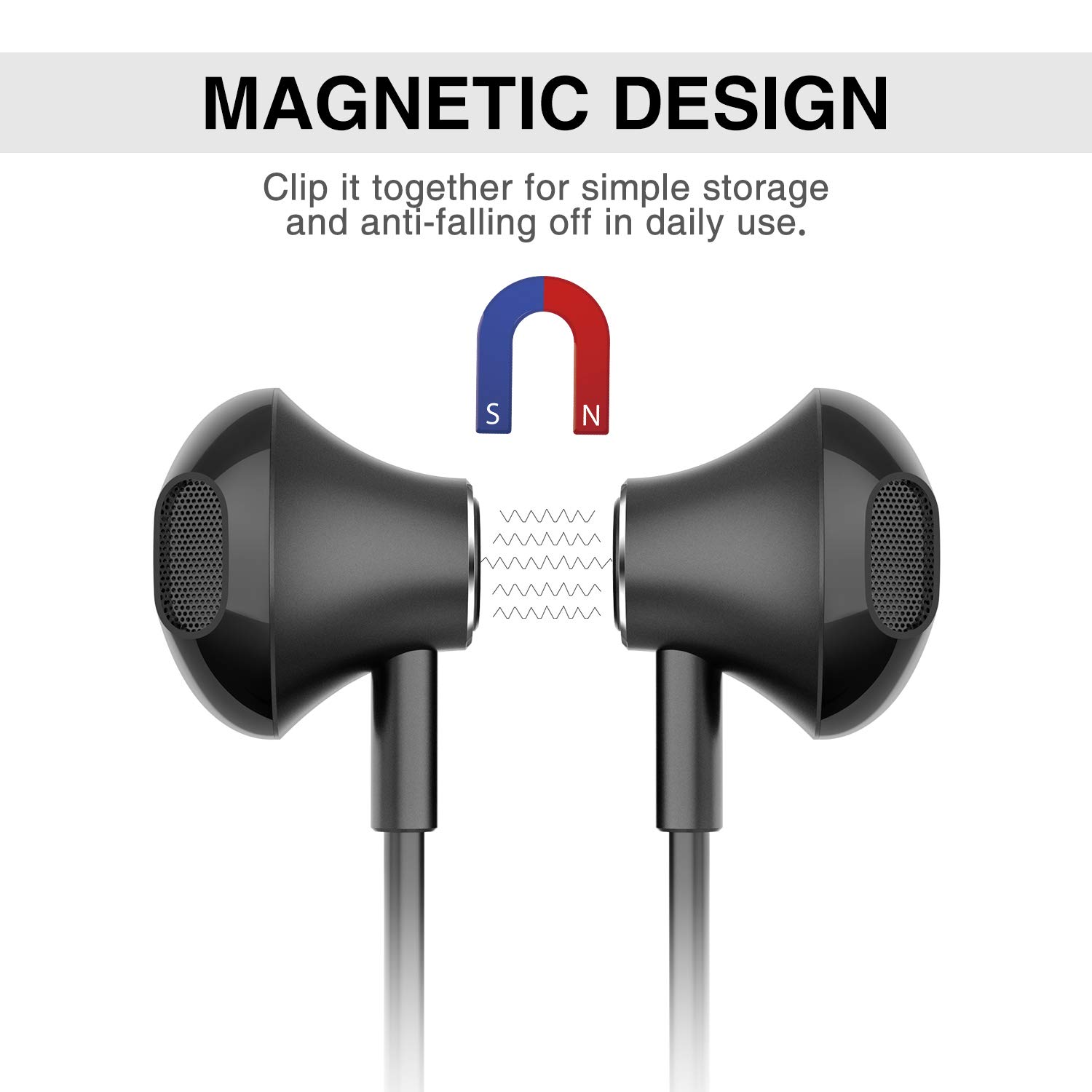
Image 4.3: The magnetic design of the earbuds for convenient storage.
5. പരിപാലനം
5.1 ജല പ്രതിരോധം (IPX5)
The Picun X1 headphones are IPX5 water-resistant, meaning they are protected against low-pressure water jets from any direction. This makes them suitable for use during workouts, light rain, and against sweat and splashes.
- ചെയ്യരുത് immerse the headphones in water.
- ചെയ്യരുത് use them while swimming or showering.
- After exposure to sweat or light moisture, wipe the headphones dry with a soft, clean cloth.

Image 5.1: The IPX5 waterproof feature protecting the headphones from sweat and drizzle.
5.2 വൃത്തിയാക്കലും സംഭരണവും
- Clean the earbuds and control unit regularly with a soft, dry cloth.
- വൃത്തിയാക്കാൻ കഠിനമായ രാസവസ്തുക്കളോ ഉരച്ചിലുകളോ ഉപയോഗിക്കുന്നത് ഒഴിവാക്കുക.
- നേരിട്ടുള്ള സൂര്യപ്രകാശത്തിൽ നിന്നും കടുത്ത താപനിലയിൽ നിന്നും മാറി തണുത്തതും വരണ്ടതുമായ സ്ഥലത്ത് ഹെഡ്ഫോണുകൾ സൂക്ഷിക്കുക.
- When storing, use the magnetic feature to keep the earbuds together and prevent tangling.
6. പ്രശ്നപരിഹാരം
If you encounter issues with your Picun X1 headphones, refer to the following common problems and solutions:
| പ്രശ്നം | സാധ്യമായ പരിഹാരം |
|---|---|
| ഹെഡ്ഫോണുകൾ പവർ ഓൺ ചെയ്യുന്നില്ല. | ഹെഡ്ഫോണുകൾ പൂർണ്ണമായും ചാർജ് ചെയ്തിട്ടുണ്ടെന്ന് ഉറപ്പാക്കുക. ഒരു പവർ സ്രോതസ്സിലേക്ക് കണക്റ്റ് ചെയ്ത് ചാർജിംഗ് ഇൻഡിക്കേറ്റർ പരിശോധിക്കുക. |
| ഉപകരണവുമായി ജോടിയാക്കാൻ കഴിയില്ല. |
|
| ശബ്ദമില്ല അല്ലെങ്കിൽ കുറഞ്ഞ ശബ്ദമില്ല. |
|
| Poor call quality (buzzing sound, recipient cannot hear). |
|
| ബാറ്ററി പെട്ടെന്ന് തീരുന്നു. |
|
7 സ്പെസിഫിക്കേഷനുകൾ
| ഫീച്ചർ | വിശദാംശങ്ങൾ |
|---|---|
| ബ്ലൂടൂത്ത് പതിപ്പ് | V4.1 |
| ഡ്രൈവ് യൂണിറ്റ് | 13 എംഎം |
| വയർലെസ് ശ്രേണി | 33 അടി വരെ (10 മീറ്റർ) |
| പ്ലേബാക്ക് സമയം | ഏകദേശം 10 മണിക്കൂർ |
| ചാർജിംഗ് സമയം | 1.5-2 മണിക്കൂർ |
| ചാർജ് ചെയ്യുന്നു വോളിയംtage | 5V |
| പ്രതിരോധം | 32Ω±15% |
| സംവേദനക്ഷമത | 103 ± 3dB |
| മൈക്ക് സെൻസിറ്റിവിറ്റി | -42 ± 3 ദി ബി |
| ഫ്രീക്വൻസി റേഞ്ച് | 20-20000HZ |
| Mic Frequency Range | 100-10KHZ |
| ഭാരം | 19 ഗ്രാം (0.04 പൗണ്ട്) |
| ജല പ്രതിരോധം | IPX5 |
| മോഡൽ നമ്പർ | X1-black |
| ഉൽപ്പന്ന അളവുകൾ | 67.31 x 0.25 x 1.4 സെ.മീ |
8. വാറൻ്റിയും പിന്തുണയും
Picun offers the following support for the X1 Bluetooth Headphones:
- 30-Day Hassle-Free Return Policy: വാങ്ങിയതിന് 30 ദിവസത്തിനുള്ളിൽ റിട്ടേണുകൾക്ക്.
- 300 ദിവസ വാറന്റി: Covers manufacturing defects for 300 days from the date of purchase.
- 24-Hour Customer-Friendly Support Service: For assistance with product inquiries or issues.
For warranty claims or technical support, please contact Picun customer service through the retailer where the product was purchased or refer to the official Picun webബന്ധപ്പെടാനുള്ള വിവരങ്ങൾക്കുള്ള സൈറ്റ്.


