1. ആമുഖം
This manual provides detailed instructions for the safe and efficient operation of your PRIXTON VS100 Vacuum Sealer. Please read this manual thoroughly before first use and retain it for future reference. Proper use and maintenance will ensure optimal performance and extend the lifespan of your appliance.
2. സുരക്ഷാ നിർദ്ദേശങ്ങൾ
To prevent injury or damage, always observe basic safety precautions when using electrical appliances. This includes, but is not limited to:
- ഉപയോഗിക്കുന്നതിന് മുമ്പ് എല്ലാ നിർദ്ദേശങ്ങളും വായിക്കുക.
- ഉപകരണം, പവർ കോർഡ്, പ്ലഗ് എന്നിവ വെള്ളത്തിലോ മറ്റ് ദ്രാവകങ്ങളിലോ മുക്കരുത്.
- കുട്ടികൾക്ക് ലഭ്യമാകാതെ സൂക്ഷിക്കുക.
- ഉപയോഗത്തിലില്ലാത്തപ്പോഴും വൃത്തിയാക്കുന്നതിന് മുമ്പും ഔട്ട്ലെറ്റിൽ നിന്ന് അൺപ്ലഗ് ചെയ്യുക.
- കേടായ കോർഡോ പ്ലഗോ ഉപയോഗിച്ച് ഒരു ഉപകരണവും പ്രവർത്തിപ്പിക്കരുത്, അല്ലെങ്കിൽ ഉപകരണത്തിൻ്റെ തകരാറുകൾ അല്ലെങ്കിൽ ഏതെങ്കിലും വിധത്തിൽ കേടുപാടുകൾ സംഭവിച്ചതിന് ശേഷം.
- നിർമ്മാതാവ് ശുപാർശ ചെയ്യുന്ന അറ്റാച്ച്മെന്റുകൾ മാത്രം ഉപയോഗിക്കുക.
- വെളിയിൽ ഉപയോഗിക്കരുത്.
- ചൂടുള്ള വാതകത്തിലോ ഇലക്ട്രിക് ബർണറിലോ ചൂടാക്കിയ അടുപ്പിലോ വയ്ക്കരുത്.
- Exercise extreme caution when moving appliances containing hot oil or other hot liquids.
- ആദ്യം എപ്പോഴും പ്ലഗ് ഉപകരണത്തിൽ ഘടിപ്പിക്കുക, തുടർന്ന് വയർ ഔട്ട്ലെറ്റിൽ കോർഡ് പ്ലഗ് ചെയ്യുക. വിച്ഛേദിക്കാൻ, ഏതെങ്കിലും നിയന്ത്രണം "ഓഫ്" ആക്കുക, തുടർന്ന് വയർ ഔട്ട്ലെറ്റിൽ നിന്ന് പ്ലഗ് നീക്കം ചെയ്യുക.
3. ഉൽപ്പന്നം കഴിഞ്ഞുview
The PRIXTON VS100 is a versatile vacuum sealer designed for preserving various types of food. It features both automatic and manual operation modes, as well as specific settings for dry, moist, normal, and fragile foods.
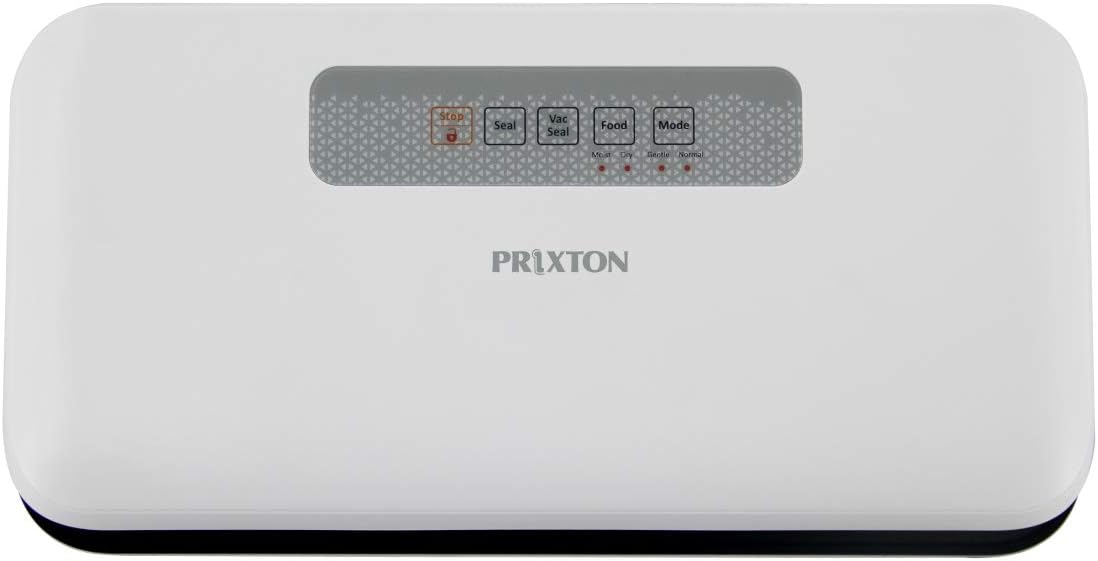
ചിത്രം 1: മുകളിൽ view of the PRIXTON VS100 Vacuum Sealer, showing the control panel with buttons for Stop, Seal, Vac Seal, Food, and Mode.
നിയന്ത്രണ പാനൽ പ്രവർത്തനങ്ങൾ:
- ബട്ടൺ നിർത്തുക: Immediately stops any ongoing operation (vacuuming or sealing).
- സീൽ ബട്ടൺ: Initiates sealing only, without vacuuming. Useful for creating custom-sized bags or sealing delicate items after manual vacuuming.
- വാക് സീൽ ബട്ടൺ: Initiates the automatic vacuuming and sealing process.
- Food Button: Toggles between Dry and Moist food settings. An indicator light will show the selected mode.
- മോഡ് ബട്ടൺ: Toggles between Normal and Fragile food settings. An indicator light will show the selected mode.
4. സജ്ജീകരണം
- അൺപാക്ക്: Carefully remove the vacuum sealer from its packaging. Retain packaging for storage or future transport.
- പരിശോധിക്കുക: ഉപകരണത്തിന് എന്തെങ്കിലും കേടുപാടുകൾ സംഭവിച്ചിട്ടുണ്ടോ എന്ന് പരിശോധിക്കുക. കേടുപാടുകൾ സംഭവിച്ചിട്ടുണ്ടെങ്കിൽ ഉപയോഗിക്കരുത്.
- പ്ലേസ്മെൻ്റ്: Place the vacuum sealer on a flat, stable, and dry surface. Ensure there is enough space around the unit for proper operation.
- പവർ കണക്ഷൻ: അനുയോജ്യമായ ഒരു ഇലക്ട്രിക്കൽ ഔട്ട്ലെറ്റിലേക്ക് പവർ കോർഡ് പ്ലഗ് ചെയ്യുക.
- Prepare Bags: Ensure you are using appropriate vacuum sealer bags. The PRIXTON VS100 is compatible with bags up to 25 cm wide.

ചിത്രം 2: The PRIXTON VS100 Vacuum Sealer shown with a visual indication of its maximum bag width capacity of 25 cm, alongside various vegetables.
5. പ്രവർത്തന നിർദ്ദേശങ്ങൾ
5.1. Preparing the Bag
- Place the items to be vacuum sealed inside a vacuum sealer bag.
- Ensure that the open end of the bag is clean, dry, and free of wrinkles. Leave at least 2-3 inches of space between the food and the top of the bag.
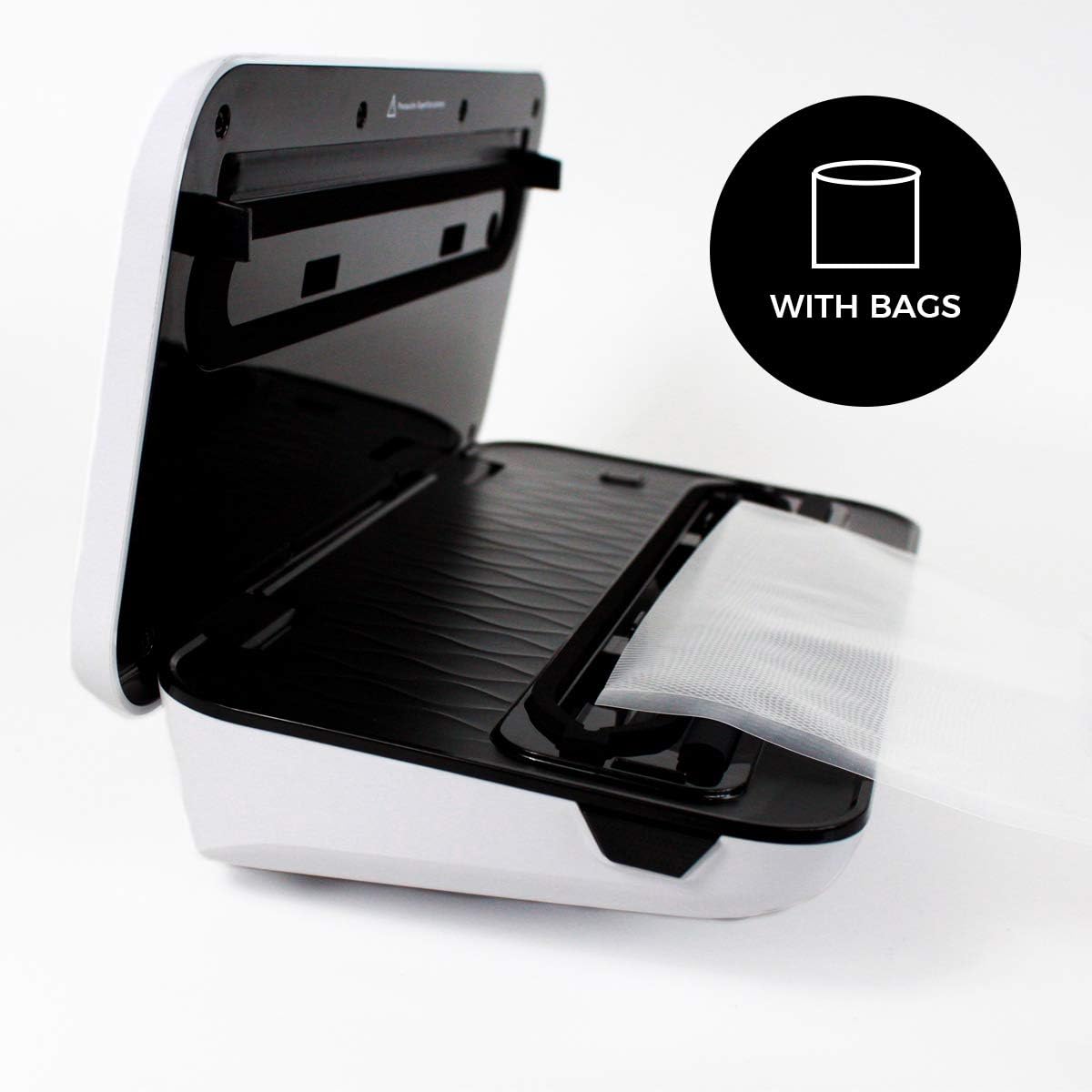
ചിത്രം 3: The PRIXTON VS100 Vacuum Sealer with its lid open, illustrating how a vacuum bag is positioned within the sealing channel, ready for operation.
5.2. Selecting Food and Mode Settings
The VS100 offers specialized settings for different food types:
- Food Setting (Dry/Moist): അമർത്തുക ഭക്ഷണം button to toggle between Dry and Moist settings.
- Mode Setting (Normal/Fragile): അമർത്തുക മോഡ് button to toggle between Normal and Fragile settings.
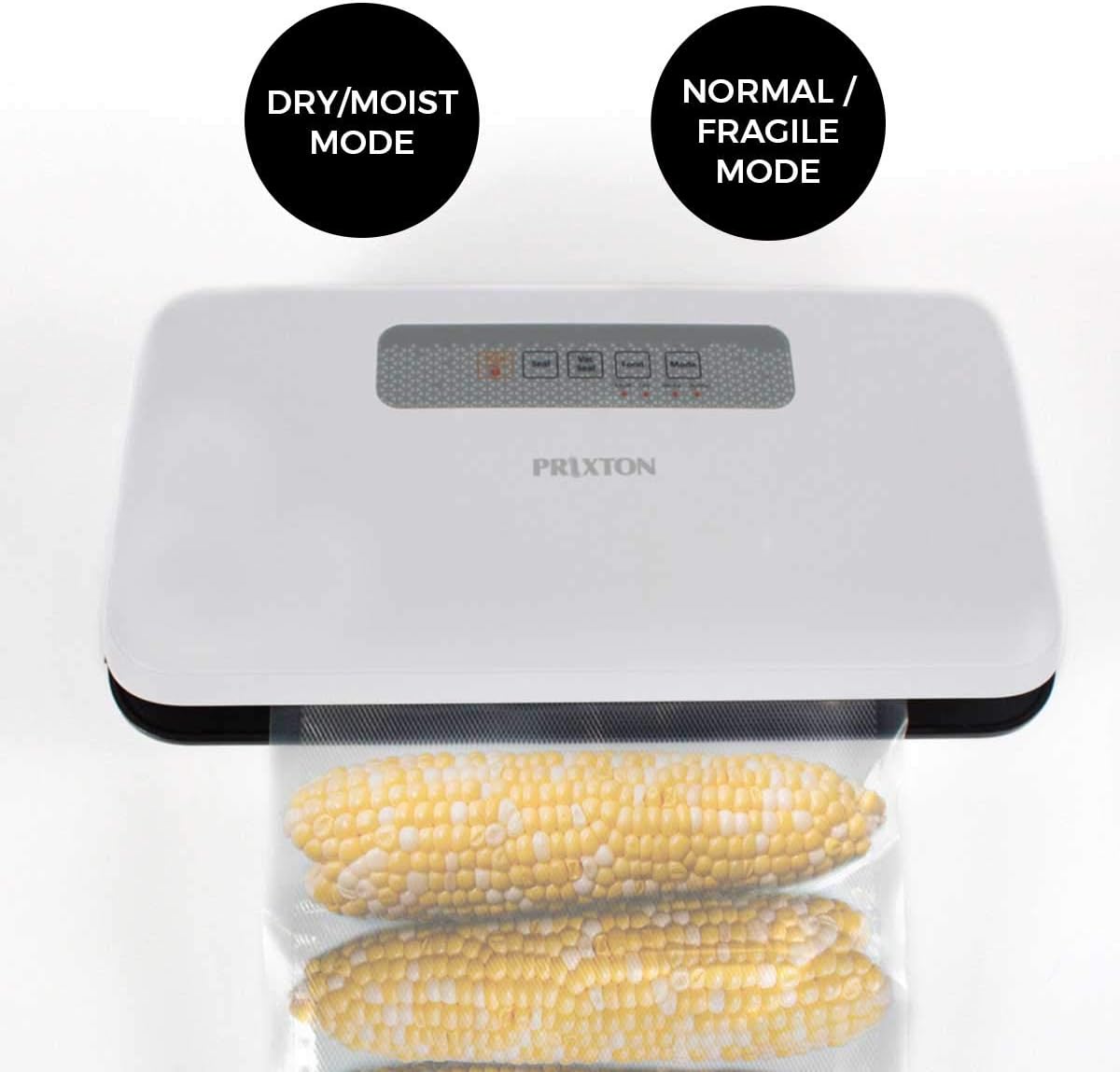
ചിത്രം 4: The PRIXTON VS100 Vacuum Sealer in operation with corn in a vacuum bag, visually indicating the availability of 'Dry/Moist Mode' and 'Normal/Fragile Mode' options.
ഡ്രൈ മോഡ്: For foods without liquid, such as nuts, grains, or dried fruits.
ഈർപ്പമുള്ള മോഡ്: For foods with some moisture, such as raw meats, fruits, or simmered foods.
സാധാരണ മോഡ്: Standard vacuum pressure for most solid foods.
Fragile Mode: Reduced vacuum pressure to prevent crushing delicate items like bread, chips, or soft fruits.
5.3. Automatic Vacuum and Seal
- വാക്വം സീലറിന്റെ മൂടി തുറക്കുക.
- Place the open end of the bag into the vacuum channel, ensuring it lies flat across the sealing strip.
- Close the lid firmly until you hear a click on both sides, indicating it is locked.
- അമർത്തുക വാക് സീൽ button. The appliance will automatically vacuum the air from the bag and then seal it.
- Once the process is complete, the indicator light will turn off. Press the release buttons (if present, typically on the sides) to open the lid and remove the sealed bag.

ചിത്രം 5: The PRIXTON VS100 Vacuum Sealer positioned on a kitchen counter, with red cabbage being sliced nearby, illustrating the convenience of its 'Automatic Mode' for food preparation.
5.4. Sealing Only
To seal a bag without vacuuming (e.g., for snack bags or creating custom bag sizes from a roll):
- Place the open end of the bag onto the sealing strip, ensuring it is flat and centered.
- ലിഡ് ദൃഡമായി അടയ്ക്കുക.
- അമർത്തുക മുദ്ര button. The appliance will heat and seal the bag.
- Once the sealing process is complete, the indicator light will turn off. Open the lid and remove the sealed bag.
6. പരിപാലനവും ശുചീകരണവും
Regular cleaning and maintenance will ensure your vacuum sealer operates effectively.
- വൃത്തിയാക്കുന്നതിന് മുമ്പ്: പവർ ഔട്ട്ലെറ്റിൽ നിന്ന് ഉപകരണം എപ്പോഴും ഊരിമാറ്റുക.
- പുറം: പരസ്യം ഉപയോഗിച്ച് യൂണിറ്റിന്റെ പുറം ഭാഗം തുടയ്ക്കുകamp തുണി. ഉരച്ചിലുകളുള്ള ക്ലീനറുകളോ ലായകങ്ങളോ ഉപയോഗിക്കരുത്.
- Vacuum Channel and Sealing Strip: Carefully wipe the vacuum channel and sealing strip with a damp cloth to remove any food residue. Ensure these areas are completely dry before closing the lid or using the appliance again.
- ഗാസ്കറ്റുകൾ: Check the foam gaskets around the vacuum channel for any food particles or damage. Clean gently if necessary.
- സംഭരണം: Store the appliance with the lid unlocked to prevent compression of the gaskets, which can affect sealing performance over time.
7. പ്രശ്നപരിഹാരം
| പ്രശ്നം | സാധ്യമായ കാരണം | പരിഹാരം |
|---|---|---|
| ഉപകരണം ഓണാക്കുന്നില്ല. | പ്ലഗ് ഇൻ ചെയ്തിട്ടില്ല; പവർ ഔട്ട്ലെറ്റ് തകരാറ്. | വർക്കിംഗ് ഔട്ട്ലെറ്റിലേക്ക് പവർ കോർഡ് സുരക്ഷിതമായി പ്ലഗ് ചെയ്തിട്ടുണ്ടെന്ന് ഉറപ്പാക്കുക. |
| ബാഗ് ശരിയായി വാക്വം ചെയ്യുന്നില്ല. | Lid not properly closed; bag not positioned correctly; bag is damaged; gaskets are dirty or worn. | Ensure the lid is locked; reposition the bag; check bag for holes; clean or inspect gaskets. |
| ബാഗ് സീൽ ചെയ്യുന്നില്ല. | Sealing strip is dirty or wet; bag is wrinkled; sealing strip is worn. | Clean and dry the sealing strip; smooth out the bag; contact support if sealing strip is worn. |
| Vacuum is too strong/weak. | തെറ്റായ മോഡ് തിരഞ്ഞെടുത്തു. | Adjust the "Mode" setting (Normal/Fragile) as needed. |
8 സ്പെസിഫിക്കേഷനുകൾ
- ബ്രാൻഡ്: പ്രിക്സ്റ്റൺ
- മോഡൽ: VS100
- മോഡൽ നമ്പർ: 10004710
- ശക്തി: 110 വാട്ട്സ്
- വാല്യംtage: 230 വോൾട്ട് (എസി)
- മെറ്റീരിയൽ: ലോഹം
- നിറം: വെള്ള
- ഇനത്തിൻ്റെ ഭാരം: 1.42 കിലോഗ്രാം
- പാക്കേജ് അളവുകൾ: 33.6 x 19 x 10.4 സെ.മീ
- പ്രവർത്തന രീതി: മാനുവൽ/ഓട്ടോമാറ്റിക്
9. വാറൻ്റിയും പിന്തുണയും
PRIXTON products are designed and manufactured to the highest quality standards. For warranty information and customer support, please refer to the warranty card included with your product or visit the official PRIXTON website. Please have your model number (VS100) and purchase details ready when contacting support.
കൂടുതൽ സഹായത്തിന്, നിങ്ങൾക്ക് സന്ദർശിക്കാവുന്നതാണ് Prixton Brand Store on Amazon.


