1. ആമുഖം
Thank you for choosing the Comfee Mobile Air Conditioner MPPH-09CRN7. This manual provides essential information for the safe and efficient operation of your appliance. Please read it thoroughly before use and retain it for future reference.
This 3-in-1 unit offers cooling, dehumidification, and fan modes, designed for rooms up to 33m² (88m³).

ചിത്രം: മുൻഭാഗം view of the Comfee Mobile Air Conditioner MPPH-09CRN7.
2 സുരക്ഷാ വിവരങ്ങൾ
തീ, വൈദ്യുതാഘാതം അല്ലെങ്കിൽ പരിക്കുകൾ എന്നിവ കുറയ്ക്കുന്നതിന് വൈദ്യുത ഉപകരണങ്ങൾ ഉപയോഗിക്കുമ്പോൾ എല്ലായ്പ്പോഴും അടിസ്ഥാന സുരക്ഷാ മുൻകരുതലുകൾ പാലിക്കുക.
- വൈദ്യുതി വിതരണം വോള്യവുമായി പൊരുത്തപ്പെടുന്നുണ്ടെന്ന് ഉറപ്പാക്കുകtagഇ റേറ്റിംഗ് ലേബലിൽ വ്യക്തമാക്കിയിരിക്കുന്നു.
- കേടായ ചരടോ പ്ലഗോ ഉപയോഗിച്ച് യൂണിറ്റ് പ്രവർത്തിപ്പിക്കരുത്.
- യൂണിറ്റ് ചൂട് സ്രോതസ്സുകളിൽ നിന്നും നേരിട്ട് സൂര്യപ്രകാശത്തിൽ നിന്നും അകറ്റി നിർത്തുക.
- എയർ ഇൻലെറ്റുകളോ ഔട്ട്ലെറ്റുകളോ തടയരുത്.
- ഈ ഉപകരണം R290 റഫ്രിജറന്റ് ഉപയോഗിക്കുന്നു. റഫ്രിജറന്റ് സർക്യൂട്ട് പഞ്ചർ ചെയ്യരുത്.
3. ഉൽപ്പന്ന ഘടകങ്ങളും ആക്സസറികളും
The Comfee Mobile Air Conditioner MPPH-09CRN7 comes with the following components:

Image: Diagram showing all included accessories for the mobile air conditioner.
- എക്സ്ഹോസ്റ്റ് ഹോസ്
- അപ്ലയൻസ് അഡാപ്റ്റർ
- വിൻഡോ സ്ലൈഡർ കിറ്റ്
- Foam Seal (non-adhesive)
- എക്സ്ഹോസ്റ്റ് ഹോസ് അഡാപ്റ്റർ
- വാൾ ഔട്ട്ലെറ്റ് അഡാപ്റ്റർ
- Foam Seal (adhesive)
- Screws, Bolts, Anchors
- റിമോട്ട് കൺട്രോൾ
- വിൻഡോ സ്ലൈഡർ
- ഹോസ് കളയുക
The unit also features four castor wheels for easy mobility.
ചിത്രം: ക്ലോസ്-അപ്പ് view of the castor wheels on the base of the air conditioner, highlighting its mobility.
4. സജ്ജീകരണവും ഇൻസ്റ്റാളേഷനും
Proper installation is crucial for optimal performance. Follow these steps for setting up your mobile air conditioner:
4.1 എക്സ്ഹോസ്റ്റ് ഹോസ് ഇൻസ്റ്റാളേഷൻ
The exhaust hose expels hot air from the room. Ensure it is installed correctly to prevent hot air recirculation.

Image: Three options for installing the exhaust hose: through a wall air outlet, a window adapter, or a window with a "Hot Air Stop" cover.
- Option 1: Wall Air Outlet: Drill and install the hose in a dedicated air outlet.
- Option 2: Window Adapter: Assemble and install the hose in the provided window adapter.
- Option 3: Window with "Hot Air Stop" Cover: Assemble and install the hose in the window using a "Hot Air Stop" cover (not included).
4.2 Window Slider Kit Installation
For window installation, use the provided window slider kit to seal the opening and maximize cooling efficiency.

Image: Step-by-step guide for installing the window slider kit: 1. Open the window. 2. Install the window slider adapter. 3. Seal and secure the adapter. 4. Install the exhaust hose to the adapter. 5. Attach the exhaust hose to the unit. 6. Power on and activate the device.
- ജനൽ തുറക്കുക.
- വിൻഡോ ഓപ്പണിംഗിൽ വിൻഡോ സ്ലൈഡർ അഡാപ്റ്റർ ഇൻസ്റ്റാൾ ചെയ്യുക.
- Seal and secure the adapter to prevent air leakage.
- Install the exhaust hose to the adapter.
- Attach the exhaust hose to the air conditioner unit.
- Plug in the unit and activate it.
5. പ്രവർത്തന നിർദ്ദേശങ്ങൾ
5.1 നിയന്ത്രണ പാനലും റിമോട്ട് നിയന്ത്രണവും
The unit can be operated via the control panel on top of the unit or the included remote control.

Image: Layout of the remote control and the top control panel of the air conditioner, indicating various buttons and their functions.
വിദൂര നിയന്ത്രണ പ്രവർത്തനങ്ങൾ:
- പവർ ഓൺ/ഓഫ്
- Modes Control (Cooling, Fan, Dehumidification)
- ഫാൻ സ്പീഡ് നിയന്ത്രണം
- സ്ലീപ്പ് മോഡ് നിയന്ത്രണം
- Temperature Control (Up/Down)
- DIY Mode Control
- Timer Control (Timer On/Timer Off)
- LED ലൈറ്റ് നിയന്ത്രണം
- "Follow Me" Function (on remote)
The "Follow Me" function on the remote control helps monitor and control the temperature around you, providing more precise cooling.

Image: A person using the remote control to operate the Comfee mobile air conditioner, demonstrating the "Smart Cooling" feature.
5.2 ഓപ്പറേറ്റിംഗ് മോഡുകൾ
The unit features three primary operating modes:

Image: Visual representation of the three functional modes: Cooling Mode, Fan Mode, and Dehumidification Mode. Note: For dehumidification, a hose for water drainage is required.
- കൂളിംഗ് മോഡ്: നിങ്ങളുടെ മുറിക്ക് ശക്തമായ തണുപ്പ് നൽകുന്നു.
- ഫാൻ മോഡ്: Circulates air without cooling, offering ventilation.
- ഡീഹ്യുമിഡിഫിക്കേഷൻ മോഡ്: Removes excess moisture from the air. A drain hose must be connected for continuous drainage in this mode.
5.3 ടൈമർ പ്രവർത്തനം
The 24-hour timer function allows you to set the unit to turn on or off automatically at a desired time.

Image: A visual representation of the 24-hour timer function, showing a clock face around the air conditioner unit.
5.4 ഓട്ടോമാറ്റിക് റീസ്റ്റാർട്ട്
ഒരു പവർ ഈtage, the unit will automatically restart with its previous settings once power is restored.

Image: A stylized image of a microchip with the Comfee logo, illustrating the automatic restart function.
5.5 Noise Level and Sleep Mode
The unit is designed for lower noise operation, especially in Sleep Mode, where the sound pressure level can be reduced to 46.9 dB(A).

Image: A person sleeping peacefully next to the air conditioner, with a decibel meter graphic showing noise levels, emphasizing the low noise operation.
6. പരിപാലനം
പതിവ് അറ്റകുറ്റപ്പണികൾ നിങ്ങളുടെ എയർ കണ്ടീഷണറിന്റെ ദീർഘായുസ്സും കാര്യക്ഷമതയും ഉറപ്പാക്കുന്നു.
6.1 ഫിൽട്ടർ ക്ലീനിംഗ്
The washable filter should be cleaned regularly to maintain air quality and cooling performance.
- വൃത്തിയാക്കുന്നതിന് മുമ്പ് യൂണിറ്റ് ഓഫ് ചെയ്ത് അൺപ്ലഗ് ചെയ്യുക.
- യൂണിറ്റിന്റെ പിന്നിൽ നിന്ന് എയർ ഫിൽട്ടർ നീക്കം ചെയ്യുക.
- ഫിൽട്ടർ ചൂടുള്ള, സോപ്പ് വെള്ളത്തിൽ കഴുകുക.
- വീണ്ടും ഇടുന്നതിനുമുമ്പ് നന്നായി കഴുകിക്കളയുക, വായുവിൽ പൂർണ്ണമായും ഉണങ്ങാൻ അനുവദിക്കുക.
6.2 വാട്ടർ ഡ്രെയിനേജ്
The unit has a self-evaporative system, but in high humidity or dehumidification mode, manual drainage may be required.
- യൂണിറ്റിന്റെ താഴെ പിൻഭാഗത്ത് ഡ്രെയിൻ പോർട്ട് കണ്ടെത്തുക.
- Place a shallow pan or connect the drain hose to the port.
- വെള്ളം പുറത്തേക്ക് ഒഴുകാൻ അനുവദിക്കുന്നതിന് ഡ്രെയിൻ പ്ലഗ് നീക്കം ചെയ്യുക.
- Replace the plug securely after drainage.
7. പ്രശ്നപരിഹാരം
ഉപഭോക്തൃ പിന്തുണയുമായി ബന്ധപ്പെടുന്നതിന് മുമ്പ്, ഇനിപ്പറയുന്ന പൊതുവായ പ്രശ്നങ്ങളും പരിഹാരങ്ങളും പരിശോധിക്കുക:
| പ്രശ്നം | സാധ്യമായ കാരണം | പരിഹാരം |
|---|---|---|
| യൂണിറ്റ് ഓണാക്കുന്നില്ല. | No power supply; power cord unplugged; fuse blown. | Check power connection; check circuit breaker/fuse. |
| യൂണിറ്റ് ഫലപ്രദമായി തണുക്കുന്നില്ല. | Windows/doors open; air filter dirty; exhaust hose not properly installed; room too large. | Close windows/doors; clean air filter; ensure exhaust hose is sealed; verify room size is within specifications. |
| വെള്ളം ചോർച്ച. | Drain plug loose; unit tilted; drain hose clogged. | Secure drain plug; place unit on a level surface; clear drain hose. |
| അസാധാരണമായ ശബ്ദം. | Unit not on a level surface; internal component issue. | യൂണിറ്റ് ഒരു പരന്നതും സ്ഥിരതയുള്ളതുമായ പ്രതലത്തിൽ സ്ഥാപിക്കുക. ശബ്ദം തുടരുകയാണെങ്കിൽ, പിന്തുണയെ ബന്ധപ്പെടുക. |
8 സാങ്കേതിക സവിശേഷതകൾ
| ഫീച്ചർ | സ്പെസിഫിക്കേഷൻ |
|---|---|
| മോഡൽ നമ്പർ | MPPH-09CRN7 |
| തണുപ്പിക്കൽ ശേഷി | 9000 BTU/h (2.6 kW/h) |
| ശുപാർശ ചെയ്യുന്ന മുറിയുടെ വലിപ്പം | Up to 33m² (88m³) |
| വൈദ്യുതി ഉപഭോഗം | 1000 വാട്ട്സ് |
| വാല്യംtage | 230 വോൾട്ട് |
| ശബ്ദ നില | 47 ഡി.ബി |
| റഫ്രിജറൻ്റ് | R290 (Climate Neutral) |
| അളവുകൾ (L x W x H) | 34.49 x 35.51 x 70.31 സെ.മീ |
| ഭാരം | 25.3 കിലോഗ്രാം |
| എനർജി എഫിഷ്യൻസി ക്ലാസ് | A |
| പ്രത്യേക സവിശേഷതകൾ | Dehumidifier, Automatic Restart, 24-hour Timer, Sleep Mode, Smart Cooling with "Follow Me" function |

Image: Diagram showing the dimensions of the Comfee Mobile Air Conditioner: 70.3cm height, 35.5cm width, 34.5cm depth.
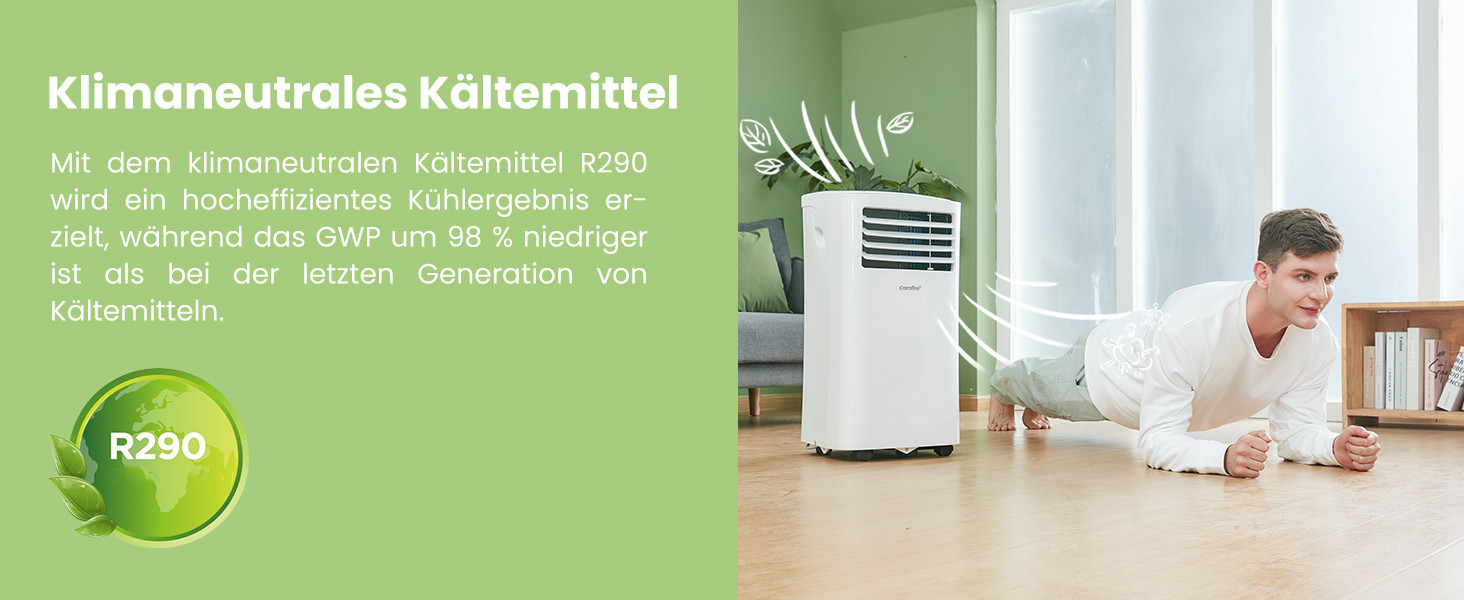
The unit uses R290, a climate-neutral refrigerant with significantly lower Global Warming Potential (GWP) compared to previous generations of refrigerants.

Image: Illustration highlighting the use of R290 climate-neutral refrigerant, with a person doing a plank exercise next to the unit.
9. വാറൻ്റി വിവരങ്ങൾ
This product is covered by a manufacturer's warranty. Please refer to the warranty card included in your product packaging for specific terms and conditions, including warranty period and coverage details. Retain your proof of purchase for warranty claims.
10. ഉപഭോക്തൃ പിന്തുണ
For technical assistance, troubleshooting beyond this manual, or warranty inquiries, please contact Comfee customer support. Contact details can typically be found on the manufacturer's webസൈറ്റ് അല്ലെങ്കിൽ ഉൽപ്പന്ന പാക്കേജിംഗിൽ.
You can also visit the official Comfee store on Amazon for more information and support: കോഫി സ്റ്റോർ


