ആമുഖം
This manual provides instructions for the HUAYU RM-L1165 replacement remote control, designed for use with Sony televisions. This remote offers the same functionality as your original Sony TV remote control, ensuring a seamless user experience. It is compatible with various Sony TV types, including LCD, LED, and Plasma models.
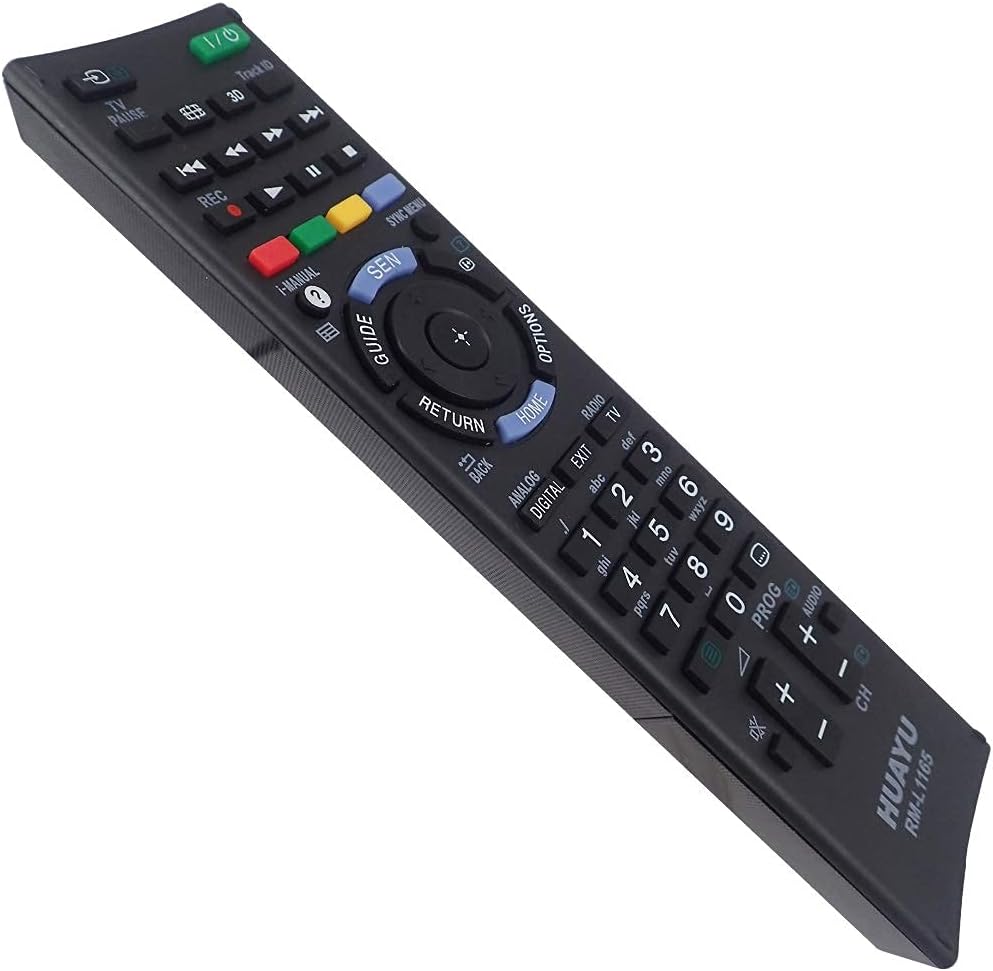
ചിത്രം: ആംഗിൾഡ് view of the HUAYU RM-L1165 remote control.
സജ്ജമാക്കുക
The HUAYU RM-L1165 remote control requires no programming or complex setup. Simply insert the batteries, and it is ready for immediate use with your Sony TV.
ബാറ്ററി ഇൻസ്റ്റാളേഷൻ
- റിമോട്ട് കൺട്രോളിന്റെ പിൻഭാഗത്ത് ബാറ്ററി കമ്പാർട്ട്മെന്റ് കണ്ടെത്തുക.
- ബാറ്ററി കമ്പാർട്ട്മെന്റ് കവർ തുറക്കാൻ താഴേക്ക് സ്ലൈഡ് ചെയ്യുക അല്ലെങ്കിൽ ഒരു അമ്പടയാളം സൂചിപ്പിക്കുന്ന ദിശയിലേക്ക് സ്ലൈഡ് ചെയ്യുക.
- Insert two AAA batteries (not always included) into the compartment, ensuring the positive (+) and negative (-) terminals align correctly with the markings inside the compartment.
- സുരക്ഷിതമായി ക്ലിക്ക് ചെയ്യുന്നതുവരെ ബാറ്ററി കമ്പാർട്ട്മെന്റ് കവർ തിരികെ സ്ഥലത്തേക്ക് സ്ലൈഡ് ചെയ്യുക.
Once batteries are installed, the remote control is operational.
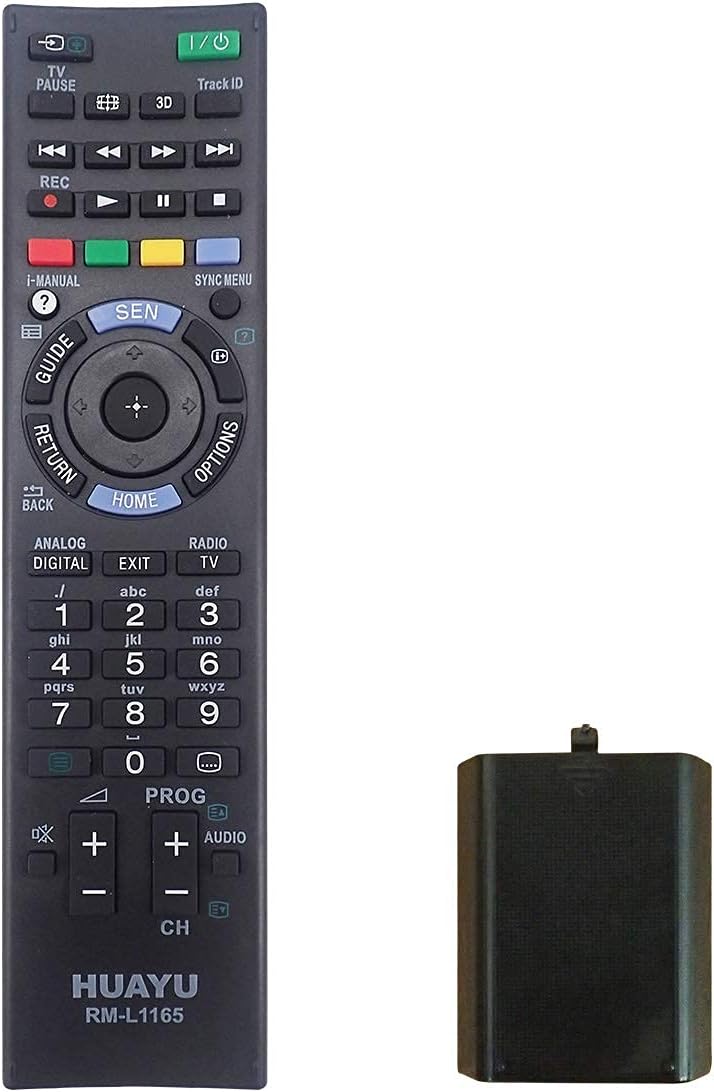
Image: HUAYU RM-L1165 remote control with its battery compartment.
പ്രവർത്തന നിർദ്ദേശങ്ങൾ
The HUAYU RM-L1165 remote control functions identically to your original Sony TV remote. Point the remote directly at your television's infrared receiver for optimal performance.

ചിത്രം: മുൻഭാഗം view of the HUAYU RM-L1165 remote control.
പ്രധാന പ്രവർത്തനങ്ങൾ കഴിഞ്ഞുview
- പവർ ബട്ടൺ (I/O): ടിവി ഓണാക്കുകയോ ഓഫാക്കുകയോ ചെയ്യുന്നു.
- നമ്പർ ബട്ടണുകൾ (0-9): ചാനലുകൾ നേരിട്ട് തിരഞ്ഞെടുക്കുക.
- ചാനൽ മുകളിലേക്കും/താഴേക്കും (CH +/-): Changes the TV channel sequentially.
- ശബ്ദം കൂട്ടുക/കുറയ്ക്കുക (VOL +/-): ടിവി വോളിയം ക്രമീകരിക്കുന്നു.
- നിശബ്ദ ബട്ടൺ: Silences the TV audio.
- Navigation Pad (Up, Down, Left, Right, Enter/OK): മെനുകളിലൂടെ നാവിഗേറ്റ് ചെയ്ത് തിരഞ്ഞെടുപ്പുകൾ സ്ഥിരീകരിക്കുന്നു.
- ഹോം ബട്ടൺ: Accesses the TV's main menu or smart TV interface.
- റിട്ടേൺ/ബാക്ക് ബട്ടൺ: മുമ്പത്തെ സ്ക്രീനിലേക്കോ മെനുവിലേക്കോ മടങ്ങുന്നു.
- ഇൻപുട്ട്/ഉറവിട ബട്ടൺ: Selects different input sources (HDMI, AV, etc.).
- നിറമുള്ള ബട്ടണുകൾ (ചുവപ്പ്, പച്ച, മഞ്ഞ, നീല): Perform specific functions within certain applications or menus, as indicated on the TV screen.
- Playback Controls (Play, Pause, Stop, Rewind, Fast Forward): മീഡിയ പ്ലേബാക്ക് നിയന്ത്രിക്കുന്നു.
മെയിൻ്റനൻസ്
ബാറ്ററി മാറ്റിസ്ഥാപിക്കൽ
Replace batteries when the remote's response becomes sluggish or stops working. Always replace both batteries simultaneously with new ones of the same type (AAA). Do not mix old and new batteries or different battery types.
വൃത്തിയാക്കൽ
റിമോട്ട് കൺട്രോൾ വൃത്തിയാക്കാൻ, മൃദുവായതും ഉണങ്ങിയതുമായ ഒരു തുണി ഉപയോഗിച്ച് സൌമ്യമായി തുടയ്ക്കുക. കഠിനമായ അഴുക്കിന്, ചെറുതായി dampതുണിയിൽ വെള്ളം ഒഴിക്കുക. കഠിനമായ രാസവസ്തുക്കൾ, അബ്രസീവ് ക്ലീനറുകൾ, അമിതമായ ഈർപ്പം എന്നിവ ഉപയോഗിക്കുന്നത് ഒഴിവാക്കുക, കാരണം ഇവ റിമോട്ടിന്റെ ഉപരിതലത്തിനോ ആന്തരിക ഘടകങ്ങളോ കേടുവരുത്തും.
ട്രബിൾഷൂട്ടിംഗ്
- റിമോട്ട് പ്രതികരിക്കുന്നില്ല:
- ശരിയായ പോളാരിറ്റിയോടെ ബാറ്ററികൾ ശരിയായി ചേർത്തിട്ടുണ്ടോയെന്ന് പരിശോധിക്കുക.
- ബാറ്ററികൾ പുതിയവ ഉപയോഗിച്ച് മാറ്റിസ്ഥാപിക്കുക.
- റിമോട്ട് കൺട്രോളിനും ടിവിയുടെ ഇൻഫ്രാറെഡ് സെൻസറിനും ഇടയിൽ തടസ്സങ്ങളൊന്നുമില്ലെന്ന് ഉറപ്പാക്കുക.
- Make sure you are within the effective range of the TV's sensor.
- പ്രവർത്തിക്കാത്ത പ്രത്യേക ബട്ടണുകൾ:
- Clean around the button to ensure no debris is preventing it from pressing correctly.
- If only a few buttons are unresponsive after checking batteries, the remote may be faulty and require replacement.
സ്പെസിഫിക്കേഷനുകൾ
| ഫീച്ചർ | വിശദാംശങ്ങൾ |
|---|---|
| മോഡൽ | RM-L1165 |
| ബ്രാൻഡ് | ഹുവായു |
| അനുയോജ്യത | Sony TVs (LCD, LED, Plasma) |
| പവർ ഉറവിടം | 2 x AAA ബാറ്ററികൾ |
| അളവുകൾ (ഏകദേശം) | 20.9 x 5.5 x 2.8 സെ.മീ |
| ഭാരം (ഏകദേശം) | 100 ഗ്രാം (ബാറ്ററികൾ ഇല്ലാതെ) |
വാറൻ്റിയും പിന്തുണയും
For information regarding warranty coverage, please refer to the terms provided by your retailer at the time of purchase. If you encounter issues not covered in this manual or require further assistance, please contact the seller or manufacturer directly.


