1. ആമുഖം
This manual provides essential information for the proper setup, operation, and maintenance of your FEITIAN bR301-C45 BLE Bluetooth Smart Card Reader. This device is designed for secure ID authentication, e-payment, and access control applications, supporting various smart card types.
2 സുരക്ഷാ വിവരങ്ങൾ
- ഉപകരണത്തെ തീവ്രമായ താപനില, ഈർപ്പം, നേരിട്ടുള്ള സൂര്യപ്രകാശം എന്നിവയ്ക്ക് വിധേയമാക്കരുത്.
- ശക്തമായ ആഘാതങ്ങൾക്ക് ഉപകരണം ഇടുകയോ ഇടുകയോ ചെയ്യുന്നത് ഒഴിവാക്കുക.
- ഉപകരണം ഡിസ്അസംബ്ലിംഗ് ചെയ്യാനോ പരിഷ്ക്കരിക്കാനോ ശ്രമിക്കരുത്. ഇത് വാറന്റി അസാധുവാക്കും.
- നൽകിയിരിക്കുന്നതോ ശുപാർശ ചെയ്യുന്നതോ ആയ ചാർജിംഗ് കേബിൾ മാത്രം ഉപയോഗിക്കുക.
- കുട്ടികൾക്ക് ലഭ്യമാകാതെ സൂക്ഷിക്കുക.
3. പാക്കേജ് ഉള്ളടക്കം
നിങ്ങളുടെ പാക്കേജിൽ എല്ലാ ഇനങ്ങളും ഉണ്ടെന്ന് ഉറപ്പാക്കുക:
- FEITIAN bR301-C45 BLE Bluetooth Smart Card Reader
- USB Type-C to USB-A Charging/Data Cable
- ദ്രുത ആരംഭ ഗൈഡ് (ഈ മാനുവലിൽ ഉൾപ്പെടുത്തിയിട്ടില്ല)

ചിത്രം 3.1: Package contents including the bR301-C45 reader and USB cable.
4. ഉൽപ്പന്നം കഴിഞ്ഞുview
Familiarize yourself with the components of your smart card reader.

ചിത്രം 4.1: ഫ്രണ്ട് view of the bR301-C45 reader, showing the card insertion slot and FEITIAN logo.

ചിത്രം 4.2: തിരികെ view of the bR301-C45 reader, displaying regulatory compliance marks (RoHS, CE, FC) and Bluetooth logo.
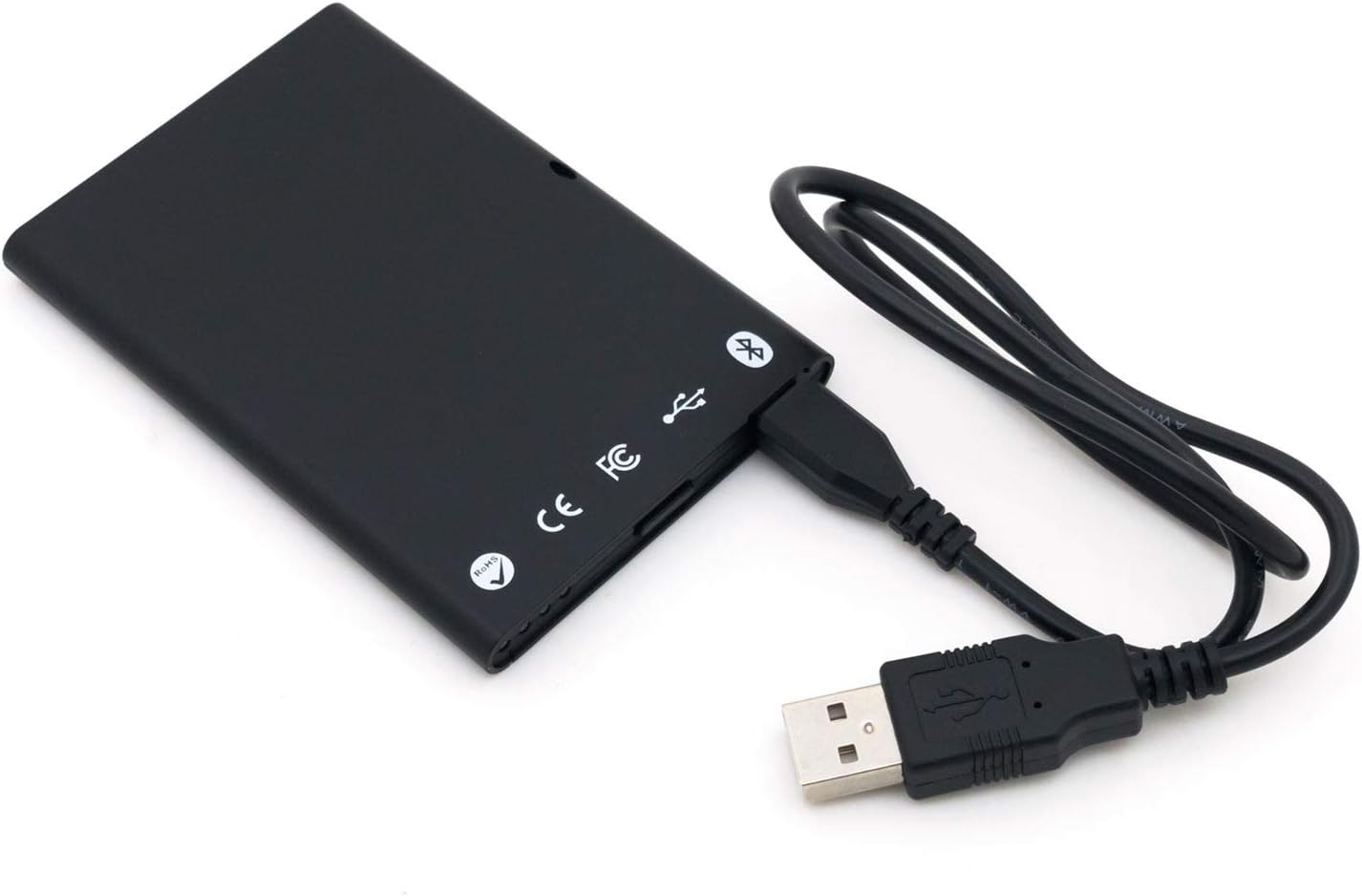
ചിത്രം 4.3: The bR301-C45 reader connected to a USB cable, illustrating the USB-C port location.
5. സജ്ജീകരണം
5.1 ഉപകരണം ചാർജ് ചെയ്യുന്നു
The bR301-C45 reader includes a 350mAh Li-Ion battery. Before initial use, or if the battery is low, charge the device using the provided USB cable.
- Connect the USB Type-C end of the cable to the reader's port.
- Connect the USB-A end of the cable to a powered USB port on a computer or a USB wall adapter.
- The device will indicate charging status (e.g., an LED indicator, refer to specific product documentation for LED behavior).
5.2 USB Connection (Plug and Play)
For direct connection to a computer, the bR301-C45 supports plug-and-play functionality, requiring no additional drivers for basic operation.
- Ensure the reader is charged or connected to a power source.
- Connect the USB Type-C end of the cable to the reader.
- നിങ്ങളുടെ കമ്പ്യൂട്ടറിൽ ലഭ്യമായ ഒരു USB പോർട്ടിലേക്ക് കേബിളിന്റെ USB-A അറ്റം ബന്ധിപ്പിക്കുക.
- Your operating system should automatically detect and configure the device.
5.3 Bluetooth (BLE) Connection
The bR301-C45 can connect wirelessly via Bluetooth Low Energy (BLE) to compatible devices.
- Ensure the reader is sufficiently charged.
- Activate Bluetooth on your host device (e.g., smartphone, tablet, computer).
- Put the bR301-C45 into pairing mode (refer to specific product documentation for button presses or indicators).
- ഇതിനായി തിരയുക available Bluetooth devices on your host device.
- Select "FEITIAN bR301-C45" or a similar identifier from the list and complete the pairing process.
കുറിപ്പ്: For certain applications, especially those involving government CAC or PIV cards, specific software or utilities (e.g., "Smart Card Utility") may be required on your host device. These applications may involve additional licensing or configuration steps not covered in this general manual. Consult the software provider's documentation for details.
6. ഉപകരണം പ്രവർത്തിപ്പിക്കുന്നു
6.1 Inserting a Smart Card
- Identify the correct orientation for your smart card. Typically, the chip on the card faces upwards and is inserted into the reader.
- Gently slide the smart card into the card slot until it is fully seated. Do not force the card.
- The reader or associated software will indicate successful card detection.
6.2 Removing a Smart Card
To remove a smart card, gently pull it out from the slot. Ensure no active operations are being performed with the card before removal to prevent data corruption.
6.3 ആപ്ലിക്കേഷനുകൾക്കൊപ്പം ഉപയോഗിക്കുന്നത്
Once connected and a smart card is inserted, the bR301-C45 reader facilitates secure communication between the smart card and your application. This includes:
- Secure ID Authentication: For logging into systems or verifying identity.
- E-Payment: For secure transactions.
- പ്രവേശന നിയന്ത്രണം: For gaining access to restricted areas or digital resources.
The specific steps for using the reader will depend on the application you are using. Refer to the documentation for your specific software or service.
7. പരിപാലനം
7.1 വൃത്തിയാക്കൽ
To clean the device, use a soft, dry, lint-free cloth. Do not use liquid cleaners, aerosols, or solvents, as these can damage the device.
7.2 ബാറ്ററി കെയർ
- ബാറ്ററി ഇടയ്ക്കിടെ പൂർണ്ണമായും ഡിസ്ചാർജ് ചെയ്യുന്നത് ഒഴിവാക്കുക.
- ദീർഘനേരം ഉപയോഗിക്കാത്തപ്പോൾ ഉപകരണം തണുത്തതും വരണ്ടതുമായ സ്ഥലത്ത് സൂക്ഷിക്കുക.
- Charge the device periodically if stored for a long time to maintain battery health.
8. പ്രശ്നപരിഹാരം
- Device not recognized via USB:
- മറ്റൊരു USB പോർട്ട് പരീക്ഷിക്കുക.
- യുഎസ്ബി കേബിൾ രണ്ട് അറ്റത്തും സുരക്ഷിതമായി ബന്ധിപ്പിച്ചിട്ടുണ്ടെന്ന് ഉറപ്പാക്കുക.
- നിങ്ങളുടെ കമ്പ്യൂട്ടർ പുനരാരംഭിക്കുക.
- ബ്ലൂടൂത്ത് ജോടിയാക്കൽ പ്രശ്നങ്ങൾ:
- Ensure the reader is in pairing mode.
- Check that Bluetooth is enabled on your host device.
- Move the reader closer to the host device.
- Remove previous pairings and try again.
- Smart card not detected:
- Ensure the smart card is inserted correctly and fully seated.
- Check if the smart card is damaged or dirty.
- Verify that the necessary software/drivers are installed and configured on your computer for the specific smart card type.
- ബാറ്ററി ചാർജ്ജുചെയ്യുന്നില്ല:
- Ensure the USB cable is functional and properly connected.
- മറ്റൊരു USB പവർ സ്രോതസ്സ് പരീക്ഷിക്കുക.
- പ്രശ്നം നിലനിൽക്കുകയാണെങ്കിൽ, പിന്തുണയെ ബന്ധപ്പെടുക.
9 സ്പെസിഫിക്കേഷനുകൾ
| ഫീച്ചർ | വിശദാംശങ്ങൾ |
|---|---|
| മോഡൽ നമ്പർ | bR301 C45 |
| കണക്റ്റിവിറ്റി | USB Type C, Bluetooth Low Energy (BLE) |
| പിന്തുണയ്ക്കുന്ന കാർഡ് തരങ്ങൾ | 1.8V, 3V, and 5V smart cards |
| ബാറ്ററി | 350mAh Li-Ion (included) |
| ഓപ്പറേറ്റിംഗ് സിസ്റ്റം അനുയോജ്യത | All operating systems (Plug & Play for USB) |
| അളവുകൾ (LxWxH) | 3.66 x 2.09 x 0.31 ഇഞ്ച് |
| ഭാരം | 1.27 ഔൺസ് |
| നിറം | കറുപ്പ് |
10. വാറൻ്റി വിവരങ്ങൾ
FEITIAN products typically come with a limited warranty. For specific warranty terms and conditions, please refer to the warranty card included with your product or visit the official FEITIAN webസൈറ്റ്. വാറന്റി ക്ലെയിമുകൾക്കായി നിങ്ങളുടെ വാങ്ങലിന്റെ തെളിവ് സൂക്ഷിക്കുക.
11. പിന്തുണ
For further assistance, technical support, or to download the latest drivers and software, please visit the official FEITIAN webസൈറ്റ്:
You may also contact FEITIAN customer service through the contact information provided on their webസൈറ്റ്.


