ആമുഖം
ഉൽപ്പന്നം കഴിഞ്ഞുview
The D-Link DAP-1820-US AC2000 Wi-Fi Range Extender is designed to expand the coverage of your existing wireless network. It operates as a portable plug-in device, supporting Wireless AC speeds up to 2000 Mbps across dual bands (2.4 GHz and 5 GHz). This device helps eliminate Wi-Fi dead zones and provides a stronger, more reliable connection throughout your home.

ചിത്രം: മുൻഭാഗം view of the D-Link DAP-1820-US AC2000 WiFi Range Extender, showing its compact design and signal indicator lights.
ബോക്സിൽ എന്താണുള്ളത്
- DAP-1820 device
- ദ്രുത ഇൻസ്റ്റാളേഷൻ ഗൈഡ് (QIG)
- വാറൻ്റി കാർഡ്
- വൈഫൈ കോൺഫിഗറേഷൻ കാർഡ്
സജ്ജമാക്കുക
Quick Setup using WPS (Wi-Fi Protected Setup)
This method allows for a quick and easy connection to your existing Wi-Fi network.
- Plug the D-Link DAP-1820-US into a power outlet within range of your existing Wi-Fi router.
- Wait for the Power LED on the extender to turn solid white.
- നിങ്ങളുടെ നിലവിലുള്ള വൈഫൈ റൂട്ടറിലെ WPS ബട്ടൺ അമർത്തുക.
- Within two minutes, press the WPS button on the D-Link DAP-1820-US extender.
- The Wi-Fi signal indicator LEDs on the extender will illuminate, indicating a successful connection.
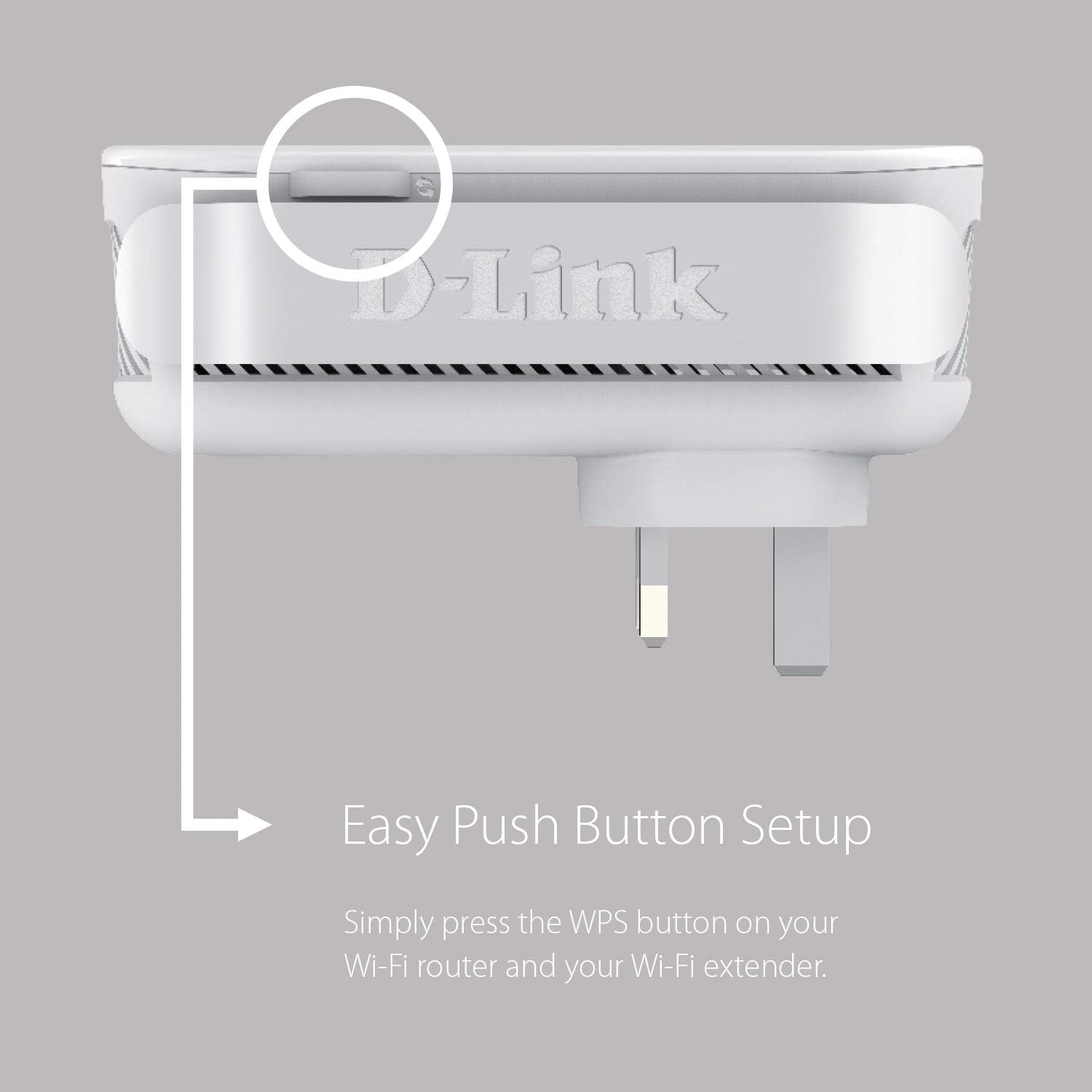
Image: Close-up of the WPS button on the D-Link DAP-1820-US extender, indicating its location for easy setup.
Setup using the D-Link Wi-Fi App
For advanced setup and management, download the D-Link Wi-Fi app.
- Download the D-Link Wi-Fi app from the Apple App Store or Google Play.
- Plug the D-Link DAP-1820-US into a power outlet.
- Open the D-Link Wi-Fi app and follow the on-screen instructions to set up your extender.
- The app will guide you through connecting to your existing Wi-Fi network and configuring settings.
ഒപ്റ്റിമൽ പ്ലേസ്മെൻ്റ്
The Smart Signal Indicator LEDs on the front of the extender help you find the best location for optimal Wi-Fi coverage. Aim for a location where the LEDs indicate a strong signal from your router.
- Strong Signal (Green LEDs): Indicates excellent signal strength.
- Weak Signal (Orange LEDs): Indicates a weaker signal; consider moving the extender closer to your router.

Image: Diagram showing the D-Link DAP-1820-US plugged into an outlet with a visual representation of strong and weak signal indicators.
ഓപ്പറേറ്റിംഗ് മോഡുകൾ
റേഞ്ച് എക്സ്റ്റെൻഡർ മോഡ്
In this mode, the DAP-1820-US extends the coverage of your existing wireless network, eliminating dead zones.
ആക്സസ് പോയിൻറ് മോഡ്
The DAP-1820-US can also function as a wired access point. Connect an Ethernet cable from your router to the Gigabit Ethernet Port on the extender to create a new Wi-Fi hotspot.
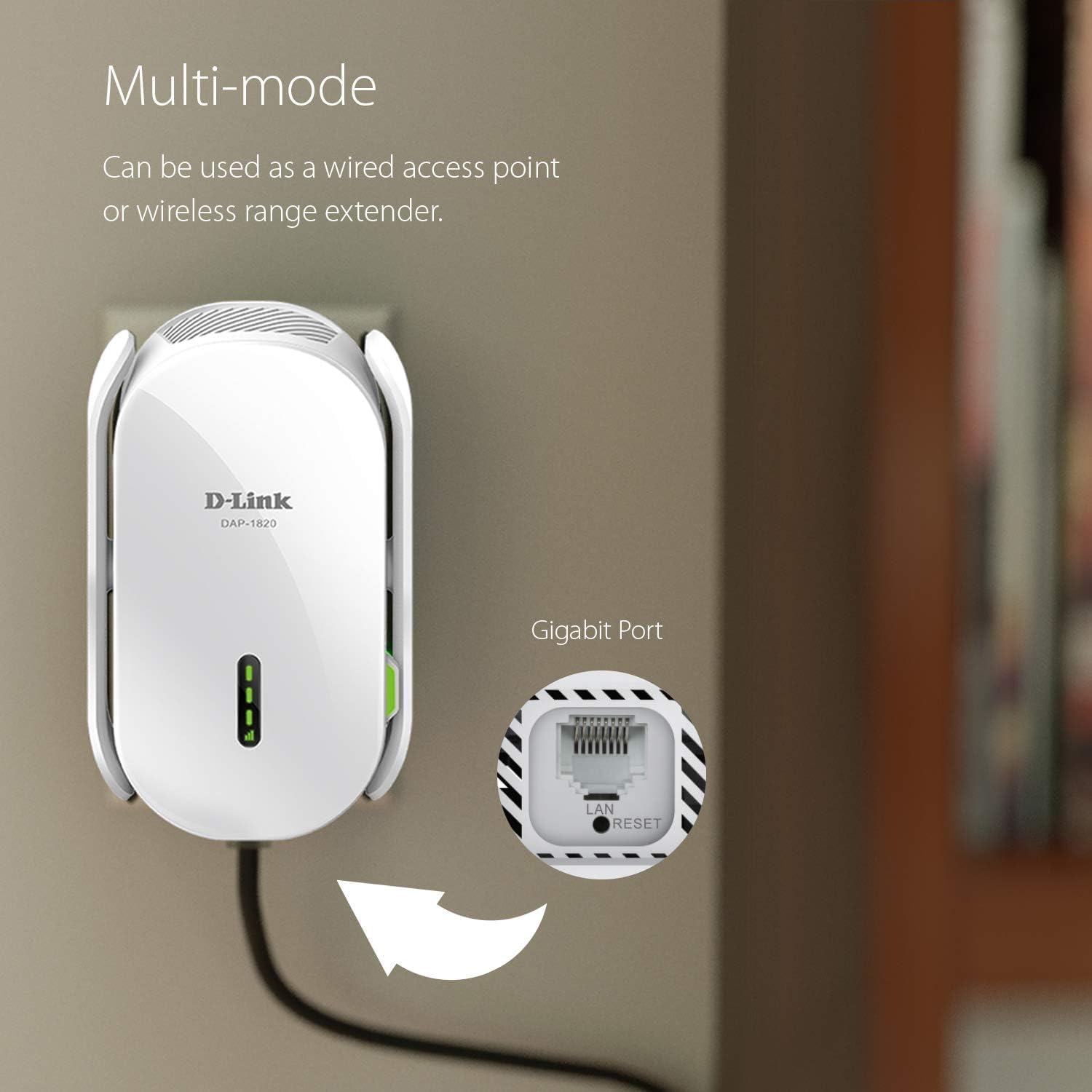
Image: The D-Link DAP-1820-US plugged into a wall outlet with a cable connected to its Gigabit Ethernet port, illustrating its multi-mode capability.
പ്രധാന സവിശേഷതകൾ
- ഡ്യുവൽ-ബാൻഡ് കണക്റ്റിവിറ്റി: Supports both 2.4 GHz and 5 GHz Wi-Fi bands for combined speeds up to 2000 Mbps.
- ഗിഗാബിറ്റ് ഇഥർനെറ്റ് പോർട്ട്: Provides a high-speed wired connection for devices like smart TVs, gaming consoles, or desktop computers.
- D-Link Wi-Fi Mesh Compatibility: Pair with a D-Link Wi-Fi Mesh enabled router to create a seamless whole-home mesh network with a single Wi-Fi name (SSID).
- സ്മാർട്ട് സിഗ്നൽ സൂചകം: Visual LEDs assist in finding the ideal placement for maximum Wi-Fi coverage.
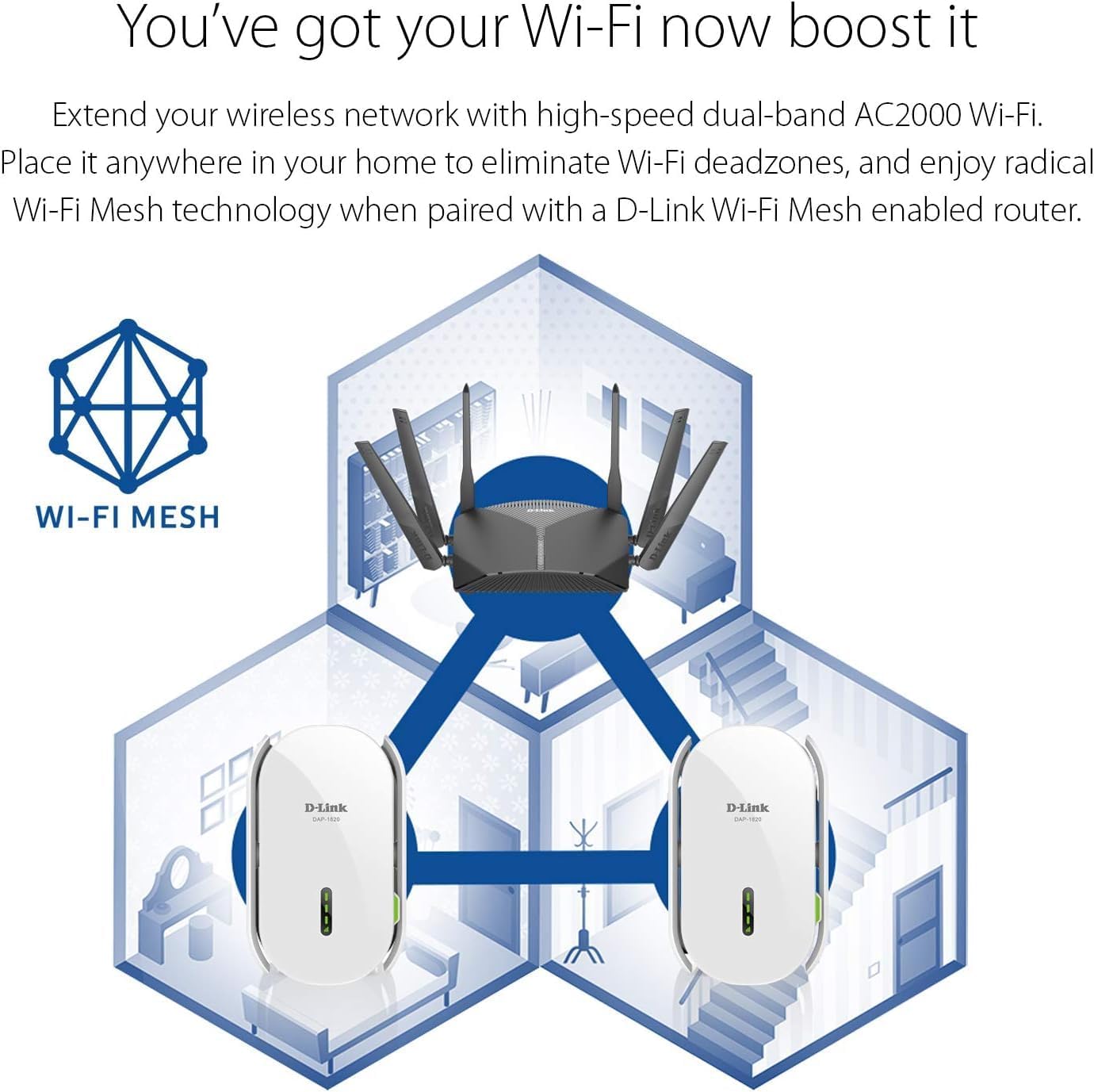
Image: Diagram illustrating how the D-Link DAP-1820-US extends a mesh Wi-Fi network throughout a multi-story home, eliminating dead zones.
ട്രബിൾഷൂട്ടിംഗ്
ഇൻ്റർനെറ്റ് കണക്ഷനില്ല
- Ensure the extender is properly plugged into a power outlet and powered on.
- Verify that your main Wi-Fi router is working correctly and has an active internet connection.
- Check the Smart Signal Indicator LEDs on the extender. If they are orange, move the extender closer to your router.
- നിങ്ങളുടെ റൂട്ടറും എക്സ്റ്റെൻഡറും പുനരാരംഭിക്കാൻ ശ്രമിക്കുക.
Difficulty Connecting via WPS
- Ensure you press the WPS button on your router and then on the extender within the specified time frame (usually 2 minutes).
- If WPS fails, try setting up the extender using the D-Link Wi-Fi app or a web ബ്രൗസർ.
എക്സ്റ്റെൻഡർ പുനഃസജ്ജമാക്കുന്നു
To restore the extender to factory default settings, use a paperclip to press and hold the Reset button (located on the side) for approximately 5-10 seconds until the Power LED blinks.
സ്പെസിഫിക്കേഷനുകൾ
| ഫീച്ചർ | വിശദാംശങ്ങൾ |
|---|---|
| മോഡൽ നമ്പർ | DAP-1820-US |
| വയർലെസ് സ്റ്റാൻഡേർഡ് | 802.11ac, 802.11n, 802.11g |
| ഡാറ്റ കൈമാറ്റ നിരക്ക് | Up to 2000 Mbps (300 Mbps 2.4 GHz + 1733 Mbps 5 GHz) |
| ഫ്രീക്വൻസി ബാൻഡ് | ഡ്യുവൽ-ബാൻഡ് (2.4 GHz & 5 GHz) |
| ഇഥർനെറ്റ് പോർട്ട് | 1 x ജിഗാബൈറ്റ് ഇഥർനെറ്റ് |
| അളവുകൾ | 2.75 x 3.54 x 5.51 ഇഞ്ച് |
| ഇനത്തിൻ്റെ ഭാരം | 9.4 ഔൺസ് |
| ശക്തി | 1 Product Specific batteries required. (included) |
സുരക്ഷാ വിവരങ്ങൾ
പൊതു സുരക്ഷ
- ഉപകരണം തുറക്കരുത് casing.
- ഉപകരണം വെള്ളം, തീ, ഉയർന്ന താപനില എന്നിവയിൽ തുറന്നുകാട്ടരുത്.
- നന്നായി വായുസഞ്ചാരമുള്ള സ്ഥലത്ത് ഉപകരണം ഉപയോഗിക്കുക.
ഇലക്ട്രിക്കൽ സുരക്ഷ
- Plug the device directly into a wall outlet. Do not use extension cords or power strips unless absolutely necessary.
- പവർ ഔട്ട്ലെറ്റ് എളുപ്പത്തിൽ ആക്സസ് ചെയ്യാവുന്നതാണെന്ന് ഉറപ്പാക്കുക.
ഔദ്യോഗിക ഉൽപ്പന്ന വീഡിയോ
Video: An official D-Link video showcasing the AC2000 Range Extender DAP-1820, highlighting its features and benefits.
വാറൻ്റിയും പിന്തുണയും
For warranty information and technical support, please refer to the included Warranty Card or visit the official D-Link webസൈറ്റ്.


