1. ആമുഖം
Thank you for choosing the Cshidworld G33Pro-W Wireless Earbuds. This manual provides detailed instructions on how to set up, operate, and maintain your earbuds to ensure optimal performance and longevity. Please read this manual carefully before using the product and keep it for future reference.
2. പാക്കേജ് ഉള്ളടക്കം
- Cshidworld G33Pro-W Wireless Earbuds (Left and Right)
- പോർട്ടബിൾ ചാർജിംഗ് കേസ്
- യുഎസ്ബി ചാർജിംഗ് കേബിൾ
- ഉപയോക്തൃ മാനുവൽ
3. ഉൽപ്പന്നം കഴിഞ്ഞുview

Image: The Cshidworld G33Pro-W Wireless Earbuds resting inside their open charging case, showcasing അവയുടെ ഒതുക്കമുള്ള ഡിസൈനും വെളുത്ത ഫിനിഷും.
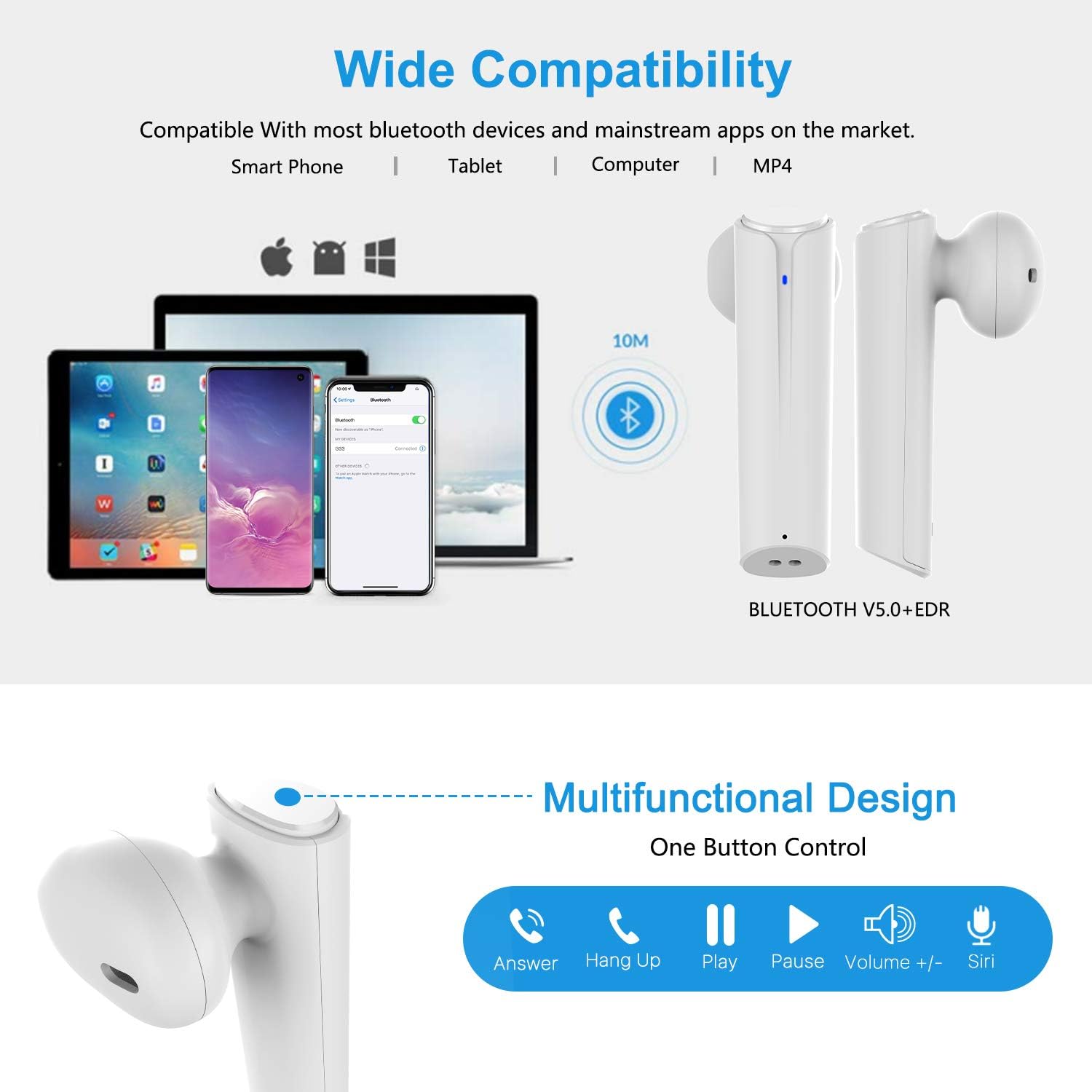
Image: A visual representation of the multi-function button on the earbud, detailing its various controls for answering calls, playing music, and activating voice assistants.
ഇയർബഡ് ഘടകങ്ങൾ:
- മൾട്ടി-ഫംഗ്ഷൻ ബട്ടൺ: പ്ലേബാക്ക്, കോളുകൾ, വോയ്സ് അസിസ്റ്റൻ്റ് എന്നിവ നിയന്ത്രിക്കുന്നു.
- LED സൂചകം: ജോടിയാക്കൽ നിലയും ബാറ്ററി നിലയും കാണിക്കുന്നു.
- മൈക്രോഫോൺ: ഹാൻഡ്സ് ഫ്രീ കോളുകൾക്കായി.
ചാർജിംഗ് കേസ് ഘടകങ്ങൾ:
- ചാർജിംഗ് പോർട്ടുകൾ: For charging the case and earbuds.
- LED സൂചകങ്ങൾ: Show charging status of the case.
4. സജ്ജീകരണം
4.1 ഇയർബഡുകളും കേസും ചാർജ് ചെയ്യുന്നു
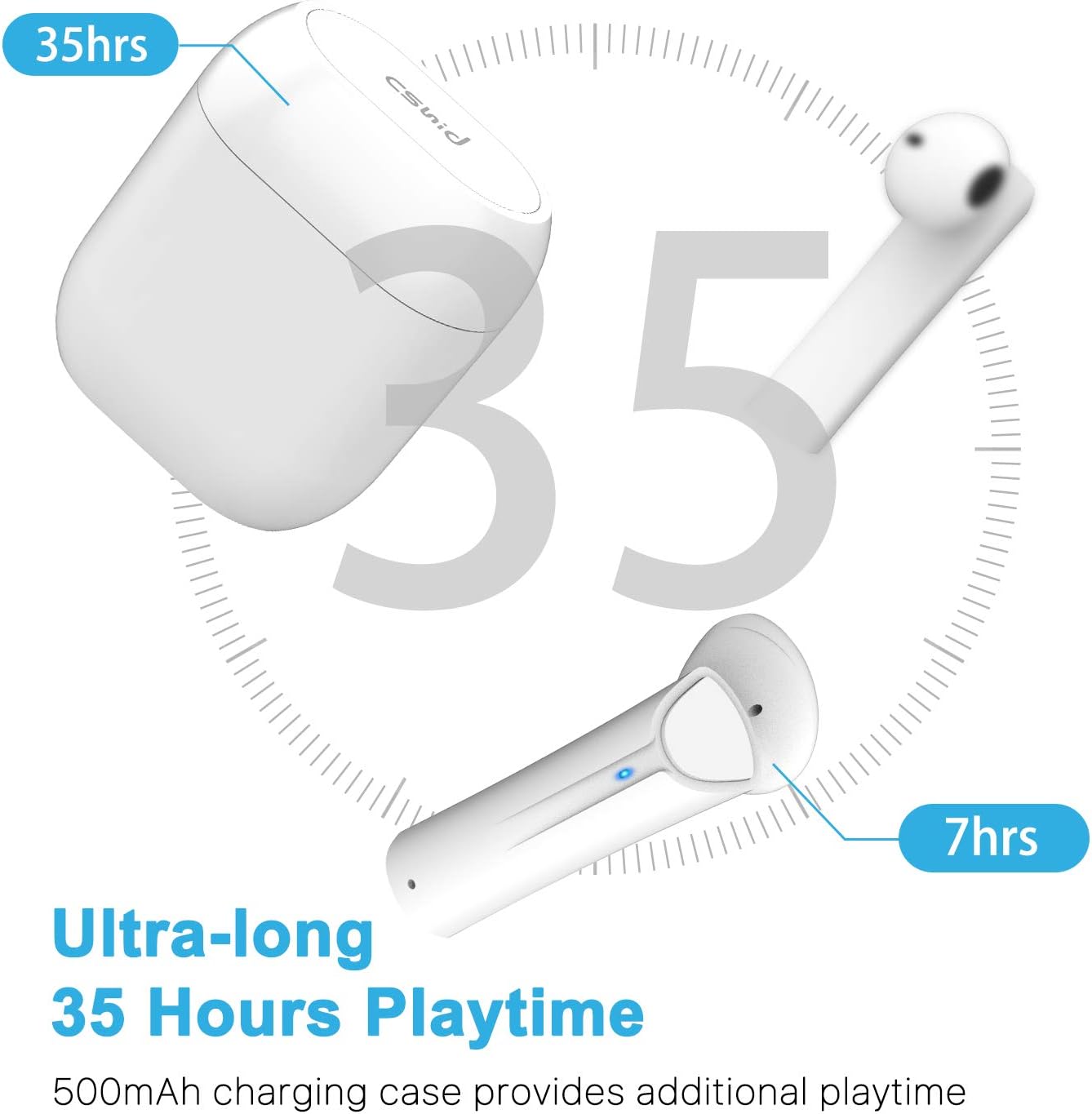
Image: An illustration highlighting the ultra-long 35 hours of total playtime, with 7 hours from a single earbud charge and additional charges from the case.
Before first use, ensure both the earbuds and the charging case are fully charged. The earbuds provide up to 7 hours of playtime on a single charge, and the charging case can provide an additional 5 full charges, extending the total playtime to up to 35 hours.
- ഇയർബഡുകൾ ചാർജിംഗ് കേസിൽ വയ്ക്കുക. അവ ശരിയായി സ്ഥാപിച്ചിട്ടുണ്ടെന്ന് ഉറപ്പാക്കുക.
- യുഎസ്ബി ചാർജിംഗ് കേബിൾ കേസിലെ ചാർജിംഗ് പോർട്ടിലേക്കും ഒരു പവർ സ്രോതസ്സിലേക്കും ബന്ധിപ്പിക്കുക.
- കേസിലെ LED ഇൻഡിക്കേറ്ററുകൾ ചാർജിംഗ് സ്റ്റാറ്റസ് കാണിക്കും. പൂർണ്ണമായി ചാർജ് ചെയ്തുകഴിഞ്ഞാൽ, ഇൻഡിക്കേറ്ററുകൾ മാറുകയോ ഓഫാകുകയോ ചെയ്യും.
4.2 Initial Pairing (One-Step Pairing)

Image: A step-by-step guide showing how to pair the earbuds: simply take them out of the case and select 'G33' on your device's Bluetooth settings.
The G33Pro-W earbuds feature one-step pairing technology for quick and easy connection.
- Take both earbuds out of the charging case. They will automatically power on and enter pairing mode. The LED indicator on one earbud will flash, indicating it's ready to pair.
- നിങ്ങളുടെ ഉപകരണത്തിൽ (സ്മാർട്ട്ഫോൺ, ടാബ്ലെറ്റ് മുതലായവ), ബ്ലൂടൂത്ത് പ്രവർത്തനക്ഷമമാക്കുക.
- ഇതിനായി തിരയുക "G33" in the list of available Bluetooth devices and select it to connect.
- Once connected, the LED indicators on both earbuds will stop flashing. You are now ready to use your earbuds.
4.3 സിംഗിൾ ഇയർബഡ് ഉപയോഗം
You can use either the left or right earbud independently. Simply take one earbud out of the charging case, and it will automatically enter pairing mode. Connect to "G33" on your device. To use both again, take the second earbud out, and they will automatically reconnect.
5. പ്രവർത്തന നിർദ്ദേശങ്ങൾ
The G33Pro-W earbuds are controlled via a multi-function button on each earbud.
| ഫംഗ്ഷൻ | ആക്ഷൻ |
|---|---|
| പവർ ഓൺ | Take earbuds out of charging case (automatic) |
| പവർ ഓഫ് | Place earbuds back into charging case (automatic) |
| സംഗീതം പ്ലേ ചെയ്യുക/താൽക്കാലികമായി നിർത്തുക | Press the multi-function button once on either earbud |
| അടുത്ത ട്രാക്ക് | Double-press the multi-function button on the Right earbud |
| മുമ്പത്തെ ട്രാക്ക് | Double-press the multi-function button on the Left earbud |
| ഉത്തരം / കോൾ അവസാനിപ്പിക്കുക | Press the multi-function button once on either earbud |
| കോൾ നിരസിക്കുക | Press and hold the multi-function button for 2 seconds on either earbud |
| വോയ്സ് അസിസ്റ്റന്റ് (സിരി/ഗൂഗിൾ അസിസ്റ്റന്റ്) സജീവമാക്കുക | ഒന്നുകിൽ ഇയർബഡിലെ മൾട്ടി-ഫംഗ്ഷൻ ബട്ടൺ ട്രിപ്പിൾ അമർത്തുക |
| വോളിയം കൂട്ടുക | Press and hold the multi-function button on the Right earbud |
| വോളിയം ഡൗൺ | Press and hold the multi-function button on the Left earbud |
6. പരിപാലനം

Image: Two scenarios demonstrating earbud use: one person driving safely with hands-free calling, and another person working out, highlighting the sweat-proof and cable-free design.
6.1 വൃത്തിയാക്കൽ
പതിവായി വൃത്തിയാക്കുന്നത് ശബ്ദ നിലവാരവും ശുചിത്വവും നിലനിർത്താൻ സഹായിക്കുന്നു.
- ഇയർബഡുകളും ചാർജിംഗ് കെയ്സും തുടയ്ക്കാൻ മൃദുവായതും ഉണങ്ങിയതും ലിന്റ് രഹിതവുമായ ഒരു തുണി ഉപയോഗിക്കുക.
- കഠിനമായ അഴുക്കിന്, ചെറുതായി dampവെള്ളം അല്ലെങ്കിൽ മൃദുവായ, ഉരച്ചിലുകളില്ലാത്ത ക്ലീനർ ഉപയോഗിച്ച് തുണിയിൽ വയ്ക്കുക.
- കഠിനമായ രാസവസ്തുക്കളോ ഉരച്ചിലുകളോ ഉപയോഗിക്കരുത്.
- ഇയർബഡുകളിലെയും കെയ്സിലെയും ചാർജിംഗ് കോൺടാക്റ്റുകൾ വൃത്തിയുള്ളതും വരണ്ടതുമാണെന്ന് ഉറപ്പാക്കുക.
6.2 സംഭരണം
ഉപയോഗത്തിലില്ലാത്തപ്പോൾ, ഇയർബഡുകൾ ചാർജിംഗ് കേസിൽ സൂക്ഷിക്കുക, അതുവഴി അവയെ സംരക്ഷിക്കുകയും ചാർജ്ജ് ആയി നിലനിർത്തുകയും ചെയ്യുക. ഉയർന്ന താപനിലയിൽ നിന്ന് മാറി തണുത്തതും വരണ്ടതുമായ സ്ഥലത്ത് സൂക്ഷിക്കുക.
6.3 ജല പ്രതിരോധം
The earbuds are designed to be waterproof, making them suitable for workouts and light rain. However, they are not intended for swimming or submersion in water. Ensure earbuds are dry before placing them back into the charging case to prevent damage.
7. പ്രശ്നപരിഹാരം
നിങ്ങളുടെ ഇയർബഡുകളിൽ പ്രശ്നങ്ങൾ നേരിടുകയാണെങ്കിൽ, ഇനിപ്പറയുന്ന പൊതുവായ പ്രശ്നങ്ങളും പരിഹാരങ്ങളും പരിശോധിക്കുക:
- ഉപകരണവുമായി ഇയർബഡുകൾ ജോടിയാക്കുന്നില്ല:
Ensure Bluetooth is enabled on your device. Place earbuds back in the case, then take them out again to re-enter pairing mode. Try forgetting "G33" from your device's Bluetooth list and re-pairing. - ഒരു ഇയർബഡ് മാത്രമേ പ്രവർത്തിക്കുന്നുള്ളൂ:
Place both earbuds back into the charging case. Close the lid for a few seconds, then open it and take both earbuds out simultaneously. They should automatically connect to each other. - ശബ്ദമില്ല:
Check the volume level on both your device and the earbuds. Ensure the earbuds are properly connected to your device. Try playing different audio sources. - ഇയർബഡുകൾ ചാർജ് ചെയ്യുന്നില്ല:
ചാർജിംഗ് കേബിൾ കെയ്സിലേക്കും പവർ സ്രോതസ്സിലേക്കും സുരക്ഷിതമായി ബന്ധിപ്പിച്ചിട്ടുണ്ടെന്ന് ഉറപ്പാക്കുക. ഇയർബഡുകളിലെയും കെയ്സിനുള്ളിലെയും ചാർജിംഗ് കോൺടാക്റ്റുകൾ വൃത്തിയുള്ളതും അവശിഷ്ടങ്ങളില്ലാത്തതുമാണോയെന്ന് പരിശോധിക്കുക. - മോശം ശബ്ദ നിലവാരം:
Ensure the earbuds are properly seated in your ears. Check for any obstructions in the earbud speakers. Move closer to your connected device to avoid signal interference.
8 സ്പെസിഫിക്കേഷനുകൾ
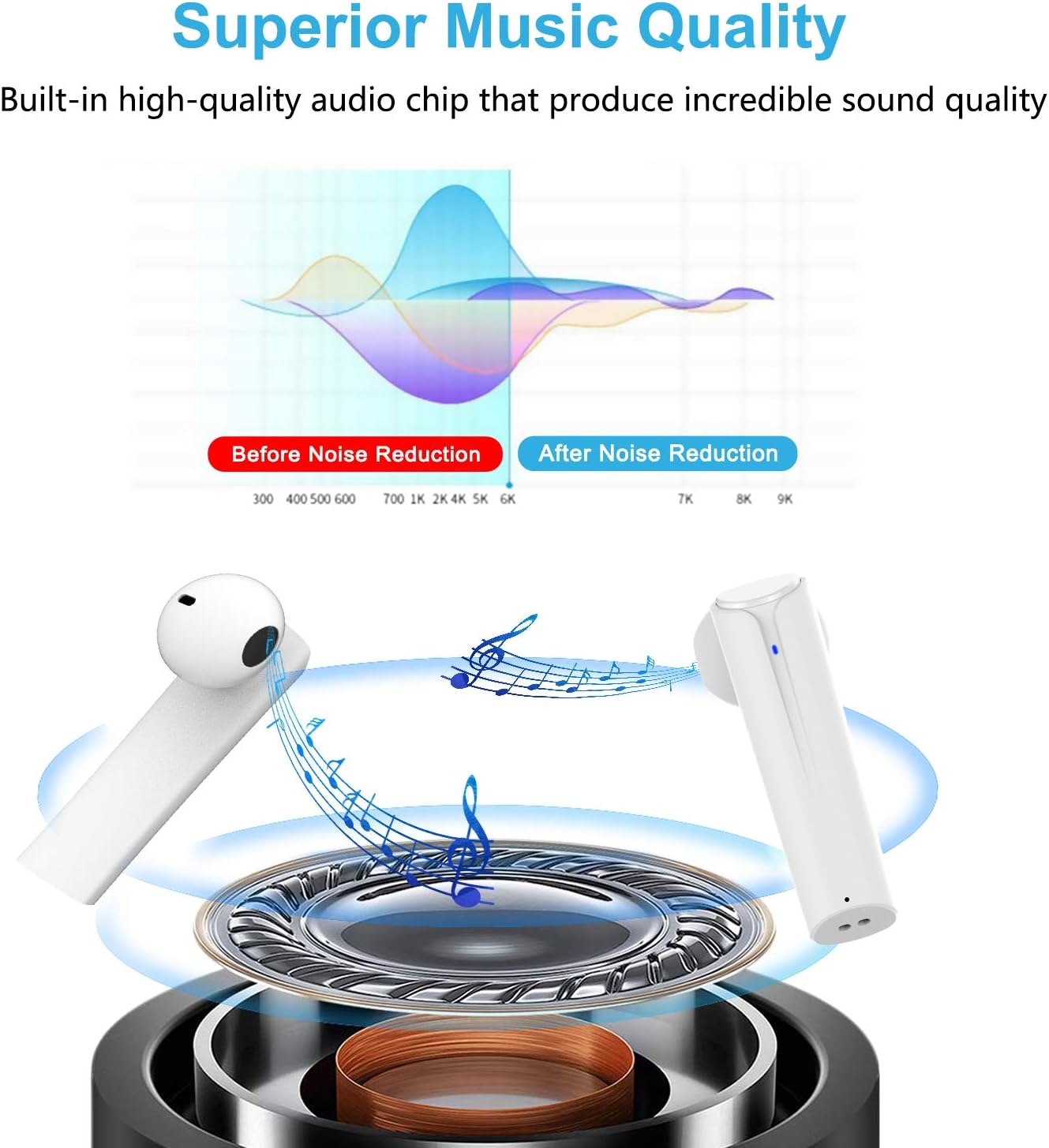
Image: A graph illustrating the effect of noise reduction on sound quality, accompanied by a detailed diagram of the earbud's internal audio components.
- മോഡൽ: G33Pro-W
- കണക്റ്റിവിറ്റി: ബ്ലൂടൂത്ത് 5.0
- Playtime (Earbuds): ഓരോ ചാർജിനും 7 മണിക്കൂർ വരെ
- ആകെ പ്ലേടൈം (ചാർജിംഗ് കേസിനൊപ്പം): 35 മണിക്കൂർ വരെ
- മൈക്രോഫോൺ: Built-In Dual Microphones
- നിയന്ത്രണ തരം: മൾട്ടി-ഫംഗ്ഷൻ ബട്ടൺ
- മെറ്റീരിയൽ: പ്ലാസ്റ്റിക്
- ജല പ്രതിരോധം: വാട്ടർപ്രൂഫ്
- നിറം: വെള്ള
9 സുരക്ഷാ വിവരങ്ങൾ
നിങ്ങളുടെ ഇയർബഡുകളുടെ സുരക്ഷിതവും ശരിയായതുമായ ഉപയോഗത്തിനായി ഇനിപ്പറയുന്ന സുരക്ഷാ മാർഗ്ഗനിർദ്ദേശങ്ങൾ പാലിക്കുക:
- ഇയർബഡുകളോ ചാർജിംഗ് കേസോ തീവ്രമായ താപനിലയിലോ നേരിട്ടുള്ള സൂര്യപ്രകാശത്തിലോ ഉയർന്ന ആർദ്രതയിലോ തുറന്നുകാട്ടരുത്.
- Avoid dropping, hitting, or disassembling the product.
- ഇയർബഡുകൾ അമിതമായി ഉയർന്ന ശബ്ദത്തിൽ ദീർഘനേരം ഉപയോഗിക്കരുത്, കാരണം ഇത് കേൾവിക്ക് കേടുപാടുകൾ വരുത്തിയേക്കാം.
- ഉൽപ്പന്നം കുട്ടികളിൽ നിന്നും വളർത്തുമൃഗങ്ങളിൽ നിന്നും അകറ്റി നിർത്തുക.
- Dispose of the product and its components responsibly according to local regulations.
10. വാറൻ്റിയും പിന്തുണയും
Cshidworld provides a 30-day hassle-free return policy കൂടാതെ എ ഒരു വർഷത്തെ വാറൻ്റി for the G33Pro-W Wireless Earbuds. For any product-related inquiries, technical support, or warranty claims, please contact Cshidworld customer service through the platform where you purchased the product or refer to the contact information provided with your purchase.


