1. ആമുഖം
വാങ്ങിയതിന് നന്ദി.asing the ELEPHAS RD-606 Mini Projector. This compact and portable projector is designed to provide a versatile home theater experience with features like Wi-Fi connectivity, 3D support, and a built-in battery. This manual provides essential information for setting up, operating, and maintaining your projector to ensure optimal performance and longevity.
The RD-606 utilizes advanced DLP technology to deliver clear images with a 1000:1 contrast ratio and up to 1080P resolution. Its lightweight design and integrated battery allow for flexible use in various environments.

Image: High-Definition Display Comparison. The ELEPHAS projector delivers superior image clarity and color reproduction.
2 സുരക്ഷാ വിവരങ്ങൾ
പ്രൊജക്ടർ ഉപയോഗിക്കുന്നതിന് മുമ്പ് എല്ലാ സുരക്ഷാ നിർദ്ദേശങ്ങളും ശ്രദ്ധാപൂർവ്വം വായിക്കുക. ഭാവിയിലെ റഫറൻസിനായി ഈ മാനുവൽ സൂക്ഷിക്കുക.
- l ചെയ്യുമ്പോൾ പ്രൊജക്ടർ ലെൻസിലേക്ക് നേരിട്ട് നോക്കരുത്amp തിളക്കമുള്ള വെളിച്ചം കണ്ണിന് കേടുപാടുകൾ വരുത്തുമെന്നതിനാൽ ഓണാണ്.
- Ensure proper ventilation around the projector. Do not block ventilation openings.
- പ്രൊജക്ടറിനൊപ്പം നൽകിയിരിക്കുന്ന പവർ അഡാപ്റ്റർ മാത്രം ഉപയോഗിക്കുക.
- മഴ, ഈർപ്പം, അല്ലെങ്കിൽ തീവ്രമായ താപനില എന്നിവയിൽ പ്രൊജക്ടറിനെ തുറന്നുകാട്ടരുത്.
- അസ്ഥിരമായ പ്രതലങ്ങളിൽ പ്രൊജക്ടർ സ്ഥാപിക്കുന്നത് ഒഴിവാക്കുക.
- പ്രൊജക്ടർ വേർപെടുത്താനോ പരിഷ്കരിക്കാനോ ശ്രമിക്കരുത്. എല്ലാ സേവനങ്ങളും യോഗ്യതയുള്ള ഉദ്യോഗസ്ഥർക്ക് റഫർ ചെയ്യുക.
3. പാക്കേജ് ഉള്ളടക്കം
നിങ്ങളുടെ പാക്കേജിൽ എല്ലാ ഇനങ്ങളും ഉണ്ടെന്ന് ഉറപ്പാക്കുക:
- ELEPHAS Mini Projector (RD-606) x1
- പവർ അഡാപ്റ്റർ x1
- വിദൂര നിയന്ത്രണം x1
- Micro USB Wire x1
- Free Tripod x1
- ചുമക്കുന്ന ബാഗ് x1
- ഉപയോക്തൃ മാനുവൽ x1
4. സജ്ജീകരണം
4.1 പവർ ഓൺ/ഓഫ്
- Connect the power adapter to the projector's charging port (DC 5V) and then to a power outlet.
- Slide the Power Switch to the 'ON' position. The projector will power on.
- To power off, slide the Power Switch to the 'OFF' position.
4.2 ഫോക്കസ് അഡ്ജസ്റ്റ്മെന്റ്
Rotate the focus ring on the side of the projector until the projected image appears clear and sharp.
4.3 ഓട്ടോ കീസ്റ്റോൺ തിരുത്തൽ
The RD-606 features an automatic keystone correction function. The projected image will adjust automatically to optimize the angle, correcting distortion up to ±40 degrees. No manual adjustment is typically required for this feature.
4.4 കണക്റ്റിവിറ്റി
പ്രൊജക്ടർ വിവിധ ഇൻപുട്ട് സ്രോതസ്സുകളെ പിന്തുണയ്ക്കുന്നു:
- എച്ച്ഡിഎംഐ: Connect devices like laptops, gaming consoles (PS4), or streaming sticks (Fire TV, Roku Stick, Apple TV) using an HDMI cable.
- USB: മീഡിയ പ്ലേ ചെയ്യാൻ ഒരു യുഎസ്ബി ഫ്ലാഷ് ഡ്രൈവ് ഇടുക. fileനേരിട്ട്.
- മൈക്രോ USB: For charging or connecting compatible devices.
- 3.5 എംഎം ഓഡിയോ: ബാഹ്യ സ്പീക്കറുകളോ ഹെഡ്ഫോണുകളോ ബന്ധിപ്പിക്കുക.
- വൈഫൈ: Connect to your wireless network for online content and screen mirroring.

Image: Projector Ports and Compatible Devices. This image illustrates the various input ports and devices that can be connected to the RD-606 projector.
5. പ്രവർത്തന നിർദ്ദേശങ്ങൾ
5.1 അടിസ്ഥാന നാവിഗേഷൻ
Use the included remote control to navigate the projector's on-screen menu. The directional buttons allow you to move through options, and the 'OK' or 'Enter' button confirms selections. 'Back' or 'Return' buttons typically exit menus.
5.2 വൈഫൈ കണക്ഷൻ
- Access the projector's settings menu.
- Select 'Network' or 'Wi-Fi Settings'.
- ലിസ്റ്റിൽ നിന്ന് നിങ്ങൾക്ക് ആവശ്യമുള്ള വൈഫൈ നെറ്റ്വർക്ക് തിരഞ്ഞെടുക്കുക.
- ഓൺ-സ്ക്രീൻ കീബോർഡ് ഉപയോഗിച്ച് വൈഫൈ പാസ്വേഡ് നൽകുക.
- Once connected, you can access built-in apps like YouTube and Koala (if available) for online content.
5.3 Wireless Screen Mirroring (Airplay/Miracast)
The projector supports wireless mirroring from compatible smartphones and tablets via Airplay (for iOS devices) or Miracast (for Android devices).
- Ensure your projector and smart device are connected to the same Wi-Fi network.
- On the projector, select the 'Screen Mirroring' or 'Wireless Display' option from the main menu.
- On your smart device, activate its screen mirroring feature (e.g., 'Screen Mirroring', 'Smart View', 'Airplay', 'Cast').
- Select the projector's name from the list of available devices on your smart device.
- The device's screen content will now be projected.

Image: Screen Mirroring with Phone/Tablet. This image demonstrates how to wirelessly share content from mobile devices to the projector.
5.4 3D Mode Operation
The RD-606 Series supports multiple 3D modes. To experience 3D content:
- You will need a pair of active DLP Link 3D glasses (sold separately).
- Play 3D content from a compatible source.
- Turn on your DLP Link 3D glasses. They should automatically synchronize with the projected image.
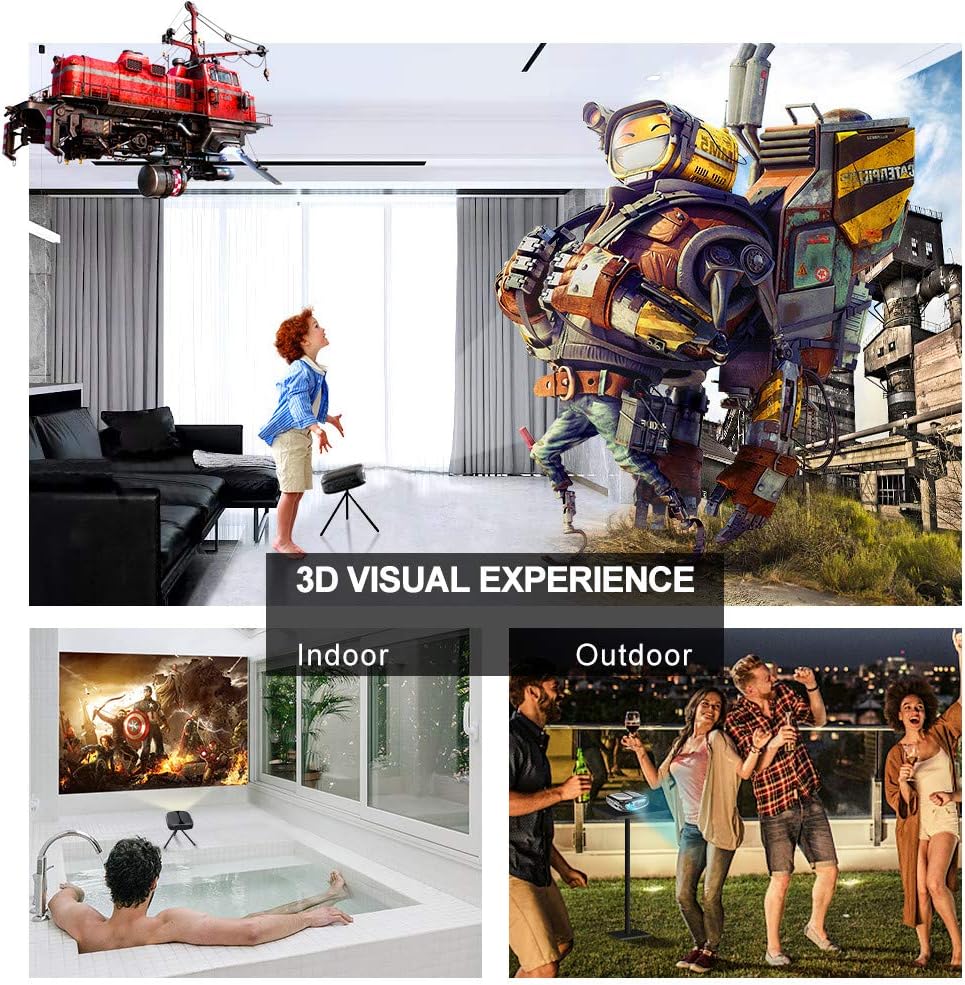
Image: 3D Visual Experience. The projector offers immersive 3D viewing for both indoor and outdoor settings.
5.5 Battery Operation and Portability
The built-in battery provides approximately two hours of continuous video playback, offering flexibility for use without a constant power source. For extended use, the projector can also be charged via a power bank.

Image: Embedded Battery for Portable Use. The projector's battery allows for convenient outdoor entertainment.

Image: Pocket Size and Lightweight Design. The projector's compact form factor makes it highly portable.
6. പരിപാലനം
6.1 ലെൻസ് വൃത്തിയാക്കൽ
Gently wipe the projector lens with a soft, lint-free cloth specifically designed for optical surfaces. Do not use abrasive cleaners or harsh chemicals.
6.2 പൊതുവായ ശുചീകരണം
Use a soft, dry cloth to clean the projector's casing. For stubborn dirt, a slightly damp cloth can be used, followed by a dry cloth. Ensure no liquid enters the device.
6.3 സംഭരണം
When not in use for extended periods, store the projector in a cool, dry place, away from direct sunlight and extreme temperatures. Use the provided carrying bag for protection against dust and physical damage.
7. പ്രശ്നപരിഹാരം
- ശക്തിയില്ല:
- പവർ അഡാപ്റ്റർ പ്രൊജക്ടറിലേക്കും പ്രവർത്തിക്കുന്ന ഒരു പവർ ഔട്ട്ലെറ്റിലേക്കും സുരക്ഷിതമായി ബന്ധിപ്പിച്ചിട്ടുണ്ടെന്ന് ഉറപ്പാക്കുക.
- പവർ സ്വിച്ച് 'ഓൺ' സ്ഥാനത്താണോ എന്ന് പരിശോധിക്കുക.
- പവർ ഔട്ട്ലെറ്റ് പ്രവർത്തനക്ഷമമാണോയെന്ന് പരിശോധിക്കുക.
- ചിത്രമില്ല:
- Check the input source selection on the projector to ensure it matches your connected device (e.g., HDMI, USB).
- Verify that the connected device is powered on and outputting a signal.
- എല്ലാ കേബിളുകളും സുരക്ഷിതമായി ബന്ധിപ്പിച്ചിട്ടുണ്ടെന്ന് ഉറപ്പാക്കുക.
- മങ്ങിയ ചിത്രം:
- Adjust the focus ring on the projector until the image is sharp.
- പ്രൊജക്ഷൻ പ്രതലം പരന്നതാണെന്നും പ്രൊജക്ടർ ഉചിതമായ അകലത്തിലാണെന്നും ഉറപ്പാക്കുക.
- ശബ്ദമില്ല:
- പ്രൊജക്ടറിലും ബന്ധിപ്പിച്ചിരിക്കുന്ന ഉറവിട ഉപകരണത്തിലും വോളിയം ക്രമീകരണങ്ങൾ പരിശോധിക്കുക.
- ബാഹ്യ സ്പീക്കറുകൾ ഉപയോഗിക്കുകയാണെങ്കിൽ, അവ ശരിയായി ബന്ധിപ്പിച്ചിട്ടുണ്ടെന്നും പവർ ഓൺ ചെയ്തിട്ടുണ്ടെന്നും ഉറപ്പാക്കുക.
- Verify that the audio output settings on your source device are correct.
- Wi-Fi/Screen Mirroring Issues:
- Ensure both the projector and your smart device are connected to the same Wi-Fi network.
- ശക്തമായ വൈ-ഫൈ സിഗ്നൽ ശക്തി പരിശോധിക്കുക.
- Restart both the projector and your smart device.
- Ensure your smart device's operating system is up to date.
8 സ്പെസിഫിക്കേഷനുകൾ
| ഫീച്ചർ | സ്പെസിഫിക്കേഷൻ |
|---|---|
| മോഡൽ | RD-606 |
| ഡിസ്പ്ലേ ടെക്നോളജി | ഡി.എൽ.പി |
| ചിത്രത്തിന്റെ തെളിച്ചം | 2600 ല്യൂമെൻ |
| ഇമേജ് ദൃശ്യതീവ്രത അനുപാതം | 1000:1 |
| നേറ്റീവ് റെസല്യൂഷൻ | 1920 x 1080 (Supports 1080P) |
| പ്രത്യേക സവിശേഷതകൾ | Auto Keystone, HDMI Connectivity, Portable, Built-in Wi-Fi, 3D Ready |
| കണക്റ്റിവിറ്റി ടെക്നോളജി | HDMI, USB, വൈ-ഫൈ |
| അനുയോജ്യമായ ഉപകരണങ്ങൾ | Laptops, Smartphones, Media Players |
| ബാറ്ററി തരം | ലിഥിയം അയോൺ (1 ഉൾപ്പെടുത്തിയിരിക്കുന്നു) |
| ബാറ്ററി ലൈഫ് | Approx. 2 hours video playback |
| ഉൽപ്പന്ന അളവുകൾ | 9.91 x 10.67 x 4.06 സെ.മീ |
| ഇനത്തിൻ്റെ ഭാരം | 793.79 ഗ്രാം (0.66 പൗണ്ട്) |
| മൗണ്ടിംഗ് തരം | ടേബിൾടോപ്പ് മൗണ്ട് |
9. വാറൻ്റിയും പിന്തുണയും
ELEPHAS provides lifetime professional customer service and technical support for the RD-606 Mini Projector. If you encounter any issues or have questions regarding your product, please do not hesitate to contact our support team.
ബന്ധപ്പെടാനുള്ള വിവരങ്ങൾ:
- ഇമെയിൽ: support@elephas.com.hk
Please have your product model number (RD-606) and purchase details ready when contacting support to facilitate a quicker resolution.


