1. ആമുഖം
The TURBOLOCK TL-111 PRO Smart Door Lock provides a secure and convenient keyless entry solution for your home or business. This manual will guide you through the installation, operation, and maintenance of your new smart lock, ensuring optimal performance and security.
Key features include keypad entry, mobile app control via Bluetooth, backup physical keys, and an emergency power port. Its robust design is suitable for various environments, offering peace of mind with advanced access management capabilities.
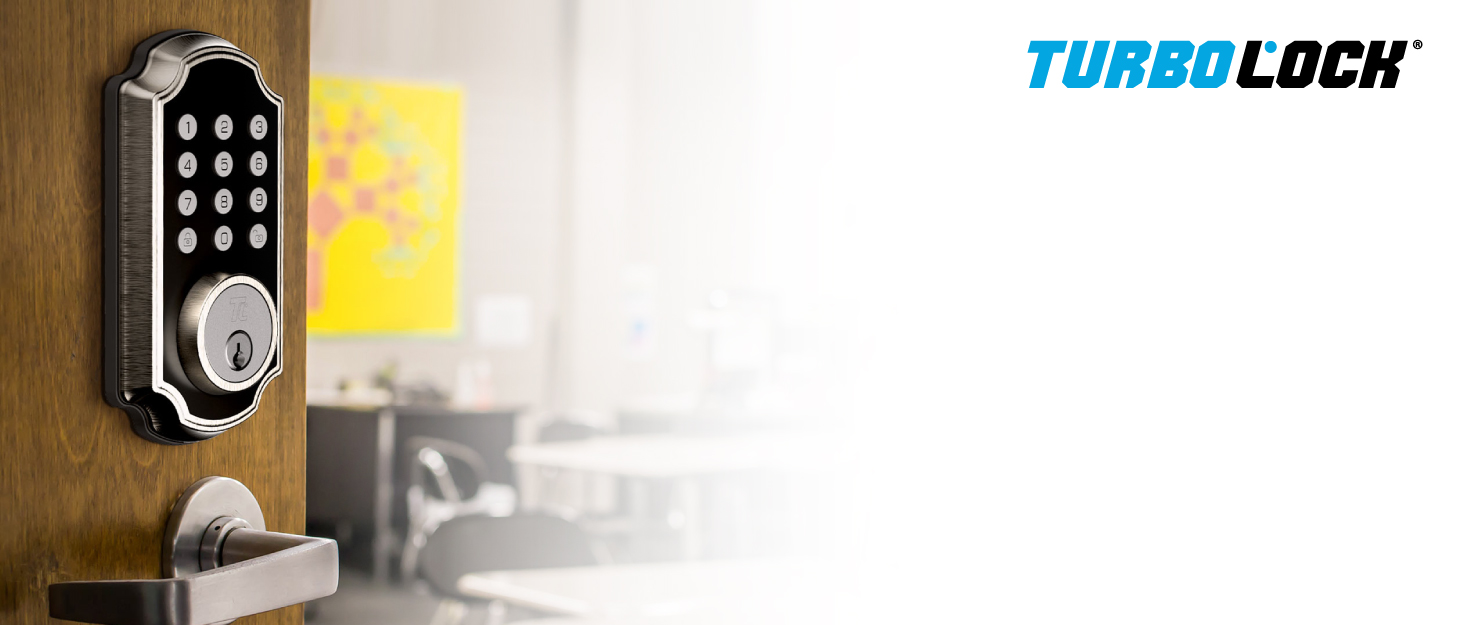
The TURBOLOCK TL-111 PRO Smart Door Lock offers keyless convenience and control for various applications.
2. പാക്കേജ് ഉള്ളടക്കം
ഇൻസ്റ്റാളേഷൻ ആരംഭിക്കുന്നതിന് മുമ്പ്, നിങ്ങളുടെ പാക്കേജിൽ എല്ലാ ഘടകങ്ങളും ഉണ്ടെന്ന് ദയവായി പരിശോധിക്കുക:
- TL-111 PRO Smart Door Lock Assembly (Exterior Keypad Knob, Interior Knob)
- ഡോർ ലാച്ച് മെക്കാനിസം
- മൗണ്ടിംഗ് പ്ലേറ്റും സ്ക്രൂകളും
- Hex Key (for disassembly/assembly)
- Backup Physical Keys (2)
- ഉപയോക്തൃ മാനുവൽ (ഈ പ്രമാണം)

ഒരു പൊട്ടിത്തെറിച്ചു view of the TURBOLOCK TL-111 PRO Smart Door Lock, showing its main components.
3. സജ്ജീകരണവും ഇൻസ്റ്റാളേഷനും
3.1. Pre-Installation / Disassembly
The TL-111 PRO comes pre-assembled. Before installation, you will need to disassemble certain parts. This process is also useful for removing an existing lock.
- Using the provided hex key, unthread the inside screws on the interior knob.
- ബാറ്ററി കമ്പാർട്ട്മെൻ്റ് കവർ നീക്കം ചെയ്യുക.
- Carefully disconnect the battery cable and remove the battery compartment.
- Unscrew the two mounting bolts from the back plate and feed the cable through to remove the back mounting plate.
Video: TURBOLOCK TL-111 Pre-Installation Tutorial. This video demonstrates the initial disassembly steps required before installing the lock.
3.2. ലാച്ച് ഇൻസ്റ്റാൾ ചെയ്യുന്നു
Install the latch mechanism into your door. Ensure proper alignment and adjustment for smooth operation.
- Insert the latch into the door edge. Test fit to ensure it extends and retracts properly.
- Secure the latch to the door using the provided wood screws.
Video: TL111 Door Lock Installation. This video provides a comprehensive guide for installing the door lock, including latch installation.
3.3. Installing the Knobs
This step requires careful attention to cable routing and alignment.
- Feed the power cable and tailpiece from the exterior keypad knob through the square hole in the latch mechanism.
- Thread the two pegs from the exterior knob through the smaller round holes in the door.
- Add the back plate, ensuring the slot is facing upward, and feed the power cable through the center hole of the back plate.
- Use the two mounting screws to fasten the back plate securely.
- Feed the cable through the back plate cover.
- Add the battery compartment, ensuring the inside screw is facing downward, and feed the cable through.
- Attach the power cable to the connectors and tuck any extra cable inside the compartment.
- Cover the battery compartment with the interior knob.
- Use the hex key to fasten the three inside screws to complete the installation.
Video: TURBOLOCK TL-111 PRO Smart Door Lock Installation. This video details the complete installation process for the smart lock.
4. ലോക്ക് പ്രവർത്തിപ്പിക്കൽ
4.1. Key Access
Your TL-111 PRO comes with two physical backup keys. Insert the key into the keyhole on the exterior knob and turn to unlock or lock the door manually.

The lock includes backup physical keys and features a light-up keypad for easy visibility.
4.2. കീപാഡ് ഓപ്പറേഷൻ
The keypad allows for convenient keyless entry. You can program up to nine (9) user passcodes and one (1) admin passcode.
- അൺലോക്ക് ചെയ്യുന്നു: Enter your programmed passcode followed by the '#' key. The lock will beep three times to confirm.
- ലോക്കിംഗ്: Press the '#' key to lock the door from the outside.
- Passcode Disguise: To enhance security, you can enter random digits before or after your actual passcode. As long as the correct passcode sequence is embedded within the entered digits, the lock will open. For example, if your passcode is '123456', entering '9871234560' will still unlock the door.

The keypad supports up to 10 user passcodes and features a passcode disguise for added security.
4.3. TurboLock PLUS App Features
The TurboLock PLUS app (available for iOS and Android) provides advanced control and management features for your TL-111 PRO lock.
- റിമോട്ട് അൺലോക്ക്: Unlock your door from the app when within Bluetooth range (approx. 30 ft.).
- eKeys: Create and share eKeys with unique schedules for trusted users. Manage and revoke eKeys as needed.
- പാസ്കോഡ് മാനേജ്മെന്റ്: Create, edit, or delete keypad passcodes directly from the app.
- റെക്കോർഡുകൾ അൺലോക്ക് ചെയ്യുക: Monitor lock history and view unlock records from anywhere in the world.
- നിഷ്ക്രിയ മോഡ്: Temporarily enable Passive Mode to keep the door unlocked for extended periods.
- നിശബ്ദമാക്കുക/അൺമ്യൂട്ടുചെയ്യുക: Control the lock's sound alerts.

The TurboLock PLUS app provides total control over your smart lock, including eKeys and unlock records.
4.4. Passive Mode
Passive Mode keeps the door unlocked, allowing free entry and exit without needing a passcode or key. This is useful for gatherings or when you need the door to remain open.
- Activate Passive Mode: Enter your Admin Password, then press '7#'. The lock will confirm activation.
- Deactivate Passive Mode: Repeat the activation steps (Admin Password + '7#') to return to standard locked mode.
Video: TURBOLOCK TL-111 PRO Smart Door Lock Quickview. This video briefly demonstrates key features, including passive mode.
5. പരിപാലനം
Proper maintenance ensures the longevity and reliable operation of your TL-111 PRO Smart Door Lock.
- ബാറ്ററി മാറ്റിസ്ഥാപിക്കൽ: The lock requires 4 AAA batteries. When batteries are low, the lock will provide an audible alert. To replace, remove the interior knob cover, disconnect the power cable, and replace the batteries. Reconnect the cable and secure the cover.
- അടിയന്തര പവർ: If batteries completely drain, you can power the lock temporarily using a power bank connected to the micro-USB port on the exterior knob.
- വൃത്തിയാക്കൽ: ലോക്കിന്റെ പുറംഭാഗം മൃദുവായ, ഡി ക്ലീനർ ഉപയോഗിച്ച് വൃത്തിയാക്കുക.amp തുണി. ഫിനിഷിനോ ഇലക്ട്രോണിക് ഘടകങ്ങളോ കേടുവരുത്തുന്ന അബ്രാസീവ് ക്ലീനറുകളോ ലായകങ്ങളോ ഒഴിവാക്കുക.
- മുറുകുന്ന സ്ക്രൂകൾ: Periodically check and tighten the mounting screws to ensure the lock remains securely installed.

The TL-111 PRO features an emergency micro-USB power port for temporary power using a battery bank.
6. പ്രശ്നപരിഹാരം
If you encounter issues with your TL-111 PRO Smart Door Lock, refer to the following common troubleshooting steps:
- Lock Not Responding / Keypad Dark: Check battery levels. Replace all 4 AAA batteries if low or depleted. Ensure the power cable inside the interior knob is securely connected.
- ബ്ലൂടൂത്ത് കണക്റ്റിവിറ്റി പ്രശ്നങ്ങൾ: Ensure your smartphone is within approximately 30 feet of the lock. Restart the TurboLock PLUS app and your phone's Bluetooth. If issues persist, try re-pairing the lock with the app.
- Lock Not Locking/Unlocking: Verify that the latch mechanism is installed correctly and moves freely. Check for any obstructions in the door frame. Ensure the tailpiece is properly engaged with the latch.
- Incorrect Passcode Entry: Double-check that you are entering the correct passcode. Remember the Passcode Disguise feature allows extra digits, but the core sequence must be correct.
- ബാറ്ററി ഡ്രെയിൻ: Ensure you are using high-quality alkaline batteries. Frequent use or extreme temperatures can affect battery life.
- App Features Not Working: Ensure the app is updated to the latest version. Check your phone's internet connection for features requiring remote access (e.g., unlock records, eKey management outside Bluetooth range).
For further assistance, please contact TURBOLOCK customer support.
7 സ്പെസിഫിക്കേഷനുകൾ
| ഫീച്ചർ | വിശദാംശങ്ങൾ |
|---|---|
| മോഡൽ നമ്പർ | TL111PRO-BZ |
| അളവുകൾ | 7.7 x 3.7 x 3.7 ഇഞ്ച് |
| ഇനത്തിൻ്റെ ഭാരം | 3.1 പൗണ്ട് |
| മെറ്റീരിയൽ | Alloy Steel, Metal, Zinc |
| പൂർത്തിയാക്കുക | വെങ്കലം |
| പവർ ഉറവിടം | 4 AAA batteries (Alkaline) |
| പ്രത്യേക സവിശേഷതകൾ | Smart Lock, Keypad, Bluetooth App Control, Backup Keys, Emergency Power Port |
| IP റേറ്റിംഗ് | IP65 (Weather-resistant) |
8. വാറൻ്റിയും പിന്തുണയും
For warranty information, please refer to the documentation included with your product or visit the official TURBOLOCK website. If you require technical support, have questions about your product, or need assistance with troubleshooting, please contact TURBOLOCK customer service through their official channels.
You can often find additional support resources, FAQs, and contact information on the TURBOLOCK brand store or product support pages online.


