1. ആമുഖം
This manual provides detailed instructions for the setup, operation, and maintenance of your BSIMB 32-inch FHD Digital Photo Frame. Please read this manual thoroughly before using the product to ensure proper functionality and to maximize your experience.

Image 1.1: The BSIMB 32-inch FHD Digital Photo Frame displaying a family photo, alongside its remote control and a smartphone.
2. ഉൽപ്പന്നം കഴിഞ്ഞുview
The BSIMB 32-inch FHD Digital Photo Frame features a 1920x1080 Full HD IPS touchscreen display, designed for vivid image and video playback. It includes 64GB of internal storage and supports external media via Micro SD card and USB drives. The frame offers WiFi connectivity for easy content sharing and a built-in Bluetooth speaker for enhanced audio. Control is available through the touchscreen interface or the included remote control.
പ്രധാന സവിശേഷതകൾ:
- 32-inch 1920x1080 FHD IPS Touchscreen
- 64GB Internal Storage (expandable via Micro SD/USB)
- WiFi Connectivity (2.4GHz/5GHz) for remote sharing
- Integrated Bluetooth Speaker
- Remote Control and Touchscreen Operation
- Automatic Landscape/Portrait Orientation
- Customizable Slideshow Modes and Sleep Schedules
3. പാക്കേജ് ഉള്ളടക്കം
പാക്കേജിൽ എല്ലാ ഇനങ്ങളും ഉണ്ടെന്ന് ദയവായി പരിശോധിക്കുക:
- BSIMB 32-inch FHD Digital Photo Frame
- പവർ അഡാപ്റ്റർ
- Remote Control (AAA+ batteries not included)
- ഉപയോക്തൃ മാനുവൽ
- Wall Mount Bracket (pre-installed or separate)
4. സജ്ജീകരണം
4.1 പവർ ചെയ്യുന്നു
- Connect the power adapter to the frame's power input port.
- ഒരു മതിൽ ഔട്ട്ലെറ്റിലേക്ക് പവർ അഡാപ്റ്റർ പ്ലഗ് ചെയ്യുക.
- The frame will automatically power on. Follow the on-screen instructions for initial setup.
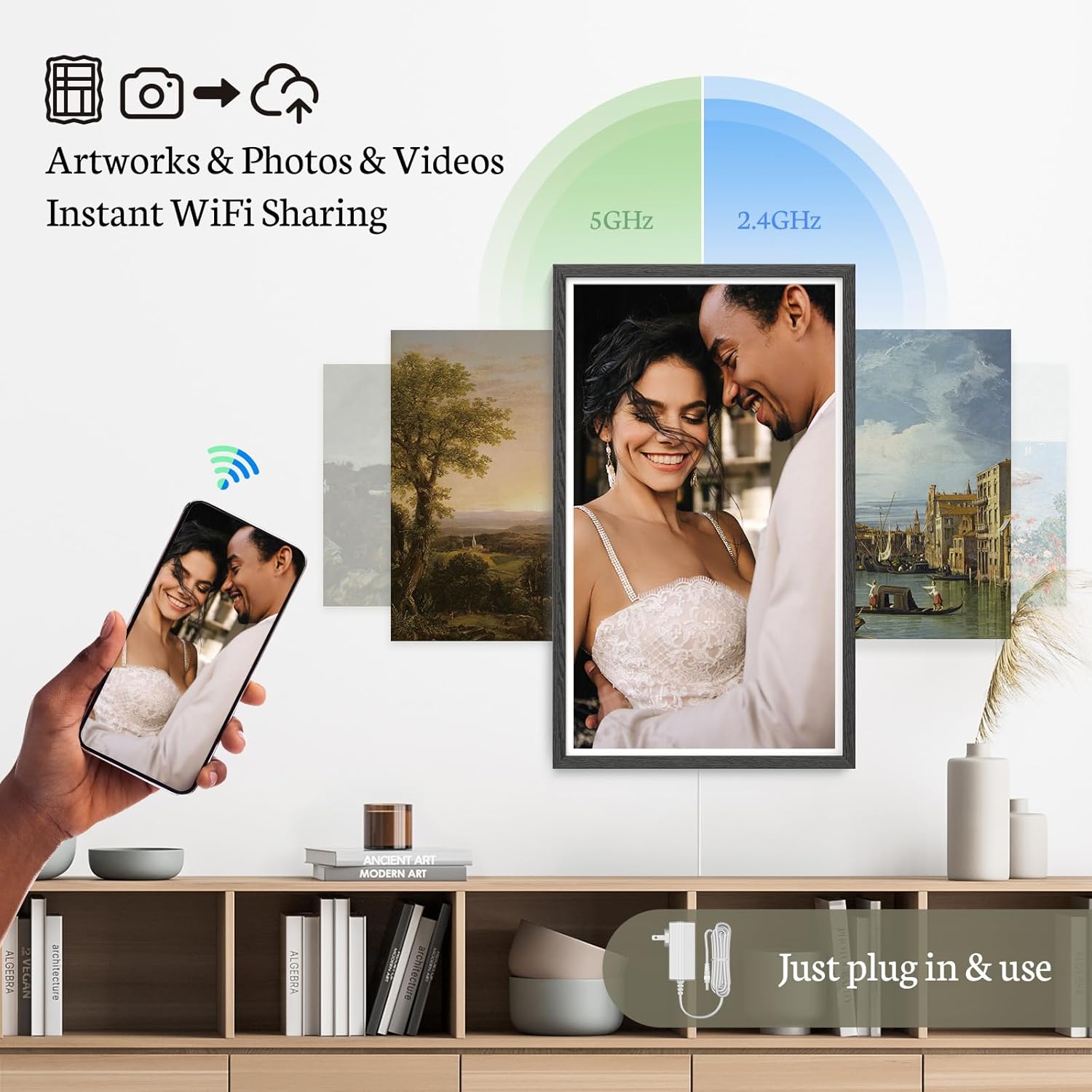
Image 4.1: Connecting the power adapter to the digital photo frame.
4.2 പ്രാരംഭ കോൺഫിഗറേഷൻ
Upon first use, the frame will guide you through basic settings:
- നിങ്ങൾ ഇഷ്ടപ്പെടുന്ന ഭാഷ തിരഞ്ഞെടുക്കുക.
- ശരിയായ സമയ മേഖലയും തീയതിയും സജ്ജമാക്കുക.
4.3 Wi-Fi-ലേക്ക് ബന്ധിപ്പിക്കുന്നു
- From the main menu, navigate to 'Settings' and select 'Wi-Fi'.
- ലഭ്യമായ നെറ്റ്വർക്കുകളുടെ പട്ടികയിൽ നിന്ന് നിങ്ങളുടെ വൈഫൈ നെറ്റ്വർക്ക് തിരഞ്ഞെടുക്കുക.
- Enter your Wi-Fi password and confirm. The frame supports both 2.4GHz and 5GHz networks.
4.4 Installing the VPhoto App
To share photos and videos remotely, download the 'VPhoto' app on your smartphone or tablet. The app is available on both iOS and Android app stores. Follow the in-app instructions to pair your device with the photo frame.
5. പ്രവർത്തന നിർദ്ദേശങ്ങൾ
5.1 നാവിഗേഷൻ
The frame can be operated using its touchscreen or the included remote control.
- ടച്ച് സ്ക്രീൻ: Tap to select, swipe to navigate through photos or menus.
- റിമോട്ട് കൺട്രോൾ: Use the directional buttons to navigate, 'OK' to select, and 'Back' to return to the previous screen.

Image 5.1: The digital photo frame supports both touchscreen and remote control for user-friendly operation.
5.2 Viewഫോട്ടോകളും വീഡിയോകളും
Once media is loaded, the frame will automatically begin a slideshow. You can customize the slideshow settings:
- സ്ലൈഡ്ഷോ മോഡ്: Adjust transition effects and display intervals in the settings menu.
- മാനുവൽ നാവിഗേഷൻ: Use the touchscreen or remote to manually browse through your media.
5.3 സ്ലീപ്പ് മോഡ്
To conserve energy, you can schedule the frame to automatically turn on and off at specific times. Access 'Sleep Mode' settings in the system menu to configure your preferred schedule.
5.4 ഓറിയന്റേഷൻ
The frame supports both landscape and portrait orientations. When wall-mounted, the image will automatically rotate to match the frame's physical orientation.
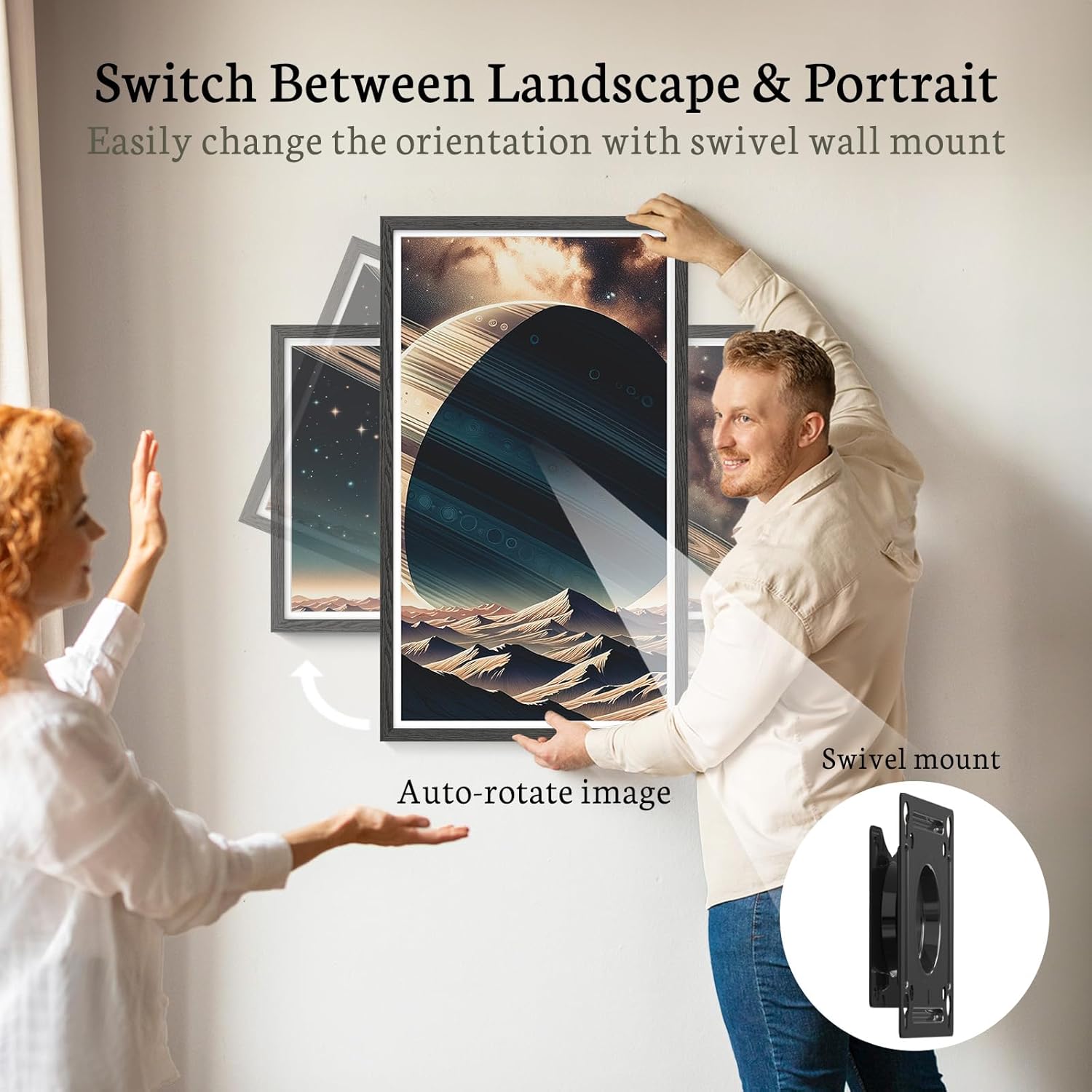
Image 5.4: The frame can be easily rotated between landscape and portrait modes when wall-mounted, with automatic image adjustment.
6. മീഡിയ മാനേജ്മെന്റ്
6.1 Uploading via VPhoto App
- Open the VPhoto app on your smartphone.
- Select the photos or videos you wish to upload.
- Choose your BSIMB frame as the destination. The media will be securely transferred via Wi-Fi.
6.2 Uploading via Email
The frame can receive photos and videos via a dedicated email address. This feature allows friends and family to share memories directly to your frame from anywhere.
6.3 Using Micro SD Card or USB Drive
The frame has 64GB of internal storage, capable of holding over 160,000 photos. For additional storage or direct media transfer:
- നിയുക്ത സ്ലോട്ടിലേക്ക് ഒരു മൈക്രോ എസ്ഡി കാർഡ് ചേർക്കുക.
- USB പോർട്ടിലേക്ക് ഒരു USB ഡ്രൈവ് ചേർക്കുക.
- The frame will detect the external storage, allowing you to view or transfer media.
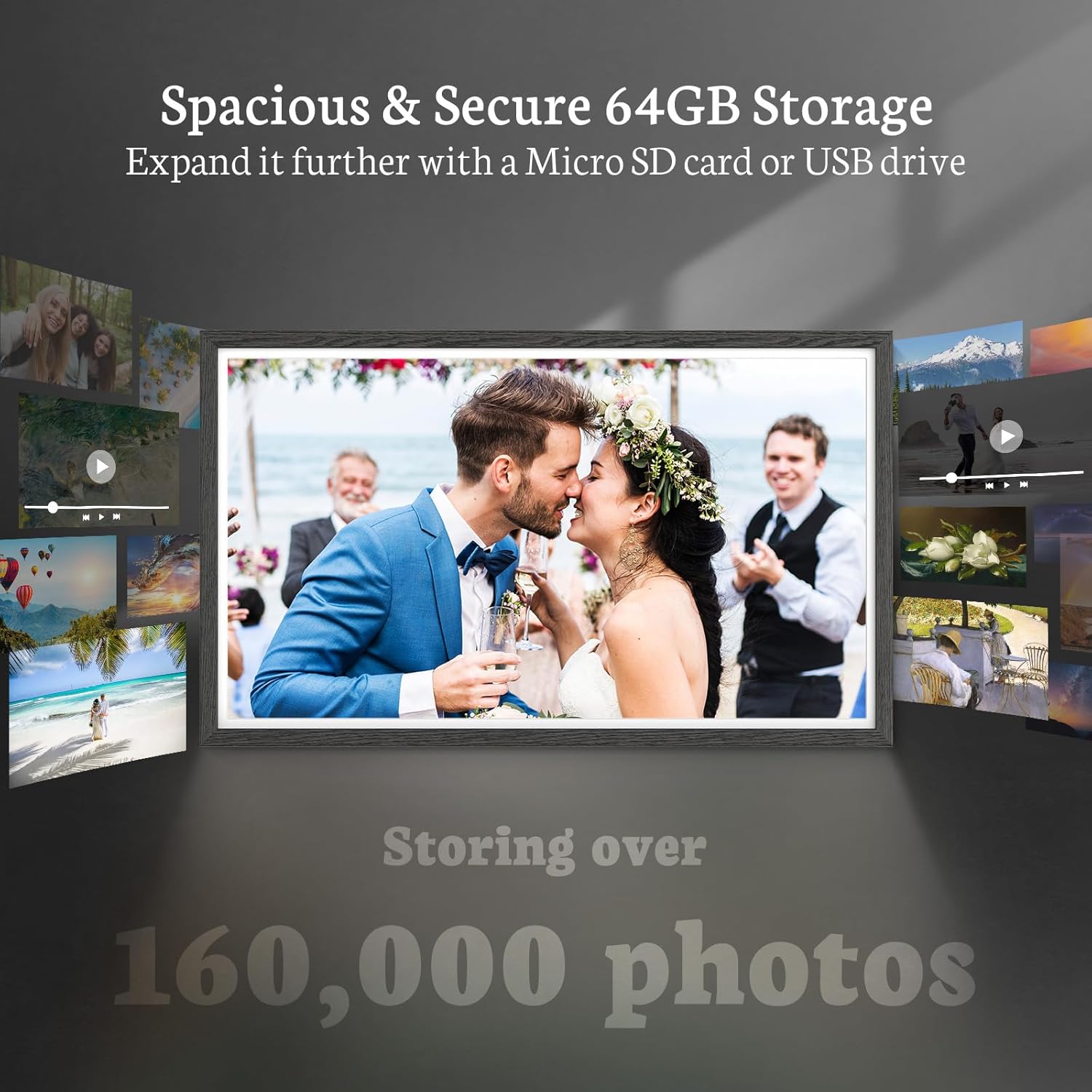
Image 6.3: The frame offers 64GB of internal storage, expandable with Micro SD cards or USB drives.
7. വിപുലമായ സവിശേഷതകൾ
7.1 ബ്ലൂടൂത്ത് സ്പീക്കർ
The integrated Bluetooth speaker allows for audio playback, enhancing your video experience or playing background music during slideshows. Pair your Bluetooth-enabled device with the frame through the settings menu.
7.2 Weather and Clock Display
The frame can display current weather information and the time, providing additional utility beyond photo display.
7.3 Customizable Settings
Explore the settings menu for options such as adding photo captions, adjusting display brightness, and managing user permissions for photo sharing.
8. പരിപാലനം
8.1 സ്ക്രീൻ വൃത്തിയാക്കൽ
സ്ക്രീൻ മൃദുവായി തുടയ്ക്കാൻ മൃദുവായ, ലിന്റ് രഹിത തുണി ഉപയോഗിക്കുക. കഠിനമായ കറകൾക്ക്, ചെറുതായി dampതുണിയിൽ വെള്ളം അല്ലെങ്കിൽ സ്ക്രീൻ-ക്ലീനിംഗ് ലായനി ഉപയോഗിക്കുക. കഠിനമായ രാസവസ്തുക്കളോ ഉരച്ചിലുകളോ ഉള്ള വസ്തുക്കൾ ഒഴിവാക്കുക.
8.2 സോഫ്റ്റ്വെയർ അപ്ഡേറ്റുകൾ
Periodically check for software updates in the settings menu to ensure optimal performance and access to new features. Connect the frame to Wi-Fi for updates.
8.3 സ്റ്റോറേജ് മാനേജ്മെൻ്റ്
പതിവായി റീview your stored media. Delete unwanted files to free up space, especially if you frequently upload new content or use external storage devices.
9. പ്രശ്നപരിഹാരം
If you encounter issues with your BSIMB Digital Photo Frame, please refer to the following common solutions:
| പ്രശ്നം | സാധ്യമായ പരിഹാരം |
|---|---|
| ഫ്രെയിം പവർ ഓൺ ചെയ്യുന്നില്ല | പവർ അഡാപ്റ്റർ ഫ്രെയിമിലേക്കും പ്രവർത്തിക്കുന്ന ഒരു പവർ ഔട്ട്ലെറ്റിലേക്കും സുരക്ഷിതമായി ബന്ധിപ്പിച്ചിട്ടുണ്ടെന്ന് ഉറപ്പാക്കുക. മറ്റൊരു ഔട്ട്ലെറ്റ് പരീക്ഷിക്കുക. |
| Wi-Fi-യിലേക്ക് കണക്റ്റുചെയ്യാൻ കഴിയില്ല | Verify your Wi-Fi password. Ensure the frame is within range of your router. Restart your router and the photo frame. |
| Photos/Videos not uploading via app/email | Check your internet connection. Ensure the VPhoto app is correctly paired with the frame. Verify the email address for uploads is correct. Check the frame's storage capacity. |
| ടച്ച്സ്ക്രീൻ പ്രതികരിക്കുന്നില്ല | Restart the frame. Ensure the screen is clean and free of debris. If the issue persists, use the remote control. |
| External storage (SD/USB) not recognized | Ensure the card/drive is inserted correctly. Check if the file system is compatible (e.g., FAT32, exFAT). Try a different card/drive. |
10 സ്പെസിഫിക്കേഷനുകൾ
Detailed technical specifications for the BSIMB 32-inch FHD Digital Photo Frame:
- സ്ക്രീൻ വലിപ്പം: 32 ഇഞ്ച്
- റെസലൂഷൻ: 1920x1080 ഫുൾ എച്ച്ഡി
- ഡിസ്പ്ലേ തരം: ഐപിഎസ് ടച്ച്സ്ക്രീൻ
- വീക്ഷണ അനുപാതം: 16:9
- ആന്തരിക സംഭരണം: 64 ജിബി
- ബാഹ്യ സംഭരണ പിന്തുണ: Micro SD Card, USB Drive
- കണക്റ്റിവിറ്റി: Wi-Fi (2.4GHz & 5GHz), Bluetooth
- ഉൽപ്പന്ന അളവുകൾ: 73.63 x 43.28 x 2.51 സെ.മീ
- ഉൽപ്പന്ന ഭാരം: 10.82 കി.ഗ്രാം
- അനുയോജ്യമായ ഉപകരണങ്ങൾ: സ്മാർട്ട്ഫോണുകൾ (iOS/Android)
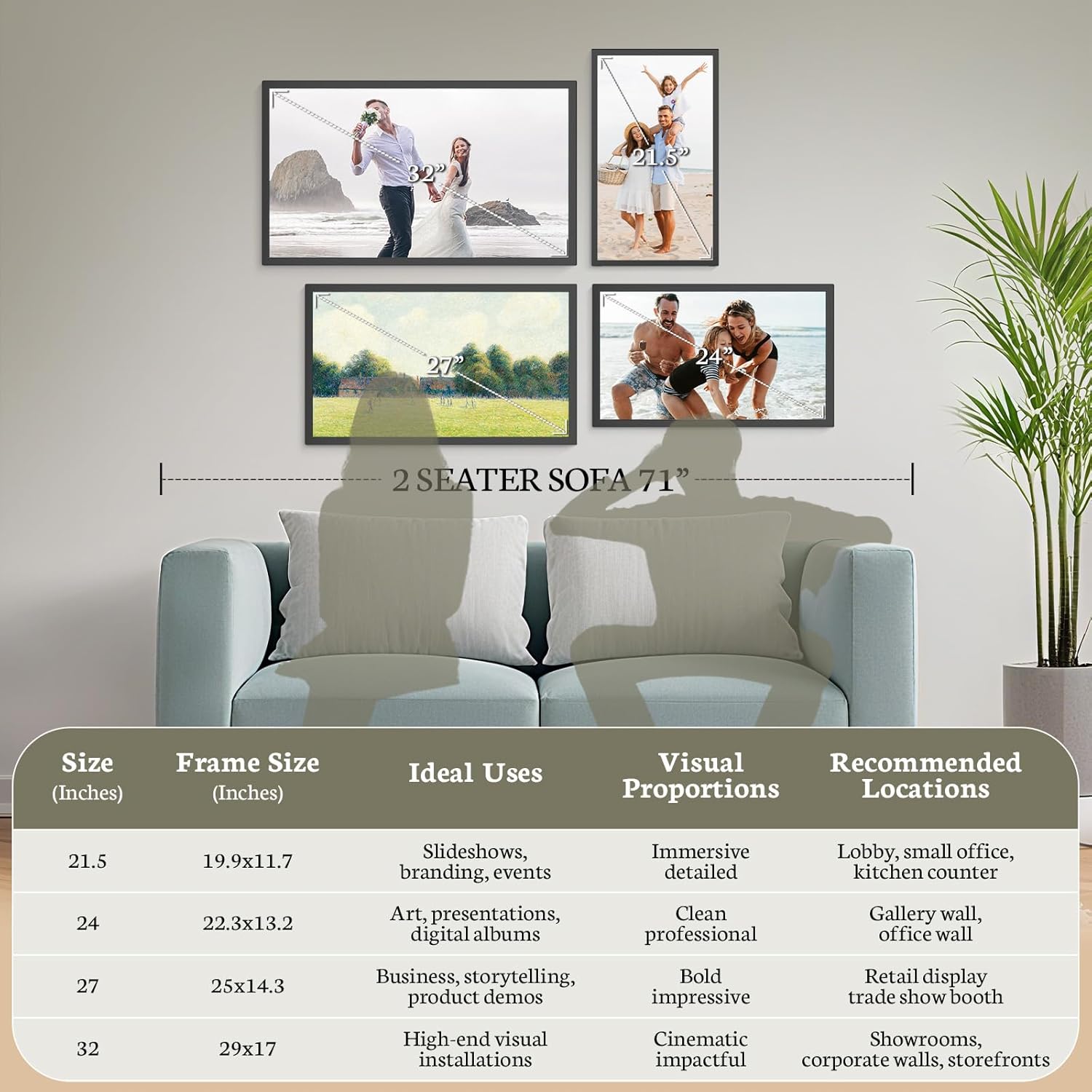
Image 10.1: Visual representation of frame sizes and recommended applications.
11. വാറൻ്റിയും പിന്തുണയും
BSIMB is committed to providing quality products and customer satisfaction.
- റീഫണ്ട് നയം: വാങ്ങിയ തീയതി മുതൽ 30 ദിവസത്തെ മണി-ബാക്ക് ഗ്യാരണ്ടി ആസ്വദിക്കൂ.
- വാറൻ്റി: Your BSIMB Digital Photo Frame is covered by a 1-year warranty against manufacturing defects.
- കസ്റ്റമർ സർവീസ്: For any questions, technical assistance, or warranty claims, please contact our customer support team. Refer to the product packaging or the official BSIMB webബന്ധപ്പെടാനുള്ള വിശദാംശങ്ങൾക്കുള്ള സൈറ്റ്.

Image 11.1: BSIMB offers professional customer service, including privacy and security, lifetime product support, and senior user-friendly design.


