ആമുഖം
Thank you for choosing Obbug True Wireless Earbuds. These earbuds are designed for comfort, durability, and high-quality audio, featuring an ergonomic design, IPX7 waterproof rating, and advanced Bluetooth 5.1 technology for stable connections and long battery life. This manual provides essential information for setup, operation, maintenance, and troubleshooting to ensure you get the best experience from your new earbuds.
ബോക്സിൽ എന്താണുള്ളത്
- 1 x Pair of Wireless Earbuds
- 1 x പോർട്ടബിൾ ചാർജിംഗ് കേസ്
- 1 x ടൈപ്പ്-സി കേബിൾ
- 4 x ഇയർ ടിപ്പുകൾ (വിവിധ വലുപ്പങ്ങൾ)
- 1 x യൂസ് മാനുവൽ
ഉൽപ്പന്നം കഴിഞ്ഞുview

The Obbug True Wireless Earbuds come with a sleek, portable charging case. The earbuds feature a compact design for a comfortable and secure fit.

The earbuds are designed for one-step pairing, automatically connecting to your device once removed from the charging case.

Weighing only 4g each, these earbuds offer a super lightweight design for hassle-free listening and extended comfort.
സജ്ജമാക്കുക
ഇയർബഡുകൾ ചാർജ് ചെയ്യുന്നു
Before first use, fully charge the earbuds and the charging case. Place the earbuds into their respective slots in the charging case. The indicator lights on the case will show the charging status. Connect the Type-C cable to the charging case and a USB power source.

The charging case provides up to 120 hours of standby time and can fully recharge the earbuds 2-3 times, offering up to 5 hours of talk/play time per charge.
Official product video demonstrating the charging case and earbuds. This video highlights the design and charging functionality of the pink wireless earbuds.
ഔദ്യോഗിക ഉൽപ്പന്ന വീഡിയോ പ്രദർശനംasing the Mini Wireless Earbuds and their TWS Bluetooth Headset Charging Case. This video provides a visual guide to the product's features and charging capabilities.
നിങ്ങളുടെ ഉപകരണം ഉപയോഗിച്ച് ജോടിയാക്കുന്നു
- ചാർജിംഗ് കേസ് തുറക്കുക. ഇയർബഡുകൾ സ്വയമേവ ഓണാകുകയും ജോടിയാക്കൽ മോഡിലേക്ക് പ്രവേശിക്കുകയും ചെയ്യും.
- നിങ്ങളുടെ ഉപകരണത്തിൽ (സ്മാർട്ട്ഫോൺ, ടാബ്ലെറ്റ് മുതലായവ), ബ്ലൂടൂത്ത് പ്രവർത്തനക്ഷമമാക്കുക.
- ഇതിനായി തിരയുക "Q13S TWS" in the list of available Bluetooth devices and select it to connect.
- Once connected, you will hear a confirmation prompt, and the earbuds' indicator lights will change.
The earbuds offer one-step pairing, compatible with iOS, Android, and Windows devices for seamless connection.
Selecting the Right Ear Tips
The earbuds come with three different sizes of ear tips to ensure a comfortable and secure fit. Experiment with the different sizes to find the best fit for your ears. A proper fit enhances sound quality and noise isolation.
The ergonomic design and lightweight nature of the earbuds ensure a snug and comfortable fit for various activities, including sports and exercise.
പ്രവർത്തന നിർദ്ദേശങ്ങൾ
അടിസ്ഥാന നിയന്ത്രണങ്ങൾ
The Obbug True Wireless Earbuds feature intuitive touch controls for easy management of your audio and calls.

Control your music and calls with simple finger taps on the earbuds.
| ഫംഗ്ഷൻ | ആക്ഷൻ |
|---|---|
| പ്ലേ/താൽക്കാലികമായി നിർത്തുക | ഏതെങ്കിലും ഇയർബഡിൽ ഒറ്റ ടാപ്പ് ചെയ്യുക |
| വോളിയം + | Tap and hold right earbud |
| വ്യാപ്തം - | Tap and hold left earbud |
| അടുത്ത ട്രാക്ക് | വലത് ഇയർബഡിൽ രണ്ടുതവണ ടാപ്പ് ചെയ്യുക |
| മുമ്പത്തെ ട്രാക്ക് | ഇടത് ഇയർബഡിൽ രണ്ടുതവണ ടാപ്പ് ചെയ്യുക |
| ഉത്തരം / കോൾ അവസാനിപ്പിക്കുക | ഏതെങ്കിലും ഇയർബഡിൽ ഒറ്റ ടാപ്പ് ചെയ്യുക |
| ഹാംഗ് അപ്പ് കോൾ | Tap and hold on either earbud |
| വോയ്സ് അസിസ്റ്റൻ്റ് | ഇയർബഡുകളിലൊന്നിൽ മൂന്ന് തവണ ടാപ്പ് ചെയ്യുക |
സിംഗിൾ ഇയർബഡ് മോഡ്
Both earbuds can be used independently. Simply take one earbud out of the charging case, and it will automatically connect to your device. This allows for flexible usage, such as sharing one earbud with a friend or using one while the other charges.

Each earbud can be used independently, offering flexibility for various listening scenarios.
മെയിൻ്റനൻസ്
വൃത്തിയാക്കൽ
To maintain optimal performance and hygiene, regularly clean your earbuds and charging case. Use a soft, dry, lint-free cloth to wipe down the surfaces. For ear tips, remove them and clean with a mild soap solution, then rinse thoroughly and dry completely before reattaching. Avoid using harsh chemicals or abrasive materials.
ജല പ്രതിരോധം
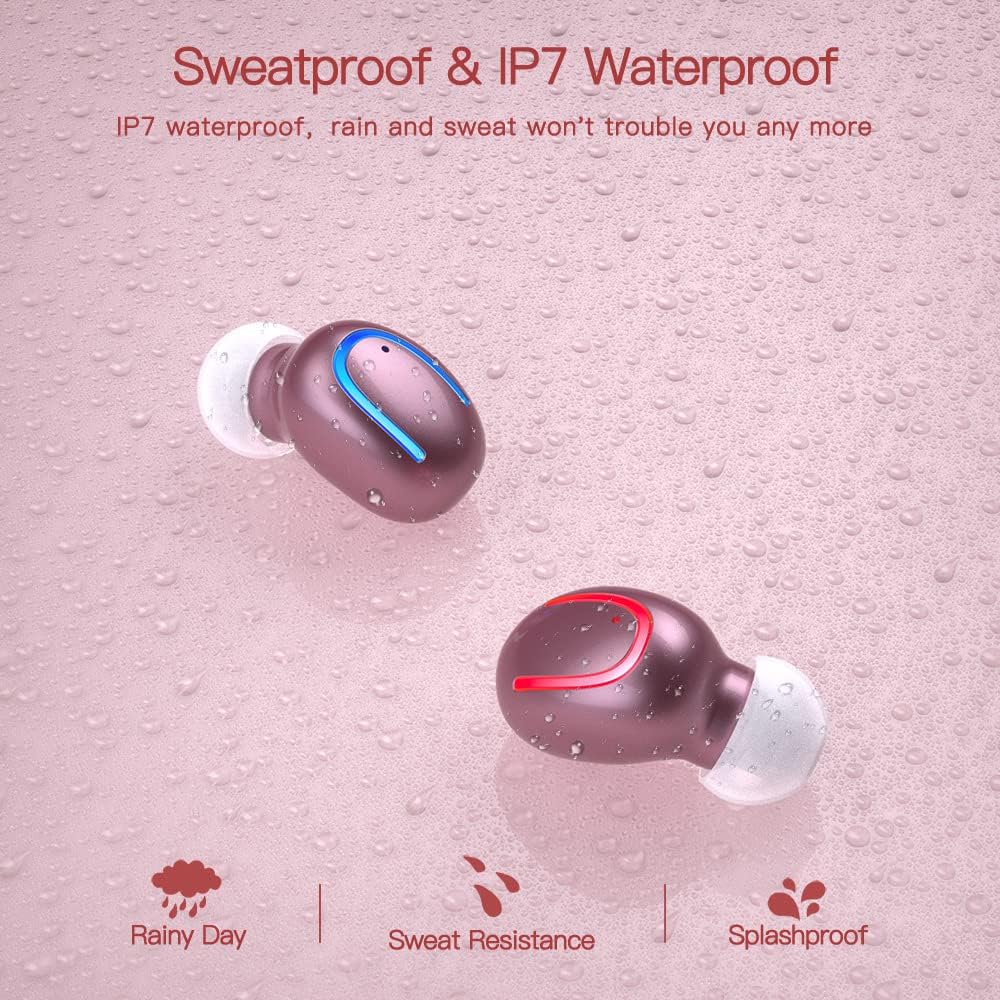
The earbuds are IPX7 waterproof, meaning they can withstand heavy rain and sweat during intense workouts. This protection is ideal for sports and all-weather conditions. കുറിപ്പ്: ചാർജിംഗ് കേസ് വാട്ടർപ്രൂഫ് അല്ല. Avoid submerging the charging case in water.

IPX7 water and sweat resistant nano-coating protects the earbuds from heavy rain or sweat during intense workouts.
ട്രബിൾഷൂട്ടിംഗ്
- ഇയർബഡുകൾ ജോടിയാക്കുന്നില്ല: Ensure both earbuds are charged and removed from the case. Turn off and on your device's Bluetooth. If issues persist, try resetting the earbuds (refer to the full manual for specific reset instructions if available).
- ശബ്ദമില്ല അല്ലെങ്കിൽ കുറഞ്ഞ ശബ്ദം: Check the volume levels on both your device and the earbuds. Ensure the earbuds are properly seated in your ears and that the ear tips are clean and correctly sized.
- Disconnection issues: നിങ്ങളുടെ ഉപകരണം 12 മീറ്റർ ബ്ലൂടൂത്ത് പരിധിക്കുള്ളിലാണെന്ന് ഉറപ്പാക്കുക. സിഗ്നലിനെ തടസ്സപ്പെടുത്താൻ സാധ്യതയുള്ള തടസ്സങ്ങൾ ഒഴിവാക്കുക.
- ചാർജിംഗ് പ്രശ്നങ്ങൾ: Verify the Type-C cable is securely connected to both the case and the power source. Check if the charging indicators on the case are active.
- മൈക്രോഫോൺ പ്രവർത്തിക്കുന്നില്ല: Ensure the earbuds are properly connected and selected as the audio input device on your phone during calls.
For further assistance, please consult the customer service for 24-hour after-sales support.
സ്പെസിഫിക്കേഷനുകൾ
| ഫീച്ചർ | വിശദാംശങ്ങൾ |
|---|---|
| ബ്രാൻഡ് | ഒബ്ബഗ് |
| മോഡലിൻ്റെ പേര് | Obbq13 / Q13S TWS |
| കണക്റ്റിവിറ്റി ടെക്നോളജി | വയർലെസ്സ് (ബ്ലൂടൂത്ത് 5.1) |
| ജല പ്രതിരോധ നില | IPX7 വാട്ടർപ്രൂഫ് |
| ബാറ്ററി ലൈഫ് (ഇയർബഡുകൾ) | Up to 5 hours talk/play time |
| ബാറ്ററി ലൈഫ് (കേസിനൊപ്പം) | മൊത്തം കളി സമയം 20 മണിക്കൂർ വരെ |
| ചാർജിംഗ് സമയം | ഏകദേശം 1-2 മണിക്കൂർ |
| ചാർജിംഗ് കേസ് കപ്പാസിറ്റി | 600mAh |
| നിയന്ത്രണ തരം | ടച്ച് നിയന്ത്രണം |
| ചെവി പ്ലേസ്മെൻ്റ് | ചെവിയിൽ |
| ഇനത്തിൻ്റെ ഭാരം | 0.64 ഔൺസ് |
| മെറ്റീരിയൽ | പ്ലാസ്റ്റിക് |
| അനുയോജ്യമായ ഉപകരണങ്ങൾ | Android, iPhone, iPad, Samsung Galaxy, iPod Nano, Laptops & Tablets, etc. |
വാറൻ്റിയും പിന്തുണയും
Obbug products are manufactured with high-quality standards. For any product-related inquiries, technical support, or warranty claims, please contact Obbug customer service. Refer to your purchase documentation for specific warranty terms and contact information.
Customer service is available for 24 hours after-sales support to assist you with any concerns or issues you may encounter.


