ആമുഖം
ടൈമറും റിമോട്ടും ഉള്ള PELONIS 3-സ്പീഡ് ഓസിലേറ്റിംഗ് ടവർ ഫാൻ കുറഞ്ഞ സ്ഥലത്ത് പരമാവധി സുഖം പ്രദാനം ചെയ്യുന്നു. ഉയരമുള്ളതും ഇടുങ്ങിയതുമായ ഒരു പ്രോ ഉപയോഗിച്ച്file, this fan is ideal for smaller rooms or areas with limited floor space. It features three speeds, multiple modes, and a timer for automatic shutoff. A convenient remote control allows for easy operation from a distance.
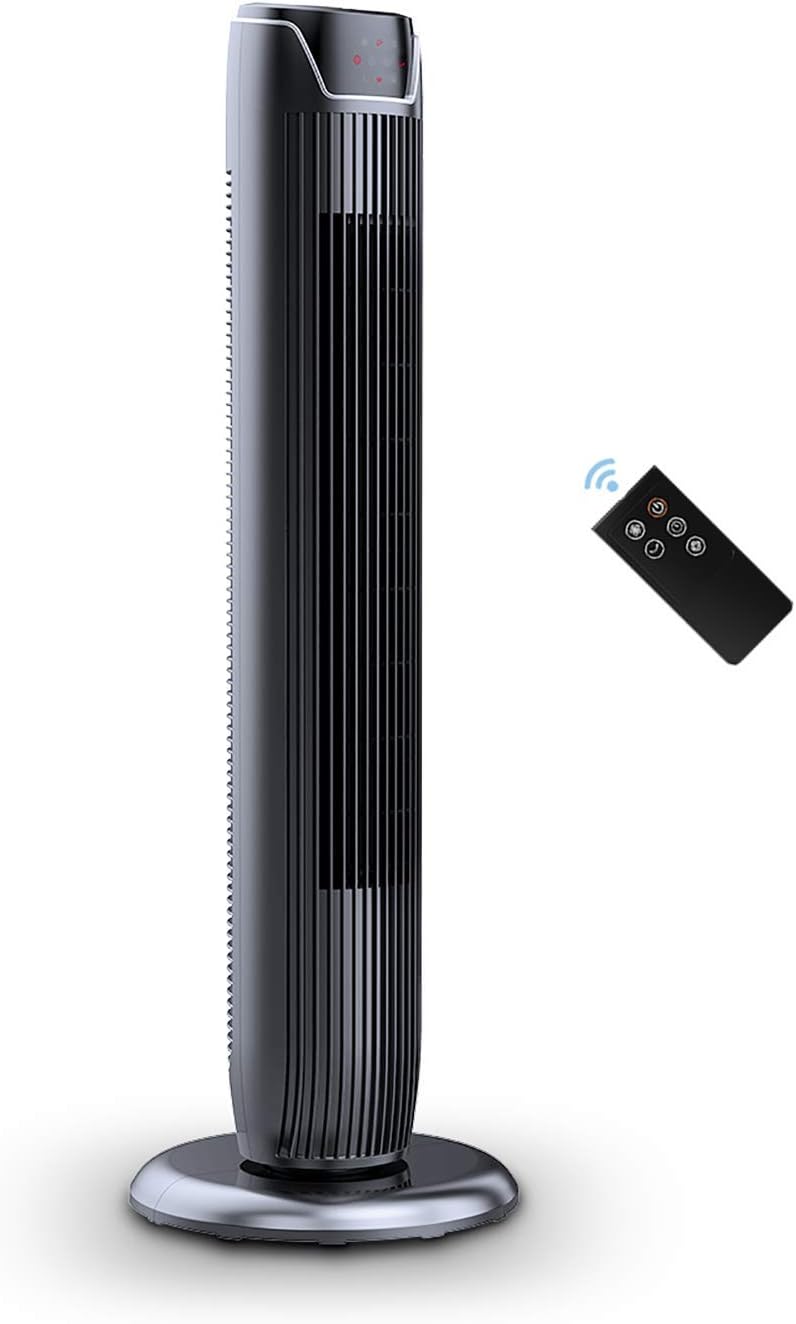
Figure 1: PELONIS FZ10-19JR Quiet Oscillating Tower Fan and Remote Control.
സുരക്ഷാ വിവരങ്ങൾ
Always read and follow all safety instructions before using this appliance to prevent injury or damage. Keep this manual for future reference.
- അമിത ചൂടാക്കൽ സംരക്ഷണം: The motor has built-in overheat protection for peace of mind, automatically shutting off the fan if it overheats.
- കുട്ടികളുടെ സുരക്ഷ: The compact design on the fan grid ensures the safety of children by preventing finger penetration.
- നിർദ്ദേശം 65 മുന്നറിയിപ്പ്: ഈ ഉൽപ്പന്നത്തിൽ കാൻസർ, ജനന വൈകല്യങ്ങൾ അല്ലെങ്കിൽ മറ്റ് പ്രത്യുൽപാദന ഹൃദ്രോഗങ്ങൾ എന്നിവ ഉണ്ടാക്കാൻ കാലിഫോർണിയ സ്റ്റേറ്റിന് അറിയപ്പെടുന്ന രാസവസ്തുക്കൾ അടങ്ങിയിരിക്കാം.
- ഫാൻ ടിപ്പിംഗ് തടയാൻ സ്ഥിരതയുള്ളതും പരന്നതുമായ പ്രതലത്തിൽ സ്ഥാപിച്ചിട്ടുണ്ടെന്ന് ഉറപ്പാക്കുക.
- ഫാൻ ഗ്രില്ലിൽ വിരലുകളോ അന്യവസ്തുക്കളോ കടത്തരുത്.
- വൃത്തിയാക്കുന്നതിനോ അറ്റകുറ്റപ്പണികൾ നടത്തുന്നതിനോ മുമ്പ് പവർ ഔട്ട്ലെറ്റിൽ നിന്ന് ഫാൻ ഊരിമാറ്റുക.
പാക്കേജ് ഉള്ളടക്കം
പാക്കേജ് തുറക്കുമ്പോൾ എല്ലാ ഘടകങ്ങളും ഉണ്ടെന്ന് ഉറപ്പാക്കുക:
- PELONIS FZ10-19JR Tower Fan Unit
- റിമോട്ട് കൺട്രോൾ
- Base Parts (multiple pieces for assembly)
- ഉപയോക്തൃ മാനുവൽ (PDF ഓൺലൈനിൽ ലഭ്യമാണ്)
സജ്ജമാക്കുക
The PELONIS FZ10-19JR Tower Fan requires minimal assembly. Follow these steps to set up your fan:
- അടിസ്ഥാനം കൂട്ടിച്ചേർക്കുക: The base comes in multiple pieces. Snap the base pieces together securely.
- Attach Fan Unit to Base: Carefully align the fan unit with the assembled base. Ensure the power cord is routed through the designated opening in the base.
- അടിസ്ഥാനം സുരക്ഷിതമാക്കുക: Locate the screw underneath the base and tighten it to firmly attach the fan unit to the base.
- പ്ലേസ്മെൻ്റ്: Place the assembled fan on a stable, flat surface.
- പവർ കണക്ഷൻ: Plug the fan into a standard 120V/60HZ power outlet.
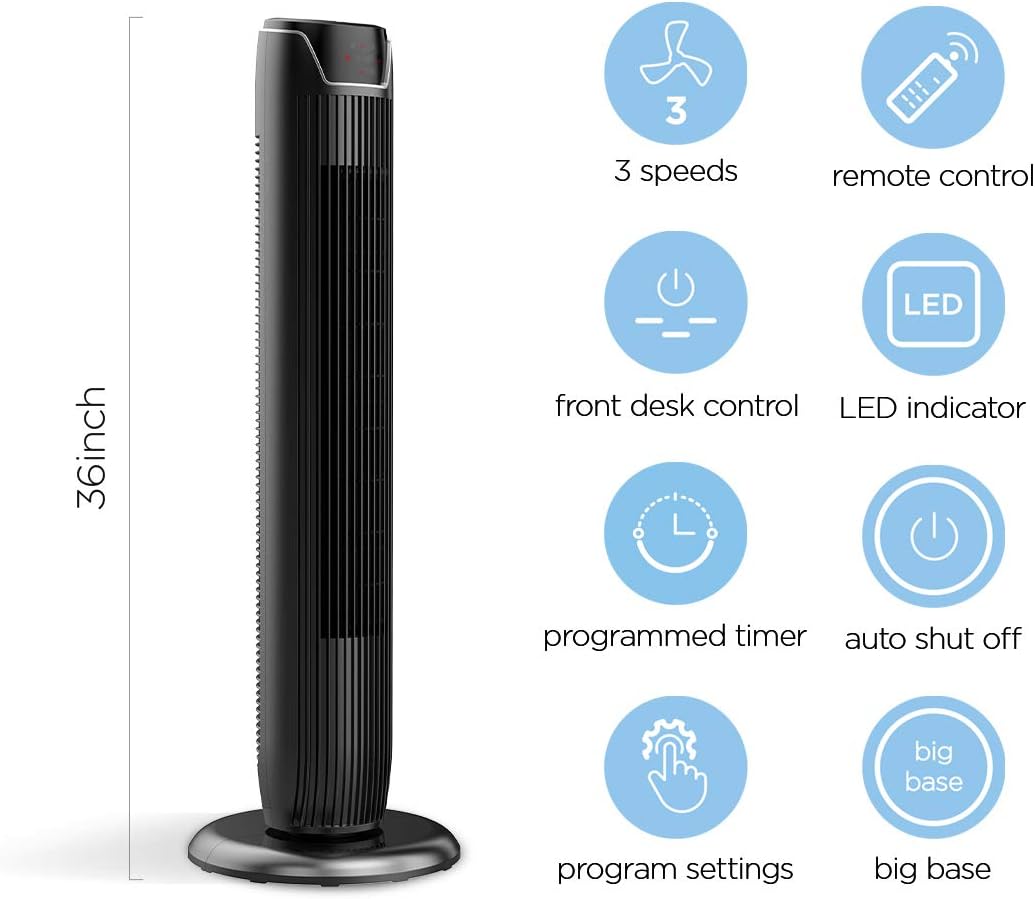
Figure 2: The 36-inch height of the tower fan, highlighting its compact design and various features.

Figure 3: Key features of the PELONIS tower fan, including silent operation, wide-angle airflow, timer, and auto shut-off.
വീഡിയോ 1: ഒരു ഓവർview of the 36-inch PELONIS FZ10-19JR Oscillating Tower Fan, demonstrating its compact size and features.
പ്രവർത്തന നിർദ്ദേശങ്ങൾ
Your PELONIS tower fan can be operated using the multi-functional control panel on top of the unit or the included remote control.
നിയന്ത്രണ പാനലും റിമോട്ടും
Both the control panel and the remote offer identical functions for convenience. The control panel is located on the top of the fan for easy access without bending.

Figure 4: Close-up of the overhead control panel, highlighting the tight fence design for safety and the internal gale wheel for air volume.
- Power Button (ON/OFF): ഫാൻ ഓണാക്കുകയോ ഓഫാക്കുകയോ ചെയ്യുന്നു.
- മോഡ് ബട്ടൺ: Cycles through different wind modes (Normal, Natural, Sleep).
- സ്പീഡ് ബട്ടൺ: ഫാൻ വേഗത ക്രമീകരിക്കുന്നു (കുറഞ്ഞ, ഇടത്തരം, ഉയർന്ന).
- Oscillation Button (Osc): Activates or deactivates the 60° wide-angle oscillation function.
- ടൈമർ ബട്ടൺ: Sets the automatic shutoff timer (up to 7 hours).
ഫാൻ മോഡുകൾ
- സാധാരണ കാറ്റ്: Provides a constant airflow.
- പ്രകൃതി കാറ്റ്: Simulates natural breezes with alternating strong and weak airflows.
- സ്ലീപ്പ് മോഡ്: Operates at a low noise level (as low as 48 dB) for undisturbed sleep. The LED display auto-off after 30 seconds to minimize light disturbance.
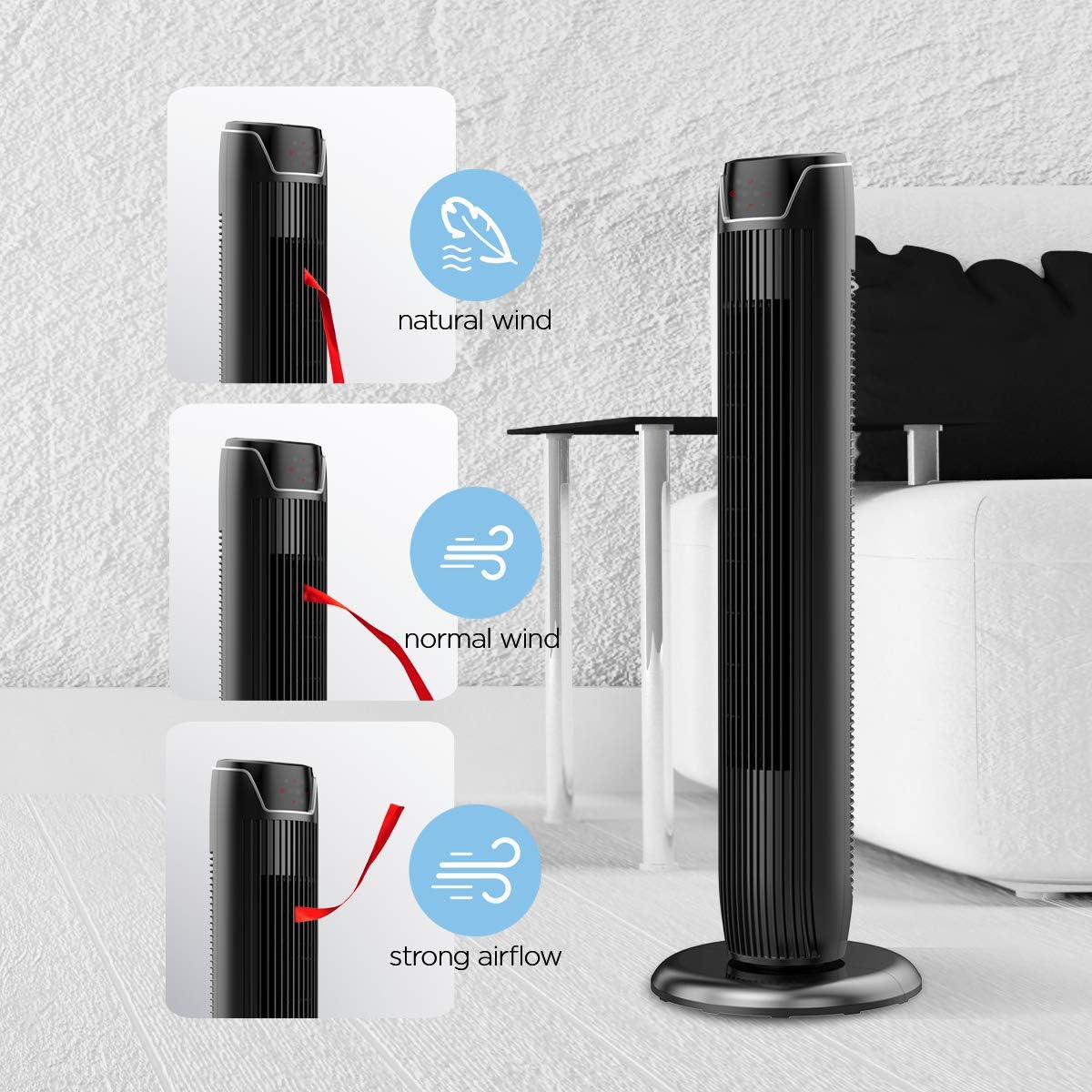
Figure 5: Visual representation of the fan's different wind modes: Natural Wind, Normal Wind, and Strong Airflow.

Figure 6: The fan's quiet operation in sleep mode, ideal for bedrooms and nurseries.
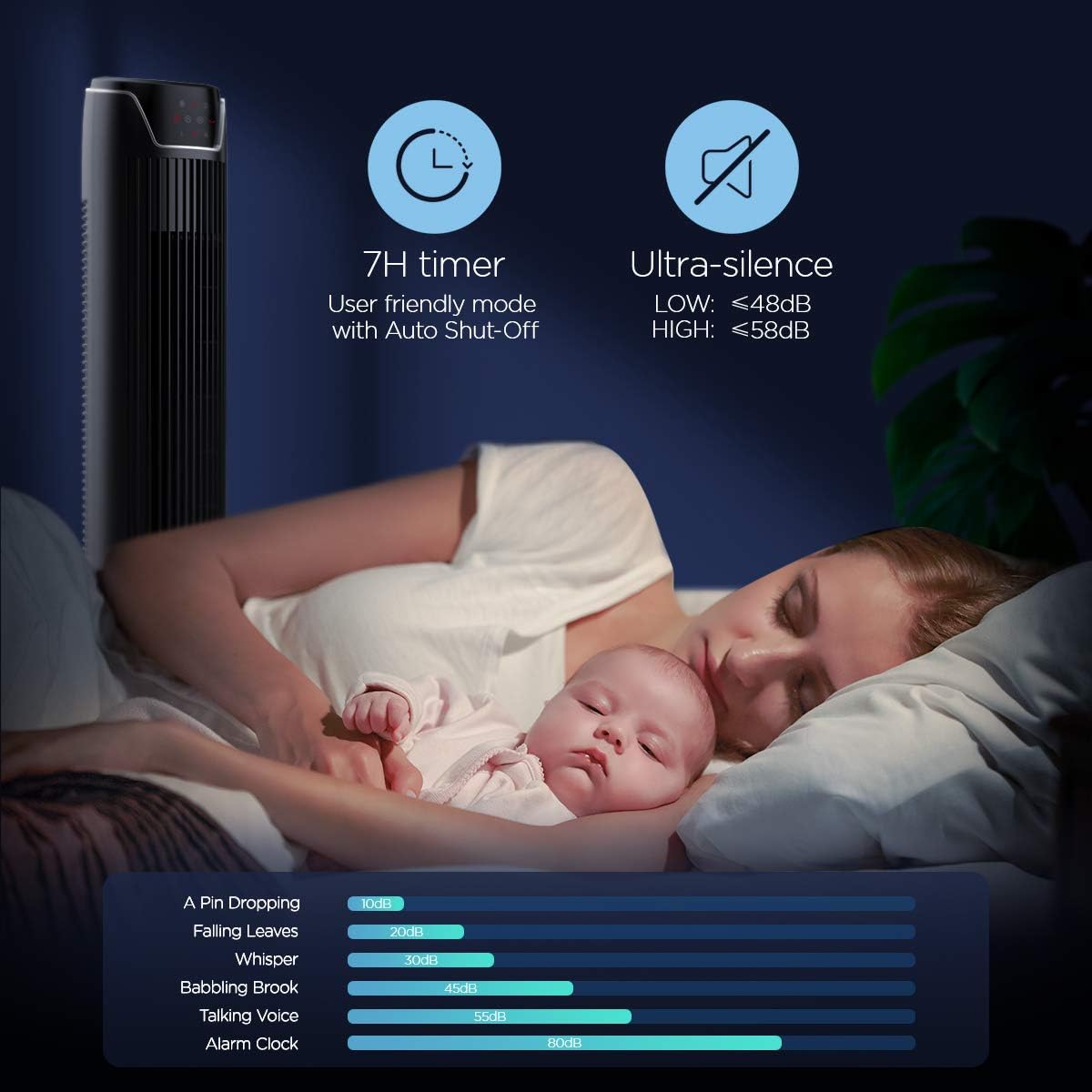
Figure 7: Illustration of the fan's ultra-silence feature (below 48dB on low speed), perfect for quiet environments.
വിദൂര നിയന്ത്രണ സംഭരണം
The fan features a built-in cubby at the back for convenient storage of the remote control, ensuring it is always within reach and not easily misplaced.
Video 2: Demonstration of the remote control storage slot on the back of the Pelonis Tower Fan.
മെയിൻ്റനൻസ്
പതിവായി വൃത്തിയാക്കുന്നത് ഫാനിന്റെ പ്രകടനം നിലനിർത്താനും അതിന്റെ ആയുസ്സ് വർദ്ധിപ്പിക്കാനും സഹായിക്കുന്നു.
- ബാഹ്യ ശുചീകരണം: ഒരു സോഫ്റ്റ് ഉപയോഗിക്കുക, ഡിamp cloth to wipe down the exterior surfaces of the fan. Do not use abrasive cleaners or solvents.
- ഗ്രിൽ ക്ലീനിംഗ്: Use a vacuum cleaner with a brush attachment to remove dust from the fan grilles. For deeper cleaning, a compressed air can may be used to dislodge dust from hard-to-reach areas.
- ആന്തരിക ശുചീകരണം: The fan is not designed for easy disassembly for internal cleaning. Regular external cleaning and compressed air use are recommended to minimize dust accumulation inside.
- വീണ്ടും പ്ലഗ് ഇൻ ചെയ്യുന്നതിന് മുമ്പ് ഫാൻ പൂർണ്ണമായും ഉണങ്ങിയെന്ന് ഉറപ്പാക്കുക.
ട്രബിൾഷൂട്ടിംഗ്
If you encounter issues with your PELONIS tower fan, try the following troubleshooting steps:
- ഫാൻ ഓണാക്കുന്നില്ല:
- പ്രവർത്തിക്കുന്ന ഒരു ഇലക്ട്രിക്കൽ ഔട്ട്ലെറ്റിൽ പവർ കോർഡ് സുരക്ഷിതമായി പ്ലഗ് ചെയ്തിട്ടുണ്ടെന്ന് ഉറപ്പാക്കുക.
- മറ്റൊരു ഉപകരണം പ്ലഗ് ഇൻ ചെയ്ത് പവർ ഔട്ട്ലെറ്റ് പ്രവർത്തനക്ഷമമാണോ എന്ന് പരിശോധിക്കുക.
- Verify the fan's power button is pressed.
- Fan Not Oscillating:
- കൺട്രോൾ പാനലിലോ റിമോട്ടിലോ ഉള്ള ആന്ദോളന ബട്ടൺ അമർത്തുക.
- Ensure there are no obstructions preventing the fan from rotating.
- ദുർബലമായ വായുപ്രവാഹം:
- ഫാൻ വേഗത ക്രമീകരണം വർദ്ധിപ്പിക്കുക.
- Clean the fan grilles to remove any dust or debris that may be obstructing airflow.
- അസാധാരണമായ ശബ്ദം:
- ഫാൻ ഒരു സ്ഥിരതയുള്ളതും നിരപ്പായതുമായ പ്രതലത്തിൽ സ്ഥാപിച്ചിട്ടുണ്ടെന്ന് ഉറപ്പാക്കുക.
- Check for any loose parts or foreign objects within the fan grilles.
- If the noise is a creaking sound during oscillation, ensure the base is not overtightened. Loosen it slightly if necessary.
- റിമോട്ട് കൺട്രോൾ പ്രവർത്തിക്കുന്നില്ല:
- Ensure the remote control's batteries are correctly installed and not depleted.
- ഫാനിന്റെ കൺട്രോൾ പാനലിലേക്ക് റിമോട്ട് നേരിട്ട് ചൂണ്ടുക.
- റിമോട്ടിനും ഫാനിനും ഇടയിൽ തടസ്സങ്ങളൊന്നുമില്ലെന്ന് ഉറപ്പാക്കുക.
സ്പെസിഫിക്കേഷനുകൾ
| ഫീച്ചർ | വിശദാംശങ്ങൾ |
|---|---|
| ബ്രാൻഡ് | പെലോണിസ് |
| മോഡലിൻ്റെ പേര് | FZ10-19JR |
| നിറം | തിളങ്ങുന്ന കറുപ്പ് |
| ഇലക്ട്രിക് ഫാൻ ഡിസൈൻ | ഫ്ലോർ ഫാൻ |
| പവർ ഉറവിടം | കോർഡഡ് ഇലക്ട്രിക് |
| ശൈലി | ആധുനികം |
| ഉൽപ്പന്ന അളവുകൾ | 11.8"D x 11.8"W x 36.14"H |
| മുറിയുടെ തരം | കിടപ്പുമുറി |
| പ്രത്യേക ഫീച്ചർ | ആന്ദോളനം |
| ശുപാർശ ചെയ്യുന്ന ഉപയോഗങ്ങൾ | Office, Air Circulation, Bedroom, Living Room, Home |
| ശബ്ദ നില | 48 ഡി.ബി |
| ഫിനിഷ് തരം | തിളങ്ങുന്ന |
| വാല്യംtage | 120 വോൾട്ട് |
| ഉൾപ്പെടുത്തിയ ഘടകങ്ങൾ | റിമോട്ട് |
| ഇൻഡോർ/ഔട്ട്ഡോർ ഉപയോഗം | ഇൻഡോർ |
| സ്പെസിഫിക്കേഷൻ മെറ്റ് | ETL |
| നിയന്ത്രണ രീതി | റിമോട്ട് |
| ബ്ലേഡ് മെറ്റീരിയൽ | പ്ലാസ്റ്റിക് |
| പവർ ലെവലുകളുടെ എണ്ണം | 3 |
| നിർമ്മാതാവ് | പെലോനിസ് |
| യു.പി.സി | 750545105431 |
| ഇനത്തിൻ്റെ ഭാരം | 9.13 പൗണ്ട് |
വാറൻ്റിയും പിന്തുണയും
PELONIS offers a 1 വർഷത്തെ നിർമ്മാതാവിൻ്റെ വാറൻ്റി with the purchase of this product, demonstrating confidence in its quality.
For detailed information, refer to the official User Manual (PDF) available online:
ഉപയോക്തൃ മാനുവൽ (PDF) ഡൗൺലോഡ് ചെയ്യുക
For further assistance or inquiries, please visit the official PELONIS Store on Amazon: PELONIS Store


