ആമുഖം
The PDP Gaming Faceoff Deluxe+ Audio Wired Controller is designed for use with the Nintendo Switch. It features a 3.5mm audio jack for in-game audio and USB chat, customizable programmable back buttons, and interchangeable faceplates. This manual provides instructions for setting up, operating, and maintaining your controller.
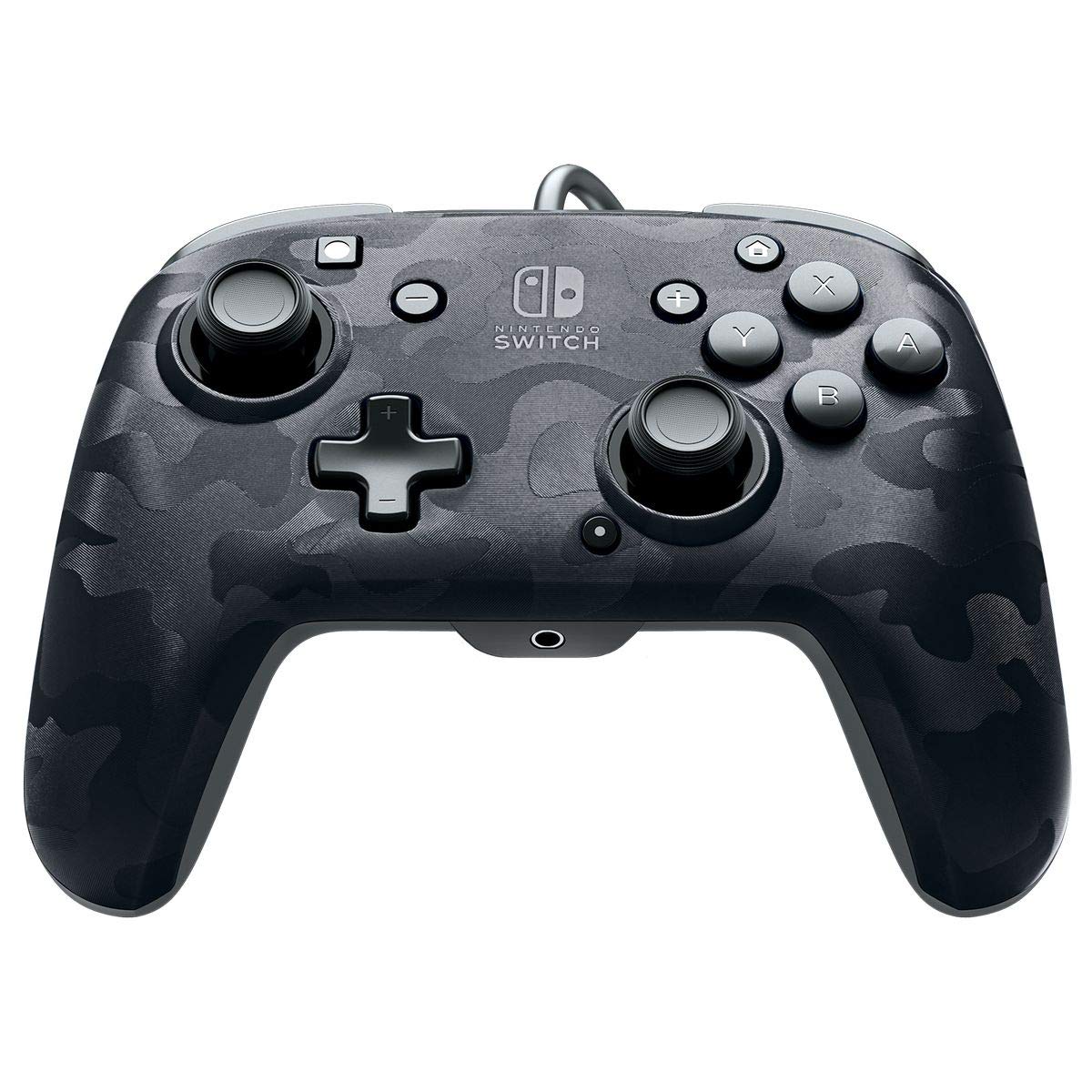
ചിത്രം: മുൻഭാഗം view of the PDP Gaming Faceoff Deluxe+ Audio Wired Controller in Black Camo.
സജ്ജമാക്കുക
1. പ്രാരംഭ കണക്ഷൻ
- Ensure your Nintendo Switch console is docked and powered on.
- Connect the controller's fixed USB cable to an available USB port on the Nintendo Switch dock.
- The controller should automatically be recognized by the console.
2. ഓഡിയോ സജ്ജീകരണം
- Plug your 3.5mm headset into the audio jack located at the bottom center of the controller.
- In-game audio will now be routed through your headset. USB chat is supported for compatible titles.
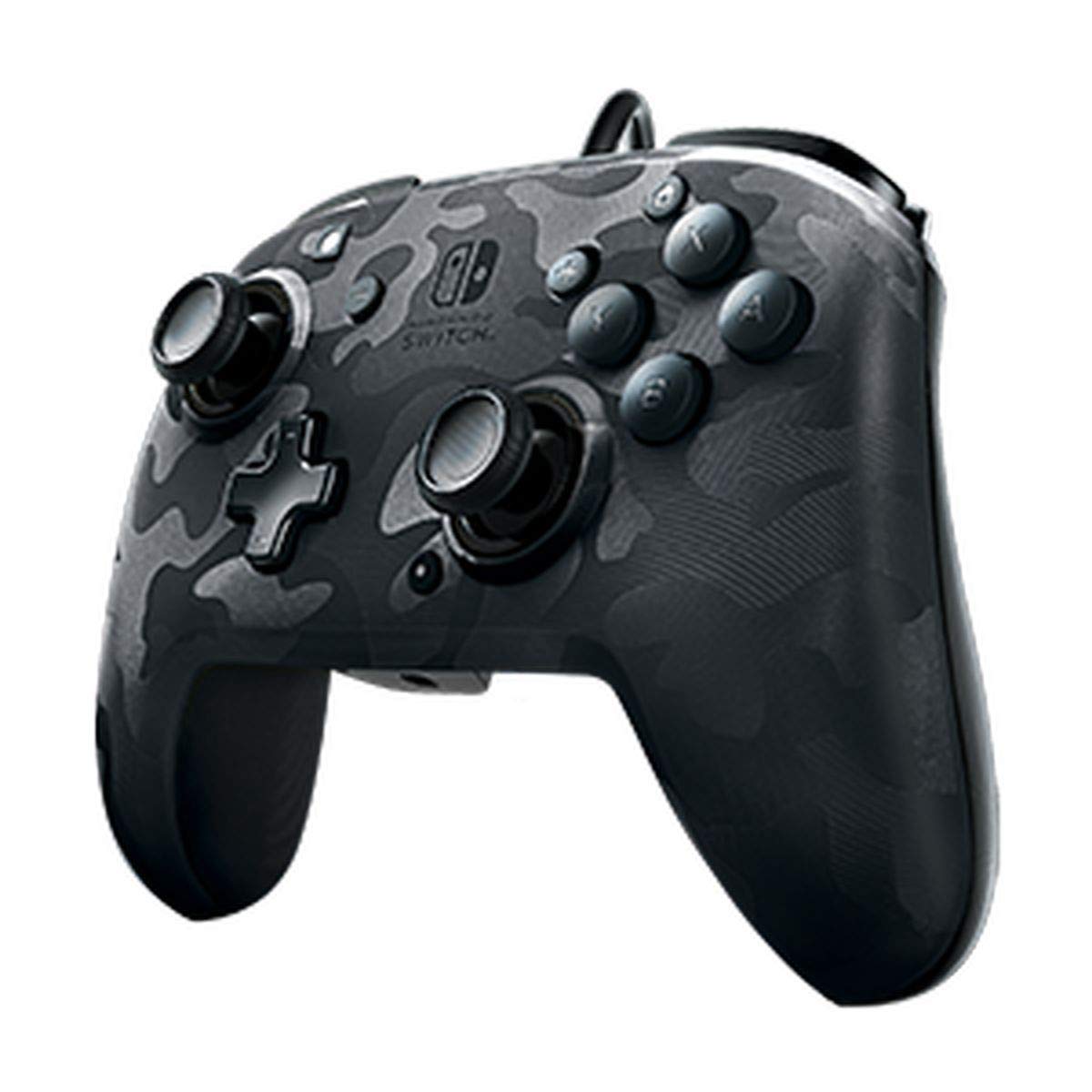
Image: A user playing with the PDP Gaming Faceoff Deluxe+ Audio Wired Controller, demonstrating the headset connection.
കൺട്രോളർ പ്രവർത്തിപ്പിക്കുന്നു
1. ബട്ടൺ ലേഔട്ടും പ്രവർത്തനങ്ങളും
Familiarize yourself with the controller's button layout for optimal gameplay.

ചിത്രം: വിശദമായത് view of the controller with key buttons labeled for easy identification.
- View ബട്ടൺ: Typically used for in-game menus or map access.
- ഹോം ബട്ടണ്: നിന്റെൻഡോ സ്വിച്ച് ഹോം മെനുവിലേക്ക് മടങ്ങുന്നു.
- വോളിയം നിയന്ത്രണം: Adjusts headset audio volume.
- ഫംഗ്ഷൻ ബട്ടൺ: Used in conjunction with other buttons for specific features (refer to game instructions).
- അനലോഗ് സ്റ്റിക്കുകൾ: Provide precise movement and camera control. Features low friction rings for smooth performance.
2. Programmable Back Buttons
The controller features dual programmable paddle-style buttons on the back, allowing for customized gameplay. These can be mapped to other buttons on the controller to suit your play style.

Image: The back of the controller highlighting the programmable paddle buttons.
3. Adjusting Audio Volume
Volume can be adjusted directly on the controller using the D-pad while holding the Function button (refer to the labeled image above for button location).
4. Faceplate Customization
The unique interchangeable design allows you to swap out and snap in different Faceoff faceplates to personalize your controller's appearance.

Image: Illustration demonstrating the interchangeable faceplate design of the controller.
മെയിൻ്റനൻസ്
- മൃദുവായതും ഉണങ്ങിയതുമായ തുണി ഉപയോഗിച്ച് തുടച്ച് കൺട്രോളർ വൃത്തിയായി സൂക്ഷിക്കുക.
- കൺട്രോളറെ തീവ്രമായ താപനില, ഈർപ്പം അല്ലെങ്കിൽ നേരിട്ടുള്ള സൂര്യപ്രകാശം എന്നിവയിൽ തുറന്നുകാട്ടുന്നത് ഒഴിവാക്കുക.
- കൺട്രോളർ ഡിസ്അസംബ്ലിംഗ് ചെയ്യാൻ ശ്രമിക്കരുത്, കാരണം ഇത് വാറന്റി അസാധുവാക്കിയേക്കാം.
ട്രബിൾഷൂട്ടിംഗ്
- കൺട്രോളർ പ്രതികരിക്കുന്നില്ല: Ensure the USB cable is securely connected to the Nintendo Switch dock. Try a different USB port.
- No audio through headset: Verify the headset is fully plugged into the controller's 3.5mm jack. Check the volume settings on the controller and the Nintendo Switch console.
- Buttons not working correctly: Ensure the controller's firmware is up to date (if applicable, check PDP's official website). If issues persist, try restarting the Nintendo Switch console.
സ്പെസിഫിക്കേഷനുകൾ
| ഫീച്ചർ | വിശദാംശങ്ങൾ |
|---|---|
| മോഡൽ നമ്പർ | 500-134-NA-CM00 |
| കണക്റ്റിവിറ്റി | Wired (10-foot fixed USB cable) |
| ഓഡിയോ ജാക്ക് | 3.5mm (supports in-game audio and USB chat) |
| ഇഷ്ടാനുസൃതമാക്കൽ | Interchangeable faceplates, dual programmable paddle-style back buttons |
| അളവുകൾ | 0.35 x 0.12 x 0.83 ഇഞ്ച് |
| ഭാരം | 14.1 ഔൺസ് |
| അനുയോജ്യത | നിൻ്റെൻഡോ സ്വിച്ച് |
| നിർമ്മാതാവ് | പി.ഡി.പി |

Image: Controller dimensions for reference.
ഔദ്യോഗിക ഉൽപ്പന്ന വീഡിയോ
വീഡിയോ: സത്യസന്ധമായ ഒരു അഭിപ്രായംview of the PDP Gaming Wired Nintendo Switch Controller, showcasing അതിന്റെ സവിശേഷതകളും പ്രവർത്തനക്ഷമതയും.
വാറൻ്റിയും പിന്തുണയും
For warranty information and customer support, please refer to the documentation included with your product or visit the official PDP webസൈറ്റ്.
നിങ്ങൾക്ക് സന്ദർശിക്കാനും കഴിയും ആമസോണിലെ പിഡിപി സ്റ്റോർ കൂടുതൽ ഉൽപ്പന്ന വിവരങ്ങൾക്കും പിന്തുണാ ഉറവിടങ്ങൾക്കും.


