ആമുഖം
The Logitech MX Keys is an advanced wireless illuminated keyboard designed for efficiency, stability, and precision. It features spherically dished keys for comfortable typing and smart backlighting that adjusts to your environment. This manual provides instructions for setting up, operating, maintaining, and troubleshooting your MX Keys keyboard.
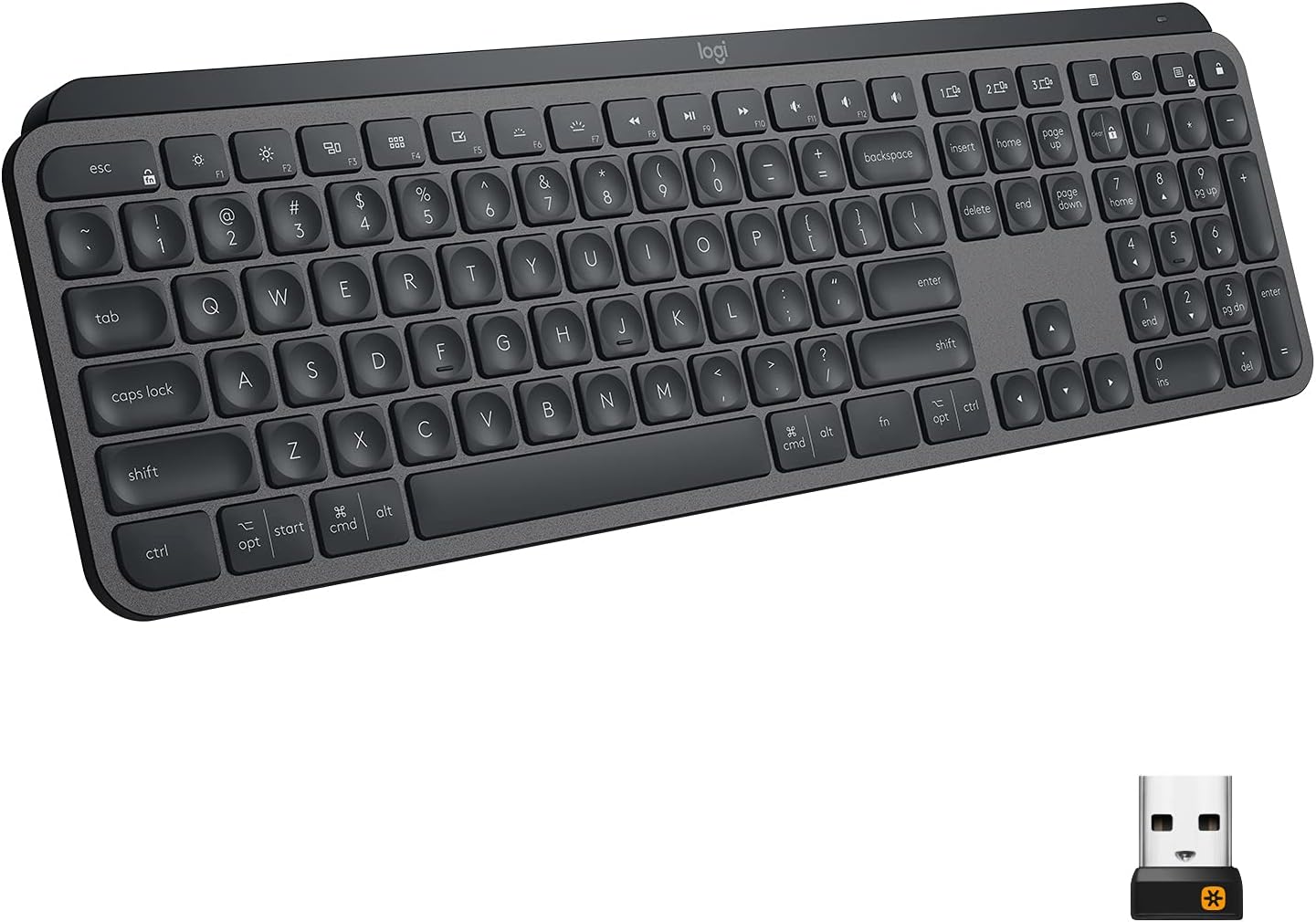
Image: The Logitech MX Keys Illuminated Wireless Keyboard, showcasing അതിന്റെ പൂർണ്ണമായ ലേഔട്ടും മിനുസമാർന്ന രൂപകൽപ്പനയും.
സജ്ജമാക്കുക
Your MX Keys keyboard can be connected to your device using either the included Unifying USB Receiver or via Bluetooth Low Energy technology.
Connecting via Unifying USB Receiver
- Locate the Unifying USB Receiver. It is a small USB dongle.
- Plug the Unifying USB Receiver into an available USB port on your computer.
- Turn on the keyboard using the power switch located on the back edge.
- The keyboard should automatically connect to the receiver. If not, use the Logitech Options software to pair the devices.
Image: The Logitech MX Keys keyboard with its accompanying Unifying USB receiver, which enables wireless connectivity.
ബ്ലൂടൂത്ത് വഴി ബന്ധിപ്പിക്കുന്നു
- നിങ്ങളുടെ ഉപകരണത്തിൽ ബ്ലൂടൂത്ത് പ്രവർത്തനക്ഷമമാക്കിയിട്ടുണ്ടെന്ന് ഉറപ്പാക്കുക.
- പവർ സ്വിച്ച് ഉപയോഗിച്ച് കീബോർഡ് ഓണാക്കുക.
- കീയിലെ LED ലൈറ്റ് വേഗത്തിൽ മിന്നിമറയുന്നത് വരെ ഈസി-സ്വിച്ച് കീകളിൽ ഒന്ന് (1, 2, അല്ലെങ്കിൽ 3) മൂന്ന് സെക്കൻഡ് അമർത്തിപ്പിടിക്കുക. കീബോർഡ് ജോടിയാക്കൽ മോഡിലാണെന്ന് ഇത് സൂചിപ്പിക്കുന്നു.
- On your device, go to Bluetooth settings and select "MX Keys" from the list of available devices to complete the pairing process.

Image: A close-up of the Logitech MX Keys keyboard highlighting the Easy-Switch buttons (1, 2, 3) used for connecting to multiple devices.
പ്രവർത്തന നിർദ്ദേശങ്ങൾ
Perfect Stroke Keys
The keys are designed with a spherical dishing that matches the shape of your fingertips, providing a comfortable and precise typing experience. The increased key stability reduces noise and optimizes responsiveness.

ചിത്രം: ഒരു ക്ലോസ്-അപ്പ് view of the Logitech MX Keys' spherically dished keys, designed for comfortable and precise typing.
സ്മാർട്ട് പ്രകാശം
The keyboard features smart backlighting that automatically adjusts to ambient light conditions. The backlighting also lights up when your hands approach the keyboard and fades when you move away, conserving battery life.

Image: The Logitech MX Keys keyboard with its smart backlighting illuminated, demonstrating how it adapts to the environment.
Flow Cross-Computer Control
If you use multiple computers, the MX Keys keyboard supports Logitech Flow, allowing you to type on multiple computers in one fluid workflow. This feature requires a Logitech Flow-enabled mouse and the Logitech Options software.

Image: A setup showing the Logitech MX Keys keyboard and a Logitech Flow-enabled mouse seamlessly controlling multiple computers, illustrating the cross-computer control feature.
മൾട്ടി-ഡിവൈസ്, മൾട്ടി-ഒഎസ് അനുയോജ്യത
The keyboard can be paired with up to three devices and easily switched between them using the Easy-Switch keys. It is compatible with Windows, macOS, Linux, iOS, and Android systems.

Image: An illustration demonstrating the Logitech MX Keys' compatibility with various operating systems and its ability to connect to multiple devices simultaneously.
Function Keys and Customization
The top row of keys includes media controls, brightness adjustments, and other function keys. These can be customized using the Logitech Options software to suit your workflow.
മെയിൻ്റനൻസ്
കീബോർഡ് ചാർജ് ചെയ്യുന്നു
The MX Keys keyboard is USB-C rechargeable. A full charge can last up to 10 days with backlighting on, or up to 5 months with backlighting turned off. Connect the included USB-C cable to the keyboard's USB-C port and the other end to a USB power source.
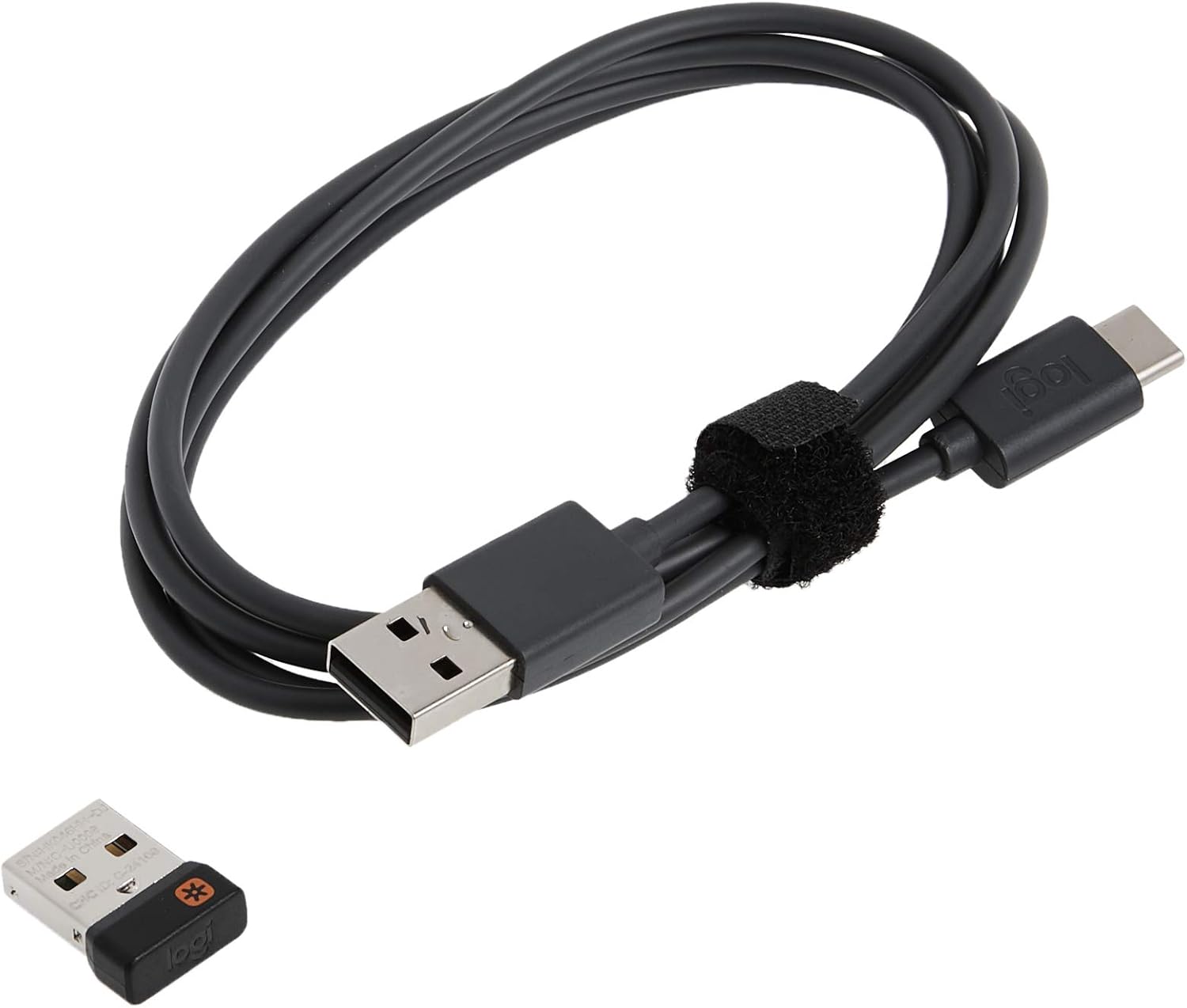
Image: The USB-C charging cable included with the Logitech MX Keys keyboard, used for recharging the internal battery.

Image: A close-up of the Logitech MX Keys keyboard's USB-C port, illustrating the quick charging capability.
വൃത്തിയാക്കൽ
നിങ്ങളുടെ കീബോർഡ് വൃത്തിയാക്കാൻ, മൃദുവായതും ലിന്റ് രഹിതവുമായ ഒരു തുണി ഉപയോഗിക്കുക. കഠിനമായ അഴുക്കിന്, ചെറുതായി dampതുണിയിൽ വെള്ളം ഒഴിക്കുക. കഠിനമായ രാസവസ്തുക്കളോ ഉരച്ചിലുകളോ ഉള്ള വസ്തുക്കൾ ഉപയോഗിക്കുന്നത് ഒഴിവാക്കുക.
ട്രബിൾഷൂട്ടിംഗ്
കീബോർഡ് കണക്റ്റുചെയ്യുന്നില്ല
- കീബോർഡ് ഓണാക്കിയിട്ടുണ്ടെന്നും പൂർണ്ണമായും ചാർജ് ചെയ്തിട്ടുണ്ടെന്നും ഉറപ്പാക്കുക.
- If using the Unifying Receiver, try plugging it into a different USB port.
- If using Bluetooth, ensure your device's Bluetooth is on and the keyboard is in pairing mode (blinking LED on Easy-Switch key).
- നിങ്ങളുടെ കമ്പ്യൂട്ടറോ ഉപകരണമോ പുനരാരംഭിക്കാൻ ശ്രമിക്കുക.
- Re-pair the keyboard using the Logitech Options software.
ബാക്ക്ലൈറ്റിംഗ് പ്രവർത്തിക്കുന്നില്ല
- ബാറ്ററി ലെവൽ പരിശോധിക്കുക; കുറഞ്ഞ ബാറ്ററി ബാക്ക്ലൈറ്റിംഗ് പ്രവർത്തനരഹിതമാക്കും.
- ആംബിയന്റ് ലൈറ്റ് സെൻസറിൽ തടസ്സമില്ലെന്ന് ഉറപ്പാക്കുക.
- Adjust backlighting brightness using the function keys (F5/F6 or OPT+F6/F7 depending on OS).
കീകൾ പ്രതികരിക്കുന്നില്ല
- ബാധിച്ച താക്കോലുകളുടെ ചുറ്റും അവശിഷ്ടങ്ങൾ നീക്കം ചെയ്യാൻ വൃത്തിയാക്കുക.
- കീബോർഡ് ശരിയായി ബന്ധിപ്പിച്ചിട്ടുണ്ടെന്ന് ഉറപ്പാക്കുക.
- പ്രശ്നം നിലനിൽക്കുകയാണെങ്കിൽ, ലോജിടെക് പിന്തുണയുമായി ബന്ധപ്പെടുക.
സ്പെസിഫിക്കേഷനുകൾ
| ഫീച്ചർ | വിശദാംശങ്ങൾ |
|---|---|
| ബ്രാൻഡ് | ലോജിടെക് |
| മോഡലിൻ്റെ പേര് | MX കീകൾ |
| ഇനം മോഡൽ നമ്പർ | 920-009294 |
| കണക്റ്റിവിറ്റി ടെക്നോളജി | ബ്ലൂടൂത്ത്, യുഎസ്ബി (യൂണിഫൈയിംഗ് റിസീവർ) |
| അനുയോജ്യമായ ഉപകരണങ്ങൾ | Laptop, PC, Tablet (Windows, macOS, Linux, iOS, Android) |
| കീബോർഡ് വിവരണം | Multi Functional, Membrane |
| പ്രത്യേക ഫീച്ചർ | Ergonomic, Low-Profile Key, Rechargeable, Smart Illumination, Flow Compatible |
| നിറം | ഗ്രാഫൈറ്റ് |
| കീകളുടെ എണ്ണം | 104 |
| ഇനത്തിൻ്റെ ഭാരം | 1.9 പൗണ്ട് |
| ഉൽപ്പന്ന അളവുകൾ (LxWxH) | 16.9 x 0.8 x 5.1 ഇഞ്ച് |
| പവർ ഉറവിടം | ബാറ്ററി പവർ (1 ലിഥിയം പോളിമർ ബാറ്ററി ഉൾപ്പെടുത്തിയിട്ടുണ്ട്) |
| ബാറ്ററി ലൈഫ് | 10 ദിവസം വരെ (ബാക്ക്ലൈറ്റിംഗ് ഓണാണ്), 5 മാസം വരെ (ബാക്ക്ലൈറ്റിംഗ് ഓഫ്) |
| വയർലെസ് ശ്രേണി | 10 മീറ്റർ (33 അടി) |
വാറൻ്റിയും പിന്തുണയും
The Logitech MX Keys keyboard comes with a 1 വർഷത്തെ പരിമിതമായ ഹാർഡ്വെയർ വാറൻ്റി. For warranty claims or technical support, please visit the official Logitech support webസൈറ്റ് അല്ലെങ്കിൽ നിങ്ങളുടെ ഉൽപ്പന്ന പാക്കേജിംഗിൽ നൽകിയിരിക്കുന്ന കോൺടാക്റ്റ് വിവരങ്ങൾ റഫർ ചെയ്യുക.
You can also find additional resources and software downloads (like Logitech Options) on the ലോജിടെക് പിന്തുണ പേജ്.


