ആമുഖം
Thank you for choosing the TESLA 4000 mAh Lithium-Polymer Power Bank. This compact and portable external battery is designed to provide reliable power for your mobile devices, such as smartphones and tablets, while you are on the go. This manual provides essential information for the safe and efficient use of your power bank. Please read it thoroughly before use and retain it for future reference.
ഉൽപ്പന്നം കഴിഞ്ഞുview
The TESLA 4000 mAh Power Bank features a high-quality lithium-polymer battery and integrated charging cables for convenience. It includes connectors for MicroUSB, Lightning, and USB-C devices, eliminating the need to carry extra cables.
പാക്കേജ് ഉള്ളടക്കം:
- 1 x TESLA 4000 mAh Lithium-Polymer Power Bank
ഉൽപ്പന്ന ഡയഗ്രം:
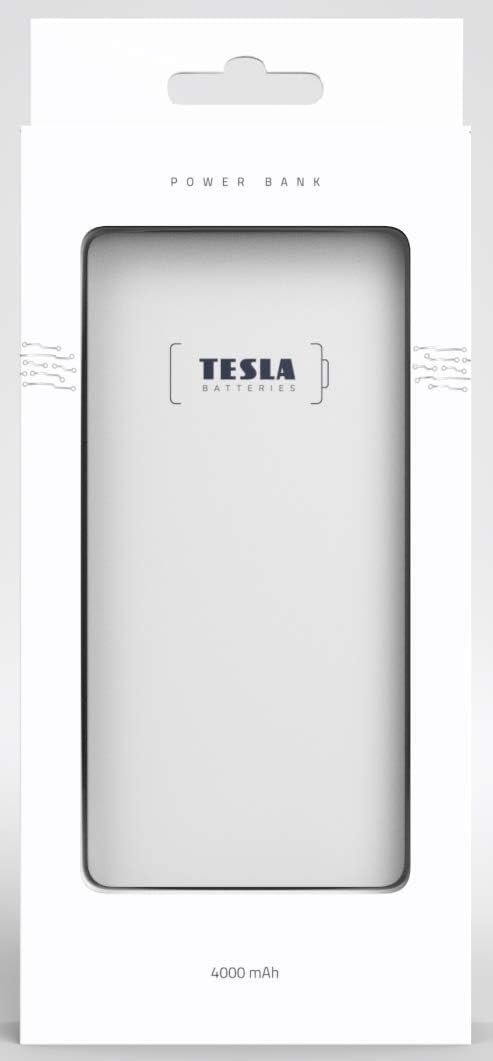
ചിത്രം: മുൻഭാഗം view of the TESLA 4000 mAh Power Bank. The device is white with the TESLA logo on the front. Four small LED indicator dots are visible at the bottom, indicating battery status.

ചിത്രം: വശം view of the TESLA 4000 mAh Power Bank. This view shows the integrated cables (MicroUSB, Lightning, USB-C) neatly tucked into the side, along with a standard USB-A output port and a MicroUSB input port for recharging the power bank.
സജ്ജമാക്കുക
പവർ ബാങ്കിന്റെ പ്രാരംഭ ചാർജിംഗ്:
- Before first use, fully charge your TESLA Power Bank.
- Connect the power bank to a USB power adapter (not included) using the integrated MicroUSB input cable or a standard MicroUSB cable.
- പവർ ബാങ്കിലെ എൽഇഡി ഇൻഡിക്കേറ്ററുകൾ ചാർജിംഗ് പുരോഗതി കാണിക്കുന്നതിനായി പ്രകാശിക്കും. പൂർണ്ണമായി ചാർജ് ചെയ്യുമ്പോൾ നാല് എൽഇഡികളും ഉറച്ചതായിരിക്കും.
ബാറ്ററി നില പരിശോധിക്കുന്നു:
Briefly press the power button (if present, or connect a device) to see the current battery level indicated by the LEDs:
- 4 LED-കൾ: 75-100% ഈടാക്കി
- 3 LED-കൾ: 50-75% ഈടാക്കി
- 2 LED-കൾ: 25-50% ഈടാക്കി
- 1 LED: 0-25% ചാർജ് ചെയ്തു (ഉടൻ റീചാർജ് ചെയ്യുക)
പ്രവർത്തന നിർദ്ദേശങ്ങൾ
നിങ്ങളുടെ ഉപകരണം ചാർജ്ജുചെയ്യുന്നു:
- Identify the correct integrated cable for your device (MicroUSB, Lightning, or USB-C).
- Pull out the appropriate integrated cable from the power bank.
- Connect the cable to your device's charging port.
- പവർ ബാങ്ക് നിങ്ങളുടെ ഉപകരണം സ്വയമേവ ചാർജ് ചെയ്യാൻ തുടങ്ങും. എൽഇഡി ഇൻഡിക്കേറ്ററുകൾ പവർ ബാങ്കിന്റെ ശേഷിക്കുന്ന ചാർജ് കാണിക്കും.
- നിങ്ങളുടെ ഉപകരണം പൂർണ്ണമായി ചാർജ് ചെയ്തുകഴിഞ്ഞാൽ, അത് പവർ ബാങ്കിൽ നിന്ന് വിച്ഛേദിക്കുക.
- Return the integrated cable to its storage slot on the power bank.
- കുറിപ്പ്: If your device uses a different connector, you can use your device's original USB charging cable by plugging it into the standard USB-A output port on the power bank.
പവർ ബാങ്ക് റീചാർജ് ചെയ്യുന്നു:
- When the power bank's battery level is low (indicated by one flashing LED), it's time to recharge.
- Connect the power bank to a USB power source (e.g., wall adapter, computer USB port) using the integrated MicroUSB input cable or a standard MicroUSB cable plugged into the MicroUSB input port.
- The LED indicators will flash during charging and become solid when fully charged.
സുരക്ഷാ വിവരങ്ങൾ
To ensure safe operation and prolong the life of your power bank, please observe the following safety guidelines:
- പവർ ബാങ്കിനെ തീവ്രമായ താപനില (ചൂട് അല്ലെങ്കിൽ തണുപ്പ്), നേരിട്ടുള്ള സൂര്യപ്രകാശം അല്ലെങ്കിൽ ഉയർന്ന ഈർപ്പം എന്നിവയ്ക്ക് വിധേയമാക്കരുത്.
- പവർ ബാങ്ക് താഴെയിടുകയോ, ഇടിക്കുകയോ, വേർപെടുത്തുകയോ ചെയ്യുന്നത് ഒഴിവാക്കുക.
- പവർ ബാങ്ക് വെള്ളത്തിൽ നിന്നും മറ്റ് ദ്രാവകങ്ങളിൽ നിന്നും അകറ്റി നിർത്തുക.
- പവർ ബാങ്ക് കേടായാലോ, വീർത്താലോ, ചോർന്നൊലിക്കുന്നാലോ അത് ഉപയോഗിക്കരുത്.
- കുട്ടികൾക്ക് ലഭ്യമാകാതെ സൂക്ഷിക്കുക.
- ലിഥിയം-പോളിമർ ബാറ്ററികൾക്കുള്ള പ്രാദേശിക നിയന്ത്രണങ്ങൾ അനുസരിച്ച് പവർ ബാങ്ക് ഉത്തരവാദിത്തത്തോടെ സംസ്കരിക്കുക.
- Do not attempt to modify or repair the power bank yourself. Contact qualified service personnel if needed.
മെയിൻ്റനൻസ്
- വൃത്തിയാക്കൽ: പവർ ബാങ്ക് വൃത്തിയാക്കാൻ മൃദുവായതും ഉണങ്ങിയതുമായ തുണി ഉപയോഗിക്കുക. കഠിനമായ രാസവസ്തുക്കളോ ഉരച്ചിലുകളോ ഉള്ള വസ്തുക്കൾ ഉപയോഗിക്കരുത്.
- സംഭരണം: Store the power bank in a cool, dry place when not in use. For long-term storage, it is recommended to keep the power bank charged to about 50-75% to preserve battery health. Recharge every 3-6 months if stored for extended periods.
ട്രബിൾഷൂട്ടിംഗ്
പവർ ബാങ്ക് ചാർജ് ചെയ്യുന്നില്ല:
- ചാർജിംഗ് കേബിൾ പവർ ബാങ്കിലേക്കും പവർ സ്രോതസ്സിലേക്കും സുരക്ഷിതമായി ബന്ധിപ്പിച്ചിട്ടുണ്ടെന്ന് ഉറപ്പാക്കുക.
- മറ്റൊരു USB പവർ അഡാപ്റ്ററോ USB പോർട്ടോ പരീക്ഷിക്കുക.
- Check if the MicroUSB input port on the power bank is clean and free of debris.
പവർ ബാങ്കിൽ നിന്ന് ഉപകരണം ചാർജ് ചെയ്യുന്നില്ല:
- Verify that the integrated cable is fully inserted into your device's charging port.
- പവർ ബാങ്കിൽ ആവശ്യത്തിന് ചാർജ് ഉണ്ടെന്ന് ഉറപ്പാക്കുക (LED ഇൻഡിക്കേറ്ററുകൾ പരിശോധിക്കുക).
- Try using a different integrated cable or the standard USB-A output port with your device's original cable.
- Confirm your device is compatible with the power bank's output voltagഇ (5V).
സ്ലോ ചാർജിംഗ്:
- Ensure you are using a suitable power adapter for recharging the power bank (e.g., 5V/2A for faster charging).
- Check if the cables are in good condition.
- Some devices may charge slower if they are being used heavily while charging.
സ്പെസിഫിക്കേഷനുകൾ
| മോഡൽ നമ്പർ | 1099137252 |
| ബാറ്ററി തരം | ലിഥിയം-പോളിമർ |
| ശേഷി | 4000 mAh |
| ഇൻപുട്ട് വോളിയംtage | 5 വോൾട്ട് |
| Putട്ട്പുട്ട് വോളിയംtage | 5 വോൾട്ട് |
| അളവുകൾ (L x W x H) | 12.9 x 6.78 x 0.88 സെ.മീ (5.08 x 2.67 x 0.35 ഇഞ്ച്) |
| ഭാരം | 142.7 ഗ്രാം (5.03 ഔൺസ്) |
| അനുയോജ്യമായ ഉപകരണങ്ങൾ | സ്മാർട്ട്ഫോണുകൾ, ടാബ്ലെറ്റുകൾ |
| സംയോജിത കണക്ടറുകൾ | മൈക്രോ യുഎസ്ബി, മിന്നൽ, യുഎസ്ബി-സി |
വാറൻ്റിയും പിന്തുണയും
The TESLA 4000 mAh Lithium-Polymer Power Bank is covered by a 2 വർഷത്തെ നിർമ്മാതാവിൻ്റെ വാറൻ്റി വാങ്ങിയ തീയതി മുതൽ. സാധാരണ ഉപയോഗത്തിലുള്ള മെറ്റീരിയലുകളിലെയും വർക്ക്മാൻഷിപ്പുകളിലെയും വൈകല്യങ്ങൾ ഈ വാറന്റി ഉൾക്കൊള്ളുന്നു.
For warranty claims or technical support, please contact your retailer or the manufacturer directly with your proof of purchase and product model number.


