ആമുഖം
വാങ്ങിയതിന് നന്ദി.asing the MUSE M-152 RC Retro Cassette Recorder. This device combines a classic cassette player/recorder with an FM/MW radio tuner and an AUX input, offering versatile audio playback and recording options. This manual provides essential information for safe and efficient use of your new device. Please read it thoroughly before operation and retain it for future reference.

ചിത്രം 0: The MUSE M-152 RC Retro Cassette Recorder.
പ്രധാനപ്പെട്ട സുരക്ഷാ വിവരങ്ങൾ
- ഊർജ്ജ സ്രോതസ്സ്: വൈദ്യുതി വിതരണം വോളിയം ഉറപ്പാക്കുകtage matches the requirements specified on the unit. Use only the provided AC adapter.
- ബാറ്ററി ഉപയോഗം: If using batteries, ensure they are inserted with correct polarity. Do not mix old and new batteries, or different types of batteries. Remove batteries if the unit will not be used for an extended period.
- ജലവും ഈർപ്പവും: മഴ, ഈർപ്പം, തുള്ളികൾ/തെറിച്ചിൽ ദ്രാവകങ്ങൾ എന്നിവ യൂണിറ്റിൽ ഏൽപ്പിക്കരുത്. പാത്രങ്ങൾ പോലുള്ള ദ്രാവകങ്ങൾ നിറച്ച വസ്തുക്കൾ യൂണിറ്റിൽ വയ്ക്കരുത്.
- വെൻ്റിലേഷൻ: വെന്റിലേഷൻ ദ്വാരങ്ങളൊന്നും തടയരുത്. ശരിയായ വായുസഞ്ചാരത്തിനായി യൂണിറ്റിന് ചുറ്റും മതിയായ ഇടം ഉറപ്പാക്കുക.
- ചൂട്: റേഡിയേറ്ററുകൾ, ഹീറ്റ് രജിസ്റ്ററുകൾ, സ്റ്റൗകൾ അല്ലെങ്കിൽ മറ്റ് ഉപകരണങ്ങൾ (ഉൾപ്പെടെ) പോലുള്ള താപ സ്രോതസ്സുകളിൽ നിന്ന് യൂണിറ്റ് അകറ്റി നിർത്തുക. ampലൈഫയറുകൾ) ചൂട് ഉത്പാദിപ്പിക്കുന്നത്.
- വൃത്തിയാക്കൽ: വൃത്തിയാക്കുന്നതിന് മുമ്പ് വാൾ ഔട്ട്ലെറ്റിൽ നിന്ന് യൂണിറ്റ് പ്ലഗ് ഊരിയിടുക. മൃദുവായതും ഉണങ്ങിയതുമായ തുണി ഉപയോഗിക്കുക. ലിക്വിഡ് ക്ലീനറുകളോ എയറോസോൾ ക്ലീനറുകളോ ഉപയോഗിക്കരുത്.
- സേവനം: ഈ ഉൽപ്പന്നം സ്വയം സേവിക്കാൻ ശ്രമിക്കരുത്. യോഗ്യതയുള്ള സേവന ഉദ്യോഗസ്ഥർക്ക് എല്ലാ സേവനങ്ങളും റഫർ ചെയ്യുക.
- ബാഹ്യ ഉപയോഗത്തിന് മാത്രം: This device is designed for external use.
ഉൽപ്പന്ന സവിശേഷതകൾ
The MUSE M-152 RC offers a range of functionalities for audio enthusiasts:
- Integrated Cassette Player and Recorder
- AM/FM Radio Tuner with telescopic antenna
- AUX Input for connecting external audio devices
- Built-in Microphone for direct voice recording
- Portable design with optional battery operation
- Auto Stop function for cassette playback
- Rotary controls for Volume and Tuning
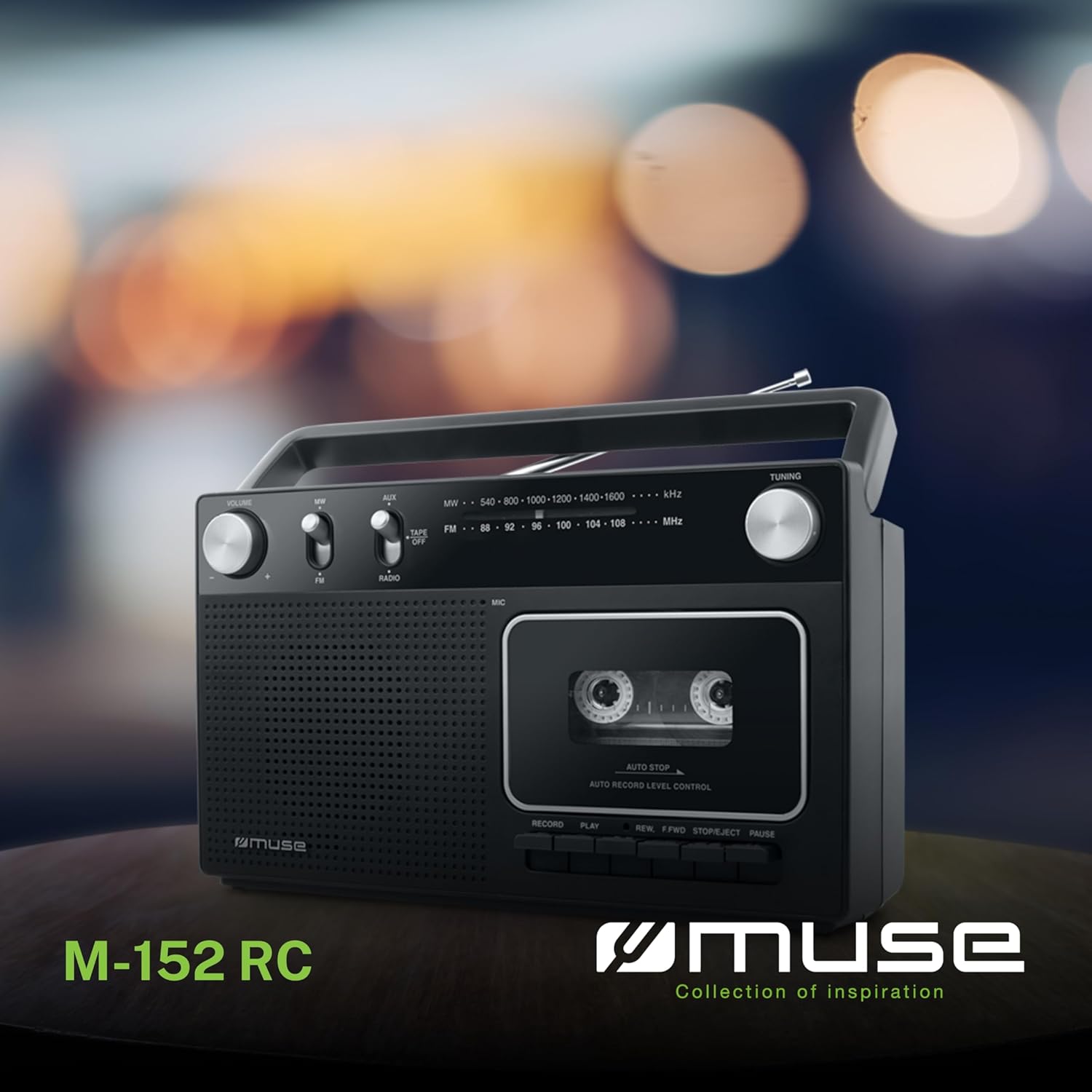
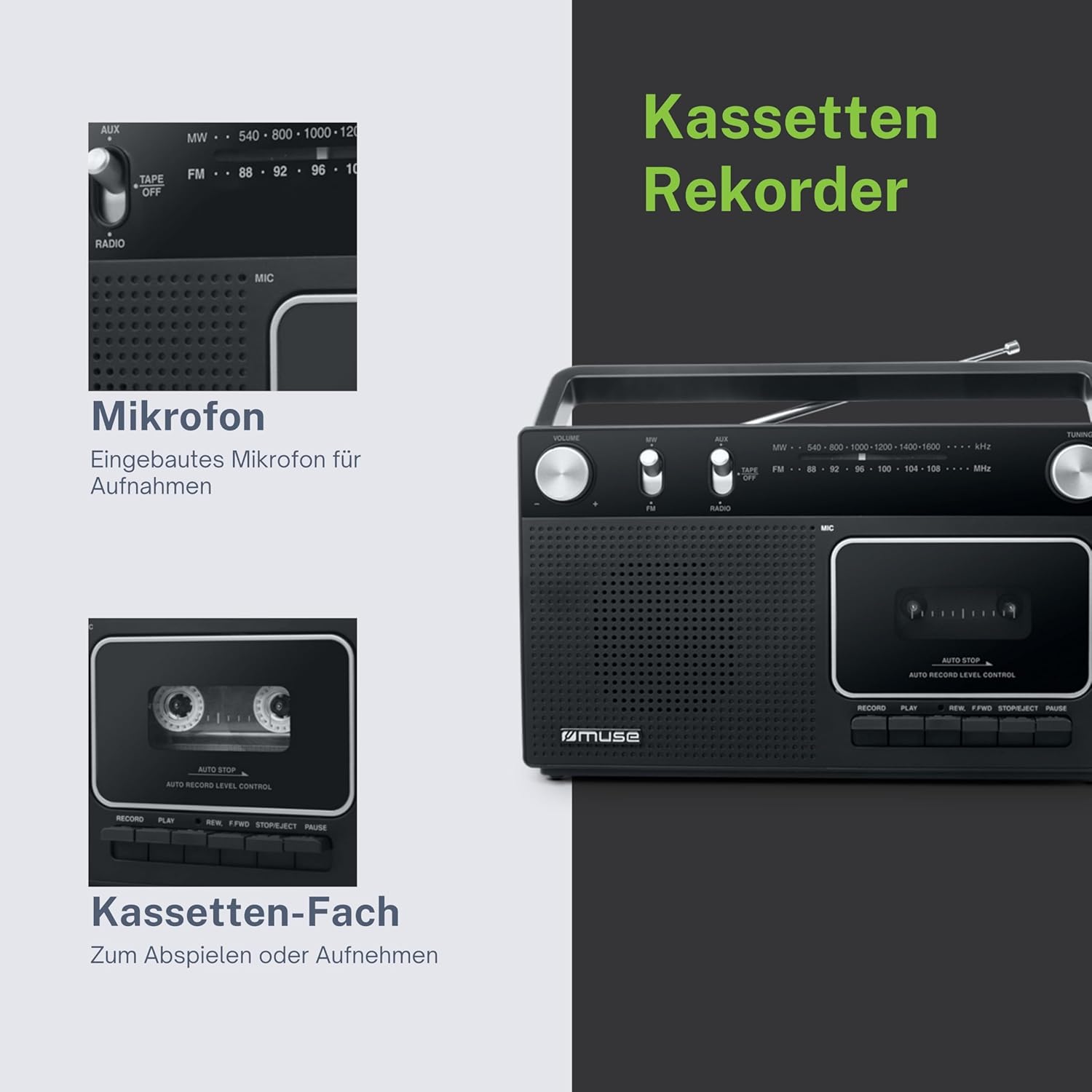
ചിത്രം 1: കഴിഞ്ഞുview of the MUSE M-152 RC highlighting its main features like cassette recording, rotary controls, good sound quality, and FM/MW radio capabilities.
സജ്ജമാക്കുക
1. യൂണിറ്റിന് ശക്തി നൽകുന്നു
The M-152 RC can be powered by either AC mains or batteries.
- എസി പവർ: Connect the supplied AC power adapter to the DC IN jack on the unit and then plug the adapter into a standard 220V AC wall outlet.
- ബാറ്ററി പവർ: Open the battery compartment cover on the back of the unit. Insert 4 x 'C' size batteries (not included), ensuring correct polarity (+/-) as indicated inside the compartment. Close the cover securely.
2. ആന്റിന ക്രമീകരണം
For optimal FM radio reception, fully extend the telescopic antenna. For MW (AM) reception, the unit has a built-in ferrite bar antenna, so no external adjustment is needed, but rotating the unit might improve reception.
പ്രവർത്തന നിർദ്ദേശങ്ങൾ
1. റേഡിയോ ഓപ്പറേഷൻ
- Set the function switch to "RADIO".
- Select the desired band (FM or MW) using the FM/MW switch.
- തിരിക്കുക ട്യൂണിംഗ് knob to search for a radio station.
- ക്രമീകരിക്കുക വോളിയം knob to your preferred listening level.
- For FM, extend and adjust the telescopic antenna for best reception. For MW, rotate the unit for optimal signal.
2. കാസറ്റ് പ്ലേബാക്ക്
- Set the function switch to "TAPE/OFF".
- അമർത്തുക നിർത്തുക/പുറത്തള്ളുക കാസറ്റ് കമ്പാർട്ട്മെന്റ് തുറക്കുന്നതിനുള്ള ബട്ടൺ.
- Insert a cassette tape with the open edge facing upwards and the tape side facing the unit. Close the compartment door firmly.
- അമർത്തുക കളിക്കുക പ്ലേബാക്ക് ആരംഭിക്കുന്നതിനുള്ള ബട്ടൺ.
- ഉപയോഗിക്കുക REW (Rewind) or എഫ്.എഫ്.ഡബ്ല്യു.ഡി (Fast Forward) buttons to navigate the tape. Press നിർത്തുക/പുറത്തള്ളുക വളയുന്നത് നിർത്താൻ.
- അമർത്തുക താൽക്കാലികമായി നിർത്തുക പ്ലേബാക്ക് താൽക്കാലികമായി നിർത്താൻ ബട്ടൺ അമർത്തുക. പുനരാരംഭിക്കാൻ അത് വീണ്ടും അമർത്തുക.
- അമർത്തുക നിർത്തുക/പുറത്തള്ളുക പ്ലേബാക്ക് നിർത്തി കാസറ്റ് പുറത്തെടുക്കാൻ ബട്ടൺ അമർത്തുക.
- ക്രമീകരിക്കുക വോളിയം ആവശ്യാനുസരണം നോബ്.

ചിത്രം 2: Detail of the cassette compartment and the integrated microphone for recording.
3. കാസറ്റ് റെക്കോർഡിംഗ്
The M-152 RC allows recording from the radio or via its built-in microphone.
റേഡിയോയിൽ നിന്നുള്ള റെക്കോർഡിംഗ്:
- കമ്പാർട്ടുമെന്റിലേക്ക് ഒരു ശൂന്യമായ കാസറ്റ് ടേപ്പ് തിരുകുക.
- Set the function switch to "RADIO" and tune to the desired station.
- അമർത്തുക രേഖപ്പെടുത്തുക button (red button) simultaneously with the കളിക്കുക button. The recording will begin.
- റെക്കോർഡിംഗ് നിർത്താൻ, അമർത്തുക നിർത്തുക/പുറത്തള്ളുക ബട്ടൺ.
Recording with Built-in Microphone:
- കമ്പാർട്ടുമെന്റിലേക്ക് ഒരു ശൂന്യമായ കാസറ്റ് ടേപ്പ് തിരുകുക.
- Set the function switch to "TAPE/OFF".
- അമർത്തുക രേഖപ്പെടുത്തുക button (red button) simultaneously with the കളിക്കുക button. The recording will begin from the built-in microphone.
- Speak clearly into the microphone located on the front of the unit.
- റെക്കോർഡിംഗ് നിർത്താൻ, അമർത്തുക നിർത്തുക/പുറത്തള്ളുക ബട്ടൺ.

ചിത്രം 3: The built-in microphone allows for direct voice recording onto a cassette tape.
4. AUX ഇൻപുട്ട്
Connect an external audio device (e.g., MP3 player, smartphone) to the AUX IN jack using a 3.5mm audio cable (not included).
- Set the function switch to "AUX".
- നിങ്ങളുടെ ബാഹ്യ ഉപകരണത്തിൽ പ്ലേബാക്ക് ആരംഭിക്കുക.
- ക്രമീകരിക്കുക വോളിയം knob on the M-152 RC and on your external device for the desired sound level.
മെയിൻ്റനൻസ്
- യൂണിറ്റ് വൃത്തിയാക്കൽ: മൃദുവായതും ഉണങ്ങിയതുമായ തുണി ഉപയോഗിച്ച് യൂണിറ്റിന്റെ പുറംഭാഗം തുടയ്ക്കുക. അബ്രാസീവ് ക്ലീനറുകളോ ലായകങ്ങളോ ഉപയോഗിക്കരുത്.
- കാസറ്റ് ഹെഡ് വൃത്തിയാക്കൽ: Periodically clean the tape head, pinch roller, and capstan using a cotton swab lightly moistened with isopropyl alcohol. This helps maintain sound quality and prevents tape damage. Ensure the unit is powered off and unplugged before cleaning.
- സംഭരണം: When not in use for extended periods, store the unit in a dry, dust-free environment. Remove batteries if using battery power.
ട്രബിൾഷൂട്ടിംഗ്
| പ്രശ്നം | സാധ്യമായ കാരണം | പരിഹാരം |
|---|---|---|
| ശക്തിയില്ല | എസി അഡാപ്റ്റർ ശരിയായി ബന്ധിപ്പിച്ചിട്ടില്ല; ബാറ്ററികൾ തീർന്നു അല്ലെങ്കിൽ തെറ്റായി ചേർത്തിരിക്കുന്നു. | എസി അഡാപ്റ്റർ കണക്ഷൻ പരിശോധിക്കുക; ബാറ്ററികൾ മാറ്റിസ്ഥാപിക്കുക അല്ലെങ്കിൽ ശരിയായ പോളാരിറ്റി ഉറപ്പാക്കുക. |
| മോശം റേഡിയോ സ്വീകരണം | Antenna not extended/adjusted; Weak signal. | Fully extend and adjust the telescopic antenna (FM); Rotate the unit (MW). |
| Cassette not playing/poor sound | Tape incorrectly inserted; Tape head dirty; Tape damaged. | Re-insert tape correctly; Clean tape head; Try a different tape. |
| റെക്കോർഡിംഗ് ഇല്ല | RECORD and PLAY not pressed simultaneously; Tape write-protect tab removed. | Ensure both buttons are pressed together; Cover the write-protect tab with tape. |
സ്പെസിഫിക്കേഷനുകൾ
- മോഡൽ: M-152 RC
- ഊർജ്ജ സ്രോതസ്സ്: AC 220V / 4 x 'C' size batteries (DC 6V)
- റേഡിയോ ബാൻഡുകൾ: FM (88-108 MHz), MW (540-1600 kHz)
- കണക്ഷനുകൾ: AUX-In (3.5mm jack)
- പ്രത്യേക സവിശേഷതകൾ: Portable, Built-in Microphone, Auto Stop
- അളവുകൾ (L x W x H): ഏകദേശം 27 സെ.മീ x 9.3 സെ.മീ x 16 സെ.മീ
- നിറം: കറുപ്പ്
ചിത്രം 4: Dimensional drawing of the MUSE M-152 RC.
വാറൻ്റിയും പിന്തുണയും
For warranty information and technical support, please refer to the warranty card included with your product or contact your local MUSE distributor or retailer. Keep your proof of purchase for any warranty claims.