1. ആമുഖം
This manual provides detailed instructions for the installation, operation, and maintenance of your V-TAC VT-5135 IP Security Camera. This 1080P bullet camera is designed for both indoor and outdoor surveillance, offering reliable monitoring with its robust features. Please read this manual thoroughly before using the product to ensure proper setup and functionality.

Figure 1: V-TAC VT-5135 IP Security Camera
2 സുരക്ഷാ വിവരങ്ങൾ
- വൈദ്യുതി വിതരണം വോളിയം ഉറപ്പാക്കുകtage matches the camera's requirements (220-240V, 50Hz).
- Do not attempt to disassemble or modify the camera. This may void the warranty and cause damage.
- Keep the camera away from extreme temperatures, humidity, and direct sunlight.
- Use only V-TAC approved accessories and power adapters.
- For outdoor installations, ensure all connections are properly sealed to maintain the IP65 rating.
3. പാക്കേജ് ഉള്ളടക്കം
പാക്കേജിൽ എല്ലാ ഇനങ്ങളും ഉണ്ടെന്ന് ഉറപ്പാക്കുക:
- 1 x V-TAC VT-5135 IP Security Camera
- മൗണ്ടിംഗ് സ്ക്രൂകളും മതിൽ പ്ലഗുകളും
- Waterproof connector kit
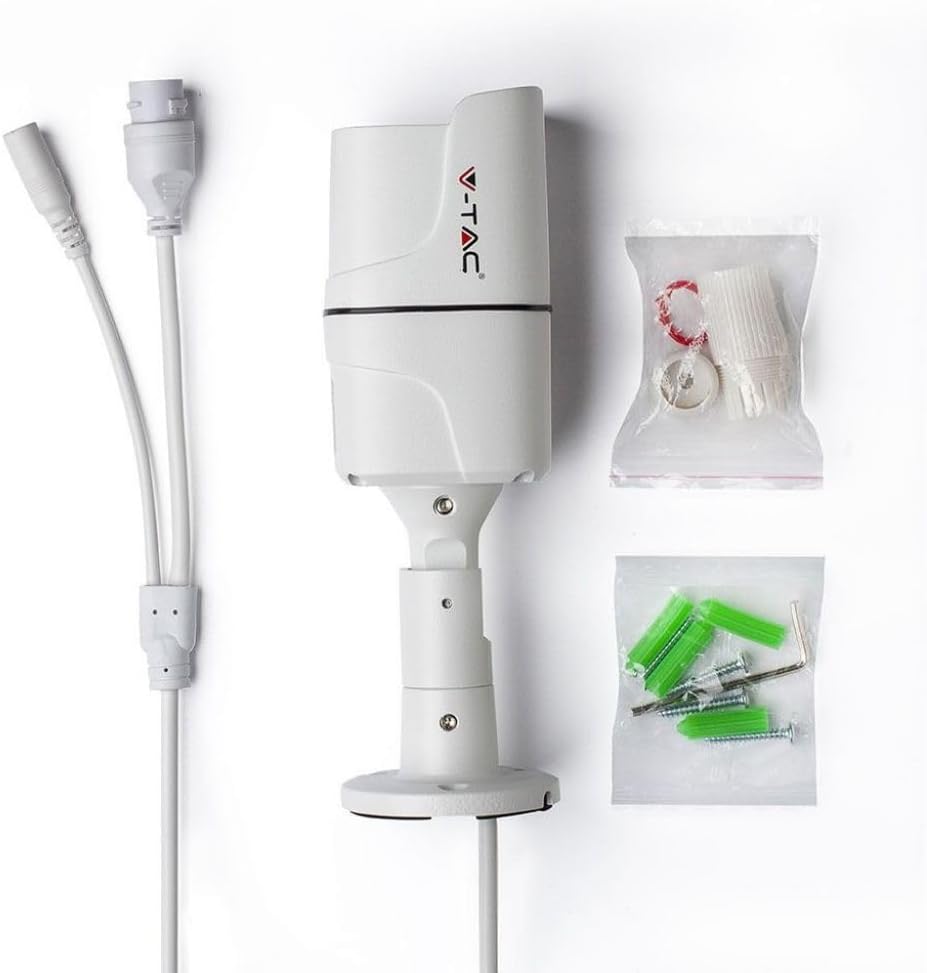
Figure 2: Camera and included accessories
4. ഉൽപ്പന്നം കഴിഞ്ഞുview
The V-TAC VT-5135 is a 2.0MP bullet-style IP camera featuring 1080P resolution. It is equipped with a 3.6mm lens at f/1.8 and supports various network protocols for seamless integration into your surveillance system.
4.1 പ്രധാന സവിശേഷതകൾ
- റെസലൂഷൻ: 1080p @20fps
- കാലാവസ്ഥ പ്രതിരോധം: IP65 rated for indoor/outdoor use
- ലെൻസ്: M12 type, 3.6mm @f/1.8
- രാത്രി കാഴ്ച: Up to 30 meters IR distance
- കണക്റ്റിവിറ്റി: 10/100 Mbps Adaptive Ethernet (RJ45)
- പ്രോട്ടോക്കോളുകൾ: Supports TCP/IP, HTTP, DHCP, DNS, DDNS, PPPoE, SMTP, NTP

Figure 3: Special Features Overview
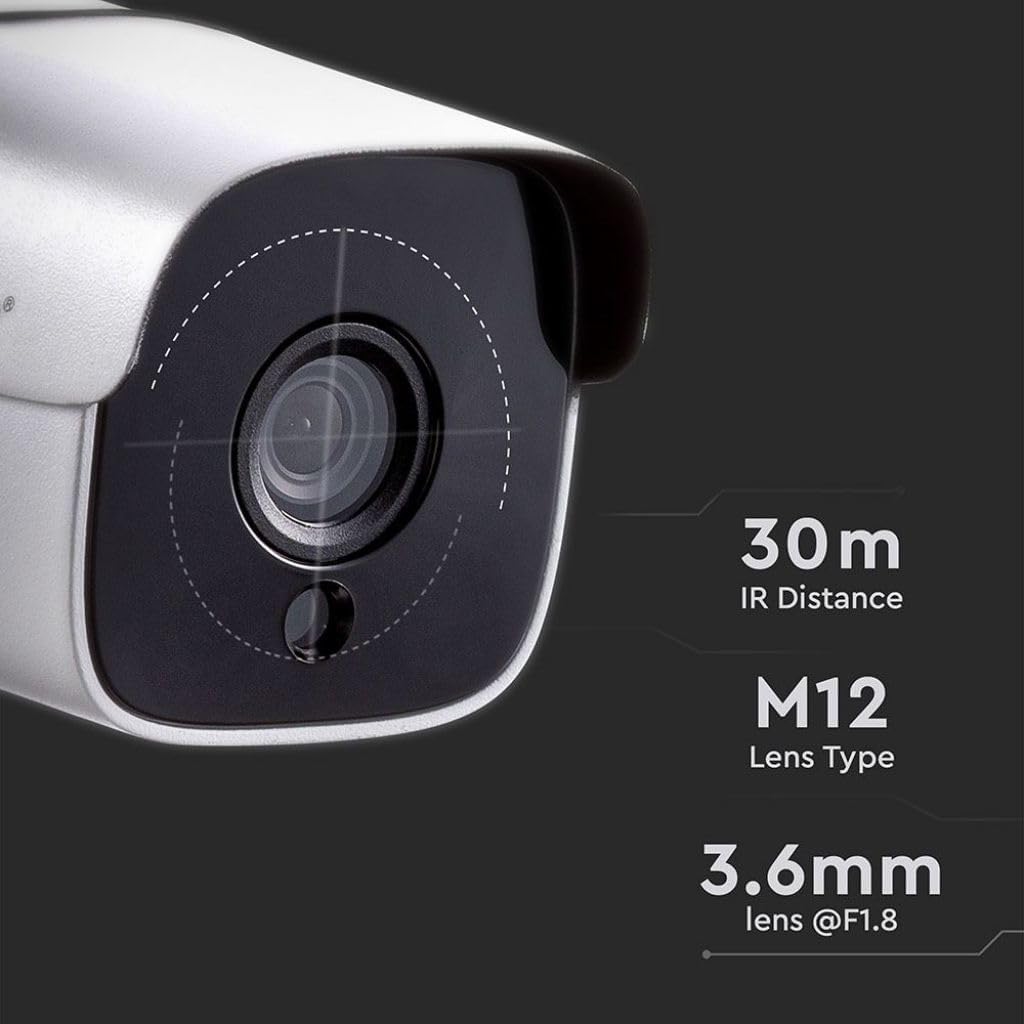
Figure 4: Lens and IR Specifications
5. സജ്ജീകരണം
5.1 ക്യാമറ മൗണ്ടിംഗ്
The VT-5135 camera is designed for wall-mount installation. Choose a suitable location that provides the desired viewing angle and is within reach of power and network connections.
- ക്യാമറയുടെ ബേസ് ഒരു ടെംപ്ലേറ്റായി ഉപയോഗിച്ച് ചുമരിൽ ഡ്രില്ലിംഗ് പോയിന്റുകൾ അടയാളപ്പെടുത്തുക.
- Drill holes and insert the provided wall plugs.
- Secure the camera base to the wall using the mounting screws.
- ഒപ്റ്റിമൽ കവറേജിനായി ക്യാമറയുടെ ആംഗിൾ ക്രമീകരിക്കുക.
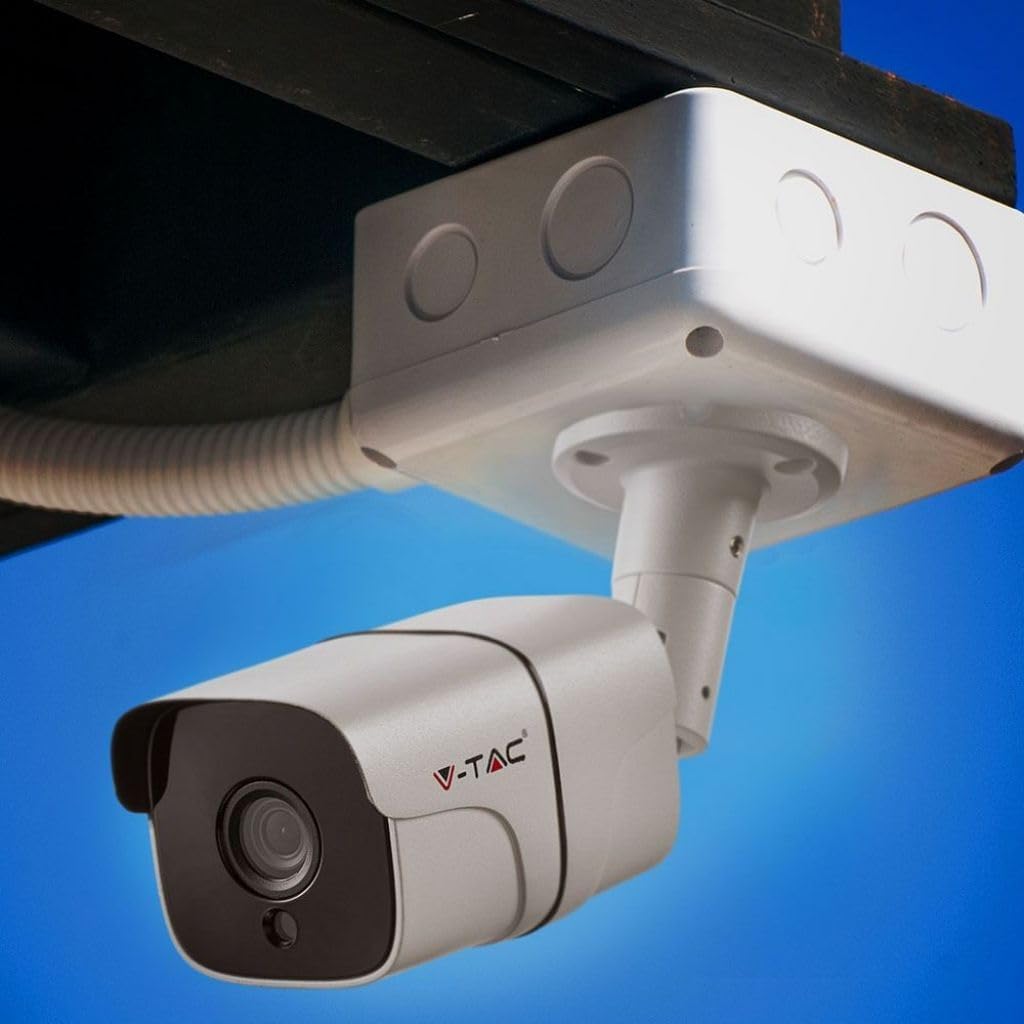
ചിത്രം 5: ഉദാample of outdoor camera mounting
5.2 Wiring and Network Connection
Connect the camera to power and your network:
- Connect the power adapter to the camera's power input and then to a suitable power outlet.
- Connect an Ethernet cable to the camera's RJ45 port and the other end to your network router or switch. Use the waterproof connector kit for outdoor installations to protect the RJ45 connection.
- എല്ലാ കണക്ഷനുകളും സുരക്ഷിതമാണെന്ന് ഉറപ്പാക്കുക.
6. പ്രവർത്തന നിർദ്ദേശങ്ങൾ
6.1 പ്രാരംഭ ആക്സസും കോൺഫിഗറേഷനും
After connecting the camera to your network, you will need to access it via a client application or web browser for initial setup. Refer to the specific software instructions provided by V-TAC for detailed steps on discovering the camera on your network, setting up user accounts, and configuring network settings (e.g., IP address, port forwarding).
6.2 തത്സമയം View ഒപ്പം റെക്കോർഡിംഗ്
Once configured, you can view the live feed from the camera through the client software or web interface. Most applications allow for:
- തത്സമയ വീഡിയോ നിരീക്ഷണം
- വീഡിയോ foo റെക്കോർഡിംഗ്tage (manual, scheduled, or motion-triggered)
- Adjusting image settings such as saturation, brightness, and contrast.
6.3 നൈറ്റ് വിഷൻ
The VT-5135 features automatic night vision, providing clear surveillance even in low-light conditions up to 30 meters. The camera automatically switches to infrared (IR) mode when ambient light is insufficient.

Figure 6: 1080P Night Vision Capability
7 സ്പെസിഫിക്കേഷനുകൾ
| മോഡലിൻ്റെ പേര് | VT-5135 |
| റെസലൂഷൻ | 1080p @20fps |
| IP റേറ്റിംഗ് | IP65 |
| ലെൻസ് തരം | M12 |
| Lens Objectives | 3.6mm @f/1.8 |
| IR ദൂരം | 30 മീറ്റർ |
| ആശയവിനിമയ ഇൻ്റർഫേസ് | 1 x 10/100 Mbps Adaptive Ethernet (RJ45) |
| പവർ ഉറവിടം | Corded Electric Component |
| വാട്ട്tage | 7 വാട്ട്സ് |
| വാല്യംtagഇ/ആവൃത്തി | 220-240 Volts / 50 Hertz |
| ഉൽപ്പന്ന അളവുകൾ | 8.5 x 20 x 9 സെ.മീ |
| ഇനത്തിൻ്റെ ഭാരം | 1 കി.ഗ്രാം |
| പ്രത്യേക സവിശേഷതകൾ | നൈറ്റ് വിഷൻ |
8. പ്രശ്നപരിഹാരം
8.1 No Image/Offline Camera
- പവർ പരിശോധിക്കുക: Ensure the camera is properly connected to a power source and the adapter is functioning.
- നെറ്റ്വർക്ക് കണക്ഷൻ പരിശോധിക്കുക: Verify the Ethernet cable is securely connected to both the camera and the router/switch. Confirm network activity lights are blinking.
- നെറ്റ്വർക്ക് കോൺഫിഗറേഷൻ: Ensure the camera's IP address and network settings are correctly configured and compatible with your network.
- Router/Switch: Restart your network router or switch.
8.2 മോശം ഇമേജ് നിലവാരം
- ക്ലീൻ ലെൻസ്: Gently clean the camera lens with a soft, dry cloth.
- ലൈറ്റിംഗ്: Ensure adequate lighting in the surveillance area, especially during the day.
- സോഫ്റ്റ്വെയർ ക്രമീകരണങ്ങൾ: Adjust brightness, contrast, and other image settings through the camera's client software or web ഇൻ്റർഫേസ്.
9. പരിപാലനം
- വൃത്തിയാക്കൽ: Regularly clean the camera's exterior and lens with a soft, damp തുണി. ഉരച്ചിലുകൾ ഉള്ള ക്ലീനറുകൾ ഒഴിവാക്കുക.
- ഫേംവെയർ അപ്ഡേറ്റുകൾ: Check the V-TAC official webഒപ്റ്റിമൽ പ്രകടനവും സുരക്ഷയും ഉറപ്പാക്കാൻ ഫേംവെയർ അപ്ഡേറ്റുകൾക്കായി ഇടയ്ക്കിടെ സൈറ്റ് സന്ദർശിക്കുക.
- കേബിൾ പരിശോധന: Periodically inspect power and network cables for any signs of wear or damage, especially for outdoor installations.
10. വാറൻ്റിയും പിന്തുണയും
For warranty information, technical support, or service inquiries, please refer to the warranty card included with your product or visit the official V-TAC webസൈറ്റ്. വാങ്ങിയതിന്റെ തെളിവായി നിങ്ങളുടെ വാങ്ങൽ രസീത് സൂക്ഷിക്കുക.


