1. ഉൽപ്പന്നം കഴിഞ്ഞുview
The VibroLegs device is an electric foot and leg massager designed to stimulate blood circulation, relax, and revitalize your legs through a perfectly coordinated combination of vibration and massage. It features rotating massage heads in the footplate to additionally massage the midfoot, providing a relaxing wellness moment.
The device is easy to operate with its intuitive remote control and offers two automatic programs for instant relaxation. Its compact dimensions allow for space-saving storage, and the removable silicone foot pads ensure hygienic cleaning.
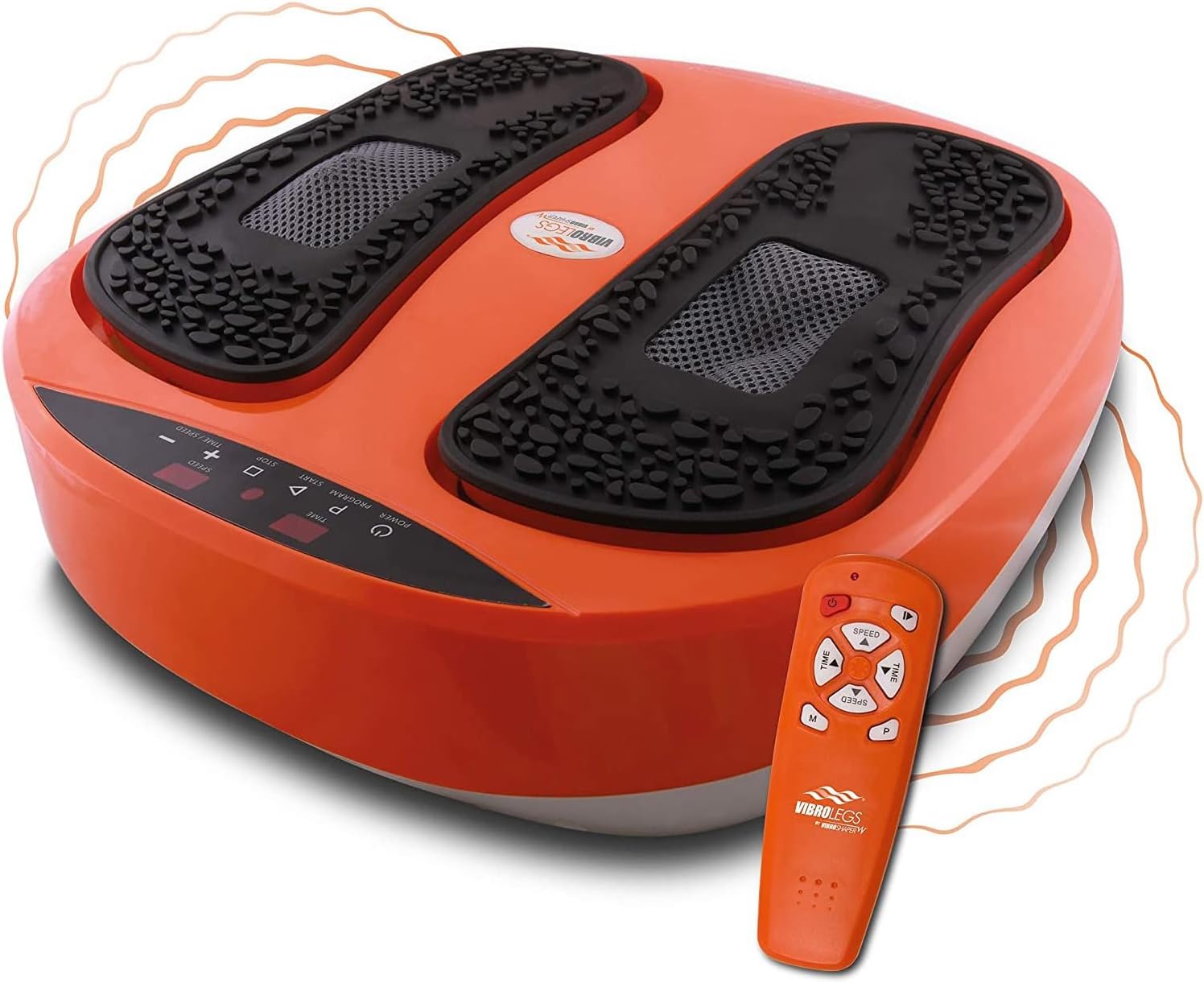
The VibroLegs device with its remote control, ready for use.

A leg with a warm glow, illustrating the device's effect on circulation.

A man relaxing on a couch, enjoying the VibroLegs massager.
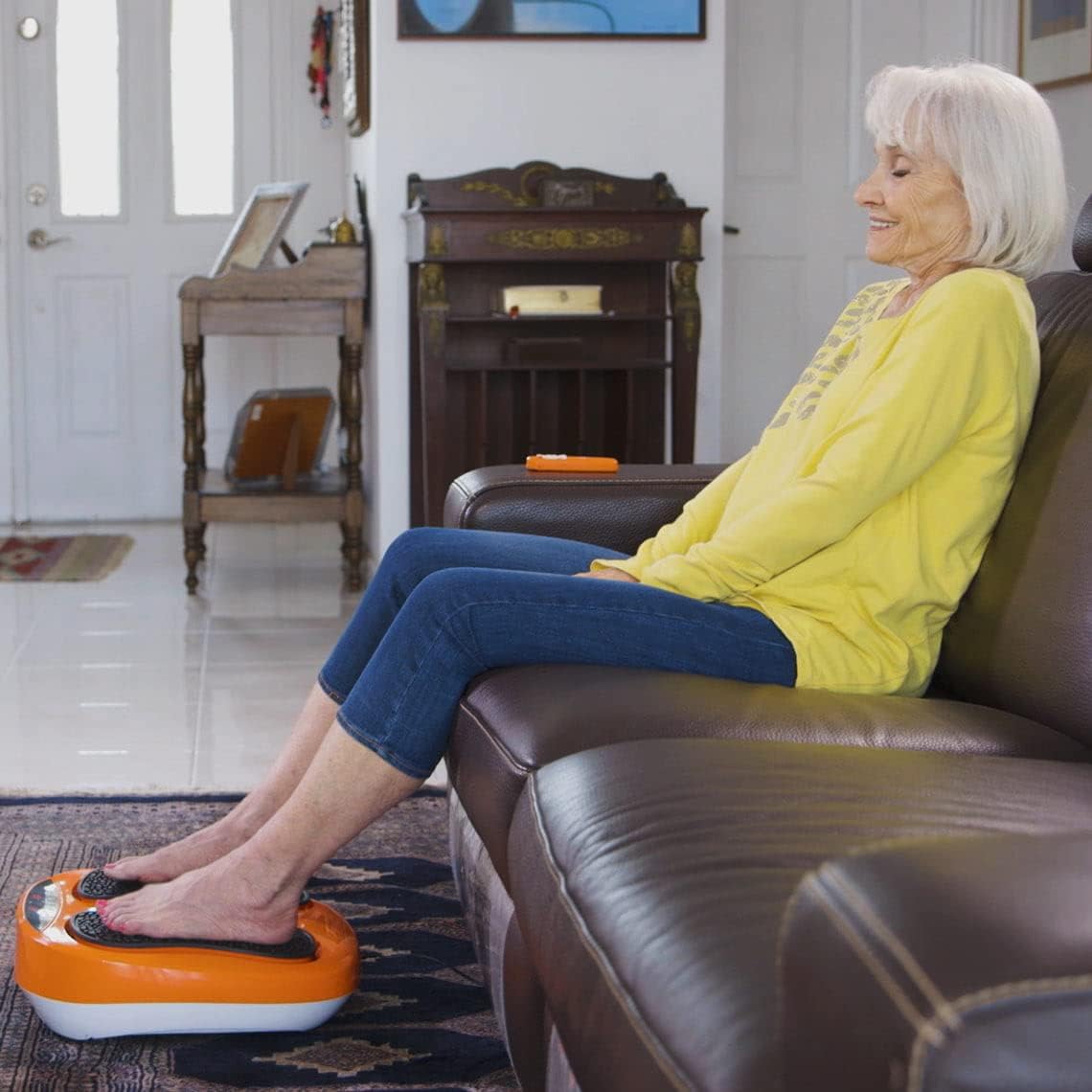
A woman relaxing on a couch, using the VibroLegs device.
ഔദ്യോഗിക ഉൽപ്പന്ന വീഡിയോകൾ
VibroLegs - Vibration Plate for Relaxed Legs (Overview): This video highlights the key benefits and features of the VibroLegs device, showcasing its use for relaxation and revitalization of legs and feet.
Mediashop VibroLegs – Massager with Vibration for Legs and Feet – Vibration Plate Relaxes: This video demonstrates the VibroLegs massager in action, emphasizing its vibration and acupressure functions for soothing tired feet and legs.
2. സജ്ജീകരണവും പ്രാരംഭ ഉപയോഗവും
Before using the VibroLegs device, please read the entire instruction manual thoroughly. Ensure the device is placed on a flat, firm surface. If using on sensitive floors like parquet, it is recommended to use a suitable mat to prevent potential damage or discoloration.
2.1 അൺബോക്സിംഗും ഘടകങ്ങളും
Upon opening the packaging, you will find the main unit, the power cable, the silicone foot pads, and a remote control. Additionally, a user manual and a training plan are included. The training plan provides 10 relevant training exercises with corresponding instructions.

All components included in the VibroLegs package: the device, remote, and training plan.
2.2 പവർ കണക്ഷൻ
Plug the power adapter into a wall outlet and connect the cable to the device. The device will beep once, and the display will light up, indicating it is ready for use.
VibroLegs User Video - For Relaxed Legs (Full Instructions): This video provides a comprehensive guide on how to set up and operate the VibroLegs device, including unboxing, connecting power, selecting programs, adjusting settings, and proper usage.
3. പ്രവർത്തന നിർദ്ദേശങ്ങൾ
The VibroLegs device offers two main operating modes: Manual and Automatic.
3.1 Manual Programs (P1 & P4)
In Manual Program P1, only the oscillation function is active. In Manual Program P4 (also referred to as H0), both vibration and acupressure functions run simultaneously. In both P1 and P4, you can independently set the duration and speed of the exercise.
- പ്രോഗ്രാം തിരഞ്ഞെടുക്കുന്നു: Press the 'PROGRAM' button (P) on the control panel or the 'M' button on the remote control repeatedly until P1 or P4 (H0) appears on the display.
- Adjusting Duration: While in standby mode, use the 'TIME +' or 'TIME -' buttons on the control panel or the corresponding 'TIME' buttons on the remote control to set the exercise duration between 1 and 10 minutes.
- വേഗത ക്രമീകരിക്കൽ: Once the exercise has started, use the 'SPEED +' or 'SPEED -' buttons on the control panel or the corresponding 'SPEED' buttons on the remote control to adjust the speed level from 1 to 10.
- Starting Exercise: After selecting the program and setting the duration, press the 'START' button on the control panel or the remote control.

ഒരു ക്ലോസപ്പ് view of a foot positioned on the textured pad of the VibroLegs device.
3.2 Automatic Programs (P2 & P3)
The device offers two different automatic exercise programs: P2 and P3. In these modes, both massage and oscillation functions are active, following a pre-set exercise program. Manual adjustment of speed and time is not possible in these modes.
- പ്രോഗ്രാം തിരഞ്ഞെടുക്കുന്നു: Press the 'PROGRAM' button (P) on the control panel or the 'M' button on the remote control repeatedly until P2 or P3 appears on the display.
- Starting Exercise: Press the 'START' button on the control panel or the remote control.
പ്രധാന കുറിപ്പ്: Please do not be surprised if the device briefly stops between intervals in P2 or P3 mode. This is not a defect, but the normal course of the program, designed to vary the massage experience.
3.3 Stopping the Device
To end an exercise, press the 'STOP' button on the control panel or the 'START/STOP' button on the remote control. To turn off the device completely, press the 'POWER' button on the control panel or the remote control.
4. Usage Tips and Important Information
- ശരിയായ സ്ഥാനം: Always pay attention to the correct positioning for optimal results. Place your foot arch or calf on the device. For back use, you can lean against it.
- Weight Warning: Never load the device with your full body weight, as this could lead to damage to the device.
- പ്രാരംഭ ഉപയോഗം: It is recommended to start with a low speed initially to optimally get used to the device.

Proper positioning for leg massage, illustrating improved circulation.

The device can be used while sitting comfortably in a chair.

Convenient use of the VibroLegs device even while working at a desk.
5. പരിപാലനം
The removable silicone foot pads ensure hygienic cleaning. Regularly clean the device with a soft, damp തുണി. അബ്രാസീവ് ക്ലീനറുകൾ ഉപയോഗിക്കരുത് അല്ലെങ്കിൽ ഉപകരണം വെള്ളത്തിൽ മുക്കരുത്.
6. പ്രശ്നപരിഹാരം
If you encounter difficulties or have questions during the assembly or use of the device, please contact our customer support. Do not attempt to disassemble or repair the device yourself.
7 സ്പെസിഫിക്കേഷനുകൾ
| ഉൽപ്പന്നത്തിൻ്റെ പേര് | MediaShop VibroLegs |
| മോഡൽ നമ്പർ | M20161 |
| നിറം | ഓറഞ്ച് |
| മെറ്റീരിയൽ | സിലിക്കൺ |
| ഇനത്തിൻ്റെ ഭാരം | 4.2 കിലോഗ്രാം |
| ഉൽപ്പന്ന അളവുകൾ | 40L x 14B x 35H cm |
| പവർ ഉറവിടം | Hand-operated (implies plug-in, not battery-operated for main function) |
| പ്രത്യേക സവിശേഷതകൾ | Remote Control, Automatic Programs |
| മസാജർ തരം | മസാജർ റോളർ |
| നിർദ്ദിഷ്ട ഉൽപ്പന്ന ഉപയോഗങ്ങൾ | Foot Massage, Leg Massage |
| ബാറ്ററികൾ ആവശ്യമാണ് | 2 AAA ബാറ്ററികൾ (റിമോട്ട് കൺട്രോളിനായി) |
8. വാറൻ്റിയും പിന്തുണയും
For warranty information or technical support, please refer to the documentation included with your product or contact Mediashop customer service directly. Do not return the device if you have assembly or usage questions; instead, seek assistance from our support team.


