ആമുഖം
The Amazon Echo (4th Gen) is a versatile smart speaker designed to deliver rich, detailed sound that automatically adapts to any room. It integrates seamlessly with Alexa, allowing for voice control of music, smart home devices, and daily tasks. This manual provides essential information for setting up, operating, maintaining, and troubleshooting your Echo device.

Image: The Amazon Echo (4th Gen) in Glacier White, showcasing its spherical design.

Image: Three Amazon Echo (4th Gen) devices in different colors (blue, white, charcoal), highlighting premium audio and smart home capabilities.
സജ്ജമാക്കുക
Setting up your Amazon Echo (4th Gen) is a straightforward process designed for quick integration into your home network.
പ്രാരംഭ സജ്ജീകരണം
- Alexa ആപ്പ് ഡൗൺലോഡ് ചെയ്യുക: Before your Echo device arrives, download the Amazon Alexa app on your Fire OS, Android, or iOS device. This app is essential for managing your Echo and its features.
- Plug In Your Echo: Connect the included glacier white power adapter (30W) to your Echo (4th Gen) and plug it into a power outlet. The light ring on the device will illuminate.
- ഇൻ-ആപ്പ് നിർദ്ദേശങ്ങൾ പാലിക്കുക: Open the Alexa app and follow the on-screen prompts to connect your Echo to your dual-band Wi-Fi network (supports 802.11a/b/g/n/ac on 2.4 and 5 GHz networks). Amazon Wi-Fi Simple Setup simplifies this process.
- ക്രമീകരണങ്ങൾ ഇഷ്ടാനുസൃതമാക്കുക: Once connected, you can personalize settings such as your location, preferred music services, and smart home device integrations within the Alexa app.
Smart Home Hub Integration
The Echo (4th Gen) includes a built-in smart home hub supporting Zigbee, Matter, and Thread Border Router protocols. This allows for direct voice control of compatible lights, locks, and sensors without needing a separate hub.
- To set up compatible devices, simply say, "Alexa, discover my devices," or use the Alexa app to add them.
- Easily set up compatible Zigbee and Matter devices or select Ring Smart Lighting solar lights and bulbs.

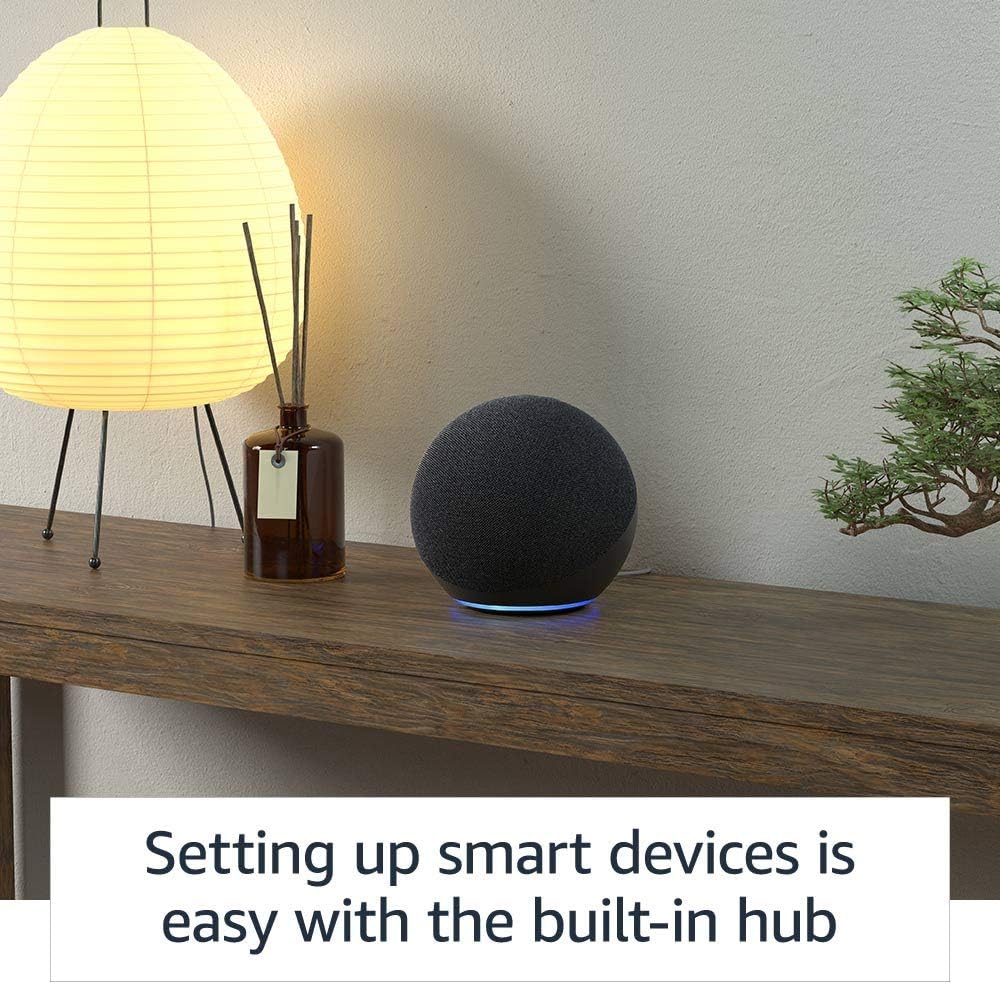
Image: An Amazon Echo (4th Gen) on a wooden shelf, illustrating the ease of setting up smart devices with its integrated hub.
പ്രവർത്തിക്കുന്നു
The Amazon Echo (4th Gen) is designed for intuitive voice control, making daily tasks and entertainment simple.
Voice Commands and Music
- സംഗീത സ്ട്രീമിംഗ്: Stream songs from Amazon Music, Apple Music, Spotify, SiriusXM, and more. Simply say, "Alexa, play [song/artist/genre] on [service]."
- മൾട്ടി-റൂം സംഗീതം: Play synchronized music across multiple Echo devices in different rooms. Say, "Alexa, play music everywhere."

Image: A diagram illustrating multi-room music playback with Amazon Echo devices throughout a home, activated by the command "Alexa, play music everywhere."
Daily Assistance and Communication
- Timers, Reminders, Alarms: "Alexa, set a timer for 10 minutes," or "Alexa, remind me to call mom at 5 PM."
- വിവരങ്ങൾ: "Alexa, what's the weather today?" or "Alexa, what time is it?"
- ദിനചര്യകൾ: Create custom routines to automate actions. For example, "Alexa, good morning" could turn on lights and play your Flash Briefing.
- ഹാൻഡ്സ് ഫ്രീ കോളിംഗ്: Call friends and family who have the Alexa app or an Echo device.
- പ്രഖ്യാപനങ്ങൾ: Instantly drop in on other rooms or announce to the whole house that dinner's ready. Say, "Alexa, announce 'dinner is ready'."

Image: An Amazon Echo (4th Gen) positioned on a kitchen shelf, demonstrating its announcement feature with the text "Alexa, announce 'dinner is ready.'"
പ്രവേശനക്ഷമത സവിശേഷതകൾ
The Echo (4th Gen) includes various accessibility features to personalize Alexa to your abilities. These can be managed in the Alexa App under Settings → Accessibility.
- അഡാപ്റ്റീവ് ലിസണിംഗ്: അലക്സാ പ്രതികരിക്കുന്നതിന് മുമ്പ് സംസാരിച്ചു തീർക്കാൻ കൂടുതൽ സമയം നൽകുന്നു.
- ഇഷ്ടപ്പെട്ട സംസാര നിരക്ക്: Control how fast or slow Alexa speaks (e.g., "Alexa, speak slower").
- അഭ്യർത്ഥന ശബ്ദം: Plays an audible tone when you speak to Alexa (e.g., "Alexa, turn on Start of Request Sound").
- കിൻഡിൽ ഉറക്കെ വായിക്കുക: നിങ്ങളുടെ കിൻഡിൽ പുസ്തകങ്ങൾ അലക്സ ഉറക്കെ വായിക്കട്ടെ.
മെയിൻ്റനൻസ്
To ensure the longevity and optimal performance of your Amazon Echo (4th Gen), follow these simple maintenance guidelines:
- വൃത്തിയാക്കൽ: Gently wipe the exterior of the device with a soft, dry, lint-free cloth. Avoid using abrasive cleaners, solvents, or harsh chemicals, as these can damage the finish.
- സോഫ്റ്റ്വെയർ അപ്ഡേറ്റുകൾ: Your Echo device automatically receives software security updates. Ensure your device is connected to Wi-Fi to receive these updates, which improve performance and add new features.
- പ്ലേസ്മെൻ്റ്: Place your Echo on a stable, flat surface away from direct sunlight, heat sources, and excessive moisture. Ensure adequate ventilation around the device.
- പവർ സൈക്കിൾ: If you experience minor issues, unplugging the power adapter for a few seconds and then plugging it back in can often resolve them.
ട്രബിൾഷൂട്ടിംഗ്
If you encounter issues with your Amazon Echo (4th Gen), consider the following troubleshooting steps:
പൊതുവായ പ്രശ്നങ്ങളും പരിഹാരങ്ങളും
- അലക്സ പ്രതികരിക്കുന്നില്ല:
- Ensure the microphone is not muted. The light ring will turn red if muted.
- ഉപകരണത്തോട് വ്യക്തമായും നേരിട്ടും സംസാരിക്കുക.
- Move closer to the device or reduce background noise.
- നിങ്ങളുടെ Wi-Fi കണക്ഷൻ പരിശോധിക്കുക.
- മൈക്രോഫോൺ ഓഫ് ബട്ടൺ: The Echo (4th Gen) features a microphone off button for privacy. Press this button to electronically disconnect the microphones. The light ring will turn red when the microphone is off.
ചിത്രം: മുകളിൽ view of an Amazon Echo (4th Gen) in Glacier White, showing the microphone off button and the red indicator light when the microphone is disconnected.
- കണക്റ്റിവിറ്റി പ്രശ്നങ്ങൾ:
- Verify your Wi-Fi network is active and within range.
- നിങ്ങളുടെ വൈഫൈ റൂട്ടറും മോഡവും പുനരാരംഭിക്കുക.
- Ensure your Echo is not attempting to connect to an ad-hoc (peer-to-peer) network, which is not supported.
- ശബ്ദ നിലവാര പ്രശ്നങ്ങൾ:
- Adjust bass, treble, and midrange settings in the Alexa app.
- Ensure the device is placed on a stable surface and not obstructed.
സ്വകാര്യതാ നിയന്ത്രണങ്ങൾ
Amazon Echo devices are built with multiple layers of privacy controls:
- വേക്ക് വേഡ് ടെക്നോളജി: Alexa only begins processing your request after detecting the wake word.
- സ്ട്രീമിംഗ് സൂചകങ്ങൾ: Visual indicators (light ring) show when Alexa is streaming your request to the cloud.
- മൈക്രോഫോൺ ഓഫ് ബട്ടൺ: Physically disconnects the microphones.
- വോയ്സ് റെക്കോർഡിംഗ് മാനേജ്മെന്റ്: നിങ്ങൾക്ക് കഴിയും view Alexa ആപ്പ് അല്ലെങ്കിൽ Alexa പ്രൈവസി ഹബ് വഴി നിങ്ങളുടെ വോയ്സ് റെക്കോർഡിംഗുകൾ ഇല്ലാതാക്കുക.
സ്പെസിഫിക്കേഷനുകൾ
| ഫീച്ചർ | വിശദാംശങ്ങൾ |
|---|---|
| വലിപ്പം | 5.7” x 5.7” x 5.2” (144 x 144 x 133 മിമി) |
| ഭാരം | 34.2 ഔൺസ് (970 ഗ്രാം) |
| Wi-Fi കണക്റ്റിവിറ്റി | ഡ്യുവൽ-ബാൻഡ് വൈ-ഫൈ 802.11a/b/g/n/ac (2.4 ഉം 5 GHz ഉം) നെറ്റ്വർക്കുകളെ പിന്തുണയ്ക്കുന്നു. അഡ്-ഹോക് നെറ്റ്വർക്കുകളെ പിന്തുണയ്ക്കുന്നില്ല. |
| സ്മാർട്ട് ഹോം ഹബ് | Zigbee + Sidewalk + Matter + Thread Border Router |
| ബ്ലൂടൂത്ത് കണക്റ്റിവിറ്റി | A2DP for audio streaming, AVRCP for voice control of connected mobile devices. Direct control of BLE Mesh. |
| ഓഡിയോ | 3.0” (76.2 mm) നിയോഡൈമിയം വൂഫറും രണ്ട് 0.8” (20 mm) ട്വീറ്ററുകളും. |
| ബോക്സിൽ ഉൾപ്പെടുത്തിയിട്ടുണ്ട് | Echo (4th Gen), glacier white power adapter (30W), Quick Start Guide. |
| തലമുറ | എക്കോ (നാലാം തലമുറ) - 2020 റിലീസ് |
| ഭാഷ | അലക്സ ഇംഗ്ലീഷും സ്പാനിഷും സംസാരിക്കും |

ചിത്രം: ഒരു ആന്തരികം view of the Amazon Echo (4th Gen), highlighting its upward-firing woofer and dual tweeters for rich, detailed sound.
വാറൻ്റിയും പിന്തുണയും
വാറൻ്റി വിവരങ്ങൾ
Your Amazon Echo (4th Gen) comes with a 1-year limited warranty and service included. Optional 1-year, 2-year, and 3-year extended warranties are available for U.S. customers and are sold separately. Use of Echo is subject to Amazon's terms of service.
സോഫ്റ്റ്വെയർ സുരക്ഷാ അപ്ഡേറ്റുകൾ
ആമസോണിൽ പുതിയ യൂണിറ്റായി വാങ്ങാൻ ഉപകരണം അവസാനമായി ലഭ്യമായതിന് ശേഷം കുറഞ്ഞത് നാല് വർഷമെങ്കിലും വരെ ഈ ഉപകരണത്തിന് ഉറപ്പായ സോഫ്റ്റ്വെയർ സുരക്ഷാ അപ്ഡേറ്റുകൾ ലഭിക്കും. webസൈറ്റുകൾ. നിങ്ങളുടെ ഉപകരണവുമായി ബന്ധപ്പെട്ട വിവരങ്ങൾക്ക്, നിങ്ങളുടെ ഉള്ളടക്കവും ഉപകരണങ്ങളും നിയന്ത്രിക്കുക സന്ദർശിക്കുക.
ഉപഭോക്തൃ പിന്തുണ
For further assistance, technical support, or to learn more about your Echo device, please visit the official Amazon support webസൈറ്റ് സന്ദർശിക്കുക അല്ലെങ്കിൽ ആമസോൺ ഉപഭോക്തൃ സേവനവുമായി നേരിട്ട് ബന്ധപ്പെടുക.


