1. ആമുഖം
Thank you for choosing the BOBLOV C18 WiFi Body Camera. This compact and versatile device is designed for various recording needs, offering high-definition video, audio recording, and convenient WiFi connectivity. Please read this manual thoroughly to understand the camera's functions and ensure proper operation.
2. ഉൽപ്പന്നം കഴിഞ്ഞുview
2.1 പ്രധാന സവിശേഷതകൾ
- വൈഫൈ കണക്റ്റിവിറ്റി: Control the camera and download files to your smartphone via the dedicated app.
- High-Definition Recording: Captures clear 1080P video at 30 frames per second (fps).
- OLED സ്ക്രീൻ: Provides direct access for settings adjustments and time stamp ഡിസ്പ്ലേ.
- നീണ്ട ബാറ്ററി ലൈഫ്: Built-in 1200mAh battery supports 3-4 hours of 1080P recording (WiFi off).
- കോംപാക്റ്റ് ഡിസൈൻ: Measures approximately 4-1/8 inches long, 1-1/8 inches wide, and 1-inch deep, making it highly portable.
- ഒറ്റ-ബട്ടൺ പ്രവർത്തനം: Simplifies recording initiation.
- ചലനം കണ്ടെത്തൽ: Automatically records when motion is detected.
- വേർപെടുത്താവുന്ന ക്ലിപ്പ്: Allows for versatile mounting options, including front and back use.
- ബിൽറ്റ്-ഇൻ സ്റ്റോറേജ്: Includes 32GB internal storage.
2.2 പാക്കേജ് ഉള്ളടക്കം

Figure 2.2.1: Package Contents. The package includes the BOBLOV C18 Camera, two clips for mounting, a user manual, and a USB charging cable.
- BOBLOV C18 Camera
- Detachable Clips (2)
- യുഎസ്ബി ചാർജിംഗ് കേബിൾ
- ഉപയോക്തൃ മാനുവൽ
2.3 ക്യാമറ ഘടകങ്ങൾ

ചിത്രം 2.3.1: മുൻവശവും വശവും View of the BOBLOV C18 Camera. This image highlights the camera's compact form factor, the main lens, the OLED display, control buttons, and the USB charging port.

Figure 2.3.2: OLED Display Interface. The OLED screen provides clear icons for video recording, audio recording, settings, and photo capture modes, along with battery and resolution indicators.
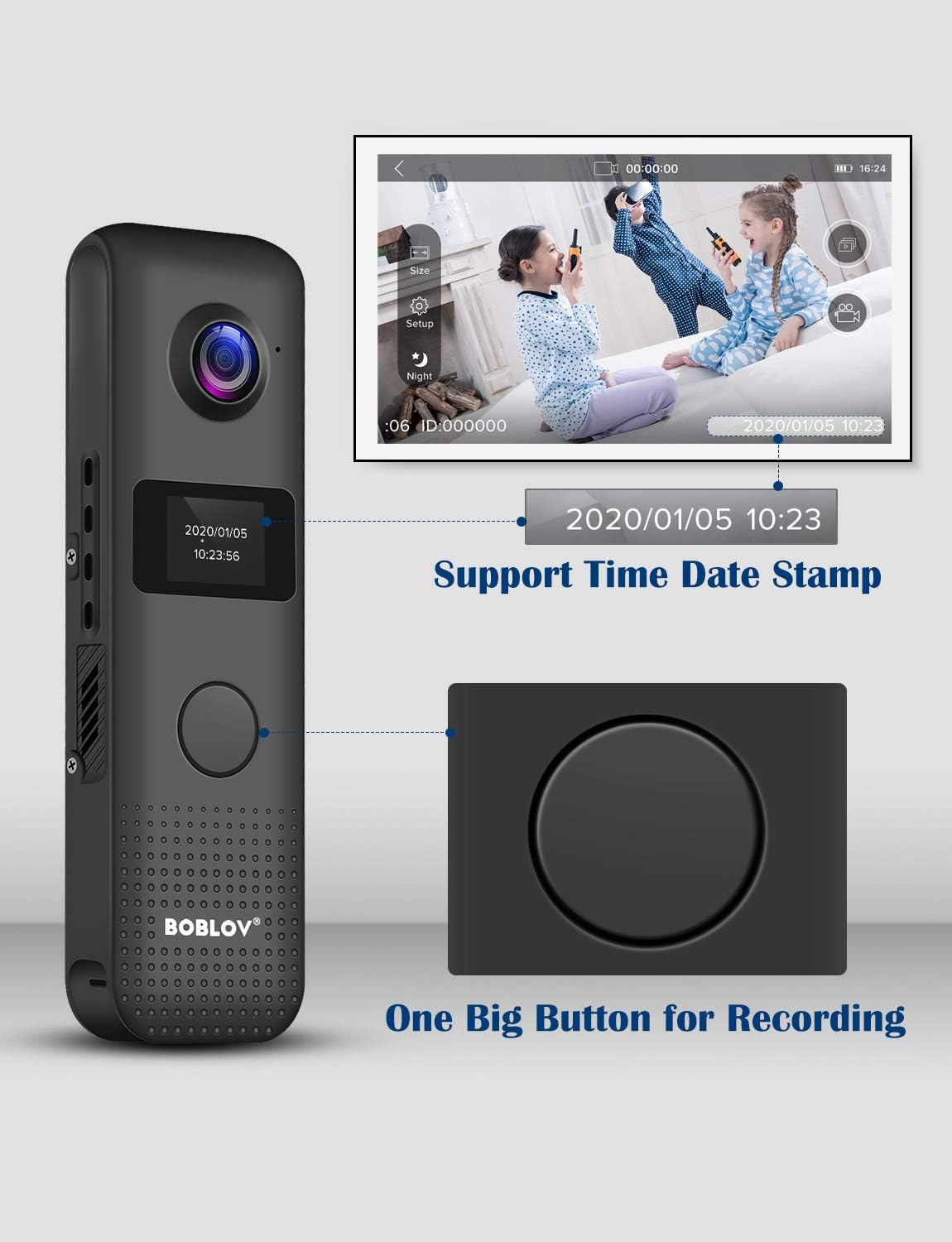
Figure 2.3.3: Recording Button and Time Stamp. This image illustrates the prominent one-big-button design for easy recording and the capability to display time and date stampറെക്കോർഡിംഗുകളിൽ എസ്.
3. സജ്ജീകരണം
3.1 ബാറ്ററി ചാർജ് ചെയ്യുന്നു
Before first use, fully charge the camera. Connect the camera to a USB power source (e.g., computer USB port, wall adapter) using the provided USB cable. The OLED screen will indicate charging status. A full charge takes approximately 2 hours.

Figure 3.1.1: Charging the BOBLOV C18 Camera. The camera is shown connected via its USB port to a power source, indicating the charging process.
3.2 Attaching the Clip
The BOBLOV C18 comes with a detachable clip for versatile mounting. You can attach the clip to allow the camera to be worn on clothing, such as a shirt pocket or lapel, facing either forward or backward.

Figure 3.2.1: Detachable Clip Usage. This diagram illustrates how the clip can be attached to the camera for both front-facing and back-facing wear, providing flexibility in how the camera is positioned.
3.3 Initial Power On and Time Stamp ക്രമീകരണം
Press and hold the power button to turn on the camera. The OLED screen will display the current mode and battery status. To set the time stamp, navigate through the settings menu directly on the OLED screen using the camera's buttons. Ensure the time and date are accurate for proper record-keeping.
4. പ്രവർത്തന നിർദ്ദേശങ്ങൾ
4.1 വീഡിയോ റെക്കോർഡിംഗ്
To start video recording, press the large central button once. The camera will begin recording, and an indicator on the OLED screen will confirm recording is active. Press the button again to stop recording. Videos are saved automatically to the internal 32GB storage.
4.2 ഓഡിയോ റെക്കോർഡിംഗ്
The camera supports audio recording. Refer to the on-screen menu via the OLED display to switch to audio-only recording mode if desired. Follow the same one-button operation to start and stop audio recording.
4.3 WiFi Connectivity and App Usage
The BOBLOV C18 features WiFi connectivity for remote control and file transfer to your smartphone. Download the "ZFXF" app (or specified app in the manual) from your smartphone's app store. Enable WiFi on the camera via the settings menu. Connect your smartphone to the camera's WiFi network. Once connected, you can view തത്സമയംtage, adjust settings, and download recorded videos and photos directly to your phone.

Figure 4.3.1: WiFi Connection and App Operation. This image demonstrates the camera's WiFi capability and how it connects to a smartphone app for remote control and file മാനേജ്മെൻ്റ്.
4.4 Turning Off Working Indicator
For discreet recording, you can turn off the working indicator light. This setting can be adjusted through the camera's OLED screen menu.
4.5 മോഷൻ ഡിറ്റക്ഷൻ
Activate the motion detection feature through the camera's settings. When enabled, the camera will automatically begin recording when it detects movement within its field of view, conserving battery life and storage space.
5. പരിപാലനം
5.1 വൃത്തിയാക്കൽ
To clean the camera, use a soft, dry cloth. For the lens, use a specialized lens cleaning cloth and solution. Avoid using harsh chemicals or abrasive materials, as these can damage the camera's surface or lens.
5.2 സംഭരണം
നേരിട്ടുള്ള സൂര്യപ്രകാശത്തിൽ നിന്നും കടുത്ത താപനിലയിൽ നിന്നും അകന്ന് തണുത്തതും വരണ്ടതുമായ സ്ഥലത്ത് ക്യാമറ സൂക്ഷിക്കുക. കൂടുതൽ നേരം സൂക്ഷിക്കുകയാണെങ്കിൽ, ബാറ്ററിയുടെ ആയുസ്സ് വർദ്ധിപ്പിക്കുന്നതിന് ബാറ്ററി ഭാഗികമായി (ഏകദേശം 50%) ചാർജ്ജ് ചെയ്തിട്ടുണ്ടെന്ന് ഉറപ്പാക്കുക.
6. പ്രശ്നപരിഹാരം
| പ്രശ്നം | സാധ്യമായ കാരണം | പരിഹാരം |
|---|---|---|
| ക്യാമറ പവർ ഓൺ ചെയ്യുന്നില്ല. | ബാറ്ററി തീർന്നു. | നൽകിയിരിക്കുന്ന USB കേബിൾ ഉപയോഗിച്ച് ക്യാമറ പൂർണ്ണമായും ചാർജ് ചെയ്യുക. |
| വൈഫൈയിലേക്ക് കണക്റ്റുചെയ്യാൻ കഴിയുന്നില്ല. | Incorrect WiFi settings or app issue. | Ensure WiFi is enabled on the camera and your smartphone. Verify you have the correct app ("ZFXF") installed. Restart both devices and try again. Note: The app may have specific OS requirements (e.g., iOS only, as per some user reviewഎസ്). |
| മോശം വീഡിയോ നിലവാരം. | Lens is dirty; low light conditions; incorrect resolution setting. | Clean the camera lens. Ensure adequate lighting. Check the video resolution setting on the OLED screen and set it to 1080P for best quality. |
| ക്യാമറ മരവിക്കുന്നു അല്ലെങ്കിൽ പ്രതികരിക്കുന്നില്ല. | Software glitch or full storage. | Perform a soft reset by holding the power button until the camera turns off, then restart. If issues persist, connect to a computer and back up/delete fileസ്ഥലം ശൂന്യമാക്കാൻ s. |
| Recordings do not have correct time stamp. | Time and date not set or incorrect. | Access the settings menu via the OLED screen to manually set the correct time and date. |
7 സ്പെസിഫിക്കേഷനുകൾ
| ഫീച്ചർ | വിശദാംശങ്ങൾ |
|---|---|
| മോഡൽ | C18 |
| വീഡിയോ റെസല്യൂഷൻ | 1296P, 1080P, 480P (selectable) |
| ഫ്രെയിം റേറ്റ് | 30 fps |
| ബാറ്ററി ശേഷി | 1200mAh ലിഥിയം പോളിമർ |
| Recording Time (1080P, WiFi off) | ഏകദേശം 3-4 മണിക്കൂർ |
| ചാർജിംഗ് സമയം | ഏകദേശം 2 മണിക്കൂർ |
| സംഭരണം | 32GB Internal (non-expandable) |
| കണക്റ്റിവിറ്റി | വൈ-ഫൈ, യു.എസ്.ബി |
| അളവുകൾ (L x W x H) | 4-1/8 x 1-1/8 x 1 ഇഞ്ച് |
| ഭാരം | 1.76 ഔൺസ് (ഏകദേശം 50 ഗ്രാം) |
| പ്രവർത്തന താപനില | Not specified, generally room temperature. |
| IP റേറ്റിംഗ് | IP54 (പൊടി സംരക്ഷണം, സ്പ്ലാഷ് പ്രതിരോധം) |
8. വാറൻ്റിയും പിന്തുണയും
BOBLOV offers the following support for the C18 camera:
- 1-Month Refund or Replacement: For any reason, within one month of purchase.
- 1-Year Free Accessories or Repair: For accessories, within one year of purchase.
- Lifetime Online Support: Continuous online support for the product.
For technical assistance or warranty claims, please contact BOBLOV customer service through their official channels or the platform where the product was purchased.


