1. ഉൽപ്പന്നം കഴിഞ്ഞുview
The Lumie Bodyclock Luxe 750Dab is an advanced light therapy alarm clock that simulates natural sunrise and sunset. It is equipped with a DAB radio, a high-quality Bluetooth speaker, and a wide selection of sleep and wake-up sounds. This device is certified as a Class 1 medical product, proven effective against Seasonal Affective Disorder (SAD) and winter blues.

ചിത്രം 1: മുൻഭാഗം view of the Lumie Bodyclock Luxe 750Dab, showing the light dome, display, control knobs, and preset buttons.
2. സജ്ജീകരണവും ഇൻസ്റ്റാളേഷനും
2.1 അൺപാക്കിംഗ്
Carefully remove the Bodyclock Luxe 750Dab from its packaging. Ensure all components are present, including the main unit and the power cable. Inspect the device for any signs of damage before proceeding.
2.2 പ്ലേസ്മെൻ്റ്
Place the Bodyclock on a stable, flat surface such as a bedside table. For optimal light effect, position it where the light can reach you effectively as you wake up. Ensure it is not obstructed by curtains or other objects.
2.3 പവർ കണക്ഷൻ
Connect the provided power cable to the back of the unit and then plug it into a standard electrical outlet. The device will power on and the display will illuminate.
2.4 പ്രാരംഭ സജ്ജീകരണം (സമയവും തീയതിയും)
Upon first power-on, you may need to set the current time and date. Refer to the on-screen prompts and use the control knobs to navigate and confirm settings. The device may automatically synchronize time via DAB radio if available in your region.

Figure 2: The Bodyclock Luxe 750Dab positioned on a bedside table, highlighting its use as a bedside lamp and its customizable light features.
3. പ്രവർത്തന നിർദ്ദേശങ്ങൾ
3.1 Sunrise Simulation (Wake-up)
The Bodyclock simulates a natural sunrise, gradually brightening over a period of 15 to 90 minutes before your set alarm time. This gentle increase in light signals your body to reduce melatonin production and increase cortisol, promoting a natural and energetic wake-up.
- Setting Duration: Adjust the sunrise duration from 15 to 90 minutes via the settings menu.
- പ്രകാശ തീവ്രത: Customize the final light intensity to your preference.
- ഉണർത്തൽ ശബ്ദങ്ങൾ: Choose from over 30 natural sounds or use the DAB radio as your final alarm sound.

Figure 3: Visual representation of the sunrise simulation, demonstrating the gradual change in light color and intensity from red to bright white.
3.2 Sunset Simulation (Sleep)
The sunset feature helps you relax and prepare for sleep by gradually dimming the light over a period of 15 to 90 minutes. This process minimizes blue light exposure, which can interfere with melatonin production.
- Setting Duration: Adjust the sunset duration from 15 to 90 minutes.
- ഉറക്ക ശബ്ദങ്ങൾ: Select from a variety of calming sleep sounds to accompany the dimming light.
- Optional Nightlight: The display can be dimmed for night-time use.

Figure 4: The Bodyclock Luxe 750Dab during sunset simulation, showing the light dimming to a warm, orange hue, aiding relaxation before sleep.
3.3 അലാറം ക്രമീകരണങ്ങൾ
The Bodyclock allows for flexible alarm programming, including a 7-day alarm option where you can set different wake-up times for weekdays and weekends.
- അലാറങ്ങൾ സജ്ജീകരിക്കുക: Use the control interface to set up to two independent alarms.
- അലാറം ശബ്ദങ്ങൾ: Choose your preferred wake-up sound or DAB radio station.
- സ്നൂസ് പ്രവർത്തനം: Tap the top of the device to activate the snooze function.

Figure 5: A user interacting with the Bodyclock, illustrating the ease of setting alarms and selecting from over 30 built-in sounds for a personalized wake-up experience.
3.4 ബ്ലൂടൂത്ത് കണക്റ്റിവിറ്റി
The integrated high-quality Bluetooth speaker allows you to stream audio from your smartphone or other Bluetooth-enabled devices.
- ജോടിയാക്കൽ: Enable Bluetooth on your device and select "Lumie Bodyclock Luxe" from the available devices.
- ഓഡിയോ പ്ലേബാക്ക്: Once paired, you can play music, podcasts, or audiobooks through the Bodyclock's speaker.

Figure 6: The Bodyclock Luxe 750Dab shown alongside a smartphone, demonstrating its Bluetooth connectivity for streaming audio.
3.5 DAB റേഡിയോ
Enjoy clear digital radio reception with the built-in DAB radio. The device also supports FM radio.
- ട്യൂണിംഗ്: Scan for available DAB/FM stations using the radio function.
- പ്രീസെറ്റുകൾ: Save your favorite stations to the preset buttons for quick access.
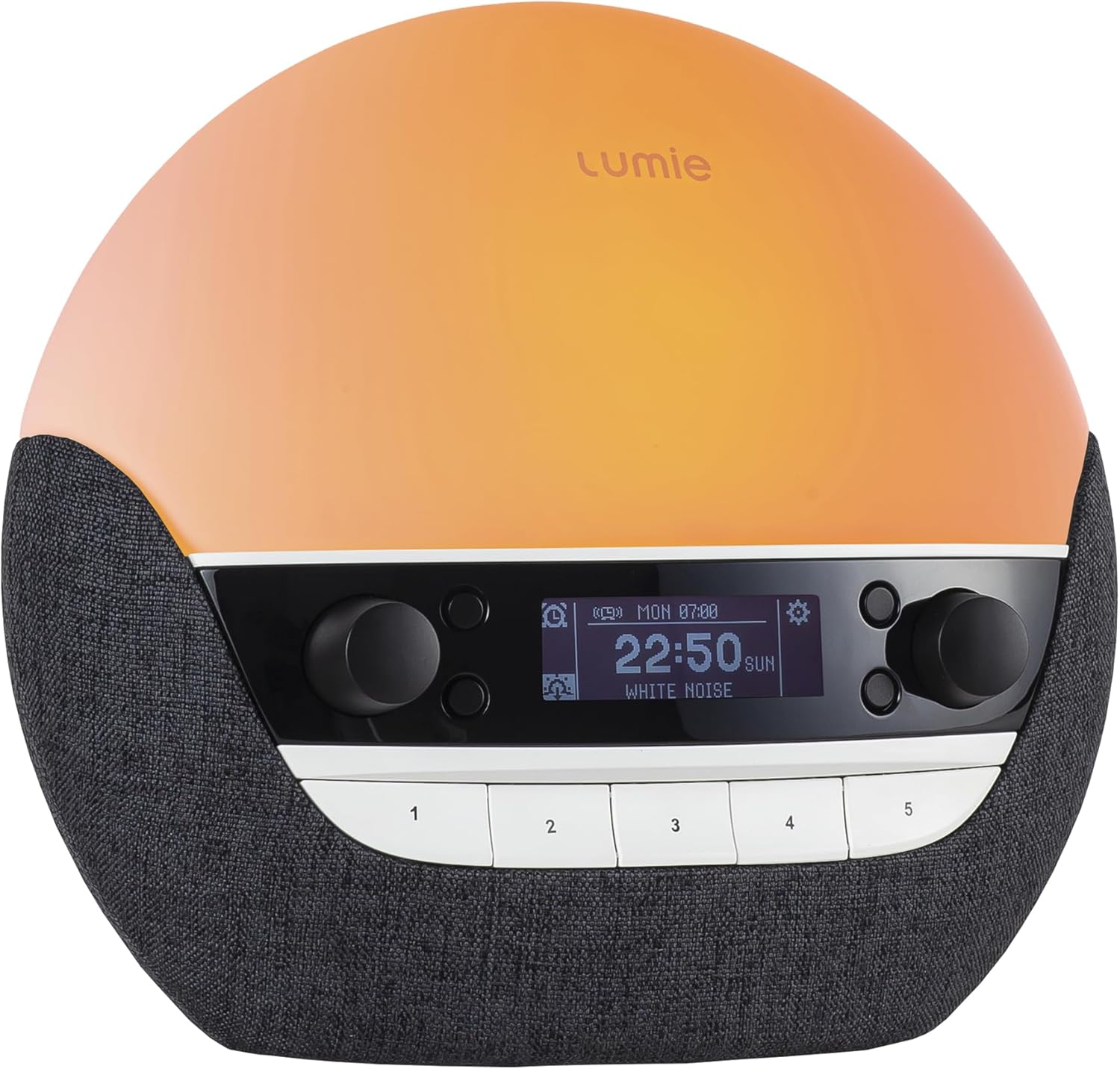
Figure 7: The Bodyclock display showing radio information, indicating its capability for DAB radio reception.
3.6 Bedside Lamp ഡിസ്പ്ലേയും
The Bodyclock functions as a dimmable bedside lamp, offering various light colors and intensities. The display brightness can also be adjusted to suit your preference, including a low-light setting for night-time.
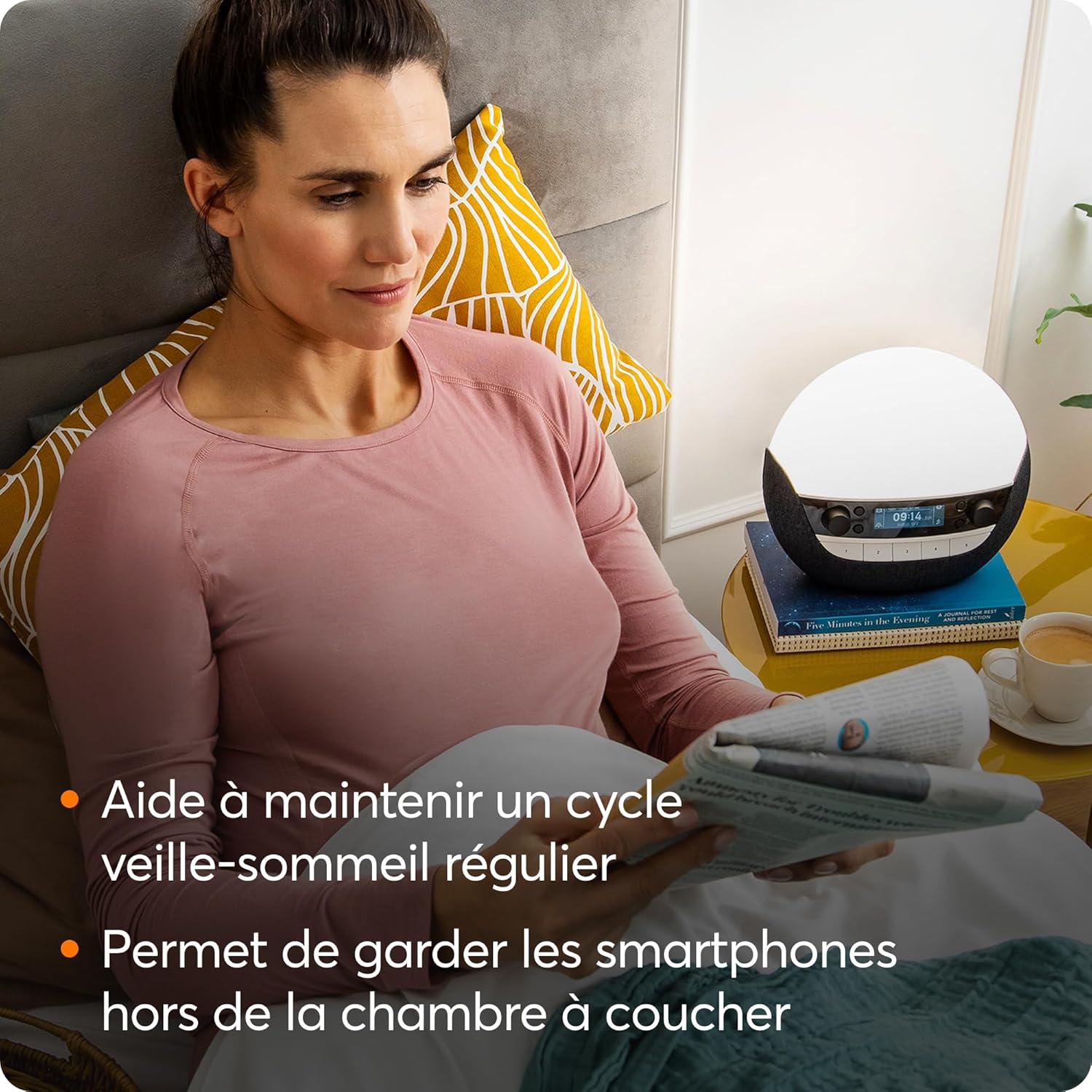
Figure 8: The Bodyclock serving as a bedside lamp, providing ambient light for reading and helping maintain a regular sleep-wake cycle by encouraging smartphone-free bedrooms.
4. പരിപാലനം
4.1 വൃത്തിയാക്കൽ
To clean your Bodyclock, gently wipe the surface with a soft, dry, lint-free cloth. Do not use abrasive cleaners, solvents, or spray directly onto the unit. Ensure the device is unplugged before cleaning.
4.2 പൊതു പരിചരണം
Avoid exposing the device to extreme temperatures, direct sunlight for prolonged periods, or high humidity. Do not disassemble the unit; refer all servicing to qualified personnel.
5. പ്രശ്നപരിഹാരം
If you encounter issues with your Lumie Bodyclock Luxe 750Dab, please refer to the following common solutions. For more complex problems, contact customer support.
- ഉപകരണം പവർ ചെയ്യുന്നില്ല: Ensure the power cable is securely connected to both the unit and the electrical outlet. Try a different outlet.
- ലൈറ്റ് ഔട്ട്പുട്ട് ഇല്ല: Check if the light intensity is set to zero or if the lamp പ്രവർത്തനം പ്രവർത്തനരഹിതമാക്കി.
- ശബ്ദമില്ല/കുറഞ്ഞ ശബ്ദം: Verify the volume settings. For radio, check station tuning and signal strength. For Bluetooth, ensure the device is properly paired and its volume is up.
- Alarm Not Sounding or Incorrect Time: Double-check your alarm settings, including the day and time. Some users have reported intermittent issues with alarms not sounding or sounding at incorrect times; ensure your software is up to date if updates become available.
- Poor DAB Radio Reception: Ensure the antenna is fully extended and positioned for best reception. DAB coverage varies by region.
- ഡിസ്പ്ലേ പ്രശ്നങ്ങൾ: If the display is not clear or responsive, try power cycling the device.
6 സ്പെസിഫിക്കേഷനുകൾ
| ഫീച്ചർ | വിശദാംശങ്ങൾ |
|---|---|
| ബ്രാൻഡ് | ലൂമി |
| മോഡൽ നമ്പർ | NBCLE-D750 |
| അളവുകൾ (L x W x H) | 27 x 17 x 31 സെ.മീ (10.6 x 6.7 x 12.2 ഇഞ്ച്) |
| ഭാരം | 1.1 കിലോഗ്രാം (2.4 പൗണ്ട്) |
| മെറ്റീരിയൽ | പ്ലാസ്റ്റിക് |
| നിറം | Black (with blue shade) |
| പവർ ഉറവിടം | Corded Electric (2.3E+2 Volts AC) |
| ലൈറ്റ് തരം | എൽഇഡി |
| പ്രത്യേക സവിശേഷതകൾ | Dimmable, Sleep Aid, DAB Radio, Bluetooth Speaker, USB port for music/charging |
| മെഡിക്കൽ ഉപകരണ ക്ലാസ് | ക്ലാസ് 1 |
7. വാറൻ്റിയും പിന്തുണയും
7.1 വാറൻ്റി വിവരങ്ങൾ
The Lumie Bodyclock Luxe 750Dab is a certified Class 1 medical device, reflecting its quality and efficacy. For specific warranty terms and conditions, please refer to the official Lumie website or the documentation included with your purchase. Warranty details may vary by region.
7.2 ഉപഭോക്തൃ പിന്തുണ
Should you require further assistance, technical support, or have questions not covered in this manual, please contact Lumie customer support. Visit the official Lumie webബന്ധപ്പെടാനുള്ള വിവരങ്ങൾക്കും അധിക ഉറവിടങ്ങൾക്കുമായി സൈറ്റ്.
Note: Software updates may be released to improve functionality. Check the manufacturer's website for the latest information regarding software updates.


