ആമുഖം
The Beats Solo3 Wireless On-Ear Headphones are designed to deliver a premium listening experience with high-performance wireless connectivity and extended battery life. Featuring the Apple W1 chip, these headphones offer seamless pairing and efficient power management, making them ideal for everyday use across various devices.
പ്രധാന സവിശേഷതകളിൽ ഇവ ഉൾപ്പെടുന്നു:
- High-performance wireless Bluetooth connectivity.
- Integrated Apple W1 chip for efficient pairing and extended range.
- Up to 40 hours of battery life for prolonged listening.
- Fast Fuel technology: 5 minutes of charging provides 3 hours of playback.
- Adjustable fit with comfort-cushioned ear cups.
- Multifunction on-ear controls for music, calls, and Siri activation.
- Sleek, streamlined, and foldable design for portability.
ബോക്സിൽ എന്താണുള്ളത്
Your Beats Solo3 Wireless On-Ear Headphones package includes the following components:
- Solo3 വയർലെസ് ഹെഡ്ഫോണുകളെ മറികടക്കുന്നു
- ചുമക്കുന്ന കേസ്
- 3.5mm RemoteTalk Cable
- Universal USB charging cable (USB-A to USB Micro-B)
- ദ്രുത ആരംഭ ഗൈഡ്
- വാറൻ്റി കാർഡ്

Image: Contents of the Beats Solo3 Wireless Headphones box. This includes the headphones, a black carrying case, a 3.5mm RemoteTalk cable, and a USB charging cable.
സജ്ജമാക്കുക
നിങ്ങളുടെ ഹെഡ്ഫോണുകൾ ചാർജ് ചെയ്യുന്നു
Before first use, fully charge your Beats Solo3 Wireless headphones. Connect the included Universal USB charging cable (USB-A to USB Micro-B) to the charging port on the right ear cup and to a USB power source. The LED fuel gauge lights will indicate the charging status.
A full charge provides up to 40 hours of listening time. If the battery is low, use Fast Fuel technology: a 5-minute charge can provide 3 hours of playback.

Image: The Beats Solo3 Wireless headphones with an illustration highlighting 40 hours of listening time and the Fast Fuel feature, which provides 3 hours of playback from a 5-minute charge.
ഉപകരണങ്ങളുമായി ജോടിയാക്കുന്നു
The Beats Solo3 Wireless headphones feature the Apple W1 chip for seamless pairing with iOS devices and Class 1 Bluetooth for compatibility with Android and other Bluetooth-enabled devices.
For iOS Devices (iPhone, iPad, Apple Watch, Mac, Apple TV):
- Ensure your iOS device's Bluetooth is enabled.
- Hold your Solo3 Wireless headphones near your unlocked iOS device.
- കണക്റ്റുചെയ്യാൻ ഓൺ-സ്ക്രീൻ നിർദ്ദേശങ്ങൾ പാലിക്കുക.
For Android and Other Bluetooth Devices:
- Press and hold the power button on your Solo3 Wireless headphones for 5 seconds until the LED fuel gauge flashes.
- On your device, go to Bluetooth settings and select "Beats Solo3" from the list of available devices.
- ആവശ്യപ്പെടുകയാണെങ്കിൽ ജോടിയാക്കൽ സ്ഥിരീകരിക്കുക.
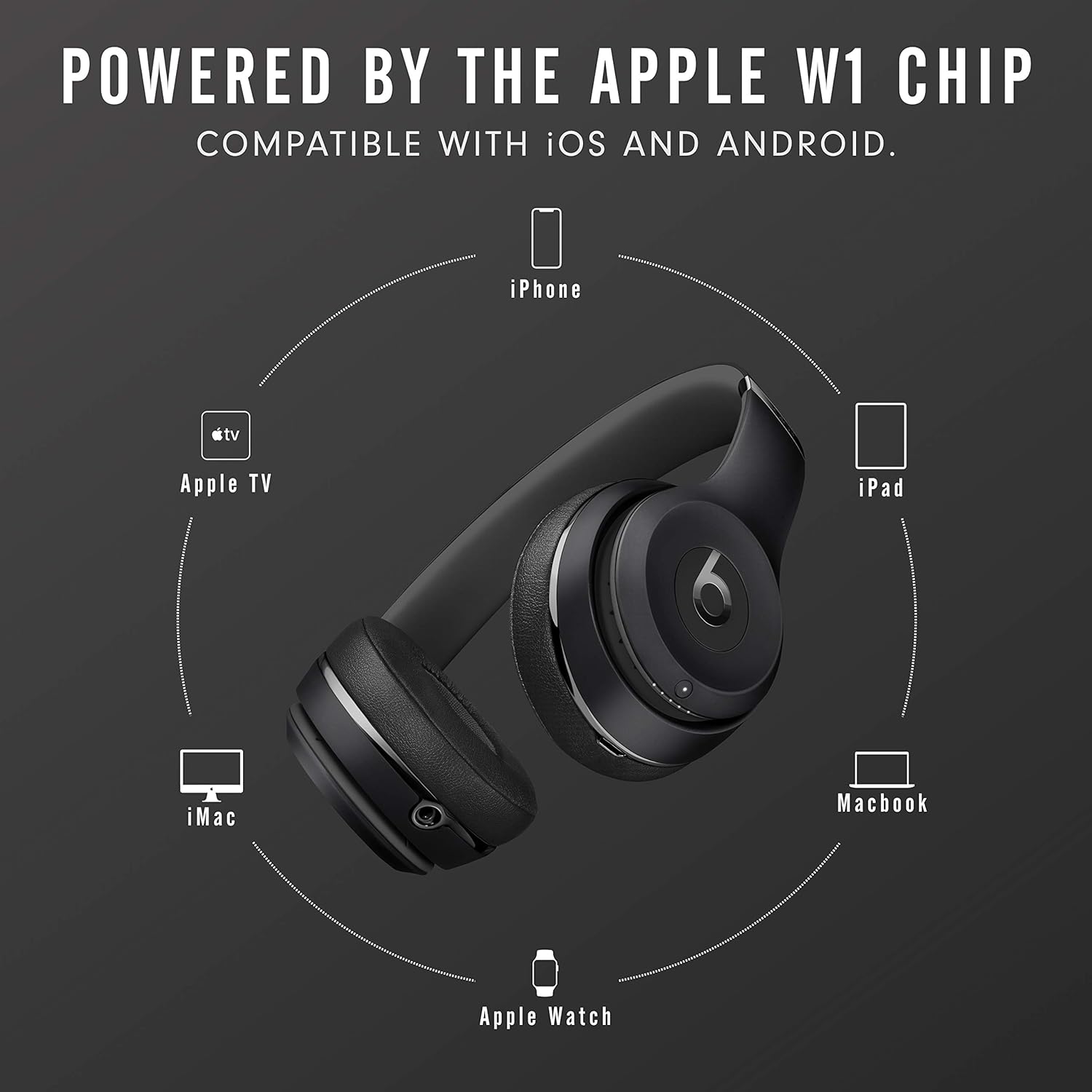
Image: The Beats Solo3 Wireless headphones positioned centrally, surrounded by icons of compatible Apple devices including iPhone, Apple TV, iMac, Apple Watch, and iPad, illustrating the W1 chip's connectivity.
നിങ്ങളുടെ ഹെഡ്ഫോണുകൾ പ്രവർത്തിപ്പിക്കുന്നു
ഓൺ-ഇയർ നിയന്ത്രണങ്ങൾ
The Beats Solo3 Wireless headphones feature intuitive on-ear controls located on the left ear cup. These controls allow you to manage your audio playback, calls, and activate voice assistants.
- വോളിയം കൂട്ടുക/താഴ്ത്തുക: Use the dedicated volume buttons above and below the 'b' logo.
- കോൾ പ്ലേ ചെയ്യുക/താൽക്കാലികമായി നിർത്തുക/ഉത്തരം നൽകുക: Press the 'b' logo button once.
- മുന്നോട്ട് പോകുക: Press the 'b' logo button twice.
- പിന്നിലേക്ക് പോകുക: Press the 'b' logo button three times.
- വോയ്സ് അസിസ്റ്റന്റ് (സിരി/ഗൂഗിൾ അസിസ്റ്റന്റ്) സജീവമാക്കുക: Press and hold the 'b' logo button.

ചിത്രം: വിശദമായ ഒരു ചിത്രം view of the left ear cup of the Beats Solo3 Wireless headphones, illustrating the audio control buttons. These include volume up (+), volume down (-), and the central 'b' button for play/pause, track skipping, and call management.
നിങ്ങളുടെ ഹെഡ്ഫോണുകൾ ധരിക്കുന്നു
Adjust the headband to ensure the ear cups sit comfortably over your ears. The ear cups are designed to provide comfort and passive noise isolation. The headphones are foldable for easy storage and transport in the included carrying case.
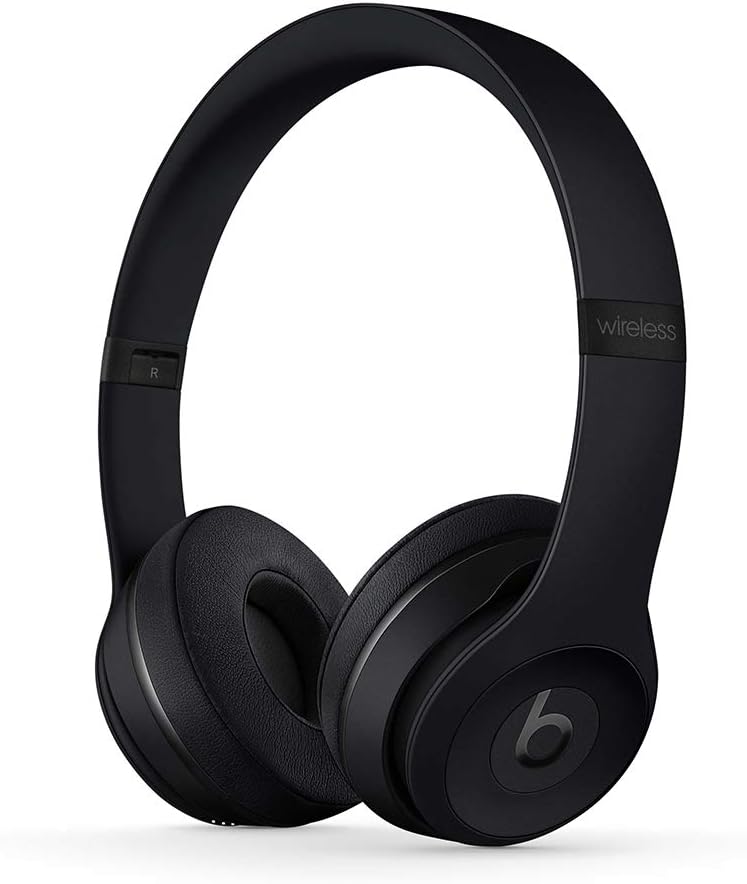
ചിത്രം: ഒരു മുൻഭാഗം view of the Beats Solo3 Wireless On-Ear Headphones in black, showcasing their sleek design and on-ear fit.

ചിത്രം: ഒരു വശം view of the Beats Solo3 Wireless On-Ear Headphones, demonstrating their foldable design for compact storage.
മെയിൻ്റനൻസ്
To ensure the longevity and optimal performance of your Beats Solo3 Wireless headphones, follow these maintenance guidelines:
- വൃത്തിയാക്കൽ: Use a soft, dry, lint-free cloth to clean the ear cups and headband. Do not use abrasive cleaners, alcohol, or chemical solvents.
- സംഭരണം: When not in use, store the headphones in the provided carrying case to protect them from dust, scratches, and impacts.
- ഈർപ്പം ഒഴിവാക്കുക: These headphones are not water-resistant. Avoid exposure to liquids, high humidity, or extreme temperatures.
- കേബിൾ കെയർ: Handle the charging and RemoteTalk cables gently. Avoid sharp bends or excessive pulling.
ട്രബിൾഷൂട്ടിംഗ്
If you encounter issues with your Beats Solo3 Wireless headphones, try the following solutions:
- ശക്തിയില്ല: Ensure the headphones are charged. Connect them to a power source using the USB cable.
- ജോടിയാക്കാൻ കഴിയില്ല:
- നിങ്ങളുടെ ഉപകരണത്തിൽ ബ്ലൂടൂത്ത് പ്രവർത്തനക്ഷമമാക്കിയിട്ടുണ്ടെന്ന് ഉറപ്പാക്കുക.
- Ensure the headphones are in pairing mode (LED fuel gauge flashing).
- ഹെഡ്ഫോണുകൾ നിങ്ങളുടെ ഉപകരണത്തിന് അടുത്തേക്ക് നീക്കുക.
- Forget "Beats Solo3" from your device's Bluetooth list and try pairing again.
- ശബ്ദമില്ല/കുറഞ്ഞ ശബ്ദം:
- Check the volume levels on both your headphones and the connected device.
- ഹെഡ്ഫോണുകൾ നിങ്ങളുടെ ഉപകരണവുമായി ശരിയായി ബന്ധിപ്പിച്ചിട്ടുണ്ടെന്ന് ഉറപ്പാക്കുക.
- If using the RemoteTalk cable, ensure it is fully plugged in.
- ഇടവിട്ടുള്ള കണക്ഷൻ:
- ഇടപെടൽ കുറയ്ക്കാൻ നിങ്ങളുടെ ഉപകരണത്തിന് അടുത്തേക്ക് നീങ്ങുക.
- ഹെഡ്ഫോണുകൾക്കും നിങ്ങളുടെ ഉപകരണത്തിനും ഇടയിലുള്ള തടസ്സങ്ങൾ ഒഴിവാക്കുക.
- മറ്റ് ശക്തമായ വയർലെസ് സിഗ്നലുകളൊന്നും തടസ്സപ്പെടുത്തുന്നില്ലെന്ന് ഉറപ്പാക്കുക.
- Resetting Headphones: If issues persist, you may need to reset your headphones. Refer to the Quick Start Guide for specific reset instructions.
സ്പെസിഫിക്കേഷനുകൾ
| ഫീച്ചർ | വിശദാംശങ്ങൾ |
|---|---|
| മോഡലിൻ്റെ പേര് | ബീറ്റ്സ് സോളോ3 |
| മോഡൽ നമ്പർ | MX432LL/A |
| കണക്റ്റിവിറ്റി ടെക്നോളജി | ബ്ലൂടൂത്ത്, യുഎസ്ബി |
| വയർലെസ് കമ്മ്യൂണിക്കേഷൻ ടെക്നോളജി | ബ്ലൂടൂത്ത്, ട്രൂ വയർലെസ്സ് |
| ഹെഡ്ഫോണുകൾ ജാക്ക് | 3.5 mm ജാക്ക് |
| ബാറ്ററി ലൈഫ് | 40 മണിക്കൂർ വരെ |
| വേഗത്തിലുള്ള ഇന്ധന ചാർജിംഗ് | 5 മിനിറ്റ് ചാർജ് = 3 മണിക്കൂർ പ്ലേബാക്ക് |
| നിയന്ത്രണ തരം | Media Control, Volume Control, Call Control, Voice Control |
| ചെവി പ്ലേസ്മെൻ്റ് | ചെവിയിൽ |
| ഫോം ഫാക്ടർ | ചെവിയിൽ |
| ശബ്ദ നിയന്ത്രണം | സൗണ്ട് ഐസൊലേഷൻ |
| മെറ്റീരിയൽ | പ്ലാസ്റ്റിക് |
| ഇനത്തിൻ്റെ ഭാരം | 1.42 പൗണ്ട് |
| ഉൽപ്പന്ന അളവുകൾ | 5.16 x 3.74 x 7.44 ഇഞ്ച് |
| നിർമ്മാതാവ് | ആപ്പിൾ |
| ജല പ്രതിരോധ നില | വാട്ടർ റെസിസ്റ്റൻ്റ് അല്ല |
വാറൻ്റിയും പിന്തുണയും
Your Beats Solo3 Wireless On-Ear Headphones come with a limited warranty. Please refer to the included Warranty Card for detailed terms and conditions, including coverage period and what is covered.
For technical support, service, or additional information, please visit the official Beats support webസൈറ്റിൽ ബന്ധപ്പെടുക അല്ലെങ്കിൽ അവരുടെ ഉപഭോക്തൃ സേവനവുമായി ബന്ധപ്പെടുക. വാറന്റി ക്ലെയിമുകൾക്കായി നിങ്ങളുടെ വാങ്ങിയതിന്റെ തെളിവ് സൂക്ഷിക്കുക.
കൂടുതൽ വിവരങ്ങളും പിന്തുണയും നിങ്ങൾക്ക് ഇവിടെ കണ്ടെത്താനാകും Beats Store on Amazon.


