ആമുഖം
Thank you for choosing the NIMO BIG-S0423643 Universal Programmable Remote Control. This remote is designed to consolidate control of your TV, Satellite receiver, Digital Terrestrial Television (DTT), DVD player, and HIFI audio systems into a single device. Please read this manual carefully to ensure proper setup and operation.
ഉൽപ്പന്നം കഴിഞ്ഞുview
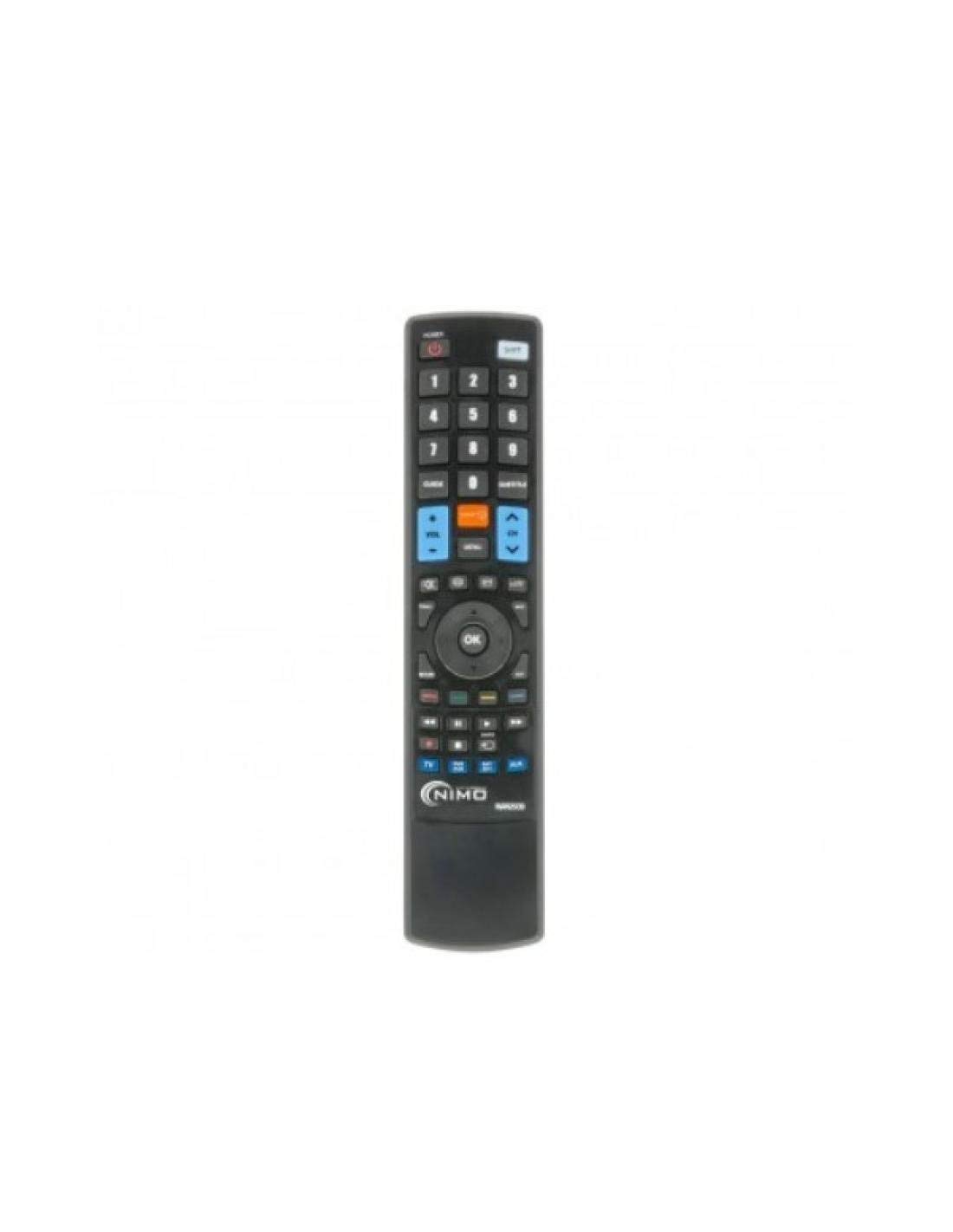
The image above shows the NIMO Universal Programmable Remote Control in its retail packaging. The remote features a standard layout with numerical keys, navigation buttons, and dedicated function keys for various devices. The packaging highlights its 4-in-1 universal compatibility (TV-SAT-DTT-DVD-HIFI) and its programmability via PC, smartphone, or tablet.
സജ്ജമാക്കുക
1. ബാറ്ററി ഇൻസ്റ്റാളേഷൻ
റിമോട്ട് കൺട്രോളിന് രണ്ട് (2) AAA ബാറ്ററികൾ ആവശ്യമാണ് (ഉൾപ്പെടുത്തിയിട്ടില്ല).
- വിദൂര നിയന്ത്രണത്തിന്റെ പിൻഭാഗത്ത് ബാറ്ററി കമ്പാർട്ട്മെന്റ് കവർ തുറക്കുക.
- Insert two AAA batteries, ensuring correct polarity (+ ഒപ്പം -).
- ബാറ്ററി കമ്പാർട്ട്മെൻ്റ് കവർ സുരക്ഷിതമായി അടയ്ക്കുക.
2. പ്രാരംഭ പവർ ഓൺ
After installing batteries, the remote is ready for programming.
നിങ്ങളുടെ വിദൂര നിയന്ത്രണം പ്രോഗ്രാമിംഗ്
The NIMO BIG-S0423643 remote control is programmable, allowing it to learn functions from your original remote controls or be configured via a PC, smartphone, or tablet. Refer to the specific programming instructions provided with the remote or visit the NIMO support website for detailed guides and software.
പ്രോഗ്രാമിംഗ് രീതികൾ:
- കോഡ് എൻട്രി: Enter a specific code corresponding to your device's brand.
- യാന്ത്രിക തിരയൽ: The remote searches for the correct code automatically.
- പഠന പ്രവർത്തനം: The remote can learn functions directly from your original remote control.
- PC/Smartphone/Tablet Programming: Connect the remote to a computer or mobile device (via a compatible cable, if included) and use dedicated software or an app for advanced programming. This method often allows for more precise control and customization.
Note: A programming cable may be required for PC/smartphone/tablet programming and is typically included with the product.
നിങ്ങളുടെ റിമോട്ട് കൺട്രോൾ പ്രവർത്തിപ്പിക്കുന്നു
Once programmed, the remote control functions similarly to your original device remotes. The buttons are generally laid out for intuitive use.
പ്രധാന പ്രവർത്തനങ്ങൾ:
- പവർ ബട്ടൺ: Turns devices on/off.
- നമ്പർ കീകൾ (0-9): For direct channel selection or inputting codes.
- ചാനൽ മുകളിലേക്കും താഴേക്കും: ടെലിവിഷൻ ചാനലുകൾ മാറ്റുന്നു.
- വോളിയം കൂട്ടുക/താഴ്ത്തുക: ഓഡിയോ വോളിയം ക്രമീകരിക്കുന്നു.
- നിശബ്ദമാക്കുക: Silences audio.
- നാവിഗേഷൻ പാഡ് (മുകളിലേക്ക്, താഴേക്ക്, ഇടത്തേക്ക്, വലത്തേക്ക്, ശരി): മെനു നാവിഗേഷനും തിരഞ്ഞെടുപ്പിനും.
- മെനു/ക്രമീകരണങ്ങൾ: Accesses device menus.
- ഇൻപുട്ട്/ഉറവിടം: Switches between different input sources (e.g., HDMI 1, AV).
- പ്ലേബാക്ക് നിയന്ത്രണങ്ങൾ (പ്ലേ ചെയ്യുക, താൽക്കാലികമായി നിർത്തുക, നിർത്തുക, റിവൈൻഡ് ചെയ്യുക, ഫാസ്റ്റ് ഫോർവേഡ് ചെയ്യുക): For DVD/media player control.
മെയിൻ്റനൻസ്
വൃത്തിയാക്കൽ:
മൃദുവായതും ഉണങ്ങിയതുമായ തുണി ഉപയോഗിച്ച് റിമോട്ട് കൺട്രോൾ തുടയ്ക്കുക. അബ്രാസീവ് ക്ലീനറുകളോ ലായകങ്ങളോ ഉപയോഗിക്കരുത്.
ബാറ്ററി മാറ്റിസ്ഥാപിക്കൽ:
Replace batteries when the remote control's performance degrades or it stops responding. Always replace both batteries at the same time with new AAA batteries.
സംഭരണം:
നേരിട്ടുള്ള സൂര്യപ്രകാശത്തിൽ നിന്നും തീവ്രമായ താപനിലയിൽ നിന്നും അകന്ന്, വരണ്ട സ്ഥലത്ത് റിമോട്ട് കൺട്രോൾ സൂക്ഷിക്കുക.
ട്രബിൾഷൂട്ടിംഗ്
- റിമോട്ട് പ്രതികരിക്കുന്നില്ല:
- ബാറ്ററി പോളാരിറ്റി പരിശോധിച്ച് ബാറ്ററികൾ പുതിയതാണെന്ന് ഉറപ്പാക്കുക.
- റിമോട്ടിനും ഉപകരണത്തിന്റെ ഇൻഫ്രാറെഡ് റിസീവറിനും ഇടയിൽ തടസ്സങ്ങളൊന്നുമില്ലെന്ന് ഉറപ്പാക്കുക.
- Reprogram the remote control for the specific device.
- ചില പ്രവർത്തനങ്ങൾ പ്രവർത്തിക്കുന്നില്ല:
- The remote may not have learned all functions correctly. Try reprogramming or using the learning function for specific keys.
- Ensure the correct device mode is selected on the remote (if applicable).
- Device codes not working:
- Try alternative codes for your device brand.
- Use the automatic search or learning function.
സ്പെസിഫിക്കേഷനുകൾ
| ഫീച്ചർ | വിശദാംശങ്ങൾ |
|---|---|
| ബ്രാൻഡ് | NIMO |
| മോഡൽ നമ്പർ | BIG-S0423643 |
| കണക്റ്റിവിറ്റി ടെക്നോളജി | ഇൻഫ്രാറെഡ് |
| അനുയോജ്യമായ ഉപകരണങ്ങൾ | Television, Satellite, DTT, DVD, HIFI |
| പ്രത്യേക ഫീച്ചർ | Universal, Programmable |
| ബാറ്ററി തരം | AAA (2 required, not included) |
| ഉൽപ്പന്ന അളവുകൾ | 33 x 14 x 3 സെ.മീ |
| ഉൽപ്പന്ന ഭാരം | 1 കി.ഗ്രാം |
വാറൻ്റിയും പിന്തുണയും
For warranty information and technical support, please refer to the documentation included with your purchase or visit the official NIMO webസൈറ്റ്. വാറന്റി ക്ലെയിമുകൾക്കായി നിങ്ങളുടെ വാങ്ങലിന്റെ തെളിവ് സൂക്ഷിക്കുക.


