1. ആമുഖം
This manual provides comprehensive instructions for the installation, operation, and maintenance of your Srihome SH029 3MP Ultra HD 1296p Wireless WiFi Waterproof Security Camera. Please read this manual thoroughly before using the product to ensure correct usage and optimal performance. Keep this manual for future reference.
2. പാക്കേജ് ഉള്ളടക്കം
താഴെ ലിസ്റ്റ് ചെയ്തിരിക്കുന്ന എല്ലാ ഇനങ്ങളും നിങ്ങളുടെ പാക്കേജിൽ ഉൾപ്പെടുത്തിയിട്ടുണ്ടെന്ന് ഉറപ്പാക്കുക. ഏതെങ്കിലും ഇനങ്ങൾ നഷ്ടപ്പെട്ടിട്ടുണ്ടെങ്കിലോ കേടായിട്ടുണ്ടെങ്കിലോ, ദയവായി ഉപഭോക്തൃ പിന്തുണയുമായി ബന്ധപ്പെടുക.
- 1x Srihome SH029 HD WiFi Security Camera
- 1x പവർ അഡാപ്റ്റർ
- 1x ദ്രുത ഉപയോക്തൃ ഗൈഡ്
- 1x Screw Accessories Bag (for mounting)
- 1x Wall Mounting Stand
3. ഉൽപ്പന്നം കഴിഞ്ഞുview
The Srihome SH029 is a 3MP Ultra HD wireless security camera designed for both indoor and outdoor surveillance. It features 1296p video resolution, two-way audio, humanoid motion detection, night vision, and IP66 waterproof rating.

ചിത്രം 3.1: ഫ്രണ്ട് view of the Srihome SH029 camera, showing the lens, IR LEDs, and light sensor.

ചിത്രം 3.2: വശം view of the Srihome SH029 camera, illustrating the integrated mounting bracket and power cable.

ചിത്രം 3.3: താഴെ view of the Srihome SH029 camera with the protective cover for the SD card slot opened.

ചിത്രം 3.4: താഴെ view of the Srihome SH029 camera with the protective cover for the SD card slot closed, ensuring waterproof integrity.

ചിത്രം 3.5: Direct frontal view of the Srihome SH029 camera, highlighting the main lens and infrared components.
പ്രധാന സവിശേഷതകൾ:
- 3MP Ultra HD 1296p Resolution: വ്യക്തവും വിശദവുമായ വീഡിയോ foo പകർത്തുന്നുtage.
- Wireless WiFi Connectivity: Easy connection to your home network.
- IP66 വാട്ടർപ്രൂഫ് റേറ്റിംഗ്: Suitable for outdoor installation, resistant to dust and water jets.
- ടു-വേ ഓഡിയോ: Built-in speaker and microphone for communication.
- Humanoid Motion Detection: Advanced detection to reduce false alarms.
- രാത്രി കാഴ്ച: Infrared LEDs provide clear visibility in low-light conditions up to 10 meters.
- SD കാർഡ് സംഭരണം: Supports up to 128GB for local video recording.
- മൾട്ടി-യൂസർ മാനേജ്മെന്റ്: Allows sharing camera access with customizable permissions.
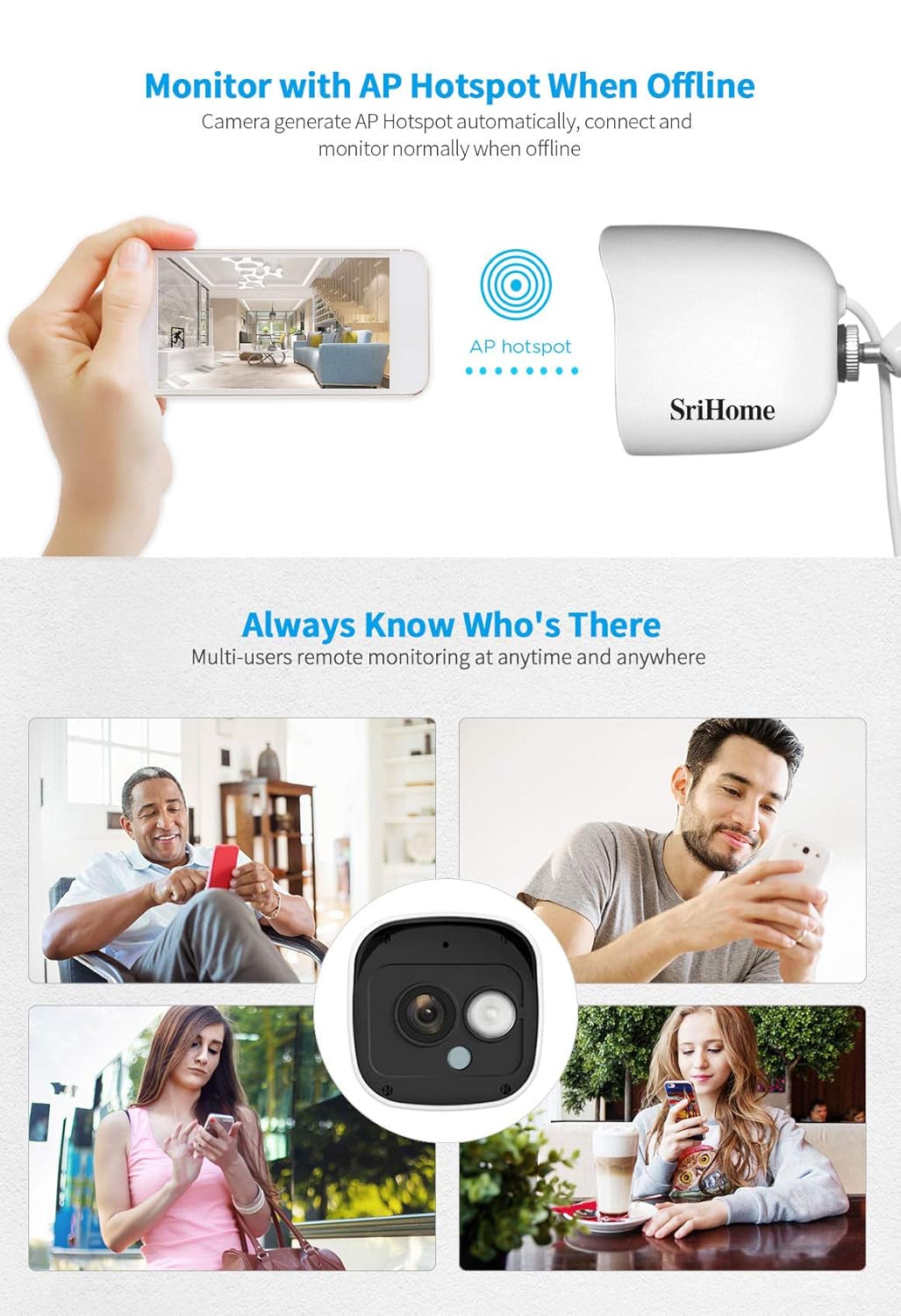
- AP Hotspot Mode: Enables direct connection to the camera when offline.
4. സജ്ജീകരണ ഗൈഡ്
4.1. ആപ്പ് ഇൻസ്റ്റാളേഷൻ
- Download the "Srihome" app from your mobile device's app store (iOS App Store or Android Google Play Store).
- ഒരു പുതിയ അക്കൗണ്ട് രജിസ്റ്റർ ചെയ്യുക അല്ലെങ്കിൽ നിങ്ങൾക്ക് ഇതിനകം ഒന്ന് ഉണ്ടെങ്കിൽ ലോഗിൻ ചെയ്യുക.
4.2. പവർ ഓൺ ചെയ്യലും പ്രാരംഭ കണക്ഷനും
- Connect the power adapter to the camera and plug it into a power outlet. The camera will power on and initiate its boot-up sequence.
- Open the Srihome app and follow the on-screen instructions to add a new device. You will typically scan a QR code on the camera or manually enter the device ID.
- Select your 2.4GHz Wi-Fi network and enter the password. The camera will attempt to connect to your Wi-Fi.
- Once connected, the camera will appear online in your app.
Note: The camera supports 2.4GHz Wi-Fi networks only. Ensure your mobile device is connected to the same 2.4GHz network during the initial setup.
4.3. മൈക്രോ എസ്ഡി കാർഡ് ഇൻസ്റ്റാളേഷൻ
- Locate the SD card slot on the bottom of the camera (refer to Figure 3.3).
- സംരക്ഷണ കവർ ശ്രദ്ധാപൂർവ്വം തുറക്കുക.
- Insert a Class 10 or higher Micro SD card (up to 128GB) into the slot with the gold contacts facing down.
- Close the protective cover firmly to maintain the camera's waterproof rating.
- In the app, navigate to camera settings and format the SD card for optimal performance.
4.4. ഫിസിക്കൽ ഇൻസ്റ്റലേഷൻ
The camera can be mounted on a wall or ceiling. Choose a location that provides the desired viewing angle and is within range of your Wi-Fi network and a power source.
- Use the provided wall mounting stand as a template to mark drill holes on the desired surface.
- Drill holes and insert the wall plugs if necessary.
- Secure the mounting stand to the surface using the provided screws.
- Attach the camera to the mounting stand and adjust the angle as needed. Tighten the adjustment screw to fix the camera's position.

ചിത്രം 4.1: കഴിഞ്ഞുview of camera features including AP Hotspot, Multi-User Management, Motion Detection Alerts, and Advanced Zone Detection, relevant for setup and operation.
5. പ്രവർത്തന നിർദ്ദേശങ്ങൾ
5.1. തത്സമയം View
Open the Srihome app and select your camera from the device list to access the live video feed. You can view up to four camera feeds simultaneously within the app.
5.2. ടു-വേ ഓഡിയോ
ലൈവിൽ ആയിരിക്കുമ്പോൾ view, tap the microphone icon in the app to speak through the camera's speaker. Tap the speaker icon to listen to audio from the camera's microphone. This feature allows for real-time communication.
ചിത്രം 5.1: Visual representation of key features including 1296p resolution, two-way audio, infrared night vision, external SD card slot, and waterproof design.
5.3. റെക്കോർഡിംഗും പ്ലേബാക്കും
The camera records video to the installed Micro SD card. You can access recorded footage through the app's playback function. The camera supports continuous recording or event-triggered recording based on motion detection settings.
- ലേക്ക് view playback: In the app, select the camera and navigate to the playback interface. Choose the date and time to review രേഖപ്പെടുത്തിയ ഇവന്റുകൾ.
- To download recordings: Currently, direct download of specific video segments from the app is not supported. To retrieve recordings, physically remove the SD card from the camera and access the fileഒരു കമ്പ്യൂട്ടറിൽ എസ്.
5.4. മോഷൻ ഡിറ്റക്ഷനും അലേർട്ടുകളും
The SH029 features advanced humanoid motion detection, which helps distinguish human movement from other environmental factors, reducing false alarms.
- മോഷൻ ഡിറ്റക്ഷൻ പ്രാപ്തമാക്കുക: In the camera settings within the app, enable motion detection.
- Set Detection Area: Customize specific zones within the camera's view where motion detection should be active. This prevents alerts from irrelevant areas.
- അറിയിപ്പുകൾ സ്വീകരിക്കുക: When motion is detected in the configured zones, the app will send push notifications to your mobile device.

ചിത്രം 5.2: Illustration of the Humanoid Detection feature, which differentiates human activity from other movements to minimize false alarms.
5.5. നൈറ്റ് വിഷൻ
The camera automatically switches to infrared night vision mode in low-light conditions, providing clear black and white video up to 10 meters (32 feet).
5.6. Multi-User Management
You can share access to your camera with family members or friends through the Srihome app. Assign different permission levels (e.g., operator or guest) and even privatize certain areas that guest users cannot view.
5.7. AP Hotspot Mode
In situations where a Wi-Fi network is unavailable, the camera can generate its own AP (Access Point) hotspot. You can connect your mobile device directly to this hotspot to view the live feed and manage settings locally.
6. പരിപാലനം
- വൃത്തിയാക്കൽ: Regularly clean the camera lens with a soft, dry cloth to ensure clear image quality. Do not use harsh chemicals or abrasive materials.
- ഫേംവെയർ അപ്ഡേറ്റുകൾ: Check the Srihome app periodically for firmware updates. Keeping your camera's firmware updated ensures optimal performance and security.
- വൈദ്യുതി വിതരണം: ക്യാമറ ഒരു സ്ഥിരതയുള്ള പവർ സ്രോതസ്സുമായി ബന്ധിപ്പിച്ചിട്ടുണ്ടെന്ന് ഉറപ്പാക്കുക. ഇടയ്ക്കിടെയുള്ള വൈദ്യുതി തടസ്സങ്ങൾ ഒഴിവാക്കുക.
- SD കാർഡ് മാനേജുമെന്റ്: If using an SD card for continuous recording, consider formatting it periodically (e.g., monthly) to maintain performance and prevent data corruption. Back up important footagഫോർമാറ്റ് ചെയ്യുന്നതിന് മുമ്പ്.
7. പ്രശ്നപരിഹാരം
| പ്രശ്നം | സാധ്യമായ കാരണം | പരിഹാരം |
|---|---|---|
| ആപ്പിൽ ക്യാമറ ഓഫ്ലൈനാണ് | No power; Wi-Fi disconnected; Router issues; Incorrect Wi-Fi password. | Check power connection. Verify Wi-Fi signal strength. Restart camera and router. Reconfigure Wi-Fi settings in the app. |
| പതിവ് തെറ്റായ ചലന മുന്നറിയിപ്പുകൾ | Sensitive detection settings; Environmental factors (e.g., moving plants, shadows). | Adjust motion detection sensitivity in the app. Define specific motion detection zones to exclude irrelevant areas. |
| SD കാർഡിലേക്ക് റെക്കോർഡിംഗ് ഇല്ല | SD card full; SD card not formatted; Faulty SD card; Recording settings incorrect. | Check SD card status in app. Format the SD card via app. Replace SD card if faulty. Ensure recording is enabled in settings. |
| മോശം ചിത്ര നിലവാരം | Dirty lens; Low network bandwidth; Insufficient lighting. | Clean the camera lens. Ensure stable Wi-Fi connection. Verify camera is in a well-lit area or night vision is active. |
| കഴിയില്ല view പിസിയിൽ | No official PC client; App-based viewing മാത്രം. | The Srihome SH029 is primarily designed for mobile app viewing (Android/iOS). There is no official Windows PC client. |
| Cannot download specific video segments | സവിശേഷത പരിമിതി. | To download recordings, physically remove the SD card from the camera and transfer fileഒരു കമ്പ്യൂട്ടറിലേക്ക് എസ്. |
8 സ്പെസിഫിക്കേഷനുകൾ
| ഫീച്ചർ | വിശദാംശങ്ങൾ |
|---|---|
| മോഡൽ | SrihomeSH029 |
| റെസലൂഷൻ | 3MP Ultra HD (1296p) |
| കണക്റ്റിവിറ്റി | വയർലെസ്സ് (വൈ-ഫൈ 2.4GHz) |
| ജല പ്രതിരോധം | IP66 വാട്ടർപ്രൂഫ് |
| നൈറ്റ് വിഷൻ റേഞ്ച് | 10 മീറ്റർ വരെ (32 അടി) |
| സംഭരണം | മൈക്രോ SD കാർഡ് (128GB വരെ) |
| ഓഡിയോ | Two-Way Audio (Built-in Mic & Speaker) |
| മോഷൻ ഡിറ്റക്ഷൻ | Humanoid Motion Detection, Customizable Zones |
| പവർ ഉറവിടം | Corded Electric (5 Watts) |
| ഓപ്പറേറ്റിംഗ് സിസ്റ്റം (ആപ്പ്) | ആൻഡ്രോയിഡ്, ഐഒഎസ് |
| അളവുകൾ (L x W x H) | 10 x 15 x 5 സെ.മീ |
| ഭാരം | 180 ഗ്രാം |
9. വാറൻ്റിയും പിന്തുണയും
9.1. വാറൻ്റി വിവരങ്ങൾ
This Srihome SH029 camera comes with a 1 വർഷത്തെ വാറൻ്റി from the date of purchase. Please retain your proof of purchase for warranty claims. The warranty covers manufacturing defects but does not cover damage caused by misuse, accidents, unauthorized modifications, or natural disasters.
9.2. ഉപഭോക്തൃ പിന്തുണ
For technical assistance, troubleshooting, or warranty inquiries, please contact Srihome customer support. Refer to the contact information provided on the product packaging or the official Srihome webസൈറ്റ്.


