ഉൽപ്പന്നം കഴിഞ്ഞുview
The uxcell Red Indicator Light with Buzzer is designed for various electrical control applications. It features a high-brightness red LED and an intermittent buzzer, operating on AC/DC 24V. This unit is suitable for panel mounting with an industrial standard 28mm diameter.
It is commonly used in ship controls, machine tools, general machine equipment, switch cabinets, power distribution cabinets, HVAC panels, and for DIY projects like PLC training.
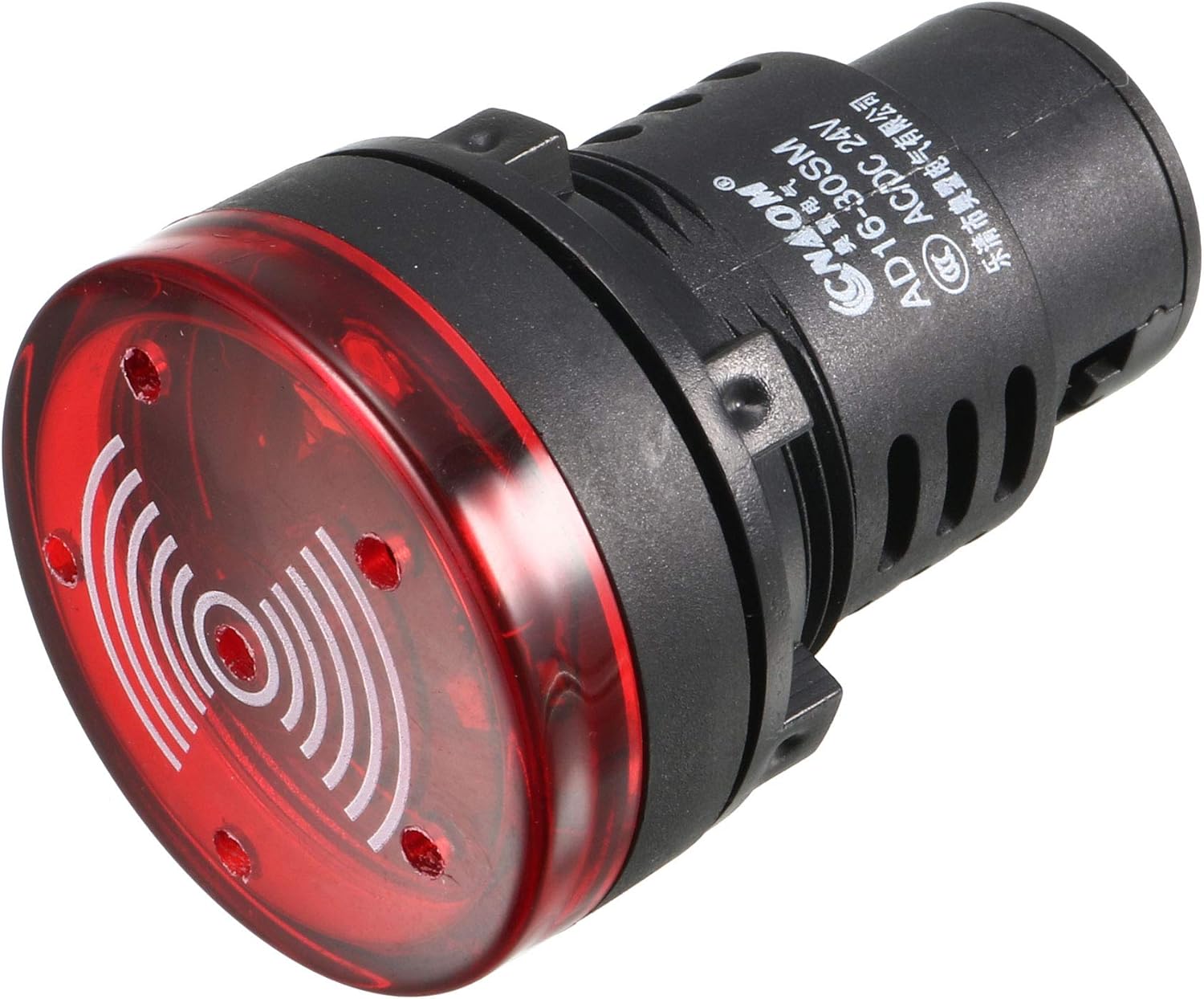
ചിത്രം 1: മുൻഭാഗം view of the uxcell Red Indicator Light with Buzzer.
സ്പെസിഫിക്കേഷനുകൾ
| ഫീച്ചർ | വിശദാംശങ്ങൾ |
|---|---|
| മോഡൽ നമ്പർ | a19091100ux0717 |
| നിറം | ചുവപ്പ് |
| വാല്യംtage | AC/DC 24V |
| മൗണ്ടിംഗ് വ്യാസം | 28mm (1-1/10") |
| തല വ്യാസം | 36 മിമി (1.42") |
| മൊത്തത്തിലുള്ള ദൈർഘ്യം | 53 മിമി (2.09") |
| Fits Panel Thickness | ≤6mm (0.24") |
| പ്രകാശ സ്രോതസ്സ് തരം | എൽഇഡി |
| ഫീച്ചറുകൾ | Flashing Light, Intermittent Buzzer |
| ജോലി ജീവിതം | > 30,000 മണിക്കൂർ |
| മെറ്റീരിയൽ | ചെമ്പ് |
| ഇനത്തിൻ്റെ ഭാരം | 0.81 ഔൺസ് |

Figure 2: Detailed dimensions of the indicator light, showing head diameter, mounting hole diameter, and overall length.

Figure 3: Technical drawing illustrating all key dimensions and panel thickness compatibility.
സുരക്ഷാ വിവരങ്ങൾ
മുന്നറിയിപ്പ്: Always disconnect power before installation or maintenance to prevent electric shock.
ശരിയായ വോളിയം ഉറപ്പാക്കുകtage (AC/DC 24V) is supplied to the unit. Incorrect voltage may damage the device or pose a safety hazard.
Do not overtighten the screw terminals during wiring, as this may cause damage to the unit.
This product contains chemicals known to the State of California to cause cancer and birth defects or other reproductive harm (Proposition 65 warning). Handle with care and wash hands after handling.
സജ്ജീകരണവും ഇൻസ്റ്റാളേഷനും
- പാനൽ തയ്യാറാക്കുക: Drill a 28mm (1-1/10") diameter mounting hole in your control panel. Ensure the panel thickness does not exceed 6mm (0.24").
- Insert Indicator: Insert the indicator light into the prepared hole from the front of the panel.
- നട്ട് ഉപയോഗിച്ച് സുരക്ഷിതമാക്കുക: From the back of the panel, thread and tighten the included panel locking nut onto the indicator light to secure it firmly in place.
- വയർ കണക്ഷനുകൾ: Connect the AC/DC 24V power supply wires to the screw-clamp terminals at the rear of the indicator light. Ensure connections are firm but do not overtighten the screws.
- Dust Cap (Optional): If desired, install the dust cap over the rear terminals to protect against dust and environmental hazards.

ചിത്രം 4: പിൻഭാഗം view of the indicator light, showing the screw-clamp terminals for wiring connections.

Figure 5: The removable dust cap designed to protect the rear terminals from dust.
പ്രവർത്തന നിർദ്ദേശങ്ങൾ
Once properly installed and wired, the uxcell Red Indicator Light with Buzzer will activate when the specified AC/DC 24V power is applied to its terminals.
- നേരിയ സൂചന: The red LED will illuminate and flash when power is supplied, indicating the operational status of the connected circuit or equipment.
- ബസർ അലാറം: Concurrently with the flashing light, the intermittent buzzer will sound, providing an audible alert.
- നിർജ്ജീവമാക്കൽ: The light and buzzer will turn off when the power supply to the unit is disconnected.

Figure 6: The indicator light showing its illuminated state, signifying active operation.
മെയിൻ്റനൻസ്
The uxcell Red Indicator Light with Buzzer is designed for long-term, maintenance-free operation with a working life of over 30,000 hours.
- വൃത്തിയാക്കൽ: Periodically wipe the surface of the indicator light with a soft, dry cloth to remove dust and debris. Do not use abrasive cleaners or solvents.
- കണക്ഷൻ പരിശോധന: Occasionally inspect the wiring connections at the rear of the unit to ensure they remain secure. Re-tighten if necessary, but avoid overtightening.
- പൊടി തൊപ്പി: Ensure the dust cap (if installed) is properly seated to protect the terminals from environmental elements.
ട്രബിൾഷൂട്ടിംഗ്
| പ്രശ്നം | സാധ്യമായ കാരണം | പരിഹാരം |
|---|---|---|
| Light and/or Buzzer not activating. | വൈദ്യുതി വിതരണം ഇല്ല. തെറ്റായ വോളിയംtage. അയഞ്ഞ വയറിംഗ് കണക്ഷനുകൾ. Damaged unit. | Verify power supply (AC/DC 24V) is active. ഇൻപുട്ട് വോളിയം പരിശോധിക്കുകtagഇ സ്പെസിഫിക്കേഷനുകളുമായി പൊരുത്തപ്പെടുന്നു. എല്ലാ വയറിംഗ് കണക്ഷനുകളും പരിശോധിച്ച് സുരക്ഷിതമാക്കുക. മറ്റെല്ലാം പരാജയപ്പെട്ടാൽ, യൂണിറ്റ് തകരാറിലായേക്കാം, പകരം വയ്ക്കൽ ആവശ്യമായി വന്നേക്കാം. |
| Buzzer not sounding, but light is flashing. | Buzzer component failure. | The buzzer component may be damaged. Consider replacing the unit if the audible alarm is critical. |
| വെളിച്ചം മങ്ങുകയോ മിന്നിമറയുകയോ ചെയ്യുന്നു. | അപര്യാപ്തമായ വോളിയംtage. മോശം കണക്ഷൻ. | Verify stable 24V power supply. Check wiring for loose or corroded connections. |
വാറൻ്റിയും പിന്തുണയും
For warranty information or technical support, please contact uxcell directly through their official channels or the retailer from whom the product was purchased.
Visit the official uxcell store for more products and support: uxcell Store on Amazon
