1. ആമുഖം
Welcome to the user manual for your new Genius Mini Soundbar 100 USB Black. This compact and versatile soundbar is designed to enhance your audio experience for computers, laptops, and other devices with a 3.5mm audio output. Please read this manual carefully to ensure proper setup, operation, and maintenance of your device.
പ്രധാന സവിശേഷതകൾ
- 6W RMS പവർ ഔട്ട്പുട്ട്
- Wired 3.5mm audio and USB connectivity
- USB Plug and Play: No batteries or AC adapter required
- സൗകര്യപ്രദമായ ഇൻ-ലൈൻ വോളിയം നിയന്ത്രണം
- Ultra-compact design for easy placement
- Bass Boost feature for enhanced low-frequency sound
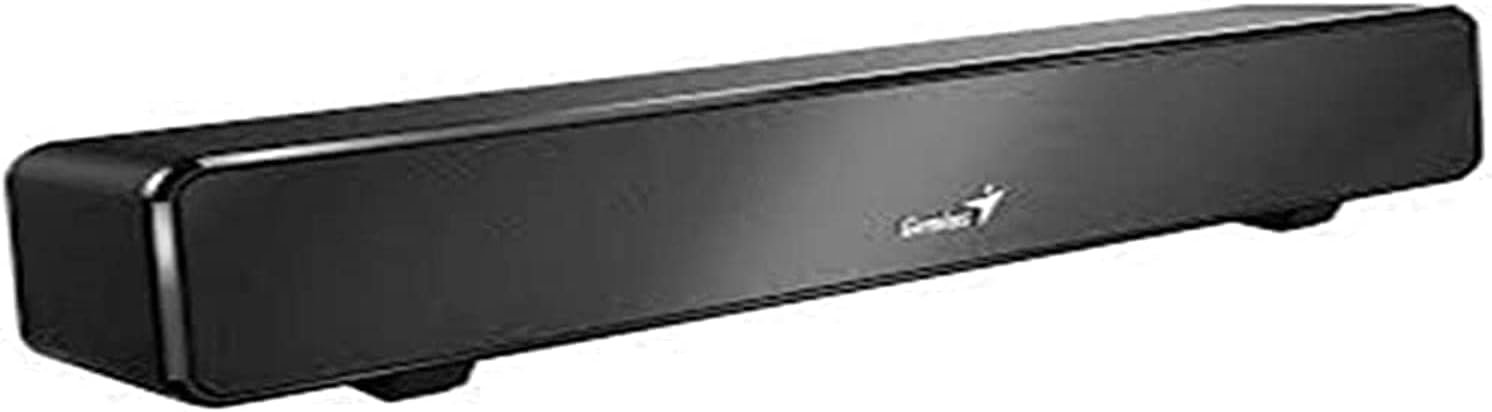
ഒരു മുന്നണി view of the Genius Mini Soundbar 100 USB Black, showcasing its compact design and sleek black finish.
2. പാക്കേജ് ഉള്ളടക്കം
എല്ലാ ഇനങ്ങളും ഉണ്ടെന്ന് ഉറപ്പാക്കാൻ പാക്കേജ് ഉള്ളടക്കങ്ങൾ പരിശോധിക്കുക:
- Genius Mini Soundbar 100 USB Black
- ഉപയോക്തൃ മാനുവൽ (ഈ പ്രമാണം)
3. സജ്ജീകരണം
സൗണ്ട്ബാർ ബന്ധിപ്പിക്കുന്നു
The Genius Mini Soundbar 100 is designed for simple plug-and-play operation. Follow these steps to connect your soundbar:
- യുഎസ്ബി പവർ കേബിൾ ബന്ധിപ്പിക്കുക: Locate the USB-A connector on the soundbar's integrated cable. Plug this connector into an available USB port on your computer, laptop, or a USB power adapter (not included). The soundbar draws power directly from the USB connection.
- Connect the 3.5mm Audio Cable: Locate the 3.5mm audio jack on the soundbar's integrated cable. Plug this jack into the 3.5mm audio output port (headphone jack) on your computer, laptop, smartphone, or television.
- പ്ലേസ്മെൻ്റ്: Place the soundbar on a stable, flat surface, such as a desk or TV stand, ensuring it is positioned for optimal sound projection.

പിൻഭാഗം view of the Genius Mini Soundbar 100 USB Black, illustrating the integrated USB power cable and the 3.5mm audio input cable with in-line volume control.
4. പ്രവർത്തന നിർദ്ദേശങ്ങൾ
പവർ ചെയ്യുന്നത് ഓൺ/ഓഫ്
The Genius Mini Soundbar 100 powers on automatically when connected to a powered USB port. There is no separate power button. To turn off the soundbar, simply disconnect the USB power cable.
വോളിയം നിയന്ത്രണം
The soundbar features an in-line volume control knob located on the audio cable. Rotate the knob clockwise to increase the volume and counter-clockwise to decrease it. You can also adjust the volume directly from your connected device (computer, smartphone, etc.).
ഓഡിയോ പ്ലേബാക്ക്
Once connected, the soundbar will function as the audio output device for your system. Ensure your device's audio output is set to the 3.5mm jack if you have multiple audio options. Play any audio content (music, videos, games) from your connected device, and the sound will be routed through the soundbar.
5. പരിപാലനം
To ensure the longevity and optimal performance of your Genius Mini Soundbar 100, follow these maintenance guidelines:
- വൃത്തിയാക്കൽ: Use a soft, dry cloth to wipe the exterior of the soundbar. Do not use liquid cleaners, aerosols, or abrasive solvents, as these may damage the finish or internal components.
- സംഭരണം: ദീർഘനേരം ഉപയോഗിക്കാത്തപ്പോൾ, നേരിട്ടുള്ള സൂര്യപ്രകാശവും കടുത്ത താപനിലയും ഏൽക്കാത്ത തണുത്തതും വരണ്ടതുമായ സ്ഥലത്ത് സൗണ്ട്ബാർ സൂക്ഷിക്കുക.
- കൈകാര്യം ചെയ്യൽ: Avoid dropping the soundbar or subjecting it to strong impacts. Do not attempt to disassemble the unit, as this will void the warranty.
6. പ്രശ്നപരിഹാരം
If you encounter any issues with your soundbar, please refer to the following table for common problems and their solutions:
| പ്രശ്നം | സാധ്യമായ കാരണം | പരിഹാരം |
|---|---|---|
| സൗണ്ട്ബാറിൽ നിന്ന് ശബ്ദമില്ല. |
|
|
| ശബ്ദം വികലമാണ് അല്ലെങ്കിൽ അവ്യക്തമാണ്. |
|
|
| Soundbar is not recognized by the computer. |
|
|
7 സ്പെസിഫിക്കേഷനുകൾ
Detailed technical specifications for the Genius Mini Soundbar 100 USB Black:
| ഫീച്ചർ | വിശദാംശങ്ങൾ |
|---|---|
| മോഡലിൻ്റെ പേര് | Mini Soundbar 100 |
| മോഡൽ നമ്പർ | 31730024400 |
| ബ്രാൻഡ് | പ്രതിഭ |
| സ്പീക്കർ തരം | സൗണ്ട്ബാർ |
| ഓഡിയോ put ട്ട്പുട്ട് മോഡ് | സ്റ്റീരിയോ (2.0 ചാനൽ) |
| ആർഎംഎസ് പവർ putട്ട്പുട്ട് | 6 വാട്ട്സ് |
| കണക്റ്റിവിറ്റി ടെക്നോളജി | USB (for power), 3.5mm Audio Jack (for audio input) |
| അനുയോജ്യമായ ഉപകരണങ്ങൾ | USB devices, Cellphones, PCs, TVs with 3.5mm audio output |
| കൺട്രോളർ തരം | Push Button (in-line volume control) |
| നിറം | കറുപ്പ് |
| ഉൽപ്പന്ന അളവുകൾ (L x W x H) | 32 x 6.5 x 7 സെ.മീ (ഏകദേശം 12.6 x 2.56 x 2.76 ഇഞ്ച്) |
| ഇനത്തിൻ്റെ ഭാരം | 477 Grams (approximately 1.05 lbs) |
| മൗണ്ടിംഗ് തരം | ടേബിൾടോപ്പ് മൗണ്ട് |
| പ്രത്യേക സവിശേഷതകൾ | ബാസ് ബൂസ്റ്റ് |
8. വാറൻ്റിയും പിന്തുണയും
വാറൻ്റി വിവരങ്ങൾ
Genius products are manufactured to the highest quality standards. This product comes with a limited warranty covering defects in materials and workmanship. Spare parts availability is guaranteed for 2 years from the date of purchase. Please retain your proof of purchase for warranty claims.
ഉപഭോക്തൃ പിന്തുണ
For technical assistance, troubleshooting, or warranty inquiries, please visit the official Genius website or contact their customer support. Refer to the packaging or the Genius webഏറ്റവും കാലികമായ ബന്ധപ്പെടാനുള്ള വിവരങ്ങൾക്കായി സൈറ്റ്.


