1. ആമുഖം
The Promate Concerto is a portable 40W wireless Bluetooth speaker designed to deliver powerful and clear audio. It features a robust sound system with a subwoofer and tweeters, multiple connectivity options including Bluetooth 4.1 and AUX, and a built-in microphone for hands-free calls. This manual provides instructions for setting up, operating, and maintaining your Promate Concerto speaker.
പ്രധാന സവിശേഷതകൾ
- 40W high-performance audio output with 3D subwoofers and two 10W stereo tweeters.
- Dual bass radiator for powerful, distortion-free bass.
- Bluetooth V4.1 for fast and stable wireless connection up to 10 meters.
- ബ്ലൂടൂത്ത് ഇതര ഉപകരണങ്ങൾക്കായി 3.5mm AUX ഇൻപുട്ട്.
- Integrated microphone for hands-free calling.
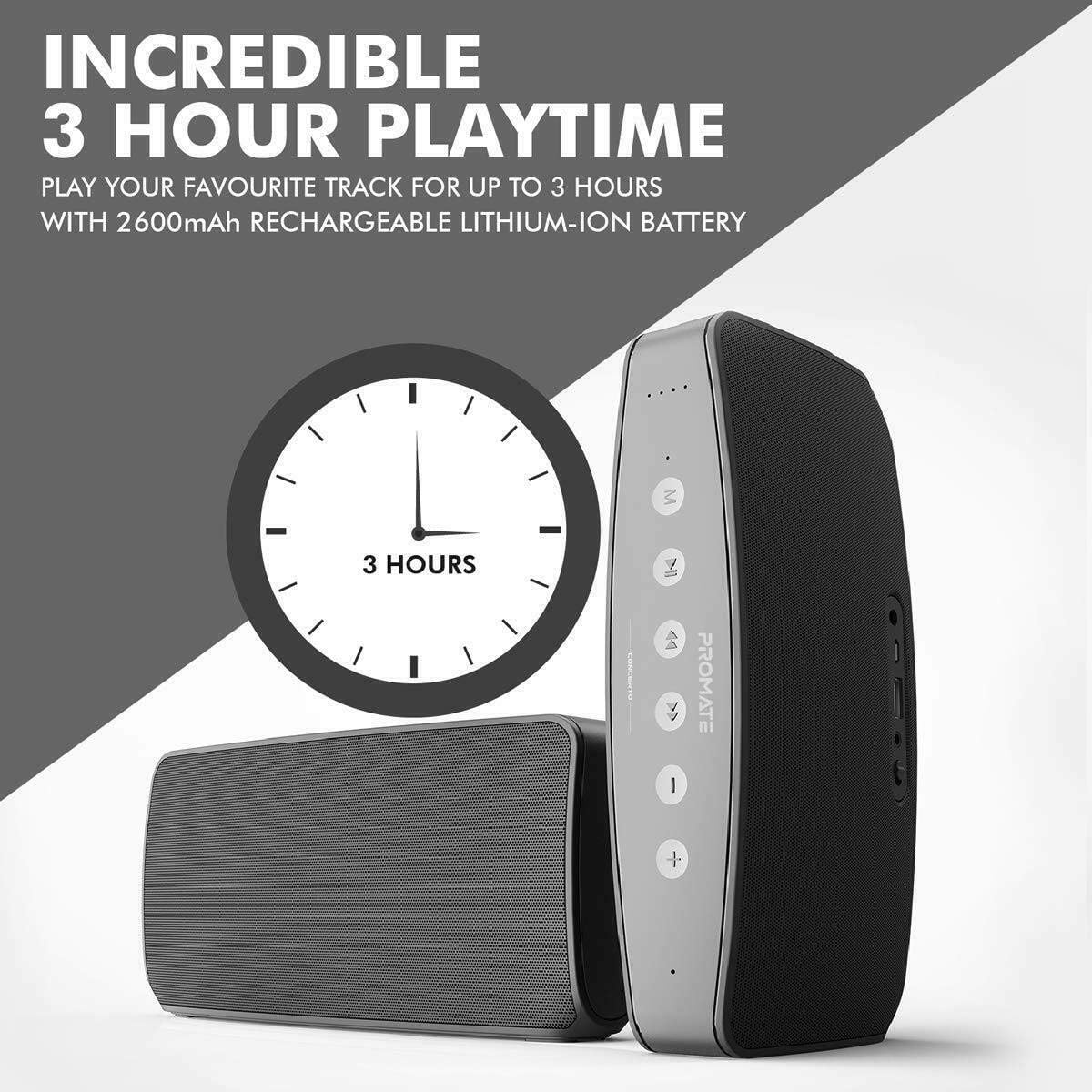
- 2600 mAh rechargeable battery for portable use, offering up to 3 hours of playtime.
- Touch control panel for easy music navigation.
- വാട്ടർപ്രൂഫ് ഡിസൈൻ.
2. പാക്കേജ് ഉള്ളടക്കം
പാക്കേജിൽ എല്ലാ ഇനങ്ങളും ഉണ്ടോ എന്ന് ദയവായി പരിശോധിക്കുക:
- Promate Concerto Bluetooth Speaker
- യുഎസ്ബി ചാർജിംഗ് കേബിൾ
- 3.5mm AUX ഓഡിയോ കേബിൾ
- ഉപയോക്തൃ മാനുവൽ
3. ഉൽപ്പന്നം കഴിഞ്ഞുview
Familiarize yourself with the various parts and controls of your Promate Concerto speaker.

ചിത്രം: ഒരു പൊട്ടിത്തെറിച്ചു view illustrating the internal components of the Promate Concerto speaker, highlighting its dual tweeters and subwoofer for superior sound quality.
നിയന്ത്രണ പാനൽ (മുകളിൽ View)
- പവർ ബട്ടൺ: സ്പീക്കർ ഓണാക്കാനോ ഓഫാക്കാനോ അമർത്തിപ്പിടിക്കുക.
- മോഡ് ബട്ടൺ: ബ്ലൂടൂത്ത്, AUX മോഡുകൾക്കിടയിൽ മാറുക.
- പ്ലേ/താൽക്കാലികമായി നിർത്തുക ബട്ടൺ: Play or pause audio playback. Answer or end calls.
- വോളിയം കൂട്ടുക (+): വോളിയം കൂട്ടുക.
- വോളിയം ഡൗൺ (-): വോളിയം കുറയ്ക്കുക.
- അടുത്ത ട്രാക്ക് ബട്ടൺ: അടുത്ത പാട്ടിലേക്ക് പോകുക.
- മുമ്പത്തെ ട്രാക്ക് ബട്ടൺ: മുമ്പത്തെ പാട്ടിലേക്ക് പോകുക.
Ports (Rear View)
- യുഎസ്ബി ചാർജിംഗ് പോർട്ട്: ചാർജ് ചെയ്യുന്നതിനായി യുഎസ്ബി കേബിൾ ബന്ധിപ്പിക്കുക.
- 3.5mm AUX ഇൻപുട്ട്: Connect external audio devices using the AUX cable.
- LED സൂചകം: പവർ, ചാർജിംഗ്, ബ്ലൂടൂത്ത് സ്റ്റാറ്റസ് എന്നിവ കാണിക്കുന്നു.
4. സജ്ജീകരണം
4.1. സ്പീക്കറിൽ നിന്ന് നിരക്ക് ഈടാക്കുന്നു
- Connect the small end of the provided USB charging cable to the USB charging port on the back of the speaker.
- USB കേബിളിന്റെ വലിയ അറ്റം ഒരു USB പവർ അഡാപ്റ്ററുമായി (ഉൾപ്പെടുത്തിയിട്ടില്ല) അല്ലെങ്കിൽ ഒരു കമ്പ്യൂട്ടറിന്റെ USB പോർട്ടുമായി ബന്ധിപ്പിക്കുക.
- The LED indicator will illuminate to show charging status. It will change or turn off once fully charged.
A full charge takes approximately 3-5 hours and provides up to 3 hours of music playback.

ചിത്രം: The Promate Concerto speaker highlighting its battery life, indicating up to 3 hours of playtime from its 2600mAh rechargeable lithium-ion battery.
4.2. പവർ ഓൺ/ഓഫ്
- To power on, press and hold the Power button for a few seconds until you hear an audible prompt and the LED indicator lights up.
- To power off, press and hold the Power button again for a few seconds until the LED indicator turns off.
4.3. ബ്ലൂടൂത്ത് ജോടിയാക്കൽ
- Ensure the speaker is powered on and in Bluetooth mode (the LED indicator will flash, indicating it's ready for pairing). If not, press the Mode button to switch to Bluetooth mode.
- നിങ്ങളുടെ മൊബൈൽ ഉപകരണത്തിൽ (സ്മാർട്ട്ഫോൺ, ടാബ്ലെറ്റ്, ലാപ്ടോപ്പ് മുതലായവ) ബ്ലൂടൂത്ത് പ്രവർത്തനക്ഷമമാക്കുക.
- ഇതിനായി തിരയുക available Bluetooth devices and select "Promate Concerto" from the list.
- Once successfully paired, the speaker will provide an audible confirmation, and the LED indicator will stop flashing and remain solid.
The speaker has a wireless range of approximately 10 meters (33 feet).
4.4. AUX കണക്ഷൻ
ചിത്രം: The Promate Concerto speaker illustrating its multiple connectivity options, including a 3.5mm audio jack for wired connections and Bluetooth v4.1 + EDR for wireless pairing.
- Connect one end of the provided 3.5mm AUX audio cable to the AUX input port on the back of the speaker.
- Connect the other end of the AUX cable to the headphone jack or audio output of your external audio device.
- സ്പീക്കർ സ്വയമേവ AUX മോഡിലേക്ക് മാറും.
5. പ്രവർത്തന നിർദ്ദേശങ്ങൾ
5.1. സംഗീതം പ്ലേബാക്ക്
- പ്ലേ/താൽക്കാലികമായി നിർത്തുക: Press the Play/Pause button once to play or pause the current track.
- അടുത്ത ട്രാക്ക്: Press the Next Track button once to skip to the next song.
- മുമ്പത്തെ ട്രാക്ക്: Press the Previous Track button once to go back to the beginning of the current song or to the previous song.
5.2. വോളിയം നിയന്ത്രണം
- വോളിയം വർദ്ധിപ്പിക്കുക: വോളിയം അപ്പ് (+) ബട്ടൺ അമർത്തുക.
- വോളിയം കുറയ്ക്കുക: വോളിയം ഡൗൺ (-) ബട്ടൺ അമർത്തുക.
- You can also adjust the volume directly from your connected audio device.
5.3. ഹാൻഡ്സ്-ഫ്രീ കോളിംഗ്
When connected via Bluetooth, the Promate Concerto speaker can be used for hands-free calls thanks to its integrated microphone.
- മറുപടി കോൾ: ഒരു ഇൻകമിംഗ് കോൾ റിംഗ് ചെയ്യുമ്പോൾ പ്ലേ/പോസ് ബട്ടൺ ഒരിക്കൽ അമർത്തുക.
- കോൾ അവസാനിപ്പിക്കുക: കോൾ നിർത്താൻ, പ്ലേ/താൽക്കാലികമായി നിർത്തുക ബട്ടൺ ഒരിക്കൽ അമർത്തുക.
- കോൾ നിരസിക്കുക: ഇൻകമിംഗ് കോൾ നിരസിക്കാൻ പ്ലേ/പോസ് ബട്ടൺ 2 സെക്കൻഡ് അമർത്തിപ്പിടിക്കുക.
6. പരിപാലനം
6.1. വൃത്തിയാക്കൽ
- Use a soft, dry, lint-free cloth to clean the speaker's exterior.
- അബ്രാസീവ് ക്ലീനറുകൾ, ആൽക്കഹോൾ, ബെൻസീൻ അല്ലെങ്കിൽ മറ്റ് രാസ ലായകങ്ങൾ എന്നിവ ഉപയോഗിക്കരുത്, കാരണം ഇവ ഉപരിതലത്തിനോ ആന്തരിക ഘടകങ്ങളോ കേടുവരുത്തിയേക്കാം.
6.2. സംഭരണം
- നേരിട്ടുള്ള സൂര്യപ്രകാശത്തിൽ നിന്നും കടുത്ത താപനിലയിൽ നിന്നും മാറി തണുത്തതും വരണ്ടതുമായ സ്ഥലത്ത് സ്പീക്കർ സൂക്ഷിക്കുക.
- ദീർഘനേരം ബാറ്ററി സൂക്ഷിക്കുകയാണെങ്കിൽ, അതിന്റെ ആയുസ്സ് നിലനിർത്താൻ ഇടയ്ക്കിടെ ബാറ്ററി ചാർജ് ചെയ്യുക.
6.3. ജല പ്രതിരോധം
The Promate Concerto is designed to be waterproof. However, to ensure its longevity and proper function:
- Ensure all port covers are securely closed before exposing the speaker to water.
- വെള്ളത്തിൽ ദീർഘനേരം മുങ്ങുന്നത് ഒഴിവാക്കുക.
- വെള്ളത്തിൽ സമ്പർക്കം പുലർത്തിയ ശേഷം, ചാർജ് ചെയ്യുന്നതിന് മുമ്പ് സ്പീക്കർ ഉണക്കി തുടയ്ക്കുക.
7. പ്രശ്നപരിഹാരം
If you encounter any issues with your Promate Concerto speaker, please refer to the following common problems and solutions:
| പ്രശ്നം | സാധ്യമായ കാരണം | പരിഹാരം |
|---|---|---|
| സ്പീക്കർ പവർ ഓൺ ചെയ്യുന്നില്ല | ബാറ്ററി തീർന്നു | സ്പീക്കർ പൂർണ്ണമായും ചാർജ് ചെയ്യുക. |
| ബ്ലൂടൂത്ത് വഴി ബന്ധിപ്പിക്കാൻ കഴിയില്ല | Speaker not in pairing mode; Device Bluetooth off; Out of range | Ensure speaker is in Bluetooth pairing mode (flashing LED). Turn on Bluetooth on your device. Move device closer to speaker (within 10m). Try unpairing and re-pairing. |
| പ്ലേബാക്ക് സമയത്ത് ശബ്ദമില്ല | Volume too low; Incorrect input mode; Loose cable connection | Increase volume on both speaker and connected device. Ensure correct mode (Bluetooth/AUX) is selected. Check AUX cable connection. |
| ശബ്ദം വികലമാണ് | Volume too high; Low battery; Poor audio source | Reduce volume. Charge the speaker. Try a different audio source or file. |
8 സ്പെസിഫിക്കേഷനുകൾ
Detailed technical specifications for the Promate Concerto speaker:
| ഫീച്ചർ | വിശദാംശങ്ങൾ |
|---|---|
| മോഡലിൻ്റെ പേര് | കച്ചേരി |
| ഇനം മോഡൽ നമ്പർ | 4260029482195 |
| ബ്രാൻഡ് | പ്രോത്സാഹിപ്പിക്കുക |
| സ്പീക്കർ തരം | സബ് വൂഫർ |
| പരമാവധി സ്പീക്കർ ഔട്ട്പുട്ട് പവർ | 40 വാട്ട്സ് |
| സറൗണ്ട് സൗണ്ട് ചാനൽ കോൺഫിഗറേഷൻ | 3.1 |
| ഓഡിയോ put ട്ട്പുട്ട് മോഡ് | ചുറ്റളവ്, സ്റ്റീരിയോ |
| കണക്റ്റിവിറ്റി ടെക്നോളജി | ബ്ലൂടൂത്ത് |
| വയർലെസ് കമ്മ്യൂണിക്കേഷൻ ടെക്നോളജി | ബ്ലൂടൂത്ത് |
| ബ്ലൂടൂത്ത് പതിപ്പ് | V4.1 |
| വയർലെസ് ശ്രേണി | 10 മീറ്റർ വരെ (33 അടി) |
| കണക്ഷനുകൾ | Bluetooth, AUX (Auxiliary) |
| പ്രത്യേക സവിശേഷതകൾ | High-Resolution Audio, Bluetooth, Integrated Microphone |
| പവർ ഉറവിടം | ബാറ്ററി പവർ |
| ബാറ്ററി ശേഷി | 2600 mAh (as per image) |
| കളിസമയം | Up to 3 hours (as per image) |
| നിയന്ത്രണ രീതി | സ്പർശിക്കുക |
| വാട്ടർപ്രൂഫ് | അതെ |
| മൗണ്ടിംഗ് തരം | ടേബിൾടോപ്പ് |
| ശുപാർശ ചെയ്യുന്ന ഉപയോഗങ്ങൾ | For Music Player |
| അനുയോജ്യമായ ഉപകരണങ്ങൾ | Mobile Phone, Laptop, Tablet, MP3 Player, Television, Game Console |
9. വാറൻ്റിയും പിന്തുണയും
9.1. വാറൻ്റി വിവരങ്ങൾ
The Promate Concerto speaker comes with a standard warranty. Please refer to the warranty card included in your package or visit the official Promate webവിശദമായ വാറന്റി നിബന്ധനകൾക്കും വ്യവസ്ഥകൾക്കും സൈറ്റ്.
9.2. ഉപഭോക്തൃ പിന്തുണ
For technical assistance, troubleshooting, or any other inquiries, please contact Promate customer support. Contact details can typically be found on the official Promate webസൈറ്റ് അല്ലെങ്കിൽ ഉൽപ്പന്ന പാക്കേജിംഗിൽ.


