1. ആമുഖം
This manual provides essential information for the safe and effective use of your Roland FP-30X Digital Piano. Please read these instructions thoroughly before operating the instrument and retain them for future reference. The FP-30X is a portable digital piano featuring Roland's SuperNATURAL Piano technology, an 88-note PHA-4 Standard keyboard, and various connectivity options.
2. ബോക്സിൽ എന്താണുള്ളത്?
അൺപാക്ക് ചെയ്യുമ്പോൾ, ഇനിപ്പറയുന്ന എല്ലാ ഇനങ്ങളും ഉണ്ടെന്ന് ഉറപ്പാക്കുക:
- Roland FP-30X Digital Piano (Keyboard)
- പവർ അഡാപ്റ്റർ
- മ്യൂസിക് റെസ്റ്റ്
- സുസ്ഥിര പെഡൽ
- ഉടമയുടെ മാനുവൽ (ഈ പ്രമാണം)
- Optional accessories such as the KSC-70 stand and KPD-70 three-pedal unit are sold separately.
3. സജ്ജീകരണം
3.1 പ്ലേസ്മെൻ്റ്
Place the FP-30X on a stable, flat surface or a compatible keyboard stand. Ensure adequate ventilation around the instrument. Avoid direct sunlight, heat sources, or excessive humidity.
3.2 ബന്ധിപ്പിക്കുന്ന പവർ
- Connect the included AC adapter to the DC IN jack on the rear panel of the FP-30X.
- ഒരു സാധാരണ ഇലക്ട്രിക്കൽ ഔട്ട്ലെറ്റിലേക്ക് എസി അഡാപ്റ്റർ പ്ലഗ് ചെയ്യുക.
- Ensure the power indicator light illuminates when the power button is pressed.

Figure 1: Rear panel connections, including DC IN, USB, and pedal jacks.
3.3 ഒരു സസ്റ്റെയിൻ പെഡൽ ബന്ധിപ്പിക്കുന്നു
Connect the included sustain pedal to the PEDAL 1 jack on the rear panel. For the optional KPD-70 three-pedal unit, connect it to the dedicated PEDAL 2 jack.
3.4 ഹെഡ്ഫോണുകൾ ബന്ധിപ്പിക്കുന്നു
For private practice, connect headphones to either of the two 6.35mm (1/4-inch) HEADPHONES jacks located on the front left side of the piano. Connecting headphones will mute the internal speakers.

Figure 2: User playing the FP-30X with headphones for silent practice.
4. പ്രവർത്തന നിർദ്ദേശങ്ങൾ
4.1 പവർ ഓൺ/ഓഫ്, വോളിയം
- പവർ ഓണാക്കാൻ, അമർത്തുക ശക്തി ബട്ടൺ. ഇൻഡിക്കേറ്റർ ലൈറ്റ് പ്രകാശിക്കും.
- പവർ ഓഫ് ചെയ്യുന്നതിന്, അമർത്തിപ്പിടിക്കുക ശക്തി ഇൻഡിക്കേറ്റർ ലൈറ്റ് ഓഫ് ആകുന്നതുവരെ ബട്ടൺ.
- Adjust the overall volume using the വോളിയം buttons (+/-). The LED indicators show the current volume level.

ചിത്രം 3: നിയന്ത്രണ പാനൽ ഓവർview with power, volume, and tone selection buttons.
4.2 Selecting Tones
The FP-30X includes a variety of instrument sounds.
- അമർത്തുക പിയാനോ button to select the standard acoustic piano sound.
- അമർത്തുക ഇ പിയാനോ button for electric piano sounds.
- അമർത്തുക മറ്റുള്ളവ button to cycle through additional sounds such as organs, strings, and synthesizers.
4.3 മെട്രോനോം പ്രവർത്തനം
The built-in metronome assists with rhythm practice.
- അമർത്തുക മെട്രോനോം button to turn the metronome on or off.
- ഉപയോഗിക്കുക പതുക്കെ ഒപ്പം വേഗം buttons to adjust the tempo.
- അമർത്തുക അടിക്കുക button to change the time signature.
4.4 ബ്ലൂടൂത്ത് കണക്റ്റിവിറ്റി
The FP-30X supports Bluetooth audio and MIDI for wireless connection to mobile devices.
- To initiate Bluetooth pairing, press and hold the ഫംഗ്ഷൻ ബ്ലൂടൂത്ത് ഇൻഡിക്കേറ്റർ മിന്നുന്നത് വരെ ബട്ടൺ അമർത്തുക.
- On your mobile device, enable Bluetooth and select "FP-30X" from the list of available devices.
- Once paired, you can stream audio from your device through the piano's speakers or use MIDI apps like Roland's Piano App.
- Note: Bluetooth headphones are not supported for direct connection to the FP-30X.
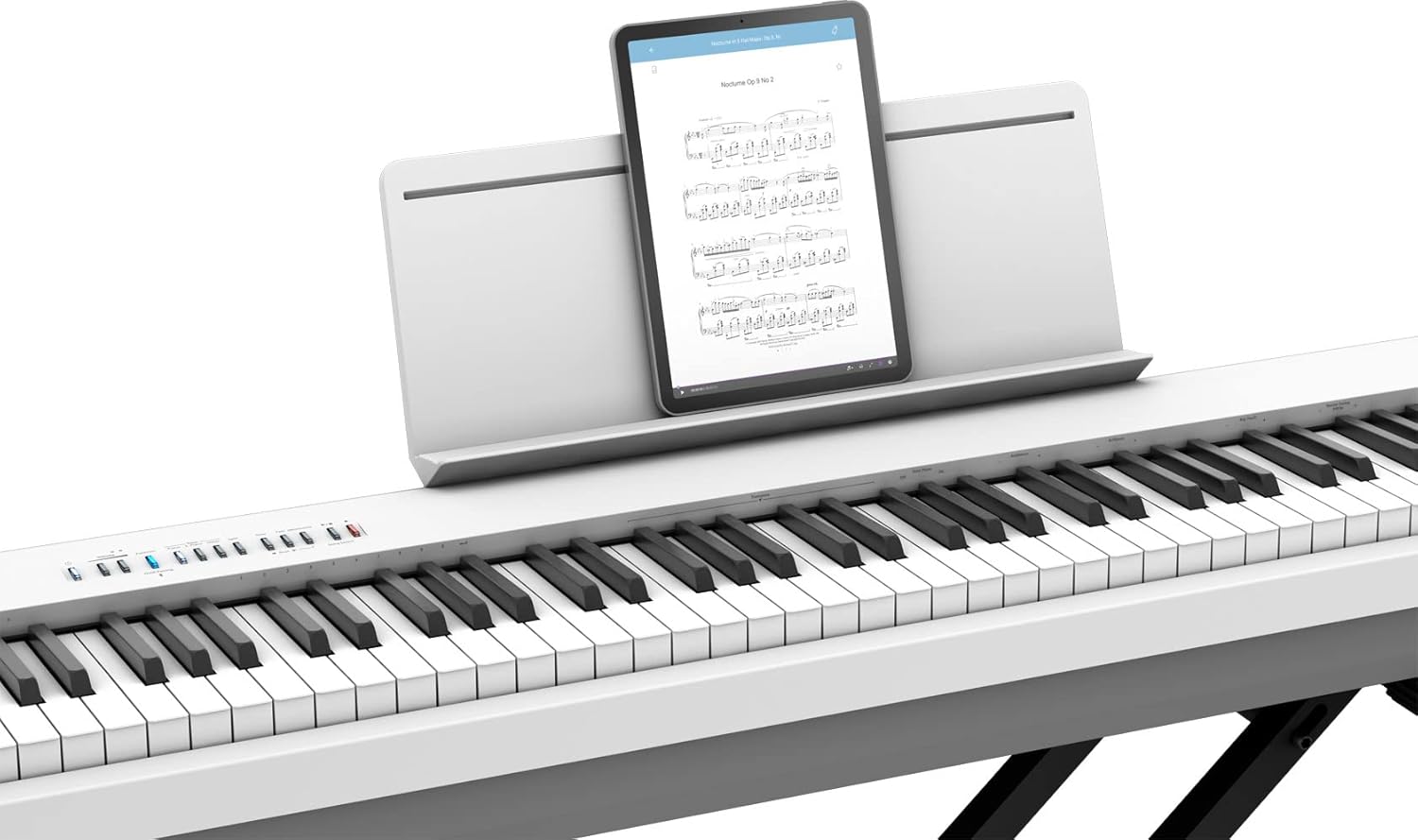
Figure 4: The FP-30X connected to a tablet for use with music apps.
4.5 Using the Roland Piano App
The Roland Piano App (available for iOS and Android) enhances your experience by allowing convenient control over sounds, metronome settings, and other functions from your smartphone or tablet.
- Download the Roland Piano App from your device's app store.
- Connect your device to the FP-30X via Bluetooth MIDI as described in Section 4.4.
- Launch the app to access advanced controls and learning features.
5. പരിപാലനം
5.1 വൃത്തിയാക്കൽ
- Wipe the instrument with a soft, dry cloth.
- ദുശ്ശാഠ്യമുള്ള അഴുക്കിന്, ചെറുതായി ഡി ഉപയോഗിക്കുകamp തുണി തുടർന്ന് തുടച്ചു ഉണക്കുക.
- അബ്രാസീവ് ക്ലീനറുകൾ, മെഴുക് അല്ലെങ്കിൽ ലായകങ്ങൾ എന്നിവ ഉപയോഗിക്കുന്നത് ഒഴിവാക്കുക, കാരണം ഇവ ഫിനിഷിന് കേടുവരുത്തും.
5.2 സംഭരണം
When not in use, store the FP-30X in a dust-free environment. If storing for an extended period, disconnect the power adapter.
6. പ്രശ്നപരിഹാരം
| പ്രശ്നം | പരിഹാരം |
|---|---|
| സ്പീക്കറുകളിൽ നിന്നും/ഹെഡ്ഫോണുകളിൽ നിന്നും ശബ്ദമില്ല. |
|
| ബ്ലൂടൂത്ത് കണക്ഷൻ പരാജയപ്പെടുന്നു. |
|
| Keys feel unresponsive or produce no sound. |
|
7 സ്പെസിഫിക്കേഷനുകൾ
| ഫീച്ചർ | വിശദാംശങ്ങൾ |
|---|---|
| മോഡലിൻ്റെ പേര് | റോളണ്ട് FP-30X ഡിജിറ്റൽ പിയാനോ |
| കീകളുടെ എണ്ണം | 88 |
| കീബോർഡ് തരം | PHA-4 Standard Keyboard with Escapement and Ivory Feel |
| സൗണ്ട് എഞ്ചിൻ | സൂപ്പർ നാച്ചുറൽ പിയാനോ |
| ഔട്ട്പുട്ട് വാട്ട്tage | 22 വാട്ട്സ് (11W x 2) |
| കണക്റ്റിവിറ്റി ടെക്നോളജി | ബ്ലൂടൂത്ത് (ഓഡിയോ/മിഡി) |
| കണക്റ്റർ തരങ്ങൾ | USB (Type B for Computer, Type A for Memory), DC IN, 3.5mm Jack (Output L/Mono, R), Pedal Jacks (1/4-inch, dedicated for KPD-70) |
| ഹെഡ്ഫോണുകൾ ജാക്ക് | 6.35mm Jack x 2 |
| അളവുകൾ (W x D x H) | 51.2 x 11.2 x 6 ഇഞ്ച് (1300 x 284 x 151 മിമി) |
| ഇനത്തിൻ്റെ ഭാരം | 47 പൗണ്ട് (21.3 കി.ഗ്രാം) |
| പവർ ഉറവിടം | കോർഡഡ് ഇലക്ട്രിക് |
| പിന്തുണയ്ക്കുന്ന സോഫ്റ്റ്വെയർ | Roland Piano App, Apple’s GarageBand |
8. വാറൻ്റിയും പിന്തുണയും
For warranty information and customer support, please refer to the warranty card included with your product or visit the official Roland webസൈറ്റ്. വാങ്ങിയതിന്റെ തെളിവായി നിങ്ങളുടെ വാങ്ങൽ രസീത് സൂക്ഷിക്കുക.
- ഓൺലൈൻ പിന്തുണ: സന്ദർശിക്കുക Roland's official support page for FAQs, downloads, and service information.
- ഉൽപ്പന്ന രജിസ്ട്രേഷൻ: അപ്ഡേറ്റുകളും പിന്തുണയും ലഭിക്കുന്നതിന് നിങ്ങളുടെ ഉൽപ്പന്നം ഓൺലൈനായി രജിസ്റ്റർ ചെയ്യുക.


