ആമുഖം
The CAD Audio GXL1800SP Studio Pack provides a versatile microphone solution for studio recording, podcasting, and streaming. This pack includes two distinct condenser microphones: the GXL1800 large-format side-address microphone and the GXL800 small-diaphragm microphone. The GXL1800 is designed to capture performances with a smooth and articulate sound profile, offering high sensitivity for various miking techniques and a cardioid polar pattern to minimize off-axis noise. The GXL800 delivers a class-leading transient response, accurately reproducing vocals and instruments. This manual provides essential information for the proper setup, operation, and maintenance of your GXL1800SP Studio Pack.
പാക്കേജ് ഉള്ളടക്കം
Verify that all items listed below are included in your GXL1800SP Studio Pack:
- 1 x GXL1800 Side-Address Condenser Microphone
- 1 x GXL800 Small-Diaphragm Condenser Microphone
- 1 x Studio Grade Shock Mount (for GXL1800)
- 1 x Microphone Clip (for GXL800)
- 2 x XLR Cables
- 1 x ഫോം വിൻഡ് സ്ക്രീൻ
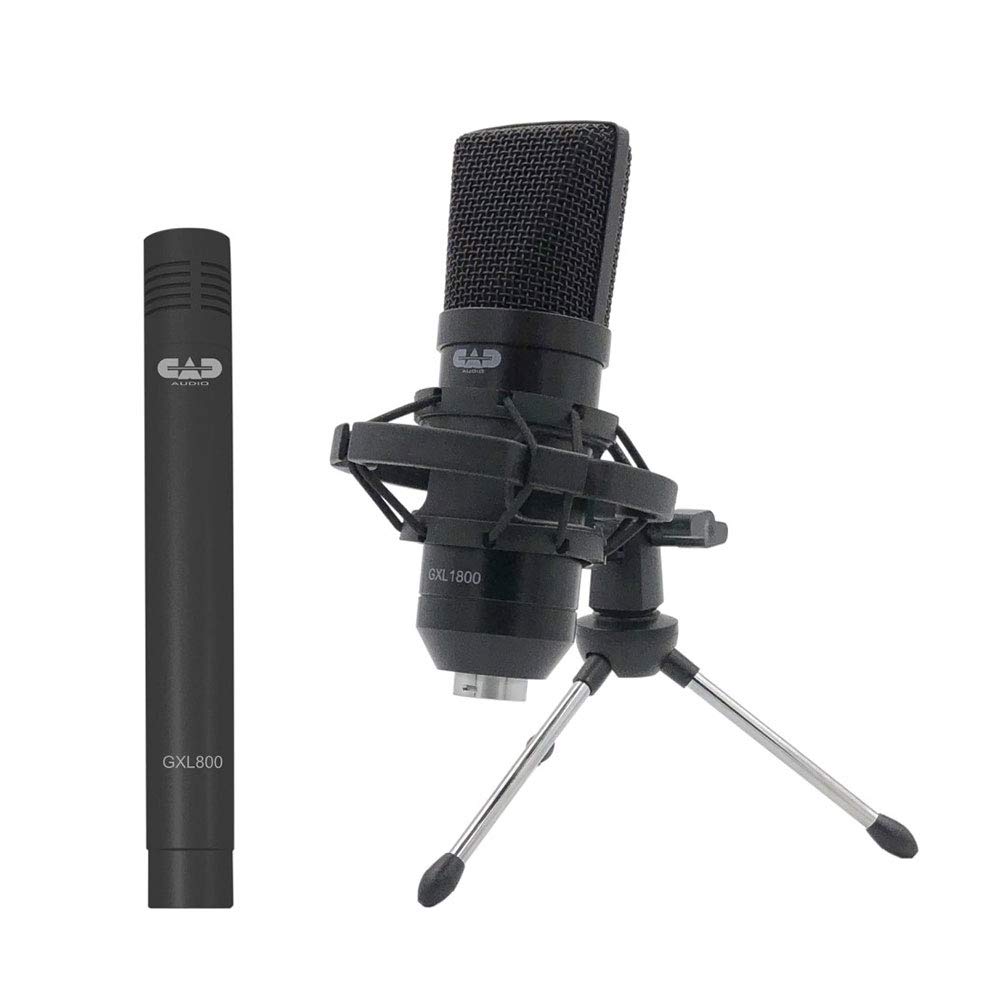
The CAD Audio GXL1800SP Studio Pack includes the GXL1800 large-diaphragm condenser microphone, the GXL800 small-diaphragm condenser microphone, a shock mount, a foam windscreen, and two XLR cables.
സജ്ജീകരണ നിർദ്ദേശങ്ങൾ
- മൈക്രോഫോണുകൾ ഘടിപ്പിക്കുന്നു:
- For the GXL1800, attach the included studio-grade shock mount to a microphone stand. Carefully secure the GXL1800 into the shock mount.
- For the GXL800, attach the included microphone clip to a microphone stand. Secure the GXL800 into the clip.
- Connecting to Audio Interface/Mixer:
- Use the provided XLR cables to connect each microphone to an audio interface or mixer.
- Ensure your audio interface or mixer can supply 48 വി ഫാന്റം പവർ. Both the GXL1800 and GXL800 are condenser microphones and require phantom power to operate.
- Positioning the Microphones:
- Position the GXL1800 for vocals or instruments, typically 6-12 inches from the sound source, aiming the side of the microphone towards the source.
- Position the GXL800 for instruments or detailed sound capture, aiming the top of the microphone towards the source.
- Utilize the foam windscreen to reduce plosives and breath noise, especially for vocal applications.

The GXL1800 large-diaphragm condenser microphone is designed for capturing vocals and instruments with clarity.

The GXL800 small-diaphragm condenser microphone is suitable for instruments and detailed sound capture.
മൈക്രോഫോണുകൾ പ്രവർത്തിപ്പിക്കൽ
Both the GXL1800 and GXL800 are condenser microphones known for their sensitivity and detailed sound capture. Proper operation involves understanding their characteristics:
- ഫാന്റം പവർ: Always ensure 48V phantom power is supplied by your audio interface or mixer before use. Failure to do so will result in no sound output.
- പോളാർ പാറ്റേൺ: Both microphones feature a unidirectional (cardioid) polar pattern. This means they are most sensitive to sound coming from the front and reject sound from the sides and rear. Position the microphones accordingly to capture the desired sound source and minimize unwanted ambient noise.
- സംവേദനക്ഷമത: Condenser microphones are highly sensitive. They will pick up subtle nuances but also environmental sounds. Operate in a quiet environment to achieve optimal recording quality. Avoid handling the microphones directly during recording to prevent unwanted noise transmission through the stand.
- എസ് നേടുകtaging: Adjust the gain on your audio interface or mixer carefully. Start with a low gain setting and gradually increase it until you achieve a strong signal without clipping (distortion).

The GXL1800 microphone can be used for miking various instruments, including drums, to capture their natural sound.
മെയിൻ്റനൻസ്
Proper care ensures the longevity and performance of your CAD Audio microphones:
- വൃത്തിയാക്കൽ: Use a soft, dry cloth to wipe down the microphone bodies. Do not use liquid cleaners, solvents, or abrasive materials, as these can damage the finish or internal components.
- സംഭരണം: When not in use, store the microphones in a protective case or bag to prevent dust accumulation and physical damage. Avoid exposing them to extreme temperatures, high humidity, or direct sunlight.
- കൈകാര്യം ചെയ്യൽ: Always handle microphones with care. Avoid dropping them or subjecting them to strong impacts, which can affect their delicate internal capsules.
ട്രബിൾഷൂട്ടിംഗ്
If you encounter issues with your GXL1800SP Studio Pack, refer to the following common problems and solutions:
- സൗണ്ട് ഔട്ട്പുട്ട് ഇല്ല:
- Ensure 48V phantom power is enabled on your audio interface or mixer.
- Check all XLR cable connections for security and proper insertion.
- Verify that the input gain on your audio interface/mixer is not set to minimum.
- കേബിൾ തകരാറുകൾ ഒഴിവാക്കാൻ മറ്റൊരു XLR കേബിൾ ഉപയോഗിച്ച് പരിശോധിക്കുക.
- ഹം അല്ലെങ്കിൽ ബസിംഗ് ശബ്ദം:
- എല്ലാ കേബിളുകളും ശരിയായി സംരക്ഷിച്ചിട്ടുണ്ടെന്നും ബന്ധിപ്പിച്ചിട്ടുണ്ടെന്നും ഉറപ്പാക്കുക.
- Check for nearby electronic devices (e.g., computers, monitors, power supplies) that might be causing electromagnetic interference. Try moving the microphone or the interfering device.
- Verify that your audio interface/mixer is properly grounded.
- വികലമായ ശബ്ദം:
- Reduce the input gain on your audio interface or mixer. The signal may be too strong, causing clipping.
- Increase the distance between the microphone and the sound source if the source is excessively loud.
- Low Output Level:
- Increase the input gain on your audio interface or mixer.
- Ensure the microphone is properly aimed at the sound source.
സ്പെസിഫിക്കേഷനുകൾ
| മോഡൽ നമ്പറുകൾ | GXL1800SP (AMS-GXL-1800SP) |
| Microphone Types Included | GXL1800 Large-Format Side-Address Condenser, GXL800 Small-Diaphragm Condenser |
| പോളാർ പാറ്റേൺ | ഏകദിശയിലുള്ള (കാർഡിയോയിഡ്) |
| കണക്റ്റിവിറ്റി ടെക്നോളജി | XLR |
| കണക്റ്റർ തരം | XLR |
| പവർ ഉറവിടം | 48V Phantom Power (Corded Electric) |
| സിഗ്നൽ-ടു-നോയിസ് അനുപാതം | 78 ഡി.ബി |
| ചാനലുകളുടെ എണ്ണം | 1 |
| ഇനത്തിൻ്റെ ഭാരം | 2 പൗണ്ട് (ആകെ പാക്കേജ്) |
| ഉൽപ്പന്ന അളവുകൾ (L x W x H) | 7.28 x 3.15 x 12 ഇഞ്ച് |
| യു.പി.സി | 631922109160 |
വാറൻ്റിയും പിന്തുണയും
CAD Audio products are manufactured to high-quality standards. For specific warranty information regarding your GXL1800SP Studio Pack, please refer to the warranty card included with your purchase or visit the official CAD Audio website. For technical support, product registration, or service inquiries, please contact CAD Audio customer support directly through their official channels.
Official CAD Audio Webസൈറ്റ്: www.cadaudio.com


